Mailtrap leads in inbox placement (78.8%) and setup speed (~5 minutes), making it the top pick for SaaS teams that want strong deliverability out of the box. Amazon SES wins on cost ($0.10 per 1,000 emails) for AWS-native teams. Mailgun suits developer-heavy SaaS workflows. SendGrid fits teams combining transactional and marketing email.
61% vs. 78.8% inbox placement, that’s the gap between the worst- and best-performing Email APIs in our 2026 test. If you’re building a SaaS product, you need email infrastructure for every stage of the customer journey, from signup and onboarding to billing, retention, and expansion. That’s why the email API you choose should offer more than low cost: strong inbox placement, fast setup, reliable authentication, SDKs, webhooks, logs, and analytics.
But even the best API won’t guarantee inbox placement if your domain reputation, authentication, or warm-up isn’t in order. That’s where Warmy comes in, an AI-driven email deliverability platform that protects sender reputation and works alongside whichever Email API you choose.
By the end, you’ll know which email API matches your stack, deliverability needs, budget, and how to keep inbox placement high once you’re sending.
Best email API for SaaS: Quick comparison
| Provider | Inbox placement* | API setup speed | Starting price | SDKs | Best for |
|---|---|---|---|---|---|
| Mailtrap | 78.8% | ~5 minutes | $15/month | Node.js, Ruby, PHP, Python, Elixir, Java | SaaS teams that need high deliverability, fast setup, and built-in analytics like delivered emails, open rate, click rate |
| Amazon SES | 77.1% | ~15–20 minutes | $0.10/1,000 emails | AWS SDKs | AWS-native SaaS teams that want the lowest sending cost |
| Mailgun | 71.4% | ~10–15 minutes | $15/month | Go, Node.js, PHP, Java, Ruby, Python | Developer SaaS teams that need infrastructure control, logs, validation, and inbound routing |
| SendGrid | 61.0% | ~10–15 minutes | $19.95/month | Python, Go, Node.js, Ruby, PHP, Java, C# | SaaS teams that want transactional and marketing email in one platform |
*Inbox placement rates measured on shared IPs with no domain warm-up, across test sends to Gmail, Outlook, Yahoo, and other seed inboxes, 2026. Source: Mailtrap internal testing.
Which provider should you choose?
- Choose Mailtrap if you want inbox placement, fast setup, and built-in deliverability analytics.
- Choose Amazon SES if you’re on AWS, need the lowest sending cost, and have the engineering resources to manage setup and deliverability yourself.
- Choose Mailgun if you need granular infrastructure control, validation, logs, and inbound routing.
- Choose SendGrid if you need transactional and marketing email in one platform and are ready to move to higher-tier plans for stronger deliverability features.
Mailtrap
Overview
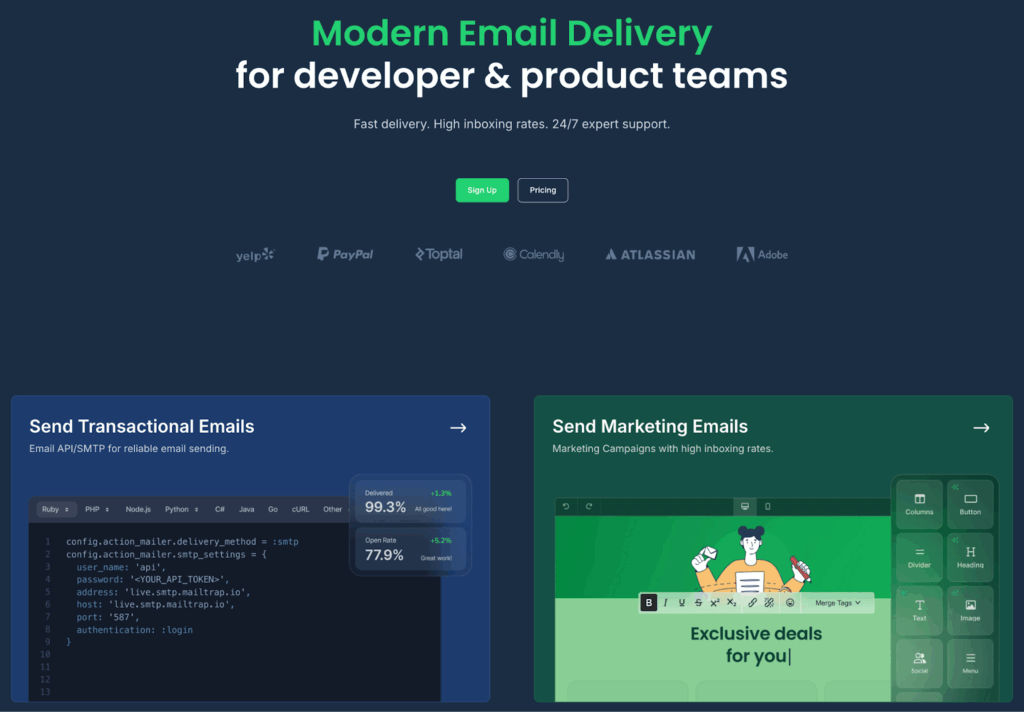
Mailtrap is an email delivery platform that provides email API for developer and product teams that need reliable sending infrastructure for SaaS applications.
It supports both Email API and SMTP, so teams can integrate it into custom applications, frameworks, backend services, and existing systems. For SaaS companies, Mailtrap is suitable for product-triggered emails, onboarding flows, trial messages, billing notifications, account alerts, team invites, and bulk or lifecycle communication.
Its main advantage is that it combines sending infrastructure, deliverability analytics, email logs, templates, webhooks, and developer tools in one platform.
API and developer experience
Mailtrap provides a RESTful Email API. It also offers official SDKs for Node.js, Ruby, PHP, Python, Elixir, Java.
The platform includes 25+ ready-to-use code snippets for common frameworks, which helps developers move from setup to first send quickly. In hands-on testing, setup from SDK installation to first successful send took around five minutes, the fastest result in this comparison.
Mailtrap’s documentation is practical and implementation-focused, with examples for Node.js, Ruby, PHP, Python, Elixir, and Java, plus ready-to-use snippets for frameworks such as Laravel, Symfony, Rails, Django, Flask, Express, NestJS, and Spring Boot. It is especially useful for teams that want a guided setup path rather than a more infrastructure-heavy configuration process.
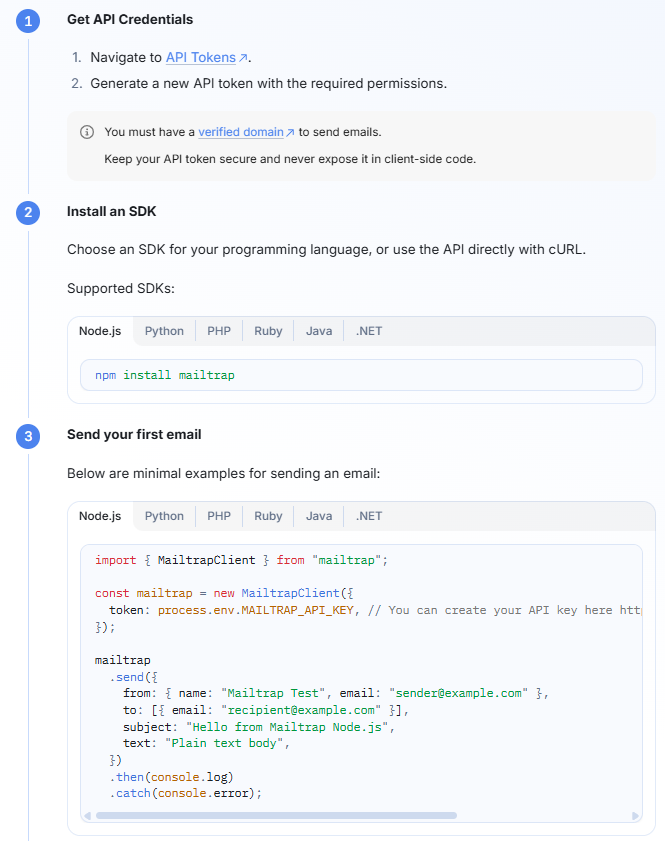
Quick Mailtrap email API integration.
Deliverability
Mailtrap had the highest inbox placement rate in this comparison: 78.8% inbox placement.
The test was measured on a shared IP with no domain warm-up, which makes it a useful baseline for new senders. Dedicated IPs are available on Business and Enterprise plans, along with guided IP warm-up.
Mailtrap supports automatic configuration and validation of SPF, DKIM, and DMARC. This is useful for SaaS teams because authentication setup is often one of the first steps before production sending.
Another important feature is the separation of transactional and bulk streams. For SaaS companies, this matters because different email types can affect sender reputation differently. Separating product-critical emails from bulk campaigns helps protect important product communication.
Webhooks, logs, and analytics
Mailtrap includes real-time tracking for opens, clicks, bounces, and spam complaints. It also supports webhooks for event-driven workflows.
For debugging and visibility, Mailtrap provides email history, logs, and event timelines. Teams can use dashboards and drill-down reports filtered by email category, mailbox provider, domain, and stream.
This is especially useful for SaaS teams because email issues often affect multiple teams at once. Developers need logs. Support teams need to know whether a specific user received a message. Product and growth teams need broader performance data.
Pricing
Mailtrap offers a free plan and paid plans that scale by email volume, users, domains, log retention, and advanced sending features.
| Plan | Price | Included volume |
|---|---|---|
| Free | $0/month | 4,000 emails |
| Basic | $15/month | 10,000 emails |
| Business | $85/month | 100,000 emails |
| Enterprise | $750/month | 1,500,000 emails |
Mailgun
Overview
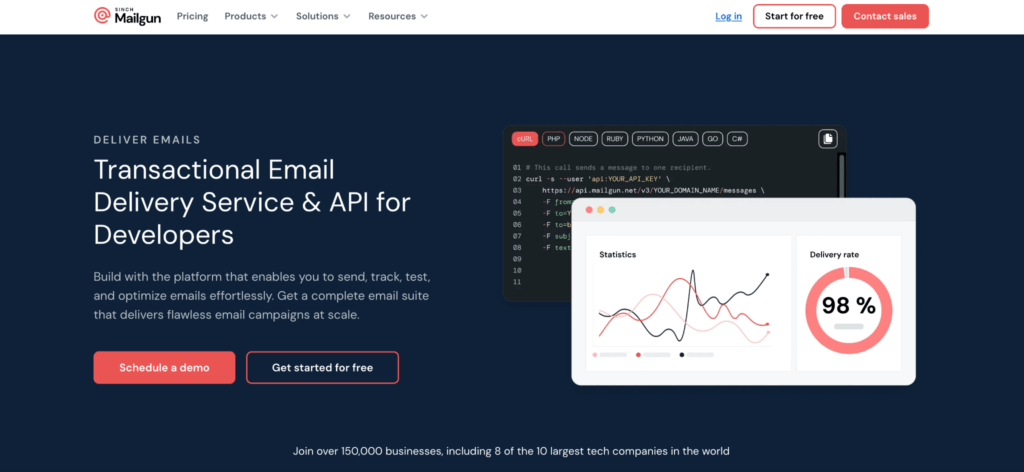
Mailgun is an email API provider built for developer teams that want more control over email infrastructure.
It supports API and SMTP sending, recipient variables, inbound email routing, email validation, templates, logs, analytics, and webhooks. For SaaS teams, Mailgun can work well when the email workflow requires domain-level control, validation, routing, or more advanced configuration.
API and developer experience
Mailgun offers a RESTful API that provides SDKs for Go, Node.js, PHP, Java, Ruby, Python.
Authentication uses API key via HTTP Basic Auth, with support for domain-specific API keys.
In hands-on testing, setup took around 10 to 15 minutes, largely because of DNS configuration during domain verification.
Mailgun’s documentation is comprehensive, but navigation can be challenging, and some sections reference older patterns. For experienced developers, the platform gives a good level of control. For leaner teams, the setup may feel less direct than more guided alternatives.
Deliverability
Mailgun achieved 71.4% inbox placement.
It supports SPF, DKIM, and DMARC authentication, with DNS setup required during domain verification. Dedicated IPs are available for $59/month each.
For advanced deliverability tooling, Mailgun offers its Optimize suite as a paid add-on. This includes inbox placement testing, email previews, and deliverability analytics. Mailgun also offers a separate validation product to help teams identify invalid addresses before sending.
Note: Before you commit to any provider’s paid add-on, get a baseline first: run a free email deliverability test to see where your domain stands.
Webhooks, logs, and analytics
Mailgun supports tracking, analytics, and webhooks. It also keeps email logs for up to 30 days depending on the plan.
Logs can be filtered by event type, list name, and tag names. This can be useful for SaaS teams that need more granular control over debugging and event analysis.
Pricing
Mailgun offers a free plan and paid plans based on sending volume, domain limits, logs, retention, and advanced reporting.
| Plan | Price | Included volume |
|---|---|---|
| Free | $0/month | 100 emails/day |
| Basic | $15/month | 10,000 emails/month |
| Foundation | $35/month | 50,000 emails/month |
| Scale | $90/month | 100,000 emails/month |
Amazon SES
Overview
Amazon Simple Email Service, or Amazon SES, is a pay-as-you-go email API service from AWS.
For SaaS teams already running on AWS, SES can be attractive because it integrates with AWS services such as Lambda, S3, CloudWatch, SNS, and IAM. It is also the cheapest provider in this comparison in terms of sending cost.
However, SES is more of a raw sending infrastructure layer than a complete SaaS email platform. It works best for teams that have engineering resources to manage configuration, monitoring, bounce handling, suppression logic, and deliverability tooling.
API and developer experience
Amazon SES integrates through AWS SDKs for JavaScript, Python, PHP, .NET, Ruby, Java, Go, C++, Rust, Swift, Kotlin. It also provides an SMTP interface.
In hands-on testing, setup took around 15 to 20 minutes. The main setup complexity came from IAM permissions and the sandbox-to-production process.
New SES accounts start in sandbox mode, which restricts sending to verified addresses. Moving to production requires a request to AWS, which can add extra onboarding time.
For teams already familiar with AWS, SES may feel natural. For teams without AWS experience, IAM permissions and service configuration can slow down setup.
Deliverability
Amazon SES achieved 77.1% inbox placement.
SES supports SPF, Easy DKIM, and DMARC. Dedicated IPs are available as an add-on.
Bounce and complaint notifications are delivered through Amazon SNS. SES also has an account-level suppression list, but teams often need to build additional suppression and monitoring workflows themselves.
Amazon offers Virtual Deliverability Manager as a paid feature. It adds dashboard-level visibility and recommendations. Without it, deliverability monitoring is more basic compared with providers that include more built-in analytics.
Webhooks, logs, and analytics
SES event handling is more AWS-native than plug-and-play. Bounce and complaint notifications are sent through SNS, and teams can connect SES with other AWS services for monitoring and workflows. This flexibility is powerful, but it usually requires more engineering work than providers with built-in dashboards, logs, and deliverability reports.
Pricing
Amazon SES costs $0.10 per 1,000 emails with no monthly minimum.
This makes SES the lowest-cost provider in this comparison. The trade-off is that teams may need to spend more engineering time on deliverability, suppression logic, monitoring, and analytics.
SendGrid
Overview
SendGrid is an API email platform that supports both transactional and marketing email. It offers email API, SMTP relay, dynamic templates, analytics, subuser management, and dedicated IPs on higher-tier plans.
For SaaS companies, SendGrid can be a fit when the team wants one platform for product-triggered emails and broader customer communication. It is especially relevant for companies that want transactional and marketing email under the same vendor.
API and developer experience
SendGrid offers a RESTful API and SMTP relay. It provides official SDKs for Python, Go, Node.js, Ruby, PHP, Java, C#.
Setup took around 10 to 15 minutes in hands-on testing. The process can involve extra complexity around sender authentication and API key management.
SendGrid also supports Handlebars-based dynamic templates, which are useful for SaaS teams managing personalized product, lifecycle, or account-based messages.
Deliverability
SendGrid had the lowest inbox placement rate in this comparison: 61.0% inbox placement. If you decide to use SendGrid, you can test your email deliverability with other email providers to ensure your emails are reaching the inbox.
SendGrid supports SPF, DKIM, DMARC, and link branding. It also provides a sender authentication wizard to guide DNS setup.
Dedicated IPs with automated warm-up are available on the Pro and Premier plan. SendGrid also automatically handles bounce and spam complaint suppression.
Deliverability Insights, which includes inbox placement data, engagement metrics, and reputation monitoring, is available on the Pro plan, starting at $89.95/month. Lower-tier plans include more basic analytics.
Webhooks, logs, and analytics
SendGrid includes analytics and event tracking, with stronger deliverability visibility available on higher-tier plans.
For SaaS teams, this means SendGrid can support both product and marketing email workflows, but advanced visibility may require moving to a more expensive plan.
Pricing
SendGrid offers a free trial and paid plans that scale by monthly volume, dedicated IP access, subuser management, SSO, and enterprise features.
| Plan | Price | Included volume |
|---|---|---|
| Free Trial | $0/month for 60 days | 100 emails/day |
| Essentials | From $19.95/month | 50,000-100,000 emails/month |
| Pro | From $89.95/month | 100,000-2,500,000 emails/month |
| Premier | Custom pricing | Custom |
Why and how to separate transactional vs. bulk email streams?
Veljko Ristic, content manager and expert at Mailtrap

If you send transactional and marketing mail from the same domain and IP today, the priority is subdomain separation – not a separate root domain.
The right architecture is two subdomains: notify.yourdomain.com for transactional, news.yourdomain.com for bulk, each with its own:
- Sending endpoint transactional/bulk (assuming your email provider offers that).
- SPF record.
- DKIM selector.
- DMARC policy sends reports to a monitored inbox.
At meaningful volume, add a dedicated IP per stream. The overhead is a few DNS records and a configuration change in your ESP; the payoff is independent reputation management for two streams that behave completely differently.
To stress, I’d push back on the instinct to register a separate root domain like brand-notifications.com for transactional mail. Providers and recipients have both seen that pattern used for impersonation. To put it bluntly, it looks like a phishing domain, not a legitimate sending identity; and you start with zero trust instead of borrowing credibility from your main domain.
Lastly, don’t skip the warmup. Every new sending identity starts neutral, and you want to be the one demonstrating who you are before the provider makes that determination for you.
How to choose the right Email API for SaaS
After comparing providers, your choice comes down to how you use email in your product, how much control your team needs, and how much infrastructure you want to manage yourself.
A good SaaS Email API should not just send messages from your application. It should help your team maintain inbox placement, debug delivery issues, track user-level events, and scale email volume without putting sender reputation at risk.
API and SDK experience
Choose a provider that fits your development workflow. You’ll usually connect email to product flows such as signup, onboarding, billing, team collaboration, and lifecycle messaging.
Look for REST API access, clear documentation, official SDKs, ready-to-use code examples, templates, and simple authentication. These features reduce implementation time and make email easier to maintain as your product grows.
Deliverability
Inbox placement should be one of the deciding factors. If your product emails land in spam or go missing, your users may not complete key actions inside your app.
Prioritize providers with SPF, DKIM, and DMARC support, dedicated IP options, IP warm-up, bounce handling, complaint suppression, and mailbox-provider-level analytics.
Setup speed
Speed is not only about API response time. For SaaS teams, practical setup speed matters too: how quickly developers can install an SDK, configure sending, complete authentication steps, and send the first test email.
If your team wants to launch quickly, check your templates and domain authentication before going live. Warmy’s Email Template Checker catches spam triggers and rendering issues before your first send.
Webhooks and event tracking
Webhooks become important once email is part of your product logic. They let your app react to events such as deliveries, bounces, opens, clicks, spam complaints, and failures.
For SaaS teams, this can support internal dashboards, user records, support workflows, lifecycle automation, and alerts when important emails fail.
Logs and analytics
Logs help developers troubleshoot individual messages. Analytics help product, growth, and support teams understand email performance at scale.
The most useful providers show delivery status, event timelines, recipient-level activity, bounce reasons, spam complaints, and performance by domain or mailbox provider.
Pricing and scalability
SaaS email volume can grow quickly, so pricing should be predictable. Check how each provider scales by email volume, log retention, domains, users, dedicated IPs, and advanced analytics.
The cheapest provider is not always the best choice if your team has to build missing deliverability, monitoring, or debugging features on its own.