TL;DR: Your delivery rate confirms a server accepted your email, but it never tells you whether a human saw it. That is the job of a seed list: you send your campaign to a set of test addresses across Gmail, Outlook, and Yahoo, and you get back a provider-by-provider read on how much reached the inbox versus spam, promotions, or nowhere at all. Treat the result as an early-warning gauge you check before and during a send, then confirm it against your real open and reply data, since seed accounts cannot reproduce how live subscribers behave. Run one whenever you launch something important, change your domain or template, or suspect placement has slipped.
A seed list is a set of monitored test email addresses, spread across mailbox providers like Gmail, Outlook, and Yahoo, that you send a campaign to see where it lands: inbox, spam, promotions, or missing. Seed list testing gives you an early read on deliverability before you send to real subscribers, so you can fix problems while you still can.
Your email platform reports a 98% delivery rate, so everything looks fine. Then replies dry up, and you cannot explain why. Delivery rate only confirms that a server accepted your message. It says nothing about whether the email reached the inbox or slid quietly into spam.
In simple terms, a seed list is how you catch that problem before it costs you a campaign. Warmy is an AI-driven email deliverability platform that shows you where your emails land and then helps you build the reputation that keeps them in the inbox. Before you change anything, run a free email deliverability test to check your current placement.
This guide explains what a seed list is, how seed list testing works, what it can and cannot tell you, and how to run one step by step.
What is a seed list?

A seed list is a collection of test email addresses that you or a deliverability tool controls and monitors. When you send a campaign to those addresses, the tool records where each copy lands across the major providers. That record is your inbox placement snapshot for that send.
Seed list vs seed test
The two terms get used together, so it helps to separate them. The seed list is the set of addresses. A seed test is the action: you send your email to the list, then read the report. One is the tool, the other is the process you run with it. If deliverability feels new to you, Warmy’s primer on email deliverability basics is a good place to start.
Why seed lists exist: Delivered is not the same as inboxed
Most sending dashboards report delivery, which only means a receiving server accepted the message. Acceptance and inbox placement are two different outcomes. An email can be accepted and then filtered into spam or the promotions tab, where almost no one will see it. A seed list closes that blind spot by telling you the outcome your dashboard hides.
How a seed list works
A seed test follows a simple loop, and understanding it explains both the value and the limits of the data you get back.
A set of addresses across providers
A good seed list spans the mailbox providers your real audience uses, typically Gmail, Outlook, and Yahoo. You send your campaign to every address on the list. Each receiving provider then makes its own filtering decision, exactly as it would for a real recipient.
What a seed test measures
The tool reads where your message landed at each address and rolls the results into placement categories. You see the share that reached the inbox, the share sent to spam or junk, the share filed under Gmail’s Promotions tab, and the share that went missing because it bounced or was blocked.
Many tools also flag rendering problems, broken links, and authentication failures in the same report. Warmy’s guide to email deliverability testing methods walks through how those diagnostics fit together.
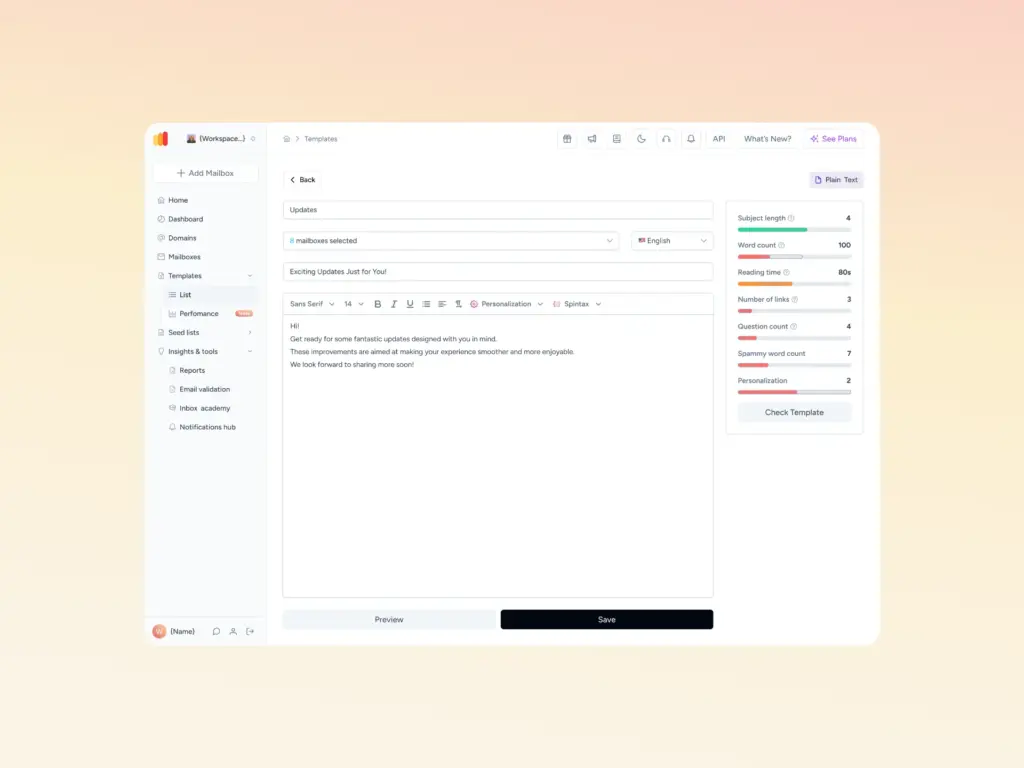
Content matters here too, because filters weigh the message itself, not just your infrastructure. If a seed test shows spam placement, checking your copy with a tool like Warmy’s Template Checker helps you catch the trigger words and formatting issues that push messages out of the inbox.
How seed lists improve email deliverability
A seed test does not improve deliverability on its own. It finds problems early so you can fix the authentication, content, or reputation issues behind them.
Catching placement problems before a live send
Open and click rates always fluctuate from campaign to campaign, which makes it hard to spot a real inboxing problem in the noise. A seed test cuts through that. If your placement suddenly drops, you see it right away and can pause before you burn a domain or waste a send on a list that will not see the message.
Spotting provider-specific issues
Every provider filters differently, so a campaign that sails into Gmail can still struggle at Outlook. Because a seed list reports placement per provider, it shows you exactly which ecosystem is filtering you and where to focus. That provider-level view is one reason seed testing has stayed a core habit for high-volume senders. Warmy’s look at how a seed list improves open and click rates covers the engagement side of that story.
Seed list vs inbox placement test
People use these two terms almost interchangeably, and the overlap is real. The distinction is straightforward: a seed list is the set of test addresses, while an inbox placement test is the act of sending to that list and reading where each message lands.
When a tool runs an inbox placement test, it is sending your email to a seed list behind the scenes. If you want to see the test itself, Warmy’s inbox placement test shows the full workflow.
Pro Tip: Always run your seed test with the actual email you plan to send, not a stripped-down placeholder. Spam filters judge your content as well as your infrastructure, so a bare test message hides the very triggers a real campaign would surface. Testing under real conditions gives you a report you can trust.
The limits of seed list testing
A seed test is a valuable diagnostic, and it is also easy to overtrust. Knowing where it falls short keeps you from acting on the wrong signal.
Use it alongside real engagement and provider dashboards
Treat seed testing as one input among several. Pair it with your real open and reply rates and with provider dashboards such as Google Postmaster Tools, Yahoo Sender Hub, and Microsoft SNDS. The table below shows why the two data sources complement each other.
| Seed list testing | Real subscriber data | |
|---|---|---|
| What it shows | Where a test message lands across providers | How real people open, click, reply, and complain |
| When you get it | Before or during a send, on demand | After a send, building over time |
| Best for | Catching authentication, content, and placement issues early | Measuring true engagement and long-term reputation |
| Blind spot | No real engagement history, so results can mislead | Slower to reveal a sudden placement drop |
How to run a seed list test with Warmy
Warmy compresses the process into three steps and connects the test data to the tools that fix whatever it surfaces.
The steps, from download to report
1. Pull a fresh seed list. Add your sender, then open Warmy’s Seed List to get your set of seed addresses. Download the list before every campaign. The pool rotates, and running a test against yesterday’s addresses gives you a reading on mailboxes you are no longer sending to.
2. Send your real campaign to it. Import the addresses into your sending platform and build the campaign around content you actually plan to use: same subject line, same links, same sending domain, same authentication setup. Anything you sanitize for the test is something the test will not catch.
3. Read the placement report. Warmy breaks results down by provider and shows where each message landed: inbox, Promotions, spam, or missing entirely. The same report covers blacklist status and SPF, DKIM, and DMARC checks, so a failed placement usually comes with the reason attached.
What Warmy’s seed list does differently
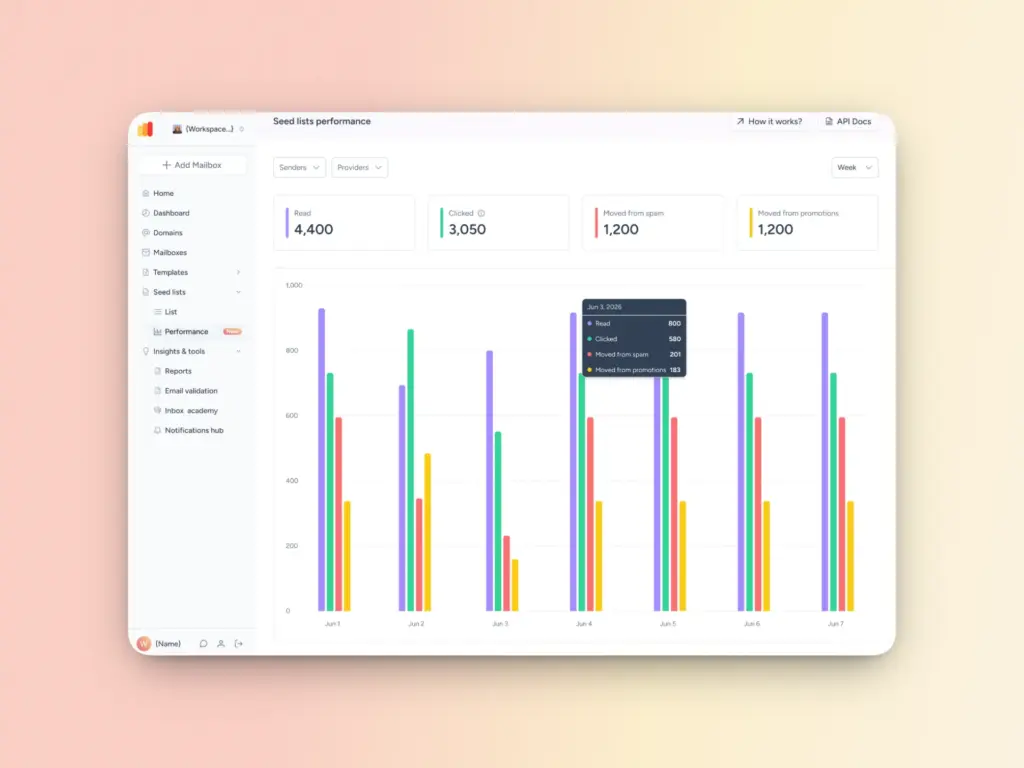
Traditional seed lists passively receive your email and report where it landed. Warmy’s seed list goes further. Its addresses are real, actively maintained accounts across Gmail, Outlook, and Yahoo that open your message, scroll through it, click links, reply, and pull it out of spam when needed.
That engagement sends genuine positive signals to mailbox providers rather than just measuring placement. For a deeper walkthrough, see how seed lists boost deliverability.
The bottom line on seed lists

A seed list answers the question your delivery rate cannot: did your email actually reach the inbox? Used well, it gives you an early warning when placement slips, a provider-by-provider view of where you stand, and a safe way to test content and authentication before a real send. Read it as a directional signal, keep it next to your real engagement data, and act on what it tells you.
Warmy brings the test and the fix into one platform, from the Advanced Seed List and free deliverability tools to AI-driven warmup that builds the reputation behind strong placement. Ready to see Warmy in action? Book your demo today and take control of where your emails land.