An email health score, also called an email deliverability score, is a numerical rating, typically from 0 to 100, that measures how likely your emails are to land in the inbox. It combines your sender reputation, authentication setup, list quality, engagement, and blacklist status into one figure you can track and improve.
Roughly one in six commercial emails never reaches the inbox. The frustrating part is that most senders cannot see why. An email health score turns a scattered set of technical signals into one number, so you know at a glance whether providers trust you. Warmy is an AI-driven email deliverability platform that calculates a health score for your domain and shows what is holding it back. You can see where you stand today with a free email deliverability test, then work through the fixes below.
How an email health score is calculated
An email health score is a composite metric. A tool gathers several deliverability signals, weights them, and rolls them into one number on a 0 to 100 scale. Most reputation systems calculate the figure on a rolling 30-day window, so recent sending counts more than older activity.
The exact formula varies by provider, and Validity does not publish the weights behind Sender Score. The inputs stay consistent across tools. A typical score reflects sender reputation, domain and IP authentication, list quality, recipient engagement, spam complaints, and blacklist status.
Scores are read in bands rather than as a precise grade. The table below reflects the ranges Validity publishes for its Sender Score, which most 0 to 100 deliverability scores follow closely.
| Score range | Rating | What it means |
|---|---|---|
| 90 to 100 | Excellent | Strong trust from mailbox providers; mail consistently reaches the inbox |
| 80 to 89 | Good | Solid reputation with minor issues worth watching |
| 70 to 79 | Acceptable | Warning zone; deliverability is starting to slip |
| Below 70 | Poor | Filtering or blocking is likely; reputation needs repair |
What affects your email health score
Six factors move the number more than anything else.
- Sender reputation. Google rates your domain reputation on a four-level scale of High, Medium, Low, and Bad inside Google Postmaster Tools, while Validity’s Sender Score rates your sending IP from 0 to 100. Both feed into how a health score reads your standing.
- Authentication. SPF, DKIM, and DMARC prove that mail genuinely comes from your domain. All three are mandatory for any domain sending 5,000 or more messages a day to Gmail, a rule Google and Yahoo began enforcing in February 2024.
- List quality. Hard bounces, invalid addresses, and spam traps signal poor hygiene. A bounce rate above roughly 2 to 3 percent drags the score down quickly.
- Engagement. Opens, replies, and clicks tell providers that people want your mail. Gmail in particular weights engagement heavily when it decides where to place a message.
- Spam complaints. Google asks bulk senders to keep the reported spam rate below 0.10 percent and to never reach 0.30 percent. Complaints are the single biggest reputation risk.
- Blacklists. A single listing on a major blocklist such as Spamhaus can override an otherwise clean score and push mail straight to spam.
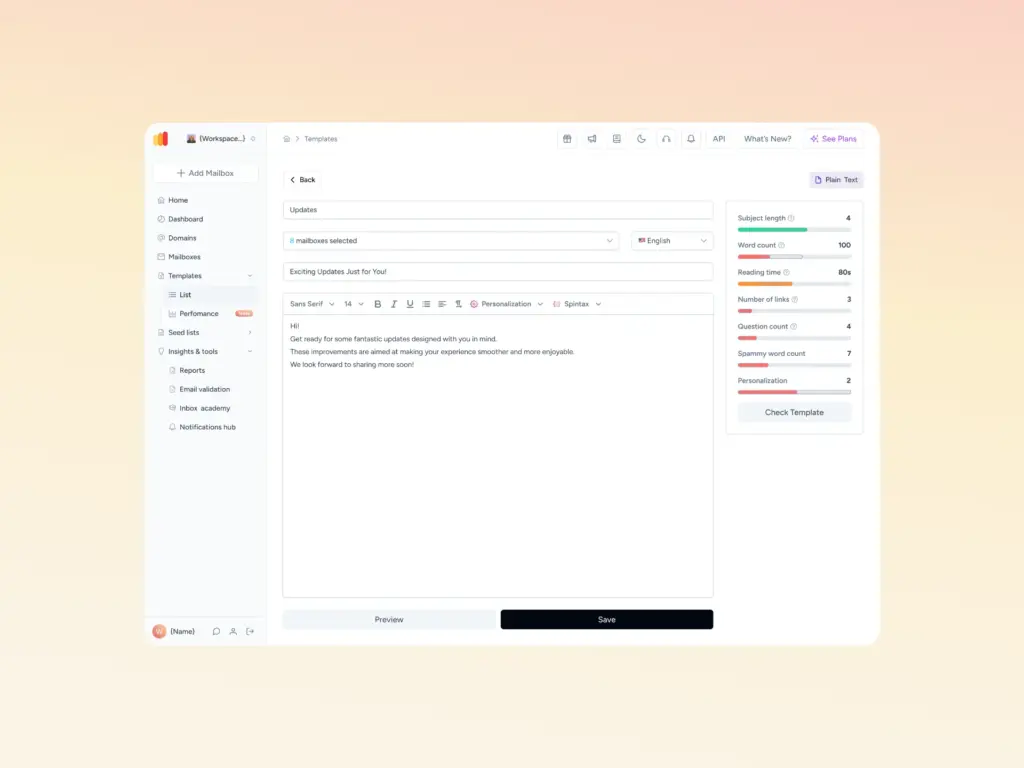
Content matters too. Spam trigger words, heavy images, and link shorteners can filter a technically clean domain, so a scan with Warmy’s free Template Checker is worth running before a campaign.
How to check your email health score

Several free tools report the pieces of your score, and some combine them into a single number.
- Google Postmaster Tools. Shows domain and IP reputation for Gmail. It only displays data once you send a meaningful volume to Gmail addresses.
- Validity Sender Score. A free lookup at senderscore.org that rates your sending IP and is referenced by Yahoo, AOL, and many corporate email gateways.
- Microsoft SNDS. Reports IP-level data such as complaint and trap rates for Outlook, Hotmail, and Live.com.
- A deliverability test. Sends seed emails across providers and returns one score alongside inbox placement and authentication results.
Warmy’s free email deliverability test pulls these together. It runs your domain across Gmail, Outlook, and Yahoo, shows the exact share of emails reaching the inbox versus spam, scans your domain and IP against blacklists, and confirms whether SPF, DKIM, and DMARC pass, then returns a single deliverability score. Check your email health score in a couple of minutes.
How to improve your email health score
A low score is fixable. Work through the inputs in order of impact.
- Fix authentication first. Publish valid SPF, DKIM, and DMARC records. Warmy’s free SPF and DMARC generators build correctly aligned records and avoid the misconfigurations that break manual ones.
- Clean your list. Remove hard bounces and long-inactive contacts, and never send to purchased lists. Fewer complaints and bounces lift the score faster than any other single change.
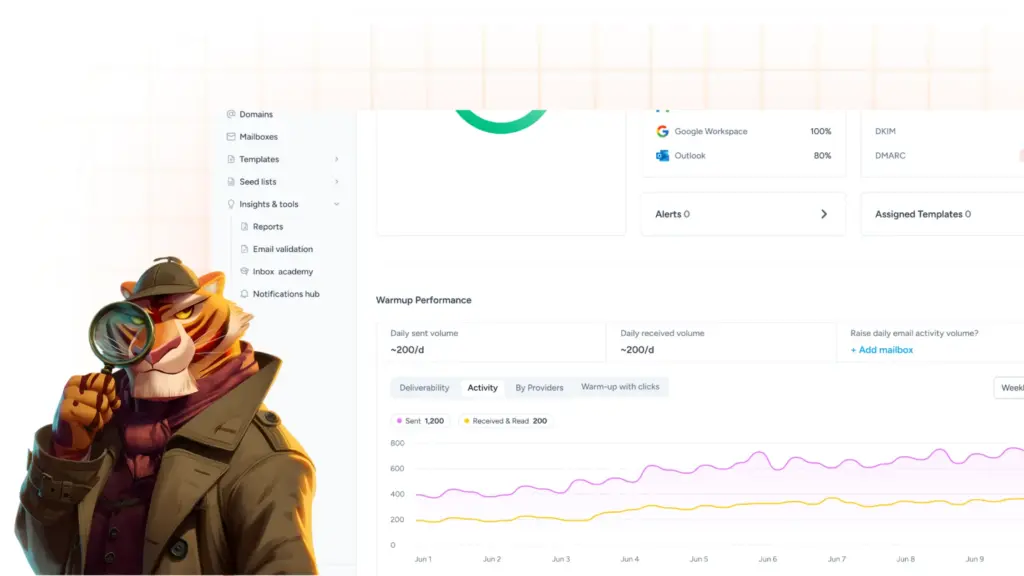
- Warm up the domain. A new or recovering domain needs a record of steady, engaged sending before providers trust it. Warmy sends warm-up mail on an adaptive schedule, opens and replies from a seed list of real Gmail, Outlook, and Yahoo addresses, and pulls any message that lands in spam back into the inbox, which rebuilds reputation over a few weeks.
- Monitor continuously. Warmy’s Domain Health Hub assigns each domain a numeric health score from inbox placement data, DNS records, blacklist status, and Google Postmaster signals, and tracks it week over week so you catch a drop before it costs a campaign.
| Pro Tip: Check your score before every major send, not just when open rates drop. Reputation shifts on a rolling 30-day window, so a small dip caught early is far easier to reverse than a slide you notice weeks later. |
|---|
Conclusion
An email health score gives you one honest read on whether providers trust your mail. It rises when your authentication is clean, your list is healthy, your domain is warmed, and your engagement is real, and it falls the moment any of those slip. Watching the number is the simplest way to protect inbox placement before a send goes out.
Check your email health score with Warmy’s free email deliverability test, then start a free trial to monitor and raise it inside the Domain Health Hub.