SMTP Error 451 4.5.0 – Mailbox Unavailable means the recipient’s mail server has temporarily rejected your message because the destination mailbox cannot accept mail right now. It is a soft bounce, not a permanent failure: the message stays queued and most servers retry delivery automatically within minutes to hours.
Left unresolved, though, repeated 451 4.5.0 responses signal a deeper problem, such as a full recipient mailbox, DNS or authentication misconfiguration, or aggressive rate limiting, and can eventually hurt your sender reputation. This guide covers the most common causes and the exact steps to fix each one.
What is SMTP Error 451 4.5.0?
SMTP (Simple Mail Transfer Protocol) Error 451 4.5.0 means that an email server is temporarily rejecting a message because the mailbox is not available. This rejection can happen for a number of reasons, including:
- The recipient’s mailbox is full, or is temporarily unavailable.
- The email provider of the recipient is being maintained.
- DNS misconfigurations or authentication failures.
- Email rate limits or spam filtering policies blocking the message.
Because this is a temporary error, if your email server supports this, it will probably attempt a retry automatically after a while. But when the problem continues, action must be taken to fix email deliverability.
Why does this error matter for email deliverability?
However, when many of your emails receive this error, it may lead to lower email interaction metrics, late communication, higher bounce rates, and blacklisting risks, which are long-term issues that compound the way Warmy’s guide to sender reputation scoring breaks down in more detail.
Common causes of SMTP Error 451 4.5.0
Understanding the root cause is critical when attempting to resolve SMTP Error 451 4.5.0 – Mailbox Unavailable to ensure emails are delivered successfully. It’s a temporary error, meaning the recipient’s mail server might accept your email at some point in the future. Still, repeated errors signify deep-rooted problems that need fixing.
1. Recipient mail server issues
- Mail server overload or maintenance. The recipient’s email provider may be processing a high number of emails or undergoing server maintenance, so it may temporarily reject incoming emails. In that case, your email will stay in the queue and might get retried a little later.
- Quota exceeded for the recipient’s mailbox. Certain email services have limits on how much space you can use in the mailbox. If the recipient’s inbox is full, the server will not accept new messages until space is freed, one of several scenarios covered in Warmy’s breakdown of undeliverable emails.
- Server-side rate limiting. Certain mail servers implement rate-limiting policies to control email traffic and prevent spam. If your sending domain or IP exceeds the allowed rate, your messages may be temporarily deferred, triggering the 451 4.5.0 error, a pattern Warmy breaks down by provider in its ESP-specific bounce code guide.
2. DNS misconfigurations
The Domain Name System (DNS) is used to forward mails correctly by the mail servers. However, incorrect domain DNS settings may mean that your emails might get rejected by mail servers.
- Incorrect MX recordsMX (Mail Exchange) records determine which mail server should handle your emails. If these records are missing or misconfigured, email delivery failures, including 451 errors, can occur.
- DNS propagation delaysChanges on DNS records (MX, SPF, DKIM or DMARC) might need up to 48hours to propagate on the internet. During this period, email servers may reject messages due to outdated DNS information.
- Invalid SPF, DKIM, or DMARC SettingsSPF, DKIM, and DMARC are all email authentication protocols intended to prevent email phishing and spoofing attacks. The error may also occur if your domain SPF record is “too strict,” or if you do not have a DKIM signature, or if your domain’s DMARC policy is set up to reject messages instead of no-quarantine.
3. Spam filtering and blacklisting
Spam is a problem that many email providers tackle using aggressive filtering mechanisms. If your domain or IP has a reputation, your emails may be rejected or delayed by the spam filter. For a fuller breakdown of triggers, see Warmy’s guide on why emails go to spam.
- When a sending domain has a history of complaints, bounces, or unengaged recipients, email providers may consider the sending as risky and prevent delivery or delay it, a pattern Google’s bulk sender guidelines flag as a direct risk factor for inbox placement.
- RBLs (real-time blacklists) such as Spamhaus, SURBL or UCEPROTECT reject the emails automatically if the IP address or domain appears on their lists.
- Some mail servers look at email headers, content and links to assess a spam score. Your email will be flagged as spam if it contains spammy characteristics (too many links, all caps, certain trigger words, etc) which will cause it to be rejected.
💡 Pro Tip: Check DNS propagation time before assuming a record change failed. Updates to MX, SPF, DKIM, or DMARC records can take up to 48 hours to fully propagate, so retest with a fresh DNS lookup rather than editing records again too soon.
4. Sending server issues
Not all issues occur on the recipient’s side. In-house misconfiguration on your sending server or the bad reputation of the IP can result in SMTP 451 errors as well.
- If you frequently send emails to invalid or inactive addresses, your bounce rate increases, which damages your sender reputation. This can lead to temporary rejections from recipient servers.
- Incorrect SMTP server settings, such as authentication errors, incorrect port configurations, or missing SSL/TLS encryption, can cause temporary email delivery failures.
- Some email providers limit the number of emails you can send per hour or day. If you exceed these limits, your outgoing emails may be temporarily deferred, resulting in 451 errors.
Not sure which of these causes applies to you? Run Warmy’s free email deliverability test to see exactly where your emails land and what is blocking them before you troubleshoot further.
How to fix SMTP Error 451 4.5.0
If your emails are being rejected with SMTP Error 451 4.5.0 – Mailbox Unavailable, follow these troubleshooting steps to identify the root cause and restore email deliverability.
Step 1: Verify the recipient mail server status
Check if the recipient’s email server is online
- Use online tools like MXToolbox SMTP Diagnostics or Telnet commands to check if the recipient’s mail server is responding.
- If the server is down or undergoing maintenance, wait and retry later.
Confirm the recipient’s mailbox is not full
- Try to reach the recipient through another method (phone, alternate email) to ascertain their mailbox status.
- If they have too many emails, they’ll have to delete some to get new ones.
Step 2: Verify your DNS configuration
Validate MX records using online tools (e.g., MXToolbox)
- MX (Mail Exchange) records define which mail server is responsible for receiving emails for your domain.
- Use MXToolbox (mxtoolbox.com) to check your MX records for any misconfigurations.
Verify SPF, DKIM, and DMARC records
- SPF (Sender Policy Framework), as defined in RFC 7208, guarantees only authorized mail servers can send emails on your behalf.
- Use: nslookup -type=TXT yourdomain.com or online SPF checkers.
- DKIM (DomainKeys Identified Mail): Cryptographically signs emails to prevent spoofing.
- DMARC (Domain-based Message Authentication, Reporting & Conformance): Specifies how recipient mail servers should treat emails that fail authentication
Step 3: Make sure your domain/IP is not blacklisted
If your domain and IP is in blacklisting, some mail servers will reject your emails automatically. Check blacklists like Spamhaus, SURBL, and UCEPROTECT and request delisting if necessary.
Step 4: Optimize sending practices
Even if your emails are technically correct, poor sending habits can trigger 451 4.5.0 errors due to rate limiting or low sender reputation.
- Reduce sending volume to avoid rate limiting
- Some mail servers limit how many emails they accept per hour/day.
- If you are sending large email campaigns, reduce sending speed and distribute emails over a longer period.
- Use proper warm-up techniques for new domains
- If your domain is new or recently inactive, email providers may consider it untrustworthy.
- Use an email warm-up service like Warmy.io to gradually build sender reputation.
- Improve sender reputation with engagement-based sending
- Avoid sending bulk emails to cold lists.
- Focus on highly engaged recipients who open, reply, and click on emails.
💡 Pro Tip: Fix authentication and warm-up together, not separately. Correct SPF, DKIM, and DMARC records only stop your emails from being rejected on technical grounds; a structured warm-up is still what builds the sending history mailbox providers use to decide you are trustworthy.
Step 5: Review email authentication and security
- Ensure SPF, DKIM, and DMARC policies are correctly configured
- SPF should only include authorized sending IPs.
- DKIM should be enabled for all outgoing emails.
- DMARC should be set to p=none initially for monitoring, then tightened to p=quarantine or p=reject.
- Implement BIMI and TLS encryption for better trustworthiness
- BIMI (Brand Indicators for Message Identification): Adds your brand’s logo to emails, boosting trust.
- TLS (Transport Layer Security): Ensures secure email transmission, preventing errors due to encryption issues.
Step 6: Contact the recipient’s email provider
If all else fails, reaching out to the recipient’s mail provider can help resolve persistent issues. Some mail servers require manual whitelisting for certain domains. So if you frequently email a specific recipient, ask them to whitelist your sending domain/IP.
Many major providers, like Microsoft 365 and Google Workspace, have dedicated support channels for email deliverability issues.
How Warmy.io helps prevent and resolve SMTP Error 451 4.5.0
While SMTO Error 451 4.5.0 – Mailbox Unavailable is more of an issue with the receiver’s end, there are still some things you can do on your end to ensure you’re setting up your emails for success. Warmy.io offers a comprehensive suite of AI-driven solutions designed to enhance sender reputation, optimize email-sending practices, and prevent temporary email rejections. Here’s how Warmy.io can help:
AI-driven email warmup to prevent server rejections and spam flags
Many SMTP 451 errors occur when email providers temporarily reject emails from new, inactive, or low-reputation domains. Warmy.io’s AI-powered email warm-up helps mitigate this issue by:
- Gradually increasing email volume to prevent sudden spikes that could trigger mail server rejections.
- Simulating human-like interactions to ensures emails are opened, replied to, and marked as important.
- Monitoring email reputation to identify potential issues before they impact campaigns.

Example: If you’re using a new domain, sending too many emails at once can trigger rate limits. Warmy.io slowly scales up sending activity, mimicking organic human behavior to build sender trust with email providers.
🔖 Related Reading: The Science and Process of Warming Up Newly Created Email Domains
Email deliverability testing to detect issues before they cause SMTP errors
Warmy.io offers a free email deliverability test that helps identify potential problems before your emails get rejected.
- Inbox Placement Testing determines whether your emails are landing in Inbox, Spam, or Promotions tabs.
- Blacklist monitoring detects if your domain or IP is on a spam blacklist, a common reason for SMTP 451 errors.
- SPF, DKIM, and DMARC verification to ensure authentication records are configured correctly to reduce deferrals.
Example: If your emails are frequently rejected or delayed, Warmy.io’s diagnostic tools can pinpoint DNS misconfigurations or authentication failures, allowing you to fix them proactively.
Advanced seed list ensures strong inbox placement
Other traditional warmup lists can only open emails, but Warmy’s advanced seed lists take it up a notch. Warmy’s advanced seed lists offer actual engagement – your emails are opened, scrolled through, clicked on, and replied to. If there are emails that land in spam, these are removed and marked as important to let the ESPs know you are credible.
Additionally, you can warm up using any provider that previously cannot be warmed up – Mailchimp, Shopify, Omnisend, and Klaviyo, etc.
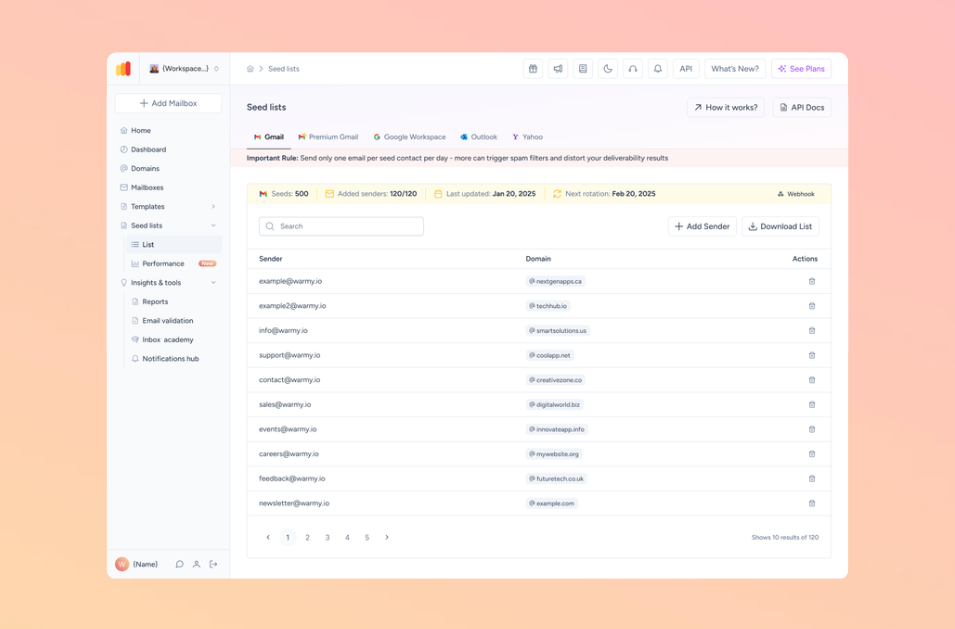
📌 Want to improve your inbox placement? Try Warmy’s Seed List
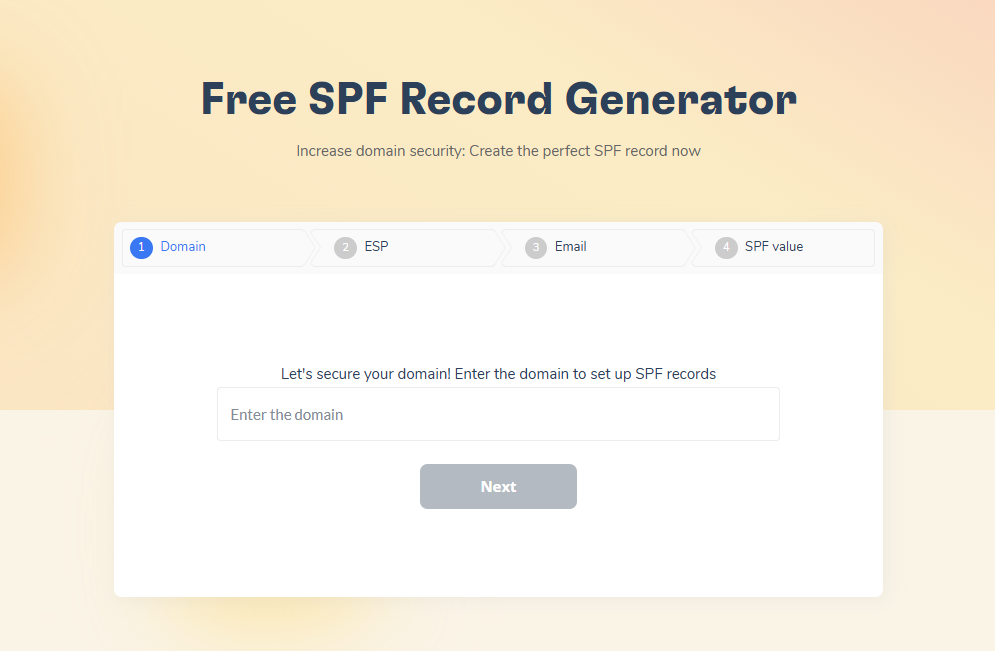
Free SPF & DMARC Record Generators to tackle DNS and authentication issues
Many SMTP 451 errors occur due to incorrect DNS settings, especially related to SPF, DKIM, and DMARC records. Warmy.io provides free tools to generate and verify these records:
- Free SPF Record Generator: helps create a valid SPF record to prevent unauthorized email sending.
Free DMARC Record Generator: strengthens email security by preventing phishing and spoofing attacks.
Fix SMTP 451 Errors and improve email deliverability today
If your emails are getting stuck in the queue or bouncing due to SMTP 451 errors, don’t let it affect your business. Sign up for a free trial today.