A PTR record (Pointer record) is a DNS entry that maps an IP address to a domain name, performing the reverse of what an A record does. When a receiving mail server accepts an incoming connection, it runs a reverse DNS lookup to confirm the sending IP resolves to the expected hostname. If your PTR record is missing, misconfigured, or does not match your forward DNS, your email is flagged as spam or rejected at the SMTP level before it ever reaches the inbox.
What Is a PTR Record?
There are two core DNS record types every email sender needs to understand: PTR records and A records.
An A record maps a domain name to an IP address. A PTR record does the reverse: it maps an IP address back to its associated domain name. Together, they enable Forward-Confirmed Reverse DNS (FCrDNS), where the IP resolves to a hostname and that hostname resolves back to the same IP. FCrDNS is now a hard requirement for bulk senders under Google, Yahoo, and Microsoft guidelines.
PTR Record vs A Record
| Feature | A Record | PTR Record |
|---|---|---|
| Direction | Domain name to IP address | IP address to domain name |
| DNS zone | Forward DNS zone | Reverse DNS zone (in-addr.arpa / ip6.arpa) |
| Controlled by | Domain owner via registrar | IP owner (ISP or hosting provider) |
| Primary use | Website and service resolution | Reverse DNS lookup, email sender verification |
| Required for email? | Yes — for SPF and A record setup | Yes — mandatory for bulk senders since 2024 |
The Importance of PTR Records for Email Deliverability
Properly configured PTR records are critical for email authentication. Here is why every sender needs one.
Spam Prevention
Receiving mail servers perform reverse DNS lookups before accepting email. If the sending IP has no PTR record, or if the PTR does not match the domain in the SMTP HELO/EHLO greeting, the message is flagged as suspicious and routed to spam — or rejected outright.
Sender Reputation
Gmail, Outlook, and Yahoo use multiple authentication signals to assess sender legitimacy. A valid PTR record is one of those signals and supports the email authentication protocols that major providers now mandate for all senders.
Compliance with Email Authentication Standards
PTR records work alongside three other standards that Google requires for all senders as of February 2024:
- SPF (Sender Policy Framework) — specifies which IP addresses are authorized to send email on behalf of your domain.
- DKIM (DomainKeys Identified Mail) — adds a cryptographic signature to every outgoing message so receiving servers can verify it has not been altered.
- DMARC — ties SPF and DKIM together and tells receiving servers how to handle messages that fail authentication checks.
For a step-by-step setup guide, see how to configure SPF, DKIM, and DMARC.
FCrDNS: Why PTR Records Are Now Mandatory (2024 to 2026)
PTR records moved from a best practice to a hard requirement over the past two years:
- February 2024: Google and Yahoo began requiring valid PTR records for bulk senders (5,000 or more emails per day). Non-compliant messages faced deferrals.
- May 2025: Microsoft enforced equivalent rules for Outlook.com, Hotmail.com, and Live.com, issuing permanent 550 5.7.15 rejections for non-compliant mail.
- November 2025: Gmail escalated from temporary deferrals to permanent 550 rejections for messages from IPs without valid PTR records.
In 2026, a missing PTR record is an SMTP-level rejection, not just a deliverability risk. For the full requirements, see Google’s email sender guidelines.
Not sure if your PTR record and authentication stack are correctly configured? Run a free Email Deliverability Test and get a full audit of your domain’s sending health — inbox placement, blacklist status, and authentication checks in one report.
PTR Record Example
The examples below show the difference between a forward DNS lookup and a reverse DNS lookup.
Forward DNS Lookup (A Record)
When a browser queries a domain name, the A record resolves it to an IP address:
example.com resolves to 192.168.1.10
Reverse DNS Lookup (PTR Record)
A PTR record maps the IP back to the hostname:
10.1.168.192.in-addr.arpa resolves to mail.example.com
PTR records are stored in the reverse DNS zone using the IP address written in reverse order and appended with .in-addr.arpa for IPv4, or .ip6.arpa for IPv6. For FCrDNS to pass, the PTR hostname must have a forward A record pointing back to the same IP — both lookups must match.
How to Check Your PTR Record (and Fix Common Issues)
You have three options for verifying your PTR record.
1. Using Command Line Tools
On a Linux, macOS, or Windows terminal, use nslookup or dig:
nslookup 192.168.1.10 or dig -x 192.168.1.10Both commands return the associated domain name if a PTR record exists. If no record is found, you will see an NXDOMAIN response or a generic hostname from your ISP.
2. Using an Online DNS Lookup Tool
Warmy’s free Email Deliverability Test checks your PTR record, SPF, DKIM, and DMARC configuration, scans your sending IP against major blacklists, and shows exactly where your emails land across Gmail, Outlook, and Yahoo — all in one free report.

3. Checking with Your Hosting Provider
On a dedicated IP, your hosting provider or ISP manages the PTR record. Contact their support team to request a verification or update. If you run your own mail infrastructure, review best practices for fixing reverse DNS lookup failures to avoid common misconfigurations.
How to Set Up a PTR Record: Step-by-Step
If your emails are being rejected because of a missing or misconfigured PTR record, follow these steps.
1. Contact Your ISP or Hosting Provider
PTR records are set by whoever owns the IP address block, not your domain registrar. Contact your hosting provider, VPS provider, or ISP and request a reverse DNS entry pointing to your mail server hostname (for example, mail.yourdomain.com).
2. Provide the Correct Information
Confirm two things when making the request:
- The PTR record points to the hostname used in your SMTP HELO/EHLO greeting.
- The forward A record for that hostname resolves back to the same sending IP — FCrDNS requires both lookups to match.
3. Configure IPv6 PTR Records
If your mail server sends over IPv6, request an ip6.arpa PTR record at the same time. Many senders configure IPv4 PTR records but omit IPv6, causing authentication failures with providers that check both. In 2026, major providers actively verify IPv6 reverse DNS.
4. Verify the Changes
After setup, re-run a reverse DNS check to confirm the PTR value matches your hostname and that the hostname A record resolves back to your sending IP. Allow a few hours for propagation before testing — in some cases full propagation takes up to 48 hours.
5. Monitor Email Deliverability
Review bounce rates and spam complaint rates after any DNS change. Warmy’s Domain Health Hub monitors your full DNS authentication stack, inbox placement trends, and blacklist status across all your domains from one dashboard.
Common PTR Record Issues and How to Fix Them
Most PTR record problems fall into a few common categories — all of them fixable.
Missing PTR Record
Some ISPs do not configure PTR records by default. In 2026, a missing PTR triggers spam-foldering or outright rejection at Gmail, Outlook, and Yahoo. Contact your provider and request a PTR record for your sending IP. If your IP has landed on the RATS-NoPtr blacklist as a result, that guide covers the delisting process.
Misconfigured Forward and Reverse DNS Records
FCrDNS fails when the PTR record resolves to a hostname that has no matching A record, or when the A record points to a different IP than the PTR references. Align both records so forward and reverse lookups return consistent values.
Shared IP Addresses
A PTR record can only point a single IP to one hostname. On a shared IP where multiple domains share the same sending address, only one PTR entry is possible. This is why dedicated sending IPs are recommended for high-volume senders — a dedicated IP gives you full control over the PTR record and eliminates reputation risk from other senders.
Slow DNS Propagation
PTR record changes propagate across DNS resolvers over a variable time window, typically completing within a few hours but sometimes taking up to 48 hours. Review how DNS propagation delays affect email deliverability before troubleshooting, and allow adequate propagation time before concluding there is a problem.
Missing IPv6 PTR Record
Senders using IPv6 infrastructure need a PTR record in the ip6.arpa reverse zone in addition to their IPv4 entry. Omitting IPv6 PTR records is a common gap that causes authentication failures at providers that check both protocols. If your mail server has an IPv6 address, ensure your hosting provider sets up the corresponding ip6.arpa entry.
Pro Tip: Always verify FCrDNS, not just the PTR record in isolation. Run dig -x [your sending IP] to get the PTR hostname, then run dig [that hostname] to confirm it resolves back to the same IP. Both lookups must match for FCrDNS to pass at Gmail, Outlook, and Yahoo.
How Warmy Helps You Verify and Fix DNS Settings
A correctly configured PTR record is one layer of a complete authentication stack. Warmy is an AI-driven email warmup and deliverability platform that automatically builds your sender reputation, improves inbox placement, and keeps your emails out of spam — covering every layer from DNS validation to ongoing inbox monitoring.
Free Email Deliverability Test
Warmy’s free Email Deliverability Test checks inbox placement across Gmail, Outlook, and Yahoo; validates your PTR, SPF, DKIM, and DMARC records; scans your domain and IP against major blacklists; and returns a deliverability score — all at no cost.
SPF and DMARC Record Generators
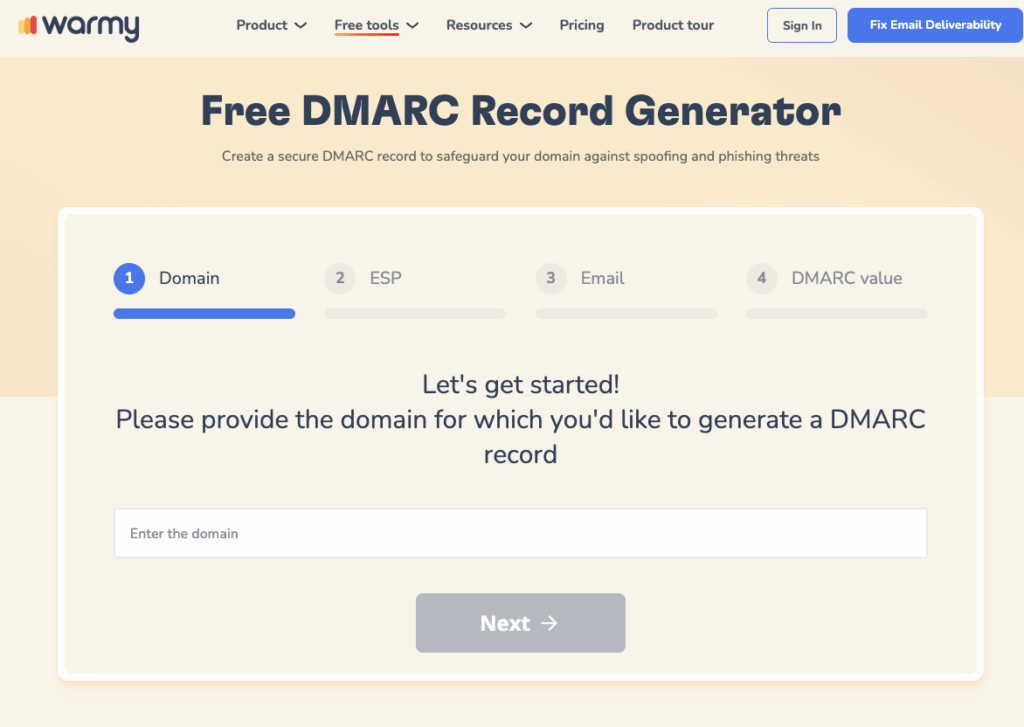
Warmy’s free SPF Record Generator and free DMARC Generator create correctly formatted DNS records for your domain and verify your existing configuration in the same step.
Email Warmup
If your sending domain or IP has a damaged or unestablished reputation, Warmy’s email warmup rebuilds trust with inbox providers automatically. Adeline AI creates a personalized warmup schedule, scales send volume gradually, and generates real engagement signals — opens, replies, clicks, and spam recoveries — across 30+ languages. The platform scales to millions of warmup emails per day across its network of over 1 million real mailboxes. See how email warmup works for a full breakdown.
Advanced Seed List
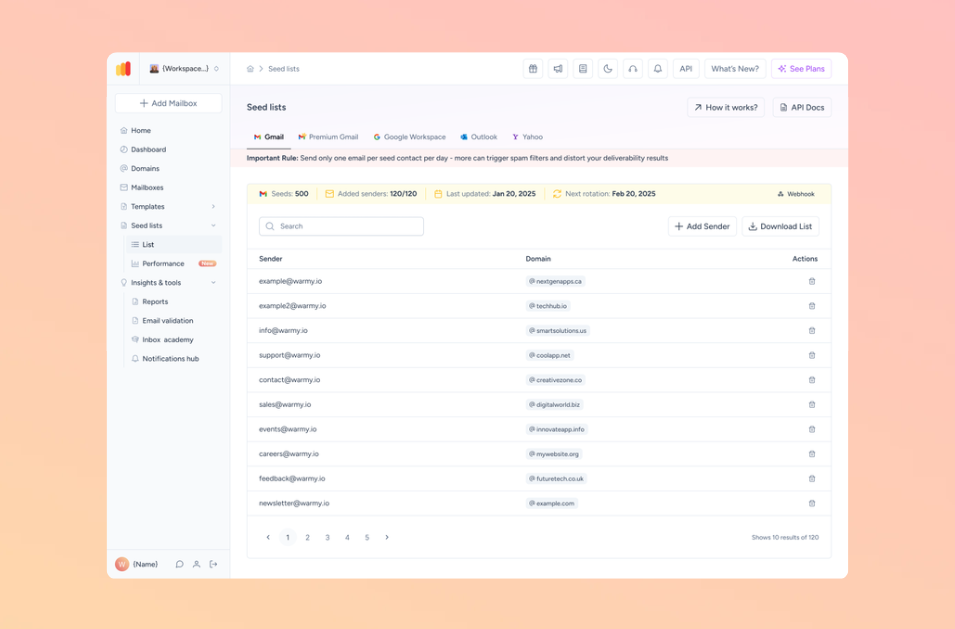
Warmy’s Advanced Seed List provides real, active email addresses across Gmail, Outlook, and Yahoo that interact with your emails like genuine recipients. It supports warmup for platforms including Mailchimp, Shopify, and Klaviyo that cannot connect to the warmup engine directly.
Conclusion
PTR records have always been part of responsible email infrastructure, but in 2026 they are non-negotiable. Gmail, Yahoo, and Microsoft enforce reverse DNS as a hard requirement for bulk senders, and non-compliant messages face permanent SMTP rejection. Configuring a valid PTR record, verifying FCrDNS alignment, and pairing it with SPF, DKIM, and DMARC gives your sending domain the authentication foundation it needs to reach the inbox consistently.
Ready to see exactly how your domain’s DNS and deliverability stack up? Book a free Warmy demo and see how Warmy closes every gap between your current setup and inbox-ready authentication.