An email blacklist is a database of IP addresses, domains, or email addresses identified as sources of spam or unwanted email. When a receiving mail server checks incoming messages against these lists, any match may cause the email to be blocked or routed to spam. This silently harms your deliverability and sender reputation.
You notice your open rates have been dropping consistently over the past weeks. On the other hand, your spam rate is increasing. One of the most common culprits: your domain or IP address has ended up on an email blacklist.
Email blacklists are also called blocklists or denylists. These terms are used interchangeably throughout this guide, as different providers use different terminology. Google uses ‘blocklist’; Microsoft uses ‘denylist’; and the broader email industry historically uses ‘blacklist.’
This guide covers everything you need to know: how blacklists work, the types that exist, the complete list of major blacklists, how to check your status, why listings happen, and how to prevent and recover from them.
What is an email blacklist?
- An email blacklist is a real-time database typically operated as a DNS-based Blackhole List (DNSBL) that flags IP addresses, email addresses, or domains associated with spam. When you send an email, the receiving mail server runs a DNS query against one or more DNSBL zones. If your IP or domain appears as ‘listed,’ the server may reject your message outright or route it to the spam folder.
- The mechanism is fast and automated: no human reviews each message. Blacklist lookups happen in milliseconds as part of inbound mail checks.
The scale of the problem is significant. A Warmy Research Report details how specific blacklists impact deliverability across specific providers. While blacklisting is not the only factor that affects deliverability, it is one of the primary drivers. For businesses that rely on email, that gap has a direct commercial cost as more businesses report that deliverability issues have hurt their revenue.
What are the different types of email blacklists?
Not all blacklists work the same way. Understanding the different types helps you identify which one you may be listed on and what it means for your deliverability.
There are two major types of blacklists:
IP blacklists (a reputation-based list)
- IP blacklists target the internet address from which emails are sent.
- When an IP is listed, every email sent from that address may be blocked or sent to spam regardless of the sender’s domain or email address.
- This is particularly problematic for senders on shared IP addresses (common with ESPs), since one bad actor on the same IP can affect all senders sharing it.
- High-volume sending, high bounce rates, and spam complaints are the most common triggers.
- Well-known examples include Spamhaus SBL, Barracuda BRBL, and SpamCop.
Domain blacklists (also a reputation-based list)
Domain blacklists block specific website domains or email-sending domains. Even if your IP address is clean, a blacklisted domain means all email from that domain — regardless of which server sends it — may be flagged. Spamhaus DBL and SURBL are two major examples. Domain listings are often triggered by spam complaints, phishing associations, or sending from a domain with a poor reputation history.
Internal provider blacklists (private lists)
Gmail, Outlook/Hotmail, Yahoo, and Apple Mail all maintain private, non-public reputation systems that are not queryable through standard DNSBL tools. A listing here can silently block delivery to millions of their users, even if some standard blacklist checkers will show your IP and domain as ‘clean.’
Monitoring these requires provider-specific tools: Google Postmaster Tools for Gmail, Microsoft SNDS (Smart Network Data Services) for Outlook/Hotmail, and Cisco Talos for broader enterprise signals.
Why you might be blacklisted
If you’re asking yourself “Why am I on a blacklist?” here are the most common causes. Understanding why blacklisting happens is the first step to preventing it.
- High spam complaint rates. If recipients frequently mark your emails as spam, mailbox providers interpret that as evidence that you’re sending irrelevant and unwanted content.
- High bounce rates. Bounce rates increase as senders continue sending to invalid or inactive addresses. This behavior signals poor list quality to blacklist operators.
- Poor email list hygiene. Using outdated, purchased, or unverified lists increases your exposure to inactive addresses and spam traps.
- Sudden volume spikes without warmup. A sharp, unexplained increase in sending volume (especially from a new or dormant domain) is considered suspicious and spammy behavior. Additionally, volume combined with low engagement rates is a red flag for automated blacklist systems.
- Sending unsolicited emails. Emailing people who have not opted in to receive your emails is the clearest path to spam complaints and blacklisting.
- Poorly configured email authentication. Missing or incorrect SPF, DKIM, or DMARC records make your emails look untrustworthy which can contribute to blacklisting even if your sending behavior is legitimate.
- Spam-triggering content. Spammy language, excessive links, all-caps text, or certain keywords can trigger spam filters and increase the risk of being blacklisted.
- Spam trap hits. Spam traps are email addresses that exist solely to catch senders with poor list hygiene. Sending to spam traps is an automatic blacklisting trigger for some major blacklists. These traps commonly appear in purchased lists, old unverified databases, and scraped address lists.
- Compromised sending infrastructure. If your mail server, an ESP account, a plugin, or a shared IP is compromised and sending spam without your knowledge, you can be blacklisted. Always monitor your infrastructure for unusual sending behavior.
Curious to see if you’re listed on any blacklists? Try Warmy’s free email deliverability test as it scans for your presence on major blacklists.
The complete list of major email blacklists
The following table covers the major active blacklists organized by impact tier. Understanding which lists carry the most weight helps you prioritize your response when a listing is found.
Tier 1: High-impact (Used by Gmail, Outlook, Yahoo, and Major ISPs)
These are the blacklists that matter most as they influence how popular mailbox providers may treat senders. For example, Outlook primarily references Spamhaus-family lists and Yahoo Mail uses Spamhaus ZEN to block listed senders. A listing here can block delivery across a significant portion of global inboxes.
|
Blacklist Name |
Type |
Operator |
Notes |
|---|---|---|---|
|
IP |
Spamhaus |
Combines SBL, XBL, and PBL in a single lookup zone | |
|
Spamhaus SBL |
IP |
Spamhaus |
Targets IPs with confirmed spam activity |
|
Spamhaus XBL |
IP |
Spamhaus |
Flags IPs showing signs of security issues or having been compromised |
|
Spamhaus PBL |
IP |
Spamhaus |
Detects IPs unauthorized to send emails |
|
Spamhaus DBL |
Domain |
Spamhaus |
Blacklists domains showing signs of spam or malicious activity. |
|
Spamhaus DROP |
IP |
Spamhaus |
Flags IPs with significant security/hijacking issues |
|
Spamhaus CSS |
IP |
Spamhaus |
Automatic blacklist of IP addresses involved in sending low-reputation email |
|
IP |
Barracuda Networks |
Blocks spammy IPs to protect inboxes | |
|
IP |
Cisco |
Lists IP addresses which have transmitted reported email to SpamCop users; Time-based, removed after 24 hours if no additional reports | |
|
URI/Domain |
SURBL.org |
Targets domains found inside spam email bodies | |
|
URIBL |
URI/Domain |
URIBL.com |
Blacklists domains commonly linked in spam |
|
Cisco Talos Intelligence |
IP + Domain |
Cisco |
Used widely by enterprise gateways; talosintelligence.com |
Tier 2: Widely used (Regional ISPs, corporate mail servers, spam filtering products)
|
Blacklist Name |
Type |
Operator |
Notes |
|---|---|---|---|
|
Blocklist.de |
IP |
blocklist.de |
Aggregates attack reports from thousands of servers |
|
Mailspike RBL |
IP |
Mailspike |
ISP-grade reputation list |
|
SORB (multiple zones) *Deprecated since 2024 |
IP |
SORBS |
Multiple lists targeting various spam sources |
|
IP |
UCEPROTECT |
Targets IPs with high spam complaints | |
|
IP |
UCEPROTECT |
Lists IPs with high spam indicators (network-level) | |
|
IP |
UCEPROTECT |
Lists IPs with severe spam problems (ASN-level) | |
|
IP |
Various |
Aggregates blacklists for comprehensive spam control | |
|
IP |
RATS |
Lists IPs repeatedly observed or reported as sending bulk spam emails | |
|
RATS-Dyna |
IP |
RATS |
Collects IP addresses with a reverse DNS/PTR record that conforms to naming conventions indicative of a home connection or dynamic address space |
|
RATS-NoPtr |
IP |
RATS |
Flags IPs lacking reverse PTR records |
|
Backscatterer |
IP |
backscatterer.org |
Blocks IPs involved in backscatter spam or those sending misdirected bounces or misdirected autoresponders or sender callouts |
|
DroneBL |
IP |
DroneBL |
Blocks IPs linked to spam and abusive IPs |
|
Hostkarma |
IP |
Hostkarma |
Lists IPs based on spam history |
|
SPFBL |
IP |
SPFBL |
Flags IPs based on users’ reports and complaints |
|
SEM |
IP |
SEM |
Collection of multiple reputation lists with various criteria |
|
Truncate |
IP |
Truncate |
Flags IPs involved in emails with spam, scam, viruses, and malware |
|
LashBack UBL |
IP |
LashBack |
Monitors IPs sending to unsubscribed addresses |
|
PSBL |
IP |
PSBL |
Uses spam traps to identify IP addresses sending spam |
|
Woody’s SMTP Blacklist |
IP |
Woody’s |
Personal blacklist of IPs sending spam via SMTP |
|
0SPAM |
IP |
0spam.org |
Active IP blacklist |
|
Nordspam BL |
IP |
Nordspam |
Focused on Nordic and European region but used internationally |
|
ZapBL |
IP |
zapbl.com |
Created manually by a ZapBL admin or automatically by an automation under the direct control of a ZapBL admin |
|
Abusix Exploit List |
IP |
Abusix |
Flags IPs with known exploit activity |
|
MultiRBL |
IP |
MultiRBL.valli.org |
Consolidates results from multiple blacklists |
|
IvmSIP |
IP |
IVM |
Lists IPs with high volume of spam activity |
|
IvmURI |
URI |
IVM |
Flags domain names and IPs linked in spam content |
|
IVMSIP24 |
IP |
IVM |
Targets snowshoe spammers |
Tier 3: Internal provider lists (not publicly queryable yet often most impactful)
These systems are not detectable by standard DNSBL checkers. So if you’re seeing delivery failures specifically to Gmail, Outlook, Yahoo, or Apple Mail users but your standard blacklist checks come back clean, an internal provider listing is a likely cause.
|
Provider |
Type |
Monitoring Tool |
|---|---|---|
|
Gmail (Google) |
Domain + IP |
Google Postmaster Tools |
|
Outlook / Hotmail (Microsoft) |
IP |
Microsoft SNDS |
|
Yahoo Mail |
IP + Domain |
Yahoo Postmaster |
|
Apple Mail |
Domain + IP |
No public tool |
|
AOL / Verizon (now Yahoo) |
IP + Domain |
Yahoo Postmaster |
How to check if IP is blacklisted
If your emails are landing in spam or not arriving at all, checking your blacklist status is the right first step. Here’s how to approach it effectively.
What does ‘listed’ actually mean?
Not all blacklist listings carry equal weight:
- Being listed on Spamhaus blacklist can block delivery at Outlook, Yahoo, and thousands of ISPs simultaneously.
- Being listed on a lower-weight list like SORBS DUHL or UCEPROTECT L2 may only affect delivery to a small subset of corporate mail servers that use stricter filtering.
Before acting on a listing, identify which list (or lists) you’re on. Then, assess whether the providers your recipients use actually reference that list. Amazon SES documentation notes, for example, that Gmail, Hotmail, and Yahoo primarily rely on Spamhaus-family lists for blacklist enforcement.
So how to check if domain is blacklisted?
- For internal provider blacklists, use provider-specific tools. If your standard blacklist check comes back clean but delivery to a specific provider is failing, check the provider-specific tools for that platform.
- For a fast, comprehensive check, Warmy’s free Email Deliverability Test scans your IP and domain across major blacklists and provides an inbox placement report across multiple email providers all in a few clicks. The test also evaluates your DNS records (SPF, DKIM, DMARC), blacklist status, and sender reputation in a single report, giving you actionable insights rather than just a raw listing status.
How to get removed from an email blacklist
Getting delisted is a process and not just clicking a removal form. Requesting removal without fixing the underlying cause almost always results in being listed again within days or weeks.
Step 1: Identify which blacklists you’re on and their severity
Run a comprehensive check using the tools above. Note exactly which lists have flagged your IP or domain. Cross-reference against the tier table in the previous section to understand how broadly the listing affects your deliverability.
Step 2: Find and fix the root cause first
This is the most important step and the most commonly skipped. Possible causes to investigate: high spam complaint rates (check Google Postmaster for Gmail complaint data), spam trap hits from poor list hygiene, a sudden volume spike, compromised sending infrastructure, or missing email authentication records. You should not request delisting until the cause is resolved as blacklist operators check this.
Step 3: Submit a delisting request
Removal processes vary depending on the blacklist. For example:
- Spamhaus as a self-service lookup and delisting request process at spamhaus.org; listings are reviewed manually
- Barracuda has a self-service removal form
- SpamCop listings expire automatically after approximately 48 hours of zero spam reports from your IP; no removal form needed
- Gmail, Outlook, Apple Mail have no standard public removal form; requires postmaster outreach, demonstrating improved sending behavior over time, and using provider-specific tools to monitor recovery
For detailed, step-by-step removal instructions for each specific blacklist, see the individual removal guides linked from the table above.
Step 4: Email blacklist monitoring after removal
Relisting is common if sending behavior does not change. After delisting, maintain careful monitoring of your complaint rates, bounce rates, and blacklist status for at least 30 days. Use Warmy’s Domain Health Hub to track your reputation in real time.
How Warmy.io helps senders avoid getting blacklisted and staying off blacklists
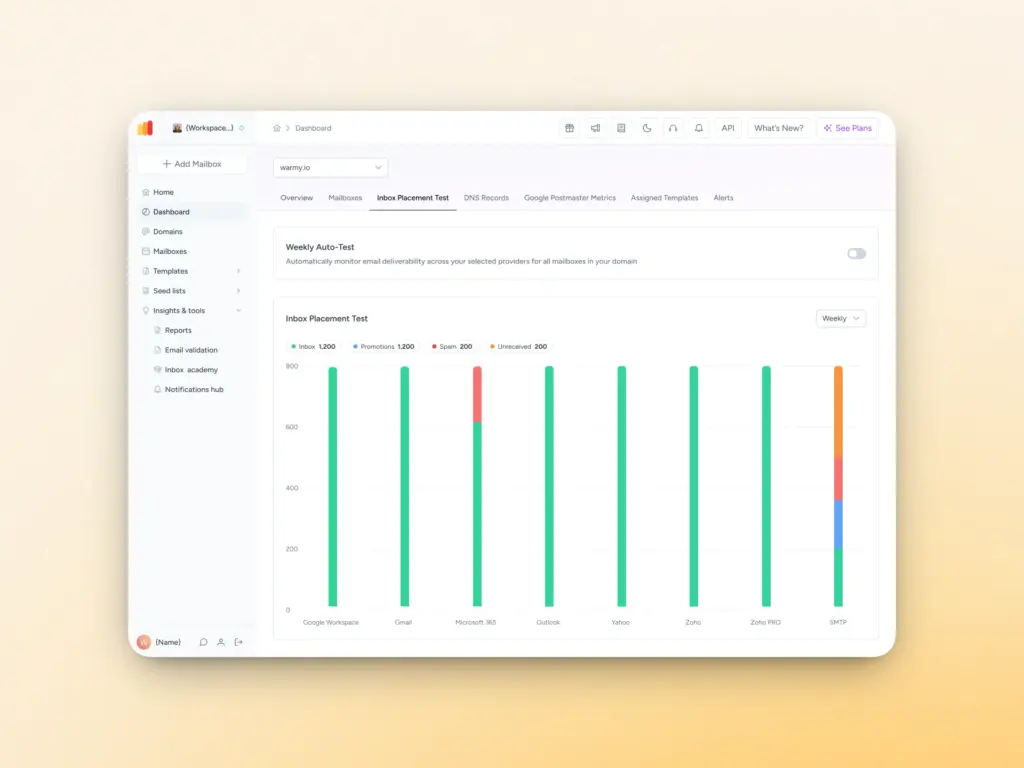
Prevention is significantly more effective and less disruptive than conducting the delisting process every time you get listed. Essentially, the best way to avoid getting blacklisted is by establishing and actively maintaining a strong sender reputation.
These practices form the foundation of a blacklist-resistant email program.
- Warm up your email domain. Gradually increase sending volume using an email warmup tool like Warmy. Sudden volume spikes are one of the most consistent triggers for blacklisting but a proper warmup builds your sender reputation.Learn more: how long to warm up new domains before starting campaigns.
- Maintain a clean email list. Regularly remove inactive or invalid contacts. A clean list directly reduces bounce rates and spam trap exposure, two of the primary blacklisting triggers. Warmy.io has an email validation tool that greatly helps with this.
- Monitor engagement and bounce rates. Keep bounce rates low by sending only to valid, verified addresses. Monitor open and click rates as signals of list health. High engagement tells inbox providers your emails are wanted.
- Authenticate your emails properly. Correctly configured SPF, DKIM, and DMARC records are non-negotiable. They prove to receiving servers that your emails are legitimate. Use Warmy’s free SPF Generator and DMARC Generator to set these up correctly.
- Avoid spam-triggering content. Words like ‘free’ or ‘urgent,’ excessive links, large attachments, and all-caps text all increase the likelihood of spam filter flags.
- Control sending frequency and volume. Avoid abrupt spikes in email volume. Consistent sending patterns signal legitimate behavior to both providers and blacklist operators.
- Regularly monitor your blacklist status. Use Warmy’s free Email Deliverability Test and set up monitoring through Google Postmaster Tools and Microsoft SNDS. Catching a listing early limits the damage significantly.
- Use quality seed lists for stronger inbox placement. Before sending to your full list, test inbox placement across providers using Warmy’s Email Seed List feature. This lets you catch deliverability issues before they affect your real recipients.
See Warmy in action
Email blacklists are a fundamental part of how the email ecosystem filters spam and understanding them is essential for anyone who depends on email to reach their audience.
While not all blacklists carry the same weight, the clearest takeaway from this guide is how crucial sender reputation is when it comes to deliverability.
Building your sender reputation through proper warmup, maintaining clean and verified lists, authenticating your email correctly, and monitoring your status continuously will keep you off blacklists far more reliably than any removal process.
If you’re concerned about your current deliverability status, the fastest place to start is Warmy’s free Email Deliverability Test. But if you want a closer look at how Warmy actively protects you against blacklists, you can book a demo with one of our deliverability experts.
Related resources: Individual blacklist removal guides
- PSBL: How to Remove Your IP
- Spamhaus PBL: Step-by-Step Removal Guide
- SpamCop Blacklist: How to Remove Your IP
- Barracuda Blacklist: How to Remove Your IP
- Hotmail/Outlook Blacklist: How to Remove Your IP
- Spamhaus ZEN: How to Remove Your IP
- Spamhaus DROP: Guide to Delisting
- UCEPROTECT L1, L2, L3 Removal Guides
- SORBS DUHL: How to Remove Your IP
- SORBS Blacklist: How to Remove Your IP From It
- SURBL Blacklist: What It Is and How to Delist From It
- SpamCop Blacklist: How To Remove your IP from it
- URIBL Blacklist: What It Is and How To Remove Your IP From It
- DroneBL Blacklist: What is it & How to Delist [SOLVED]
- Backscatterer Blacklist: What It Is and How to Delist From It
- How to Remove IP From Gmail’s Blacklist
- Remove IP from Yahoo Blacklist: The Ultimate Fix [SOLVED]
- Top 10 IP Address Blacklist Removal Tools
FAQ
What is the difference between a blacklist, blocklist, and denylist?
They are the same thing. Different providers and eras use different terminology: Google uses ‘blocklist,’ Microsoft uses ‘denylist,’ and the broader email industry historically uses ‘blacklist.’ The underlying mechanism which is a database of flagged IPs or domains that mail servers query before accepting mail is identical in all cases.
How long does a blacklist listing last?
It depends on the list. Some listings expire automatically after approximately 48 hours of inactivity from your IP with no removal form required.Others require a manual delisting request and do not expire on their own. Some can be removed via a self-service form and some have policies that can make removal slow or involve fees.
Will being on one blacklist affect all email providers?
Not necessarily. Major providers like Gmail and Outlook primarily reference a small set of high-impact lists. Being listed on a lower-weight list may not affect delivery to those providers at all, while still causing issues with some corporate mail servers that apply stricter filtering.
What is a spam trap and how does it cause blacklisting?
A spam trap is an email address set up specifically to identify senders with poor list hygiene. Spam traps appear most often in purchased lists, old unverified databases, and addresses collected through scraping. Any message sent to them is evidence of a problem, thus it is an automatic blacklisting trigger at several major lists.
Can I be blacklisted even if I have SPF, DKIM, and DMARC configured?
Yes. Authentication protocols prove that you are who you say you are but they do not vouch for your sending behavior. Blacklists respond to complaint rates, bounce rates, spam trap hits, and volume patterns. A properly authenticated spammer still gets blacklisted. Authentication is necessary but not sufficient for inbox delivery.
Does Warmy’s email warmup protect against blacklisting?
Proper warmup significantly reduces blacklisting risk by building sender reputation gradually rather than triggering the sudden volume spikes that commonly trigger listings. However, warmup is not a substitute for clean lists, correct authentication, and low complaint rates. Warmy also monitors blacklist status and sender reputation in real time, giving you early warning if a listing occurs.