If you send email marketing through Klaviyo, authentication is no longer optional. Starting in February 2024, Google and Yahoo required all bulk senders to authenticate with both SPF and DKIM and publish a DMARC record with a minimum policy of p=none. Google defines a bulk sender as anyone sending 5,000 or more emails per day to Gmail recipients. In May 2025, Microsoft extended the same requirements to Outlook, Hotmail, and Live addresses.
The consequences are direct: non-compliant emails are rejected or sent permanently to spam. If you run Klaviyo campaigns without proper authentication, your messages may never reach the inbox.
Beyond authentication, Google, Yahoo, and Microsoft also require one-click unsubscribe for bulk senders. Klaviyo handles this automatically for all email campaigns.
What Are SPF, DKIM, and DMARC?
SPF (Sender Policy Framework) is a DNS record that tells receiving mail servers which IP addresses and services are authorized to send email on behalf of your domain. It stops spammers from forging your domain in the “From” address by giving receivers a verified list of approved senders. Learn more about how SPF records work.
DKIM (DomainKeys Identified Mail) attaches a cryptographic digital signature to every outgoing email. The receiving server checks this signature against a public key stored in your DNS records. If the signature matches, the message is confirmed as unmodified and from an authorized sender. DKIM protects the integrity of your email content from the moment it leaves your server to the moment it is received.
DMARC (Domain-based Message Authentication, Reporting, and Conformance) builds on SPF and DKIM. It lets you tell receiving servers what to do with emails that fail authentication — ignore failures (p=none), send them to spam (p=quarantine), or reject them outright (p=reject). DMARC also generates reports so you can monitor authentication failures and detect spoofing attempts against your domain.
Why Setting Up SPF, DKIM, and DMARC Is Necessary
Properly configured authentication is the foundation of email deliverability. Without it, your Klaviyo campaigns face a significantly higher risk of landing in spam or being rejected entirely.
Here are the core benefits of setting up SPF, DKIM, and DMARC:
-
- Enhanced email deliverability — authenticated emails are trusted by mail servers and routed to the inbox
- Improved sender reputation — consistent authentication signals build long-term ISP trust
- Protection against email spoofing — attackers cannot impersonate your domain without failing authentication checks
- Reduction in phishing attacks — DMARC policies actively block unauthorized use of your domain
- Compliance with inbox provider requirements — Gmail, Yahoo, and Outlook now mandate authentication for bulk senders
- Actionable DMARC reports — gain visibility into who is sending email using your domain and where failures occur
To understand why SPF, DKIM, and DMARC matter for every sender, and how they interact with your sender reputation score, read Warmy’s guide to protecting and improving your sender reputation score.
Step-by-Step Guide to Setting Up SPF, DKIM, and DMARC in Klaviyo

Setting Up Klaviyo SPF
Klaviyo no longer requires you to manually create a TXT SPF record. SPF authentication is handled automatically when you set up a Branded Sending Domain. Follow these steps:
-
- Open Klaviyo Settings. Click your account name in the bottom-left corner of the Klaviyo dashboard, then go to Settings > Email > Domains.
- Add your domain. Click Add Domain and accept the suggested sending subdomain (for example, send.yourdomain.com).
- Choose your routing method. Select Dynamic (uses NS records — recommended for most users) or Static (uses CNAME records, required if your DNS provider does not support NS delegation).
- Copy the generated DNS records. Klaviyo provides the records you need to add to your DNS provider — typically one CNAME and two DKIM CNAMEs, plus a TXT record for domain ownership verification.
- Add the records to your DNS. Log in to your domain registrar or DNS provider and paste in each record exactly as Klaviyo provides it.
- Verify and activate. Return to Klaviyo, click Verify Records, then click Activate. The domain status will flip to Active once all records propagate.
SPF is configured automatically through this flow — no manual TXT record with include:send.klaviyo.com is needed for branded domains.
Pro Tip: DNS changes can take anywhere from a few minutes to 48 hours to propagate globally. If Klaviyo’s verification fails immediately, wait an hour and try again before troubleshooting. Use Warmy’s Email Deliverability Test to confirm your SPF record is passing after propagation completes.
Setting Up Klaviyo DKIM
DKIM is also configured as part of the Branded Sending Domain setup described above — there is no separate “Generate Key” step. When Klaviyo generates DNS records for your domain, two of those records are DKIM CNAME records. Once you add them to your DNS and Klaviyo verifies them, DKIM is active.
If you want to inspect or find your DKIM selector after setup, refer to Warmy’s guide on how to find and check your DKIM selector.
Setting Up Klaviyo DMARC
DMARC is not configured inside Klaviyo. It is set up entirely externally at your domain’s DNS provider. Klaviyo does not generate or manage your DMARC record — that is your responsibility.
To add a DMARC record:
-
- Log in to your DNS provider (your domain registrar, Cloudflare, Route 53, etc.).
- Create a new TXT record with the following values:
Host/Name: _dmarc(or_dmarc.yourdomain.comdepending on your provider)Value: v=DMARC1; p=none; rua=mailto:dmarcreports@yourdomain.com - Save the record and allow time for propagation.
The rua tag defines where aggregate DMARC reports are sent. These reports show you which emails passed or failed authentication — review them before advancing your policy. For DMARC reporting best practices, refer to the M3AAWG Email Authentication guidelines.
Recommended DMARC policy progression:
| Policy | What It Does | When to Use |
|---|---|---|
| p=none | Monitor only — no action taken on failures | Start here. Run for 2–4 weeks and review reports. |
| p=quarantine | Failing emails sent to spam folder | After confirming legitimate mail passes consistently |
| p=reject | Failing emails blocked entirely | Once you’re confident all authorized senders are covered |
Start with p=none, monitor your aggregate reports for 2–4 weeks, then advance to p=quarantine and eventually p=reject once you are certain all legitimate email sources are properly authenticated. Jumping straight to p=reject without monitoring risks blocking your own legitimate emails.
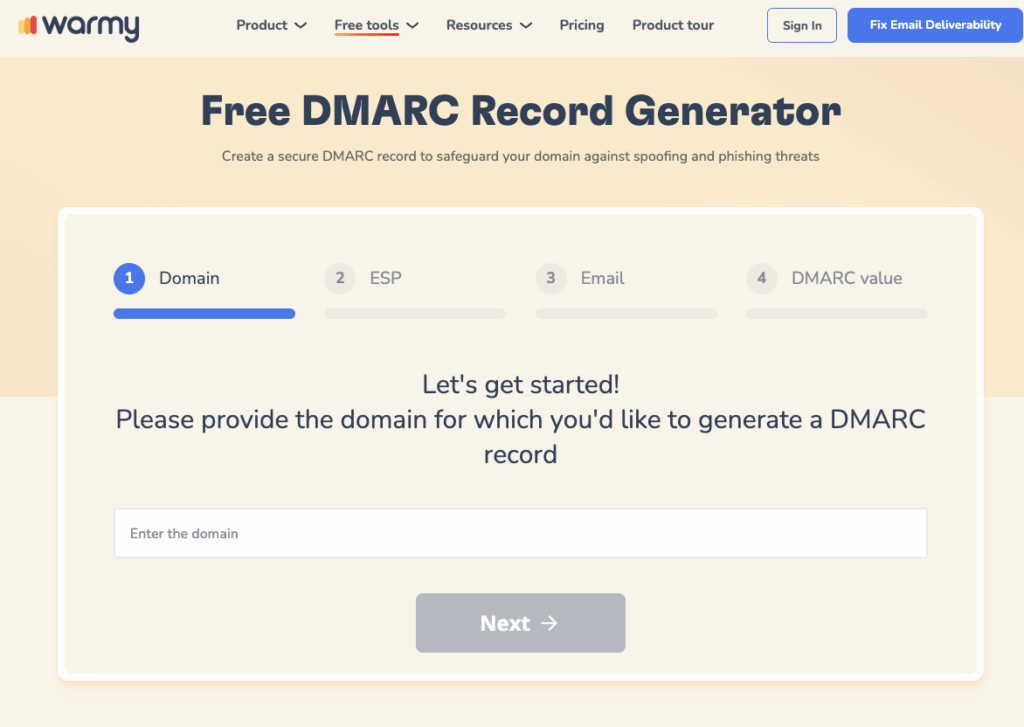
Build a correctly formatted DMARC record in under a minute with Warmy’s free DMARC Generator.
Run a free Email Deliverability Test to verify your DMARC record is live and passing before sending your next Klaviyo campaign.
Quick SPF and DMARC Setup with Warmy’s Free Generators
Warmy is an AI-driven email warmup and deliverability platform that automatically builds your sender reputation, improves inbox placement, and keeps your emails out of spam. Warmy provides two free generators that make building authentication records straightforward:
SPF Generator: Go to Warmy’s free SPF Record Generator. The tool walks you through entering your domain and selecting your sending services, then generates a properly formatted SPF record you can copy and paste directly into your DNS settings.
DMARC Generator: Warmy’s DMARC Generator lets you select your policy (p=none, p=quarantine, or p=reject), enter your reporting email address, and outputs a valid DMARC record ready for your DNS. This ensures your record is correctly structured and avoids common syntax mistakes that cause failures.
Common Issues and Troubleshooting SPF, DKIM, and DMARC Setups
Typical Problems Encountered During Setup
Syntax errors in DNS records. Entering incorrect syntax — such as missing semicolons, extra spaces, or misformatted values — is one of the most common mistakes. Always copy records exactly as provided by Klaviyo or Warmy’s generators.
Propagation delays. DNS changes take anywhere from a few minutes to 48 hours to propagate across the internet. Do not attempt verification immediately after adding records — wait at least 30 minutes and check again.
Incorrect record types. Using the wrong DNS record type (for example, creating an A record instead of a TXT record) will cause authentication to fail silently. Double-check the record type before saving.
Multiple SPF records. Only one SPF TXT record is allowed per domain. If you have multiple SPF records, receiving servers may invalidate all of them. Combine everything into a single record.
Overlooking subdomains. If you send from subdomains, each subdomain needs its own authentication records. A record set up for yourdomain.com does not automatically cover send.yourdomain.com or other subdomains.
For more help with common SPF alignment issues and how to fix them, refer to Warmy’s dedicated troubleshooting guide.
Pro Tip: Before escalating any deliverability issue, run Warmy’s free Email Deliverability Test. It checks your SPF, DKIM, and DMARC records in one pass, shows you exactly where your emails are landing across Gmail, Outlook, and Yahoo, and flags any blacklist issues affecting your domain. Most authentication problems surface immediately in the test results, saving you hours of manual DNS debugging.
How to Verify Your SPF, DKIM, and DMARC Setups
After completing your Klaviyo domain setup, use Warmy’s Email Deliverability Test to confirm everything is correctly configured. The test provides a comprehensive check of your domain’s sending health: it verifies that your SPF, DKIM, and DMARC records are active and correctly set up, shows the exact percentage of emails landing in the inbox versus spam across major providers, scans your domain and IP against major spam blacklists, and delivers an overall deliverability score.
Access the tool at Warmy.io, enter your email address or send a test message to the address provided, and review the results. If any authentication record shows a failure, the test output identifies which record is misconfigured and what needs to be corrected.
For additional inbox placement insights and ongoing monitoring, Warmy’s Domain Health Hub gives you a numeric domain health score, spam rate trends, and DNS validation — all in one dashboard.
Conclusion
SPF, DKIM, and DMARC are no longer optional for Klaviyo senders — they are required by Gmail, Yahoo, and Microsoft, and they are the foundation of inbox placement for every campaign you send. Proper authentication protects your brand from spoofing and phishing, builds lasting sender reputation with inbox providers, and directly improves the deliverability of your Klaviyo emails.
That is the gap Warmy closes. Beyond authentication setup, Warmy’s AI-driven email warmup platform continuously builds your sender reputation through real engagement signals across 1M+ real mailboxes — so your domain stays trusted with inbox providers at scale, not just at setup. Start your Klaviyo deliverability improvement journey today.
Book a demo and see how Warmy protects your sender reputation at scale.