SMTP (Simple Mail Transfer Protocol) is the standard internet protocol for sending email. It defines how email clients connect to servers, authenticate senders, transfer message content, and report delivery failures. Every email you send passes through at least one SMTP server, making it the foundational routing and delivery layer of all email communication.
By 2026, over 4.73 billion people will use email, making it one of the most widely used communication technologies in human history. Behind every “Send” click, a protocol quietly handles the routing, handoffs, and error reporting that gets that message from your outbox to someone else’s inbox.
That protocol is SMTP. Whether you’re running cold email campaigns, managing transactional notifications, or troubleshooting why emails aren’t arriving, understanding SMTP is foundational to understanding email deliverability and reputation.
What is SMTP?
SMTP stands for Simple Mail Transfer Protocol. As mentioned above, it is the communication standard that governs how email messages are transferred between servers over the internet. It is a set of rules that defines how a sending client connects to a receiving server, authenticates itself, transfers message content, and handles errors when delivery fails.
One major clarification: SMTP does one thing: it sends. It is not responsible for how you compose an email, and it does not retrieve messages from a server. That job belongs to POP and IMAP (more on those below).
What is the purpose of SMTP?
SMTP ensures that every outgoing email is:
- Properly formatted and addressed for transmission
- Routed correctly from your client or sending tool to the recipient’s mail server
- Accompanied by error notifications (bounce messages or SMTP Errors) if delivery fails with specific status codes identifying exactly what went wrong
SMTP does not instruct you on how to write a message. It ensures that once written, every email is routed to the right server, passed through the correct sequence of handoffs, and reported back if anything breaks along the way.
For B2B sales teams, SDRs, email marketers, and agencies, the bounce feedback loop SMTP provides is critical for maintaining list hygiene, improving deliverability, and protecting domain health. Understanding common is one of the fastest ways to diagnose delivery failures before they compound.
How SMTP works: step by step
SMTP operates on a client-server model, where the client (or the sender) initiates a connection with the server (the recipient’s mail server) and follows a defined sequence to transfer the message.
Here is exactly what happens when you click “Send”:
Step 1. Connection initiation: Your email client or sending tool opens a TCP connection to the outbound SMTP server (your email provider’s SMTP relay or your ESP’s relay service).
Step 2. Handshake: The client sends a greeting command (HELO or EHLO) to identify itself. The SMTP server responds with its own details and the capabilities it supports.
Step 3. Sender, recipient, and authentication: The client sends MAIL FROM: to specify the sender’s address and RCPT TO: for the recipient. If the server requires authentication, the client presents credentials such as username/password, API key, or OAuth token at this stage.
Step 4. Message transfer: The client sends DATA to signal the start of the email content. Once the SMTP server receives the headers, body, and any attachments, it returns a status code (for example, 250 OK) to confirm receipt.
Step 5. Delivery to the recipient’s server: The SMTP server looks up the recipient domain’s MX records, opens an SMTP session with the destination server, and transfers the message. The receiving server then runs spam filtering, authentication checks, and virus scanning before passing the email to the user’s mailbox.
Step 6. End of session: Once the message is accepted, the client or server sends QUIT to close the connection cleanly.
If any of these steps fails, the SMTP server returns an error code that your email platform can log and report, helping you debug delivery issues as quickly as possible.
Not sure whether your SMTP setup is actually delivering to the inbox? Run a free Email Deliverability Test from Warmy.io complete with authentication check, blacklist scan, and inbox placement across Gmail, Outlook, and Yahoo in minutes.
What are the different SMTP server roles?
SMTP servers play two distinct roles in the delivery pipeline: outgoing mail server and incoming mail server.
Outgoing mail server (SMTP client/outgoing MTA)
The outbound SMTP server receives emails from your client or sending tool and relays them toward the recipient’s server. It:
- Validates your sending credentials
- Queues messages and retries delivery if the destination server is temporarily unavailable
- Routes messages based on DNS MX record lookups
- Enforces sending rate limits and security policies
For outbound teams and agencies, this is where IP reputation, SPF/DKIM/DMARC alignment, and sending limits are enforced. Keeping this layer healthy directly determines inbox placement and reply rates.
Incoming mail server (SMTP server/receiving MTA)
The recipient’s SMTP server accepts incoming messages from other SMTP servers. It:
- Accepts the message via SMTP
- Runs spam filters, virus scanning, and authentication checks (SPF, DKIM, DMARC)
- Passes the email to the user’s mailbox for retrieval via IMAP or POP3
Some providers offer SMTP testing or free SMTP services useful for development and small-scale testing but these are not designed for large-volume production or cold-email campaigns.
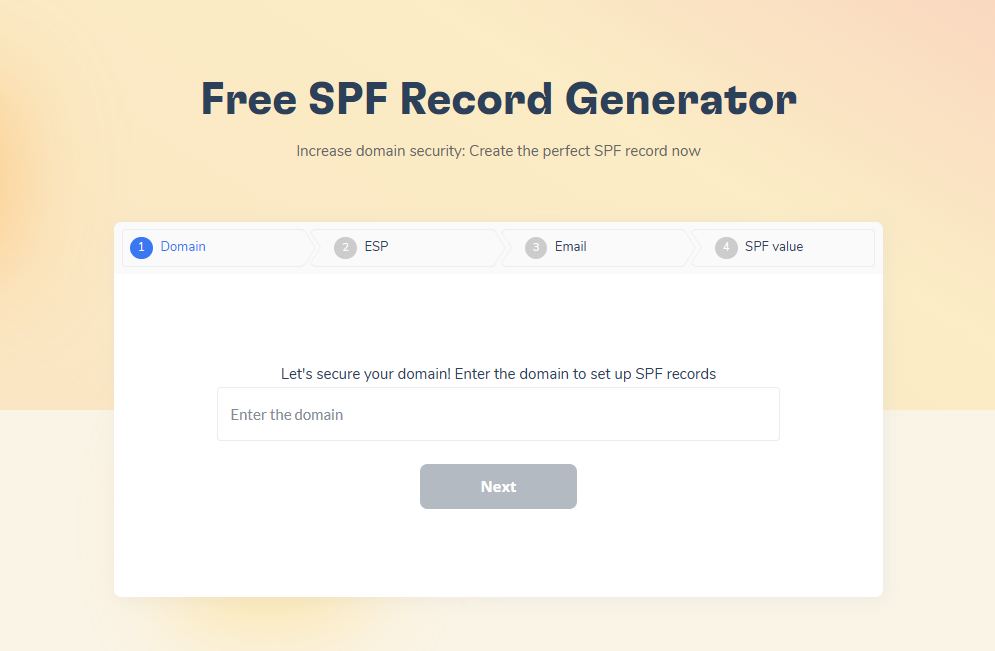
To pass the authentication checks that receiving servers run, use Warmy’s free SPF record generator and a free DMARC record generator.
SMTP commands and responses
SMTP communication follows a defined command-response structure. The key commands:
| Command | What it does |
|---|---|
| HELO / EHLO | Client introduces itself to the server |
| MAIL FROM: | FROM:Defines the sender’s email address |
| RCPT TO: | Specifies the recipient’s email address |
| DATA | Signals the start of the message body |
| QUIT | Ends the SMTP session |
For each command, the SMTP server returns a three‑digit status code (for example, 250 for success, 550 for rejection). These codes are critical for diagnosing delivery problems and understanding why certain emails fail.
For each command, the server returns a three-digit status code:
- 250 means success
- 550 means rejection
- 421 means the server is temporarily unavailable.
These codes are the primary diagnostic tool for understanding why specific emails fail to deliver. See the complete SMTP Error Codes: Complete List + How to Fix Each One for a full breakdown. Jump directly to any error code:
| Code | Description |
|---|---|
| 4xx — Temporary Errors | Server-side issues — retry usually works |
| 421 | Service temporarily unavailable |
| 450 | Mailbox unavailable |
| 451 | Local error in processing |
| 452 | Insufficient storage |
| 5xx — Permanent Errors | Action required to fix |
| 500 | Syntax error / unrecognized command |
| 501 | Bad parameters or arguments |
| 502 | Command not implemented |
| 503 | Bad sequence of commands |
| 504 | Command parameter not implemented |
| 550 | Mailbox unavailable / message rejected |
| 551 | User not local |
| 552 | Storage allocation exceeded |
| 553 | Mailbox name not allowed |
| 554 | Transaction failed / message refused |
SMTP security measures
SMTP was designed in an era before email security was a concern. Modern email systems layer three additional protections on top of the base protocol:
- SMTP over TLS/SSL: Encrypts the connection between your client and the SMTP server to prevent eavesdropping. Most modern SMTP connections use port 587 (STARTTLS) or port 465 (SMTPS) for encrypted transmission.
- SPF, DKIM, and DMARC
- SPF lists the IP addresses allowed to send for your domain.
- DKIM adds a digital signature so the recipient can verify the message truly came from your domain.
- DMARC tells receiving servers what to do if SPF or DKIM fail (quarantine, reject, or monitor).
- These mechanisms are not part of the SMTP protocol itself — but they are implemented alongside SMTP and are now enforced as mandatory requirements by Google, Yahoo, and Microsoft.
How to troubleshoot common SMTP issues
Most email delivery failures trace back to a small set of SMTP-level problems: Common troubleshooting steps include:
-
- Check server settings: Verify SMTP host, port (commonly 25, 587, or 465), and encryption method (TLS/SSL) match your provider’s documentation. A mismatched port or protocol is one of the most common configuration errors.
-
- Check network connectivity: Confirm that firewalls or security groups are not blocking outbound SMTP traffic on the required ports.
-
- Check spam filters and domain reputation: Recipient servers may reject or silently quarantine messages if your domain or IP has a poor reputation even if your SMTP configuration is correct. This is a sender reputation problem, not a protocol problem.
-
- Verify recipient addresses: Invalid or mistyped addresses generate hard bounces that damage your sender metrics and can trigger sending throttling from your SMTP provider.
For outbound teams, pairing these checks with active list hygiene and domain warmup significantly improves both deliverability and reply rates.
What is the future of SMTP and email deliverability?
SMTP is not going away, but the standards applied on top of it are becoming significantly stricter.
- Google requires all senders to have SPF and DKIM configured, with DMARC mandatory for bulk senders (5,000+ emails/day)
- Microsoft 365/Defender uses SPF, DKIM, DMARC, and internal composite scoring as core filtering signals before evaluating any content
Authentication is the prerequisite. But it is only one of three layers that modern deliverability now demands:
- Correct DNS: SPF, DKIM, and DMARC properly configured and aligned
- Healthy sending patterns: consistent volume, low bounce rates, complaint rates below 0.1%
- Real engagement signals: opens, replies, and clicks that prove messages are wanted, not just delivered
The most persistent misconception in email deliverability is that SMTP configuration alone determines inbox placement. It doesn’t.
SMTP gets your message to the recipient’s server. Whether it reaches the inbox or the spam folder is decided by reputation signals that accumulate over time: complaint rates, bounce rates, engagement patterns, and sending consistency.
Fixing your SMTP setup is just the prerequisite. Building the reputation layer on top of it is the ongoing work. Warmy turns domain and SMTP‑level setup into a protective warmup layer that signals “safe sender” behavior to Gmail, Outlook, and others.
This is exactly where Warmy.io sits in the stack.
Warmy.io is an AI-driven email warmup and deliverability platform that complements your SMTP infrastructure by building and maintaining the sender reputation that determines whether your SMTP-delivered emails reach the inbox.
What Warmy does alongside your SMTP setup:
AI-powered SMTP-aligned warmup
Warmy’s Adeline AI gradually ramps up sending volume based on your domain’s current reputation stage, sending real conversational emails across 30+ languages that generate authentic opens, replies, and clicks from real mailboxes. These engagement signals tell Gmail, Outlook, and other providers that your domain is a legitimate, trusted sender before your live campaigns begin flowing through your SMTP infrastructure.

Domain health and deliverability monitoring
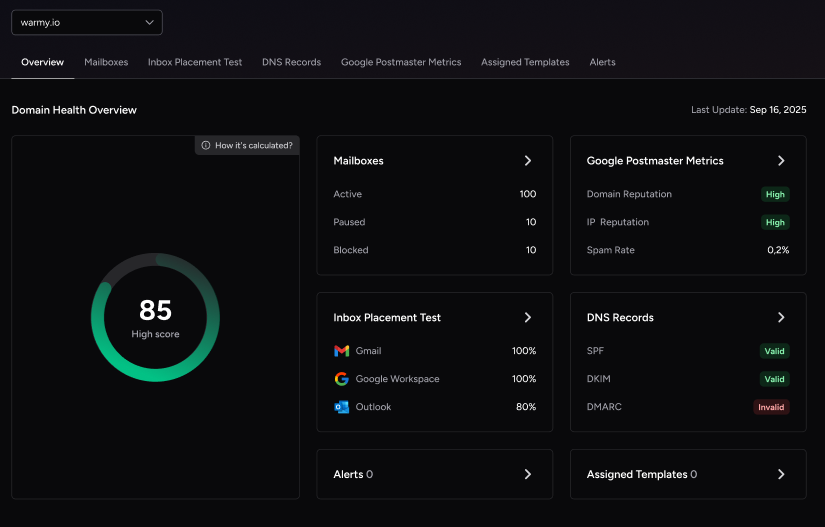
Warmy’s Domain Health Hub tracks DNS record health, inbox placement by provider, Google Postmaster metrics, and blacklist status. These are the signals that directly determine whether your SMTP-connected domain maintains inbox placement over time.
Customizable warmup for real-world SMTP flows
You can tune Warmy to prioritize specific domains, SMTP inboxes, or providers. For example, heavier Gmail warmup if the majority of your leads use Gmail. Topic-based warmup and engagement patterns mean Warmy’s warmup closely mirrors your actual outreach style, making the transition to live campaigns smoother and more effective.
Warmy doesn’t replace SMTP. It turns your SMTP infrastructure into a reputation-building engine where every send contributes to the trust signals that keep future emails out of the spam folder.
Start your free trial and begin building the sender reputation your SMTP setup needs to reach the inbox consistently.