Mailjet deliverability is how reliably the emails you send through Mailjet reach the inbox instead of spam. You improve it by authenticating your domain with SPF, DKIM, and DMARC, keeping your lists clean, sending to recipients who engage, and warming up your sending domain so mailbox providers learn to trust it.
Your Mailjet dashboard says the email was delivered. Your recipient never saw it. That gap is the whole problem, and it catches out marketers and product teams who assume a strong sending platform is the same thing as inbox placement.
Mailjet is a capable email platform, but the platform hands your mail to receiving servers; whether it lands in the primary inbox is decided by your domain’s reputation and authentication, not by the tool alone. If your campaigns or transactional messages keep sliding into spam, the fix usually sits with your setup. A good first move is to run a free email deliverability test and see where your messages actually land today.
This guide covers what Mailjet is in 2026, the settings that quietly make or break inbox placement, the sender rules you now have to meet, and where a warmup and monitoring layer fits so your mail keeps reaching people.
What Mailjet is in 2026

Mailjet is an email marketing and transactional email platform founded in France in 2010. It has been part of Sinch since December 7, 2021, when Sinch completed its acquisition of Pathwire, the parent company that also owns Mailgun and Email on Acid, in a deal valued at roughly 1.9 billion dollars.
The product now carries Sinch Mailjet branding and sits alongside Mailgun, which targets developers, while Mailjet leans toward marketing teams who also need transactional capability.
On the product side, Mailjet offers a drag-and-drop email editor, real-time collaborative template editing, list segmentation, automation, A/B testing, and built-in email validation. It sends through a REST Send API (v3.1) and an SMTP relay, serves more than 100,000 customers across 150-plus countries, hosts data in the EU, and holds GDPR and ISO 27001 credentials. That is a solid foundation. It is also only half of what determines inbox placement.
Delivered is not the same as landing in the inbox
Delivery means a receiving mail server accepted your message. Deliverability means the message reached the primary inbox rather than the spam or promotions folder. A campaign can show a high delivery rate in Mailjet while a large share of those emails quietly sit in spam, which is why delivery statistics alone can be misleading.
Open rates add their own noise. Tracking pixels miss opens when images are blocked, and privacy features such as Apple Mail Privacy Protection preload images and can inflate the number. Treat these metrics as directional, and judge deliverability by where your emails actually land.
Why Mailjet emails land in spam
What receiving servers check
Mailbox providers decide placement based on trust signals they read on every send. The main ones are domain and IP reputation, whether your authentication passes and aligns, recipient engagement such as opens and replies, blacklist status, spam complaint rate, and the content of the message itself. Weak signals in any of these areas push mail toward spam.
What you control on the sender side
Most placement problems trace back to things the sender controls: authentication that is missing, incorrect, or misaligned; lists padded with stale or invalid addresses; sudden volume spikes from a cold domain; spammy content or broken HTML; and sending to people who never opted in. Mailjet gives you the tools to send, but it cannot manufacture the reputation that gets you into the inbox.
The Mailjet settings that make or break deliverability
Authentication and the SPF alignment gotcha
Authentication is where Mailjet has a genuine quirk worth understanding. DKIM is mandatory, and Mailjet signs with 2048-bit keys by default (a change made in April 2024), with 4096-bit available for accounts that want it. DKIM is what proves your message was not altered and is authorized by your domain.
The catch is SPF. By default, Mailjet uses its own domain for the Return-Path (bnc3.mailjet.com), so even a correctly published SPF record will not align with the domain in your visible From address. Under DMARC, that means SPF does not contribute, and DKIM alone carries your DMARC pass. Publishing Mailjet’s generic SPF include on its own does not fix alignment. To get SPF alignment, you set up a custom Return-Path by adding a bnc3 CNAME to your DNS, which typically requires activating a personalized return path with Mailjet support.
The practical playbook: publish Mailjet’s DKIM record exactly as provided, confirm DKIM passes and aligns so DMARC is satisfied, and, if you want SPF alignment too, add the custom Return-Path CNAME. When you merge Mailjet into an existing SPF record, watch the 10-lookup limit, because exceeding it causes an SPF permerror that DMARC treats as a failure.
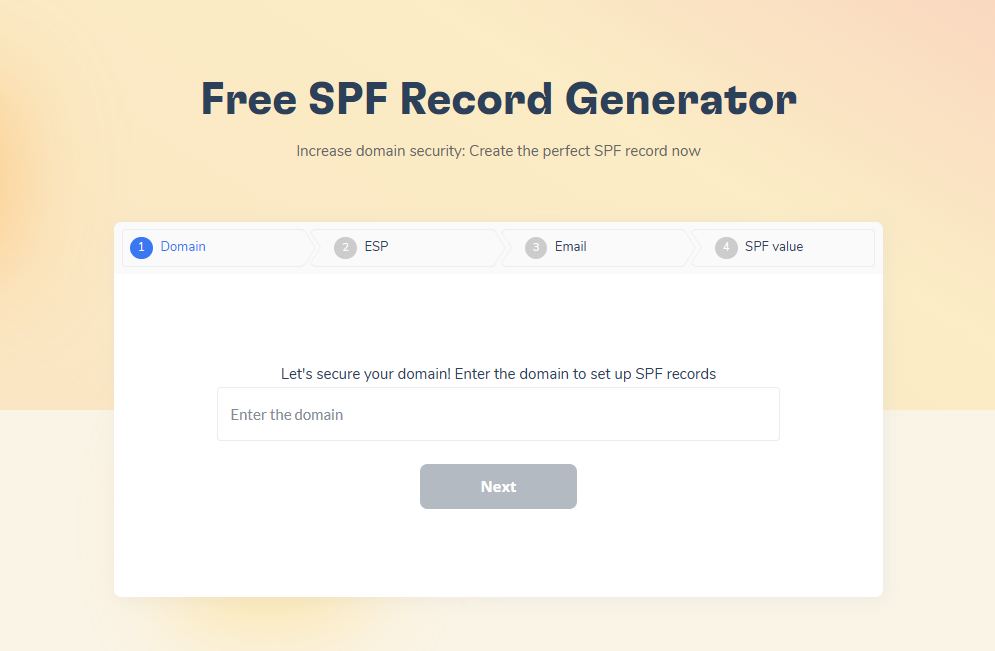
This is exactly the kind of setup that is easy to get subtly wrong. Warmy’s free SPF Record Generator and DMARC Record Generator build valid records and help you avoid the lookup-limit failures, and the Template Checker flags content issues before they trip a spam filter.
Shared IPs, dedicated IPs, and warm-up
Mailjet offers shared and dedicated sending IPs. On a shared IP, your reputation is shaped in part by the other senders in the pool, which is fine for lower or irregular volume. A dedicated IP gives you sole ownership of that reputation, and Mailjet recommends it for senders sending more than 100,000 emails per month, ideally at least 3,000 emails per day to keep the IP active.
A new dedicated IP has no history, so it has to be warmed up. Mailjet’s guidance is to start around 300 emails on day one and increase volume by roughly 20 percent per day, with its deliverability team setting up the process, which usually runs two to six weeks. Read that carefully: this warm-up builds the reputation of the sending IP. It does nothing for the reputation of your own domain and mailboxes, which is a separate layer that also needs to be earned.
The 2024 and 2025 sender rules you cannot ignore
Inbox providers have raised the bar for anyone sending at volume, and these rules apply to your domain even when you send through an ESP like Mailjet.
- Gmail and Yahoo (February 2024): Senders of more than 5,000 messages a day to their users must authenticate with SPF, DKIM, and DMARC, offer one-click unsubscribe, and keep spam complaint rates below 0.3 percent.
- Microsoft (May 5, 2025): Domains sending more than 5,000 emails a day to Outlook.com, Hotmail.com, and Live.com must pass SPF, DKIM, and DMARC with alignment. Non-compliant mail is routed to Junk and can be rejected outright with a 550 5.7.515 access-denied error.
The through line is simple: authentication is tied to your domain, so using Mailjet does not exempt you. If you want the details straight from the source, Microsoft published its high-volume sender requirements on its Tech Community blog.
What Mailjet does not cover
Mailjet monitors the reputation of its own sending infrastructure and warms up its own dedicated IPs. What it does not do is warm up the domains and mailboxes you send from, or watch your domain reputation, blacklist status, authentication health, and inbox placement over time. If your outreach or campaigns are landing in spam, that is a sender-reputation problem on your accounts, and it is a different job from the one Mailjet is built to do.
Where Warmy fits: Warm-up and monitoring layer
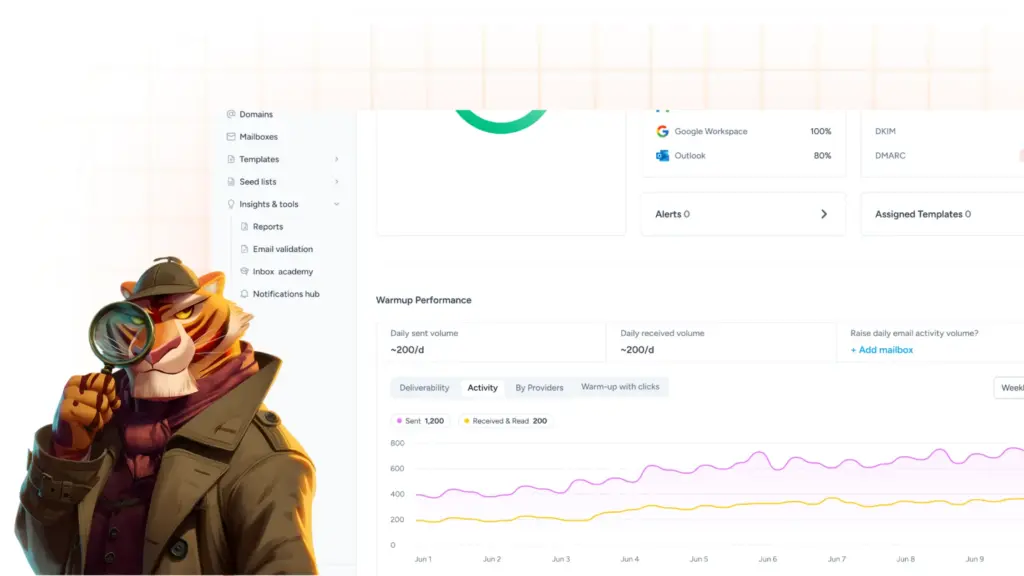
Warmy is an AI-driven email warmup and deliverability platform that builds and protects sender reputation for the domains and mailboxes you actually send from. At its core is Adeline AI, an engine that monitors domain reputation, inbox placement, engagement, and authentication health around the clock and adapts the warmup pace to what mailbox providers are responding to, speeding up when a domain performs well and easing off when it detects risk.
Warmy runs a network of more than one million active mailboxes and generates real engagement during warmup: opens, scrolls, link clicks, and replies, with messages retrieved from spam and marked as important to signal credibility. It warms up senders across Gmail, Google Workspace, Microsoft 365, Outlook, Yahoo, SMTP, and its native integrations, which include Mailjet. On top of that, it monitors SPF, DKIM, DMARC, and MX, tracks blacklist status and Google Postmaster data 24/7, and includes seed lists and a free deliverability test that shows the exact split across primary, promotions, and spam.
The relationship with Mailjet is complementary. Mailjet sends your marketing and transactional email; Warmy builds and monitors the domain reputation behind those sends so they keep reaching the inbox. When you send through Mailjet’s SMTP relay or API, Warmy warms and watches the sending domain and mailboxes, which is the layer Mailjet leaves to you.
Mailjet vs Warmy: What each one does
These tools sit at different layers of the same stack, so this is less a contest than a map of who does what.
| Capability | Mailjet (Sinch) | Warmy |
|---|---|---|
| Primary purpose | Sending platform for marketing and transactional email | Domain and mailbox warmup plus deliverability monitoring |
| Domain and mailbox warmup | No (warms its own dedicated IPs) | Yes, AI-driven and adaptive |
| Continuous reputation monitoring (your domains) | No (monitors its own infrastructure) | Yes, 24/7 via Adeline AI |
| Inbox placement testing (Gmail, Outlook, Yahoo) | No | Yes: primary, promotions, spam |
| Authentication tooling | SPF, DKIM, DMARC for its own sending | SPF, DKIM, DMARC, MX scanning plus free generators |
| Transactional and bulk sending (API/SMTP) | Yes (v3.1 API and SMTP relay) | No |
| Email marketing campaigns | Yes | No |
| Blacklist monitoring for your domain | No | Yes |
| Seed lists | No | Yes |
| Works with the other | Warmy warms up Mailjet sending | Native Mailjet integration |
| Free trial | Free plan plus trial | Yes, 7 days |
| Pro Tip: Authentication and warmup solve different halves of the same problem. Correct SPF, DKIM, and DMARC prove who you are. Warmup and clean lists prove you are wanted. Do both, then confirm with an inbox placement test before your next big send. |
|---|
What users say
Mailjet is broadly well reviewed for ease of use, affordability, and reliable sending infrastructure, and independent aggregators place it around 4.1 out of 5 on average. The recurring complaint across review sites is abrupt account suspensions tied to compliance or unsubscribe-rate reviews, sometimes with slow support responses. Ratings and counts shift over time, so check the live listings for current figures before you decide.
Conclusion
Mailjet gets your mail out the door on solid infrastructure. Inbox placement, though, still comes down to your domain’s reputation and how correctly you authenticate it, and that is the part the platform leaves in your hands. Get SPF, DKIM, and DMARC right, respect the sender rules, keep your lists clean, and give a new or cold domain the warmup it needs.
Warmy is the layer that builds and protects that reputation, and it runs alongside Mailjet rather than replacing it. Book a demo for a walkthrough of your setup, or start a free trial and watch your inbox placement improve.