To warm up a custom SMTP domain, connect your mailbox to a warm-up tool using its SMTP and IMAP settings, confirm that SPF, DKIM, and DMARC are passing, then let the tool send a small daily volume and increase it over three to six weeks while it monitors inbox placement.
New domains that start sending before any warm-up reach the inbox less than 30 percent of the time in their first month, according to analysis from Prospeo. Custom SMTP setups feel this problem most. A self-hosted Postfix server, a transactional relay, or a smaller mailbox provider starts with no reputation and no managed onboarding to guide the ramp.
That cold start is fixable. Warmy is an AI-driven email deliverability platform that connects any SMTP and IMAP inbox and warms it the same way it warms a Gmail or Outlook account. Before you change anything, it helps to see where your mail lands today with a free email deliverability test.
This guide walks through what custom SMTP warm-up means, how to connect the inbox, how to set the ramp, and how to keep the domain healthy once real campaigns begin.
What custom SMTP warm-up means
A custom SMTP warm-up is the process of building sender reputation for a mailbox that you connect through raw SMTP and IMAP credentials rather than a one-click OAuth login. It covers self-hosted mail servers running software such as Postfix or Exim, transactional relays, and providers that warm-up tools do not integrate with directly.
Every new domain begins with no sending history. Mailbox providers such as Gmail, Outlook, and Yahoo treat an unknown sender with suspicion, because spammers spin up fresh domains constantly to slip past filters. Reputation gets earned through a record of steady, low-volume sending that produces real engagement. A custom SMTP server carries that same cold-start problem, with one added wrinkle: it usually has no guided setup, so you configure both the connection and the authentication yourself.
The mechanics of the warm-up stay identical across providers. What changes with custom SMTP is the connection method and the amount of manual configuration involved.
Connect your SMTP/IMAP inbox
Two protocols do the work. SMTP (Simple Mail Transfer Protocol) sends your outgoing mail. IMAP (Internet Message Access Protocol) reads the inbox so the warm-up system can see incoming messages, open them, reply, and pull any warm-up email back out of the spam folder. A warm-up needs both.
Per Warmy’s own setup guidance, a mailbox connected without IMAP cannot receive at all, which means the tool can send but never registers the engagement signals that build reputation.
Gather these details from your provider or server admin before you start:
- SMTP host, for example smtp.yourdomain.com, or your provider’s server such as smtp.ionos.com.
- SMTP port and its encryption setting.
- IMAP host, for example imap.yourdomain.com.
- IMAP port and its encryption setting.
- Username and password for each, often the full email address and its password, or an app password.
What ports and settings you need (SMTP/IMAP)
Ports decide how the connection is encrypted. The table below reflects the current standards and Warmy’s supported configuration.
| Port | Protocol | Role | Notes |
|---|---|---|---|
| 587 | SMTP | Authenticated submission | Current standard; uses STARTTLS; set SSL/TLS to On |
| 465 | SMTP | Submission over implicit TLS | Widely supported; set SSL/TLS to On |
| 2525 | SMTP | Alternate submission | Fallback when 587 is blocked; unsecured, set SSL/TLS to Off |
| 25 | SMTP | Server-to-server relay | Blocked by most ISPs; not supported by Warmy for warm-up |
| 993 | IMAP | Secure inbox access | Encrypted; set IMAP SSL/TLS to On |
| 143 | IMAP | Plain inbox access | Unencrypted; set IMAP SSL/TLS to Off |
For almost every setup, port 587 for sending and port 993 for reading is the safe pairing. Warmy does not support port 25, which providers like AWS and Google Cloud block by default to curb spam.
Not sure your records are in order? Warmy’s free SPF Record Generator and DMARC Record Generator build valid, correctly aligned records before you connect the inbox.
Set the ramp schedule
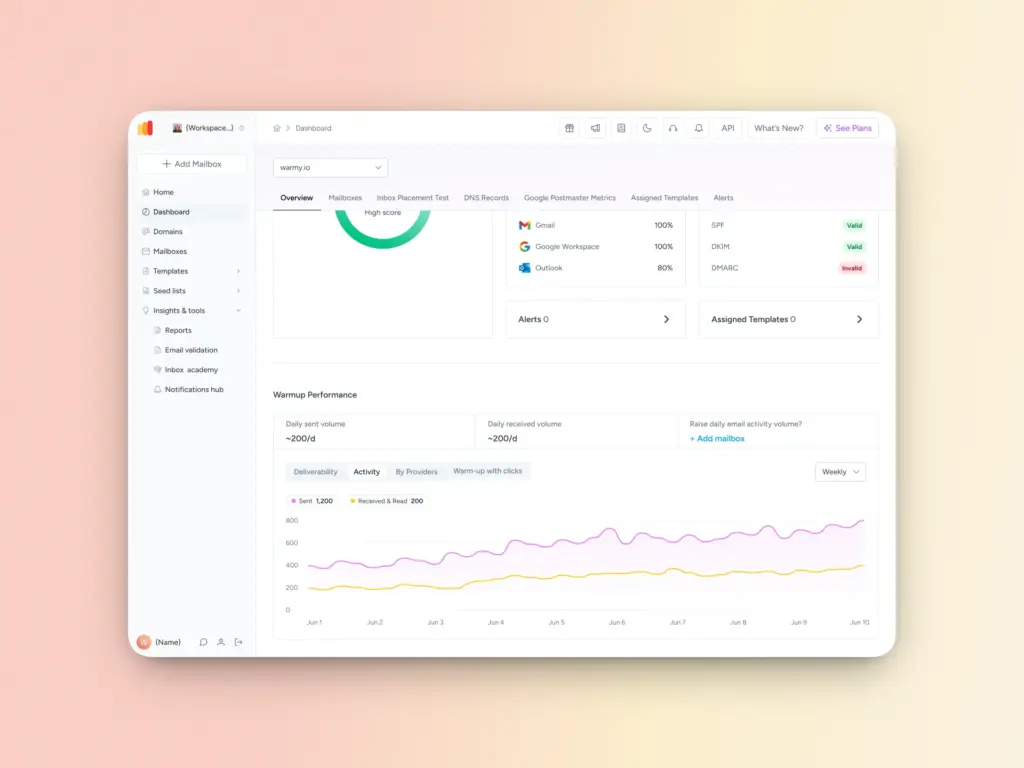
Volume is the variable that gets domains flagged. A cold server that suddenly pushes hundreds of messages looks exactly like a spam run, so the ramp starts small and climbs in steady steps.
Most 2026 schedules open at 10 to 20 warm-up emails per day and increase gradually across three to six weeks. A brand-new domain on a dedicated IP sits at the slow end of that range, often six to twelve weeks, because it has no borrowed reputation to lean on. Prospeo reports that the old two-week warm-up advice no longer holds, since Gmail began rejecting more non-compliant mail at the SMTP layer in late 2025.
Engagement carries more weight than the raw count. Opens, replies, link clicks, and messages moved from spam into the inbox are the signals providers read as proof that a human wants your mail. A sensible ramp for a new custom SMTP domain looks like this:
- Week 1: 10 to 20 emails per day, short and plain, written to earn replies.
- Week 2: 25 to 40 emails per day.
- Weeks 3 to 4: 50 to 100 emails per day if bounce rates stay under 2 percent.
- Week 5 onward: scale toward your target while keeping spam complaints near zero.
Pro Tip: Keep the warm-up running even after you launch real campaigns. Deliverability teams commonly leave 30 to 40 percent of daily volume as warm-up traffic, so reputation does not slip during quiet sending periods.
Monitor reputation and placement
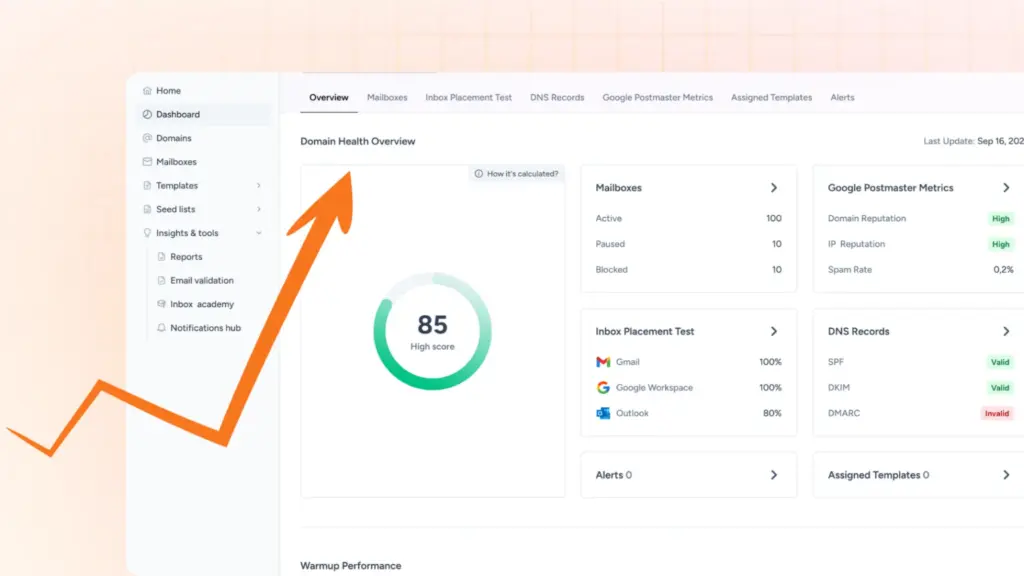
A ramp only works if you watch what the receiving servers see. Three signals matter most.
The first is spam complaints. Google asks bulk senders to keep the reported spam rate in Google Postmaster Tools below 0.10 percent and to never reach 0.30 percent, a threshold echoed by Yahoo and, since May 2025, Microsoft, as MarTech documents. Cross 0.30 percent and inbox placement drops sharply.
The second is authentication. SPF, DKIM, and DMARC prove that mail genuinely comes from your domain. For any domain sending 5,000 or more messages a day to Gmail, all three are mandatory, a rule Google and Yahoo began enforcing on February 1, 2024, according to Sinch Mailgun.
The third is inbox placement itself. Seed-list tests send to real addresses across providers and report where each message lands. Content can drag a technically clean domain into spam, so a scan with Warmy’s free Template Checker catches trigger words and formatting problems before they cost you a campaign.
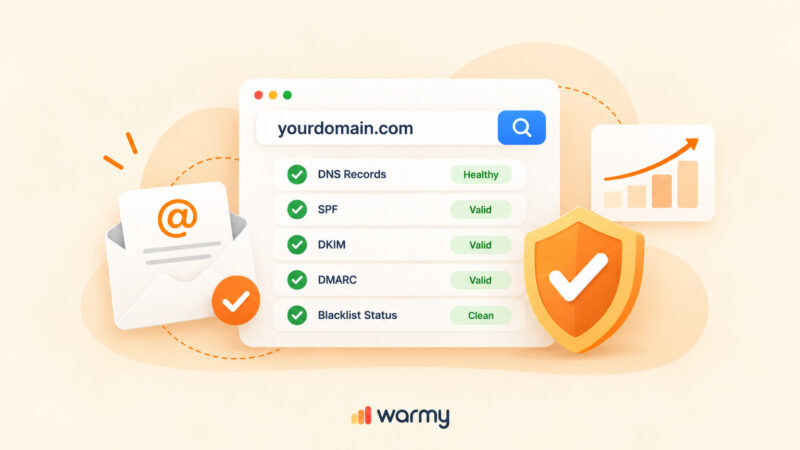
This is where a domain-level view helps. Warmy’s Domain Health Hub assigns each domain a health score built from inbox placement data, DNS records, blacklist status, and Google Postmaster signals, so you can spot a slipping domain before it drags down a live send.
Common SMTP mistakes
- Using port 25. It is meant for server-to-server relay and is blocked on most networks. Use 587 or 465 for submission instead.
- Skipping IMAP. Send-only connections cannot register engagement, which is the entire point of a warm-up.
- Trying basic SMTP or IMAP auth on Microsoft 365. Microsoft disabled basic authentication in 2023, so M365 mailboxes need OAuth rather than a plain username and password.
- Sending before authentication is live. A warm-up on an unauthenticated domain is far less effective and far more likely to land in spam.
- Rushing the ramp. Skipping weeks to reach full volume faster is the quickest way to burn a domain.
Automate the warm-up with Warmy
Manual warm-up means tracking daily counts in a spreadsheet, sending and engaging with dozens of messages, and reading placement reports yourself. Warmy automates that entire sequence for custom SMTP inboxes.
Once you connect a mailbox through its SMTP and IMAP settings, Warmy sends warm-up mail on an adaptive schedule, opens and replies to messages using a continuously updated seed list of real Gmail, Outlook, and Yahoo addresses, and retrieves anything that lands in spam. The platform handles up to 5,000 warm-up emails per day and works across more than 30 languages. Through Warmup Preferences you can split warm-up traffic across providers, and that list includes a Private SMTP option so the pattern matches how your real recipients are distributed.
Conclusion
A custom SMTP warm-up follows the same reputation logic as any inbox. Authenticate first, connect both sending and receiving, start slow, and let engagement build trust with the mailbox providers. The manual connection is the only real difference, and once it is in place the process runs the same as it would for Gmail or Outlook.
Start your free trial and connect your SMTP inbox to Warmy to take control of your deliverability from day one.