| TL;DR Email blacklist monitoring tools scan your sending IP and domain against public reputation lists like Spamhaus, then alert you when a new listing appears. The best options in 2026 pair wide list coverage with real-time alerts and a clear delisting path. Warmy ranks first because it adds AI warmup that prevents most listings before they happen. |
|---|
Your emails can stop reaching inboxes overnight, and the cause is often invisible. When a receiving server checks your sending IP or domain against a blacklist and finds a match, it can reject, defer, or silently move your message to spam, usually with no notice to you.
By the time open rates fall and replies dry up, a listing may have been draining your deliverability for days. That is why monitoring matters, and why prevention matters even more.
Warmy is an AI-driven email deliverability platform that monitors your domain against major reputation lists and helps you stay off them in the first place. This guide ranks seven blacklist monitoring and removal tools for 2026, then walks through how delisting actually works. For a quick read on where you stand right now, you can run a free deliverability test that scans your sending domain and IP against spam blacklists in a single pass.
How blacklists work (and why you get listed)
Most email blacklists are DNS-based, so mail servers query them the same way they resolve a domain name. These lists are known as DNSBLs (DNS blacklists) or RBLs (real-time blackhole lists). When a receiving server accepts a connection, it can look up your sending IP or domain against one or more of these databases in milliseconds. A match can mean an outright rejection, a delay, or quiet spam placement.
Spamhaus is the operator that carries the most weight. Its Spamhaus Zen dataset combines several IP lists, including the Spamhaus SBL for known spam sources, the CSS for snowshoe patterns, the Spamhaus XBL for exploited machines, and the Spamhaus PBL for ranges that should not send mail directly. Spamhaus rebuilds its blocklist zone every few minutes and serves queries from a large network of public mirrors, so both new listings and genuine fixes propagate quickly. You can read the criteria on the Spamhaus Blocklist page.
Public DNSBLs are only half the story. Gmail, Outlook, and Yahoo run private reputation systems that no standard blacklist checker can see. A clean result on a DNSBL tool does not guarantee inbox placement at those providers, which is why senders pair blacklist monitoring with provider-side data from Google Postmaster Tools and Microsoft SNDS.
Why you end up on a list
Listings trace back to sender behavior. The common triggers are high spam-complaint rates, high bounce rates from poor list hygiene, hits on spam traps, sending from a compromised account or open relay, sudden volume spikes from a cold domain, and missing or broken authentication.
Google treats spam complaints as a primary signal and asks bulk senders to keep the user-reported spam rate below 0.1 percent and never at or above 0.3 percent, per its Postmaster Tools guidance. Cross those thresholds and Gmail starts routing mail to spam, which often precedes a public listing.
| Pro tip: Fix the sender side before you monitor. Publish correct SPF, DKIM, and DMARC records with Warmy’s free SPF and DMARC generators, and screen your copy with the free Template Checker so content triggers do not undo your monitoring work. |
|---|
The 7 tools at a glance
Every tool below is scored on the fields that matter for a listing: how many lists it watches, how it alerts you, what it costs to start, and how real users rate it on G2. A closer look at each follows the table.
| Tool | Lists monitored | Alerts | Starting price | G2 |
|---|---|---|---|---|
| Warmy | 100+ RBLs via Domain Health Hub | Real-time, continuous dashboard alerts | $49/mailbox/mo (7-day free trial) | 4.8/5 |
| MXToolbox | 100+ DNSBLs (top 30 on free tier) | Weekly (free); every 4 hrs to near real-time (paid) | Free monitor; from $129/mo | 4.1/5 |
| GlockApps | 50+ blocklists via Uptime Monitor | Continuous polling; Slack and Telegram | Free tier; from $59/mo | 4.3/5 |
| MailReach | Major blacklists (in spam test reports) | Real-time; Slack and webhook | $25/mailbox/mo ($20 annual) | 4.7/5 |
| Folderly | Major blacklists (continuous IP-pool scan) | Email, Slack, and SMS | From ~$120/mailbox/mo | 4.8/5 |
| MultiRBL | 200+ blacklists and whitelists | None (on-demand lookup) | Free | Not listed |
| Google Postmaster | Gmail reputation and compliance (not DNSBLs) | Dashboard only (no push alerts) | Free | Not listed |
Pricing and ratings verified against vendor pricing pages and G2 in July 2026. Per-mailbox tools cost more as you add inboxes; confirm current figures before you buy.
7 blacklist monitoring and removal tools
1. Warmy. Best all-in-one prevention and monitoring
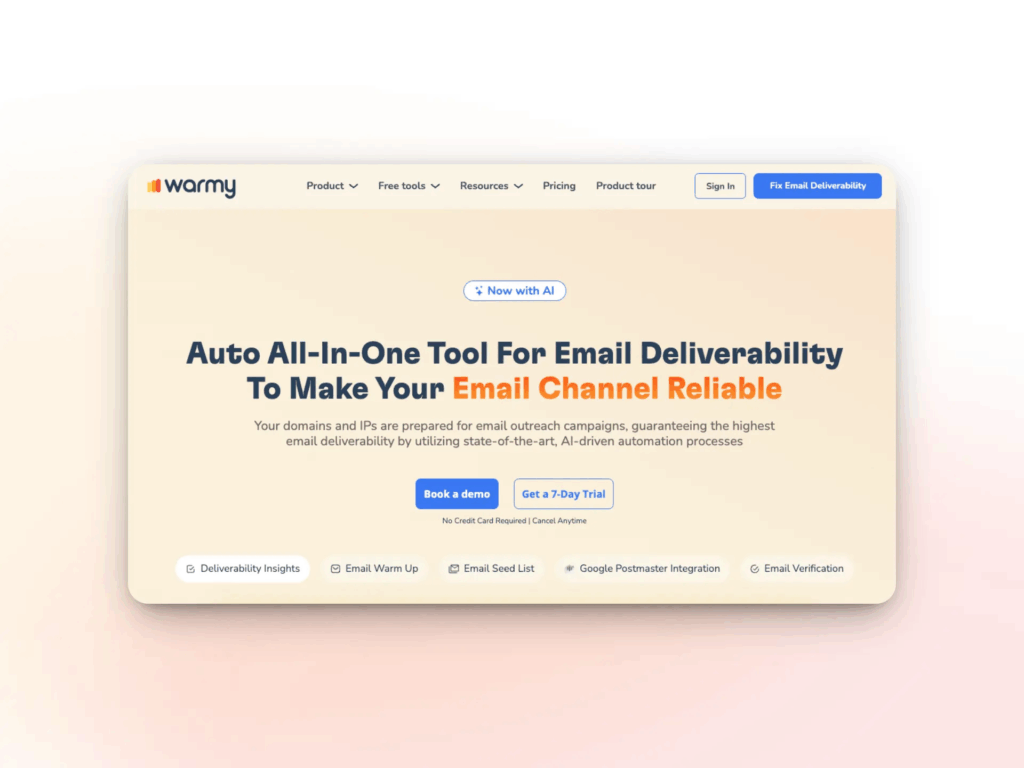
Key features: AI warmup powered by the Adeline engine, plus a Domain Health Hub that scores each domain and monitors it against 100+ reputation lists in real time. Warmy tracks DNS and authentication records (SPF, DKIM, DMARC, rDNS, MX, A), pulls in Google Postmaster signals, charts weekly and monthly spam-rate trends, and includes free tools like the deliverability test, template checker, and SPF and DMARC generators.
Best for: Senders who want to prevent listings rather than only detect them, and teams that manage reputation at the domain level across many mailboxes.
| Pros | Cons |
|---|---|
| Monitors 100+ lists and pairs them with a warmup that prevents most listings. Real-time alerts inside a single deliverability dashboard. Genuinely useful free diagnostic tools. Strong support reputation (4.8/5 on G2) | Full pricing is now gated behind a signup or demo. |
Rating: 4.8/5 on G2
| Pro tip: Because Warmy combines wide list coverage with warmup, it is the one tool here that reduces how often you ever need the delisting steps later in this guide. |
|---|
2. MXToolbox. Best free diagnostics and infrastructure monitoring
Key features: A free blacklist check that tests your IP and domain against more than 100 DNSBLs, plus a free monitor that covers the top 30 lists on a weekly cycle. The paid Delivery Center adds adaptive blacklist monitoring that auto-detects your senders, DMARC and SPF and DKIM reporting, inbox placement analysis, and API access, with checks running every four hours up to near real-time on higher tiers.
Best for: System administrators and IT teams who want infrastructure-level DNS and blacklist diagnostics from a trusted toolkit.
| Pros | Cons |
|---|---|
| Fast, reliable free diagnostic tools. Wide DNSBL coverage and sender auto-detection. API and SIEM integrations for technical teams. | Interface feels dated. Alert wording can cause unnecessary blacklist anxiety. Users report billing and cancellation friction. |
| Plan | Price | Includes |
|---|---|---|
| Free monitor | $0 | 1 monitor, top 30 blacklists, weekly checks, on-demand lookups |
| Delivery Center | $129/mo | Adaptive blacklist monitoring, DMARC reporting, inbox placement, up to 5 domains |
| Delivery Center Plus | $399/mo | Everything above plus higher volume and deeper reporting; Managed Services quoted custom |
Rating: 4.1/5 on G2
3. GlockApps. Best for placement testing plus monitoring
Key features: Inbox Insight placement testing, DMARC analytics across unlimited domains, and an Uptime Monitor that tracks IP reputation against 50+ blocklists with continuous polling and Slack or Telegram alerts. A Google Postmaster integration brings provider-side reputation into the same dashboard, and a usable free tier covers occasional spot checks.
Best for: Marketers and agencies who want placement testing, DMARC analytics, and blocklist monitoring in one diagnostic suite.
| Pros | Cons |
|---|---|
| Continuous IP reputation and blocklist polling, not just on-demand tests. DMARC analytics across unlimited domains on paid plans. Free tier that is actually usable. Postmaster data in the same view. | Diagnostic only: it does not warm or fix anything. Credit-based, and unused credits expire monthly. Seed-list method fits newsletters better than cold email. DMARC overage fees apply above plan limits. |
| Plan | Price | Includes |
|---|---|---|
| Free | $0 | 2 spam tests, uptime monitor, limited DMARC volume |
| Essential | $59/mo | 360 test credits, DMARC analytics, 25 monitors, 1 user (billed annually) |
| Growth / Enterprise | $99–$129/mo | More credits, monitors, users, and sending accounts; API on higher tiers |
Rating: 4.3/5 on G2
4. MailReach. Warmup with bundled blacklist checks
Key features: AI, human-like warmup across a network of 30,000+ real Google Workspace and Microsoft 365 inboxes, plus spam testing that folds blacklist checks into each report alongside SPF, DKIM, DMARC, MX, and reverse DNS. Any new listing surfaces through the dashboard, Slack, or a webhook, and a Co-Pilot assistant flags issues as they appear.
Best for: Cold email teams that want quality warmup with point-in-time deliverability and blacklist diagnostics attached.
| Pros | Cons |
|---|---|
| Blacklist alerts via Slack and webhook. Broad SMTP and ESP compatibility. Three free spam tests every 24 hours. | Blacklist checks come with spam tests, not continuous fleet monitoring. Per-inbox pricing scales linearly with your footprint. No free trial for warmup. |
| Plan | Price | Includes |
|---|---|---|
| All-in-One | ~$25/mailbox/mo | Warmer plus spam tester, ~20 test credits, up to 100 warmup emails/day per mailbox |
| Annual billing | ~$20/mailbox/mo | Same features with roughly 20 percent off; per-inbox rate drops at higher volume |
| Spam Tester / Agency | Pay-as-you-go / custom | Standalone test credits, or custom agency pricing at scale |
Rating: 4.7/5 on G2
5. Folderly. Full-service deliverability platform
Key features: A comprehensive platform backed by Belkins that bundles warmup, Inbox Insights placement testing, spam-trigger detection, DNS and authentication checks, and continuous scanning of your sending IP pool against major blacklists. Alerts arrive by email, Slack, or SMS, and the warmup engine can pull messages out of spam and promotions automatically.
Best for: Well-funded teams and agencies that want an all-in-one audit, warmup, and monitoring platform and can absorb a per-mailbox premium.
| Pros | Cons |
|---|---|
| Continuous IP-pool blacklist scanning. Deep diagnostics and spam-trigger detection. Responsive support (4.8/5 on G2). Alerts across email, Slack, and SMS. | Premium per-mailbox price (roughly $90–$130). Typically a one-year commitment. Placement testing limited to Gmail, Outlook, Workspace, and M365. Some users report unexpected warmup volume incidents. |
| Plan | Price | Includes |
|---|---|---|
| Warmup (1–9 mailboxes) | ~$120/mailbox/mo | Warmup, monitoring, blacklist and DNS checks, spam-trigger detection |
| Annual / higher tiers | ~$90–$96/mailbox/mo | Lower per-mailbox rate with annual billing or larger mailbox counts |
| Inbox Insights add-on | ~$79/mo | Standalone placement testing beyond the core plan |
Rating: 4.8/5 on G2
6. MultiRBL. Best free multi-list spot check
Key features: A free lookup tool that tests the IPv4 or IPv6 address of your mail server against more than 200 blacklists and whitelists in one query, and runs a forward-confirmed reverse DNS (FCrDNS) check at the same time. It also flags neutral, informational lists that do not block mail so you can read results in context.
Best for: Anyone who needs a fast, free, one-off spot check across the widest possible set of lists.
| Pros | Cons |
|---|---|
| Free with no account required. Broadest list coverage (200+). Includes whitelists and FCrDNSSupports IPv4 and IPv6. | On-demand only: no monitoring or alerts. IP-focused rather than a full domain suite. Bare-bones, technical interface. |
| Plan | Price | Includes |
|---|---|---|
| Free lookup | $0 | Unlimited on-demand checks against 200+ lists plus FCrDNS |
Rating: Not listed on G2 (independent community tool). Access it at multirbl.valli.org.
7. Google Postmaster Tools. Best free Gmail-side signal
Key features: A free set of dashboards from Google that shows how Gmail treats your domain, including user-reported spam rate, authentication status for SPF, DKIM, and DMARC, delivery errors, and a v2 compliance status against Gmail’s bulk sender rules. It is not a DNSBL checker; it surfaces the provider-side reputation that public blacklist tools cannot see.
Best for: Any Gmail sender who wants provider-side reputation and compliance data to complement DNSBL monitoring.
| Pros | Cons |
|---|---|
| Free, with data straight from Gmail. Spam-rate and compliance visibility you cannot get elsewhere. Pairs well with a DNSBL monitor. | Gmail only; no blacklist or DNSBL checks. Needs volume before it shows data (roughly 100+/day, 5,000/day for compliance). v2 removed the old reputation scores. No push alerts. |
| Plan | Price | Includes |
|---|---|---|
| Free | $0 | Spam rate, authentication, delivery errors, and compliance status for Gmail traffic |
Rating: Not listed on G2 (free Google service). Set it up through Google Postmaster Tools.
How to get delisted
A listing is recoverable, but the order of operations decides how fast. Work through these steps rather than rushing to submit a removal request.
- Confirm the listing and identify the list. Run your IP and domain through a checker such as MultiRBL, MXToolbox, or the Spamhaus IP and Domain Reputation Checker at check.spamhaus.org, and note exactly which list flagged you.
- Find and fix the root cause. Close any open relay, remove malware, rotate credentials, clean invalid and spam-trap addresses from your list, and confirm SPF, DKIM, and DMARC are in place. Operators deny requests submitted before the problem is genuinely resolved.
- Follow the list’s own process. Each list differs. On Spamhaus, SBL removals must come from the ISP or network owner responsible for the IP; XBL entries can expire automatically or clear through self-service after a malware cleanup; and the PBL is self-service for legitimate static mail servers. Removal is always free, and any third party charging a fee to delist you is running a scam.
- Submit with evidence. Explain what caused the listing and what you changed. Submitting a request does not guarantee removal, so be specific about the fix.
- Monitor, then keep it clean. Watch until the listing clears, then hold the line with authentication, double opt-in, regular list hygiene, and ongoing monitoring. Because Spamhaus rebuilds its zone every few minutes, a real fix propagates fast, but re-listing is just as quick if the behavior returns.
This is where continuous monitoring earns its place. A tool that alerts you within hours, rather than a manual check you remember to run after a campaign fails, is the difference between a quick delist and weeks of degraded deliverability. You can read the full check, fix, and prevent walkthrough or compare more options in our roundup of email deliverability monitoring tools.
Which tool should you choose?

For free spot checks, MultiRBL and Google Postmaster Tools cover the basics. For infrastructure diagnostics, MXToolbox is the standard. GlockApps, MailReach, and Folderly add continuous monitoring at rising levels of depth and price. Warmy sits at the top of this list because it does the one thing the others cannot: it watches your domain against 100+ lists in real time and uses warmup to keep you off them, so a listing becomes the exception instead of a recurring fire drill.
Monitoring tells you a campaign already misfired. Prevention keeps it from misfiring at all. Start your free 7-day Warmy trial and protect your domain before a blacklist quietly costs you your next send.