Cold email deliverability is the percentage of outbound emails that reach a recipient’s primary inbox instead of spam or promotions. Hitting 90%+ requires correctly aligned SPF, DKIM, and DMARC records, a warmed sending domain, clean list hygiene, and content that avoids spam triggers. Fix authentication first, then warm up the domain before you scale sending volume.
You send a carefully researched cold campaign, check back the next morning, and the open rate is flat. Not because your subject line was weak or your targeting was off, but because half your list never saw the email at all. It sat in a spam folder, or never arrived.
This is the quiet failure mode of cold outreach. Deliverability problems rarely announce themselves. They just make every other part of your strategy look worse than it is.
Warmy is an AI-driven email deliverability platform that helps senders diagnose and fix exactly this problem: authentication gaps, cold domains, and spam-triggering content that keep cold email out of the inbox. The rest of this guide walks through why deliverability breaks down and what fixing it actually looks like in 2026.
What Happens When Cold Email Deliverability Fails
When deliverability drops, the symptoms show up everywhere except where you’d expect. Open rates fall, but so do replies, meeting bookings, and eventually pipeline. Teams often blame copy or targeting first, because those are the parts they can see and control. Deliverability is invisible until you go looking for it, which is why it’s usually the last thing diagnosed and the first thing to break.
A domain that starts sending cold outreach without any sending history looks suspicious to inbox providers by default. It has no track record, no engagement data, and no reason to be trusted yet. That distrust is not personal. It’s how spam filtering works.
Why Inbox Providers Reject or Filter Cold Email
Spam Complaint Thresholds at Gmail and Yahoo
Gmail and Yahoo enforce hard requirements for anyone sending meaningful volume to their users.
Bulk senders whose user-reported spam rate stays above 0.3% become ineligible for delivery mitigation, and rates are calculated daily in Postmaster Tools, per Google’s official sender guidelines. That threshold sounds generous until you do the math on a small list: a handful of spam reports on a modest send is enough to trip it. Cold email is especially exposed here, since recipients who didn’t ask for the message are more likely to report it than someone who opted in.
Blacklists and Domain Reputation
Every inbox provider checks whether your sending domain or IP appears on a spam blocklist before it decides where your email lands. A single blacklist entry, even a minor one, can quietly tank placement across every provider you send to, not just the one that flagged you. Warmy’s DMARC monitoring coverage breaks down how ongoing authentication and reputation monitoring catches these issues before a campaign goes out, rather than after.
Engagement Signals ISPs Track
Beyond authentication and blacklists, providers watch how recipients behave: opens, replies, deletions without opening, and moves to spam. A domain with a thin or negative engagement history gets filtered harder, regardless of how good the message is. This is the layer that a strong sender reputation score is actually measuring.
The Sender-Side Causes Behind Poor Deliverability
Missing or Misconfigured Authentication
Most deliverability failures trace back to authentication that was never set up correctly, or set up once and never revisited after a provider change. A broken SPF record or an unaligned DMARC policy doesn’t just lower your reputation. In 2026, it gets your mail rejected outright.
Cold or Dormant Sending Domains
A brand-new domain, or one that’s been quiet for months, has no sending history for inbox providers to evaluate. Sudden outbound volume from a domain with no track record reads as a spam-risk signal, even if every other part of the setup is correct.
Content That Triggers Spam Filters
Spam filters still scan message content: aggressive language, broken HTML, suspicious link patterns, and image-heavy templates with little text all raise flags. Content problems compound authentication and reputation problems rather than replacing them.
Sending Volume Spikes
Ramping from zero to full campaign volume overnight is one of the fastest ways to damage a domain that was otherwise healthy. Inbox providers expect gradual, consistent growth in sending activity, not a sudden jump.
Fix Authentication First: SPF, DKIM, and DMARC
Authentication is the foundation everything else sits on. No amount of warmup or list hygiene compensates for a missing or broken record.
- SPF tells receiving servers which mail servers are authorized to send on your domain’s behalf.
- DKIM signs each message cryptographically, proving the content wasn’t altered in transit.
- DMARC ties SPF and DKIM together and tells inbox providers what to do when a message fails either check.
The most common mistake isn’t skipping these records. It’s misconfiguring them: an SPF record that exceeds the 10-DNS-lookup limit, a DKIM key that wasn’t rotated after switching providers, or a DMARC policy left at p=none indefinitely with no plan to tighten it. Google requires bulk senders to authenticate outgoing mail, keep spam rates reported in Postmaster Tools below the enforced threshold, and format messages according to the Internet Message Format standard.
Pro Tip: Even established domains can lose deliverability after a period of inactivity or a sudden spike in sending volume. Re-warming a dormant domain deserves the same care as warming a brand-new one.
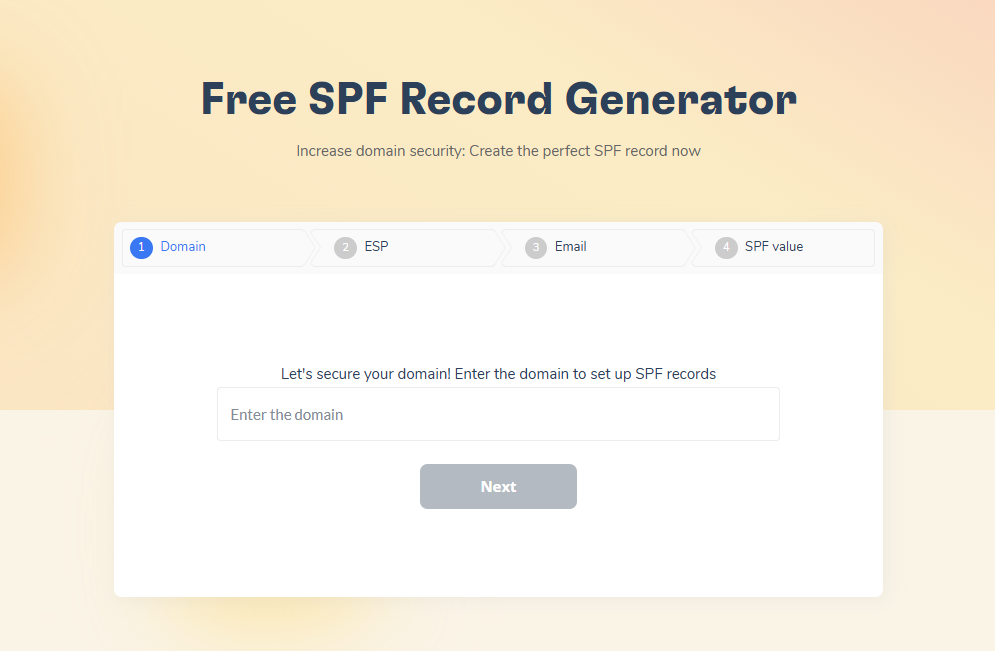
If you’re not sure your records are configured correctly, build them properly the first time. Warmy’s free SPF Record Generator and DMARC Record Generator walk through the setup step by step and avoid the formatting mistakes that break authentication silently.
Warm Up the Domain Before You Scale Volume
Once authentication is solid, the next gap is reputation. Inbox providers don’t just check that your mail is authenticated. They also watch how recipients treat it over time. That history has to be built before you rely on it for revenue-generating campaigns.
Email warmup is the process of gradually increasing sending volume from a new or dormant domain while generating genuine positive engagement: opens, replies, clicks, and recovery from spam when something slips through. Manual warmup means doing this yourself across a manageable set of real contacts, on a slow, closely monitored schedule. It works, but it’s time-consuming and easy to get wrong at scale, which is why most senders now use a dedicated platform. Warmy automates this process with an AI-driven algorithm, a network of over 1 million real mailboxes, and support for more than 30 languages, so warmup content matches your actual industry and audience rather than looking like generic filler.
What separates a strong warmup setup from a basic one is customization. You want control over the pace, the provider mix (Gmail, Outlook, Yahoo, and beyond), the language, the topic, and the engagement pattern, so the warmup traffic actually mirrors your real campaign. Warmy’s Warmup Preferences let you configure that distribution to match your true B2B or B2C audience split, and Warmup With Clicks adds real link clicks and Promotions-tab recovery on top of standard warmup activity, which are the specific signals Gmail weights most heavily when deciding whether a domain belongs in the primary inbox.
Ready to see where your reputation stands right now? Run a deliverability check before you commit to a warmup schedule, so you know your starting point.
Clean Your List and Check Your Content
Authentication and warmup fix the sender’s side of the equation. The list and the message itself are the other half. Spam already makes up nearly half of all email traffic worldwide, according to Statista, so inbox providers filter aggressively before a message is ever opened, and an unverified, poorly targeted list only gives those filters more reason to be suspicious. Every hard bounce and every spam complaint chips away at exactly the sender reputation warmup is trying to build.
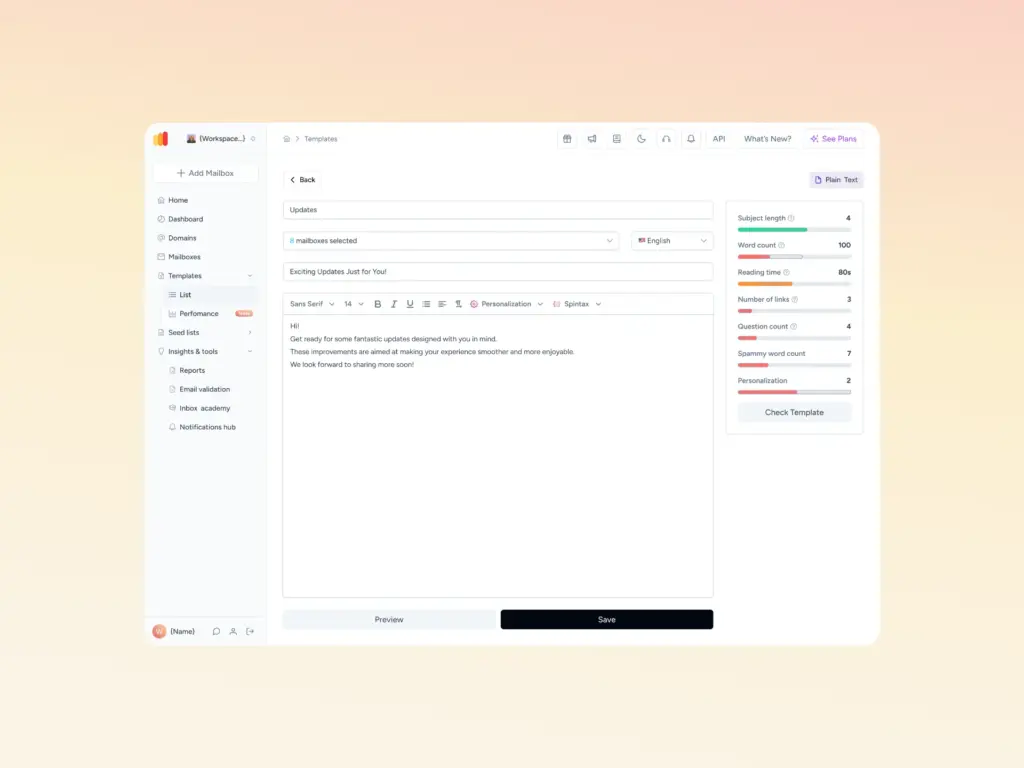
Before you send, validate every address on your list to remove invalid or inactive contacts, and scan your template for the formatting and language patterns that trip spam filters. Warmy’s free Template Checker, including its Chrome extension, flags these issues before you launch, so authentication and content stop working against each other.
Confirm Everything Is Working
Inbox Placement Testing
Run periodic tests that send messages to a seed list across major providers and report back on whether they landed in the inbox, promotions, or spam. This catches regressions early, before an entire campaign underperforms silently. Teams that treat deliverability as ongoing infrastructure rather than a one-time setup consistently outperform those that check once and move on, a pattern documented in Warmy’s case study on cold email deliverability infrastructure.
Ongoing Monitoring
Authentication, blacklist status, and domain health should be monitored continuously, not just at setup. List hygiene and deliverability tooling work best as part of a broader outreach system rather than isolated one-off checks, which is the same conclusion Warmy’s guide to deliverability tools for outreach teams reaches when comparing standalone point solutions.
Single-Purpose Tools vs. an All-in-One Deliverability Platform
| Capability | Typical Warmup-Only Tool | Warmy |
|---|---|---|
| AI-adjusted warmup pace | Rarely, usually a fixed schedule | Yes, via the Adeline AI engine |
| Blacklist monitoring | Often a paid add-on | Included in the deliverability test |
| Warmup with real link clicks | Rarely offered | Yes, Warmup With Clicks |
| Warmup customization (language, topic, provider mix) | Limited to send scheduling | Advanced, across language, topic, and engagement pattern |
| Domain-level health dashboard | Not typically included | Yes, the Domain Health Hub |
| Free SPF/DMARC record generators | Not typically included | Yes |
| Dedicated deliverability expert per account | Rarely | Yes |
If you rely on email to drive revenue, whether through cold outreach or transactional sends, comparing your current stack against what a full deliverability platform covers is worth the ten minutes it takes. Warmy’s breakdown of warmup and deliverability tools goes deeper into how the major options in the category stack up feature by feature.
Cold Email Deliverability Checklist for 2026
- Publish and verify SPF, DKIM, and DMARC, with SPF and DKIM aligned to your DMARC policy.
- Warm up any new or dormant domain gradually before sending real campaign volume.
- Validate your list to remove invalid and inactive addresses before every send.
- Scan templates for spam-trigger language and broken formatting before launch.
- Monitor blacklist status and domain health continuously, not just at setup.
- Run inbox placement tests regularly to confirm fixes are holding across providers.
- Keep spam complaint rates below the thresholds Gmail and Yahoo enforce.
- Continue warmup activity even after your domain reaches a healthy baseline.
How Warmy Helps You Get There
Everything in this guide, authentication, warmup, list hygiene, and monitoring, maps directly onto features built into Warmy’s platform:
- AI-driven email warmup: Adeline, Warmy’s proprietary AI engine, powers Warmy’s email warmup by continuously analyzing each mailbox’s sending patterns and adjusting pace, provider distribution, and content in real time instead of following a fixed schedule.
- Warmup Preferences: Control exactly how warmup traffic is distributed across Gmail, Outlook, Yahoo, and other providers, and choose B2B or B2C engagement patterns so the activity actually mirrors your real audience.
- Warmup With Clicks: Layers real link clicks and automatic Promotions-tab recovery on top of standard warmup, the specific signals Gmail weights most heavily for primary inbox placement.
- Seed List: Warmy’s advanced Seed List gives you real, actively maintained addresses across major providers that open, click, reply, and recover messages from spam the way genuine recipients would, and it also reaches providers that standard warmup tools cannot, including Mailchimp, Shopify, and Klaviyo.
- Multi-language and topic-based warmup: Warmup content is generated in over 30 languages and matched to your actual industry or topic, rather than sending generic filler text.
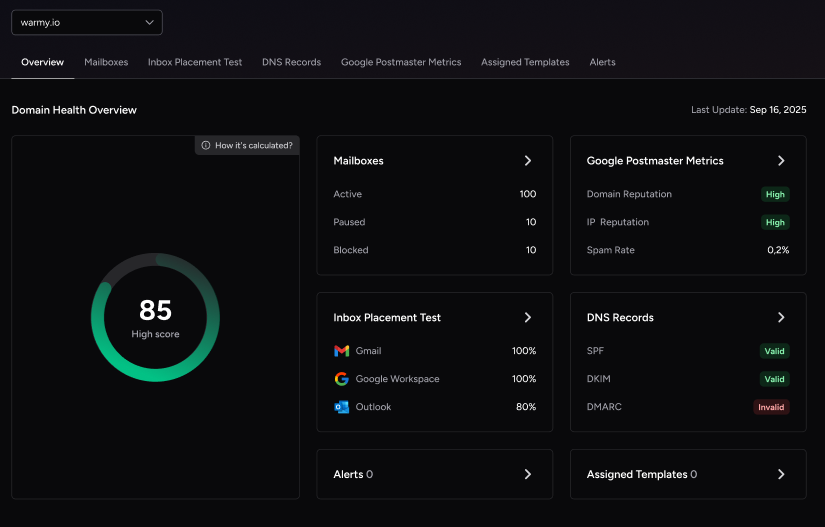
- Domain Health Hub: Keeps every domain’s authentication status (SPF, DKIM, DMARC, rDNS, MX, A records), blacklist standing, and inbox placement trend visible in one dashboard.
- Blacklist monitoring: Included as part of the Email Deliverability Test, checking your domain and IP against major blocklists automatically.
- Email validation: Scores each address on your list before you send, so invalid or inactive contacts get flagged before they hurt your sender reputation.
- Free diagnostic tools: The Email Deliverability Test, SPF Record Generator, DMARC Record Generator, and Template Checker (including a Chrome extension) are all available at no cost, covering authentication, blacklist, and content checks in one place.
- Workspace management: Built for teams and agencies managing multiple mailboxes or clients, with role-based access so colleagues can monitor or manage warmup without sharing credentials.
- API access: Connect Warmy’s warmup and deliverability data into your own reporting or client dashboards.
- Dedicated support: Every account gets a dedicated Customer Success Manager and a dedicated deliverability expert, rather than a generic support queue.
- Inbox Academy: A free deliverability masterclass covering warmup, authentication, and inbox placement fundamentals for teams getting started.
Together, these features cover the full checklist above in a single platform instead of a stack of disconnected tools.
Getting to 90%+ and Staying There
Ninety percent-plus inbox placement isn’t a one-time fix. It’s the result of authentication, reputation, and content all staying aligned at the same time, checked on an ongoing basis rather than once at setup. Skip any one layer and the others can’t fully compensate.
If you’re rebuilding your cold email infrastructure from the ground up or just tightening up what you already have, book a demo with Warmy and see how the Adeline AI engine, Domain Health Hub, and full deliverability toolkit fit into your outreach system.