Yes. If you’re on the wrong blacklist, your emails may be rejected even before the inbox even has a chance to see them. Here’s what you need to know:
- Spamhaus is the only blacklist that materially impacts major providers. Microsoft 365, Outlook, Yahoo, and AOL all reject listed IPs at the SMTP level.
- Gmail and Google Workspace don’t use external blacklists (except Spamhaus PBL for unauthorized IPs), they filter by behavior and engagement instead.
- A blacklist listing alone won’t damage your deliverability. The poor sending practices that trigger listings also trigger internal provider filters.
- To protect your sender reputation: check your blacklist status regularly, authenticate with SPF/DKIM/DMARC, maintain clean lists, and warm up new IPs gradually.
Email remains one of the most powerful channels to reach prospects and customers, but deliverability is never guaranteed. If your domain or IP lands on a spam blacklist, your messages could be blocked, buried in spam, or throttled before they reach a single inbox.
The problem? Most senders don’t know which blacklists actually matter, or how each major email provider uses them.
This guide is based on in-depth research by the Warmy Research Team. It breaks down exactly how Gmail, Google Workspace, Microsoft 365, Outlook, Yahoo, and AOL handle third-party blacklists in practice. No guesswork. Just actionable insight to protect your sender reputation.
Not sure if your domain is already on a blacklist? Test your email deliverability for free to see your blacklist status, inbox placement, and authentication health in seconds.
What are third-party email blacklists or DNSBLs?
Third-party email blacklists are also called DNS-based blocklists (DNSBLs). These are databases that track IP addresses and domains known for sending spam, abusive content, or suspicious email activity.
When you send an email, the receiving mail server queries one or more DNSBLs in real time. If your IP or domain appears on a list, the server may:
- Reject your message immediately (hard bounce or other similar SMTP Errors)
- Route it to the spam folder
- Apply additional filtering or rate-limiting
Not all blacklists are created equal. Some, like Spamhaus, are globally trusted and integrated by every major provider. Others are aggressive, prone to false positives, or even operate pay-to-delist schemes.
Understanding which blacklists matter to which providers is the foundation of a strong deliverability strategy.
Pro Tip: Being blacklisted isn’t the only reason emails get blocked. Poor engagement, authentication failures, and spam complaints all trigger internal filters independently of any DNSBL listing. For a full breakdown, see our guide on Understanding ESP Blocks: Causes, Types, and Prevention.
How major email providers use (or don’t use) blacklists
Here’s the straightforward answer most guides won’t give you: Spamhaus is the only third-party blacklist with significant, confirmed impact across major providers. Everything else is secondary.
|
Email provider |
Spam filtering engine |
Usage of third-party DNSBLs |
|---|---|---|
|
Google Workspace (Gmail for Business) |
Gmail’s proprietary ML-based filters |
|
|
Gmail (Consumer) |
Same Gmail spam filter; Adaptive ML via user feedback |
|
|
Microsoft 365 (Exchange Online) |
Exchange Online Protection (EOP) & Microsoft Defender anti-spam |
|
|
Outlook.com (Hotmail/Live) |
Outlook spam filter |
|
|
Yahoo Mail (incl. AOL) |
Yahoo’s “SpamGuard” filter |
|
Let’s break down each provider.
Google Workspace (Business Gmail)
Verdict: Blacklists are not the primary filter. Behavior and reputation are.
How spam filtering works
Google Workspace uses advanced machine learning models trained on billions of signals such as sender domain and IP behavior, SPF/DKIM alignment, bounce patterns, user engagement, and spam complaint rates. Deliverability is earned through consistent, responsible sending—not simply avoiding blacklists.
Blacklist usage
- Google Workspace does not actively use DNSBLs like Spamhaus SBL or Barracuda to filter emails. Google entered the email ecosystem late and built its reputation system around big data instead of blocklists.
- There are some theories though that Google factors Spamhaus data into its algorithms. But most likely, the bad sending practices that triggered Spamhaus also trigger Gmail’s own ML-based filters.This is correlation, not causation.
Bottomline: A listing won’t automatically hurt your Gmail deliverability.
What will definitely hurt it though, is low engagement, high complaint rates, and inconsistent authentication.
Gmail (Consumer)
Verdict: Identical to Google Workspace. Behavior beats blacklists every time.
- Gmail’s free service uses the same infrastructure as Google Workspace. Its adaptive spam filter analyzes reply rates, bounce rates, complaint frequency, and authentication consistency across 1.5+ billion user accounts.
- Like Workspace, Gmail only uses the Spamhaus PBL to block direct sends from unauthorized or dynamic IPs. Interestingly, Gmail’s own IPs have appeared on smaller blacklists yet Gmail doesn’t block mail from those IPs, proving they don’t subscribe to third-party DNSBLs themselves.
Bottom line: Being blacklisted is not the only factor that affects deliverability
Your email can land in spam even with zero blacklist listings if your sender behavior is weak. Blacklist removal is good hygiene, but it’s not a Gmail deliverability fix on its own.
Not sure if your sending behavior is the problem? Run a Free Email Deliverability Test.
Microsoft 365 (Exchange Online Protection)
Verdict: Spamhaus ZEN is actively used. Listed IPs get rejected at the SMTP level.
How spam filtering works
Microsoft uses Exchange Online Protection (EOP), powered by machine learning, user engagement tracking, and SNDS (Smart Network Data Services) feedback. It analyzes IP reputation, authentication results, spam trap hits, and complaint data.
Blacklist usage
- Microsoft 365 actively integrates Spamhaus ZEN, which includes:
- SBL (Spamhaus Block List): Known spam sources
- XBL (Exploits Block List): Compromised or hijacked IPs
- PBL (Policy Block List): Unauthorized or dynamic IPs
- If your IP is on any of these, emails to Microsoft 365 users will often be rejected outright at the SMTP handshake, with bounce messages referencing Spamhaus or linking to delisting resources.
- Microsoft does not use aggressive third-party DNSBLs like UCEPROTECT specifically to avoid false positives. They also maintain their own internal blocklists based on spam complaints and SNDS data.
Bottom line: Keep a close eye on Spamhaus.
If you’re listed, expect hard bounces to Microsoft 365 users. Even without a listing, poor engagement or user complaints can trigger Microsoft’s internal blocklist.
Outlook.com (Hotmail / Live)
Verdict: Same as Microsoft 365, with added rate-limiting for new or cold senders.
- Outlook.com shares the same backend as Microsoft 365, with additional filters tuned for free consumer accounts.
- This includes aggressive rate limiting and behavioral scoring especially for new senders or domains with low engagement.
You may encounter SMTP Error 421 4.70 even without a DNSBL listing if your behavior is flagged. And just like Microsoft 365, Spamhaus ZEN is the primary third-party blacklist in use.
Bottom line: Continue keeping an eye on Spamhaus.
Spamhaus listings can trigger SMTP 550 5.7.1 errors from Outlook. New or cold IPs may also face temporary throttling regardless of blacklist status.
Yahoo Mail & AOL
Verdict: Spamhaus is explicitly and publicly used. A listing means hard bounces.
Yahoo and AOL operate under the same infrastructure, and they’re more transparent about blacklist usage than most providers.
How spam filtering works
Yahoo uses its in-house SpamGuard filtering engine, combining machine learning with IP/domain reputation, user feedback, and historical engagement data. Since 2017, Yahoo and AOL share infrastructure, with AOL’s filtering merged into Yahoo’s systems.
Blacklist usage
- Yahoo has publicly announced its use of Spamhaus SBL, XBL, and PBL since 2008. When a listed IP attempts delivery, Yahoo returns an explicit SMTP error, making it easier to identify and resolve the issue.
- Beyond Spamhaus, there’s no confirmed evidence that Yahoo uses other third-party DNSBLs. But Yahoo is highly sensitive to low engagement, high send volume, and spam complaints—so if poor practices coincide with a blacklist listing, Yahoo’s own filters will catch it.
Bottom line: Spamhaus is a dealbreaker
Spamhaus = dealbreaker for Yahoo and AOL. A listing means hard bounces and blocked delivery. Even clean senders can get deferred or spam-foldered if engagement drops.
Blacklist comparison: Which ones actually matter?
|
Blacklist |
Google/Gmail |
Microsoft 365 |
Outlook |
Yahoo/AOL |
Notes |
|---|---|---|---|---|---|
|
Spamhaus SBL |
❌ |
✅ |
✅ |
✅ |
#1 priority for most providers |
|
Spamhaus XBL |
❌ |
✅ |
✅ |
✅ |
Blocks compromised IPs |
|
Spamhaus PBL |
✅ |
✅ |
✅ |
✅ |
Blocks unauthorized/dynamic IPs |
|
UCEPROTECT |
❌ |
❌ |
❌ |
❌ |
Aggressive; mostly ignored |
|
Barracuda BRBL |
❌ |
❌ |
❌ |
❌ |
Only relevant at corporate gateways |
|
SORBS |
❌ |
❌ |
❌ |
❌ |
Limited modern relevance |
Why Spamhaus dominates
Spamhaus is the most widely trusted and integrated third-party blacklist in the email ecosystem. Its influence spans consumer inboxes, enterprise mail servers, and ISPs globally. A Spamhaus listing can instantly derail your entire deliverability strategy.
What about UCEPROTECT and Barracuda?
- UCEPROTECT has drawn serious criticism for overly aggressive listings and pay-to-delist practices. Its L2 and L3 levels often impact entire networks unfairly. Gmail and Microsoft ignore it entirely.
- Barracuda BRBL is used mainly by organizations running Barracuda security appliances—not by major consumer inbox providers. If Barracuda is blocking your email, it’s happening at a corporate gateway, not a consumer mailbox.
Want to see how Warmy monitors and protects your sender reputation automatically? See how Warmy’s Domain Health Hub flags blacklist issues, tracks your domain health score, and surfaces deliverability problems before they cost you opens. Try Warmy for free for seven days.
How to detect if you’ve been blacklisted
Most senders don’t realize they’re blacklisted until they see declining engagement or unexplained bounce spikes. Catch issues early with these steps:
- Proactively monitor your IPs and domains. Run regular blacklist checks against known DNSBLs. Warmy’s free email deliverability test shows exactly which blacklists you’re listed on, especially important during email warmup.
- Read your bounce messages carefully. SMTP error messages often name the blacklist responsible. Look for Spamhaus references or codes like 5.7.1 as these tell you exactly what’s happening.
- Check postmaster tools. Gmail Postmaster Tools and Microsoft SNDS won’t directly flag blacklist status, but a drop in domain reputation is a strong signal to investigate. Yahoo’s postmaster tools offer direct delisting support.
- Monitor your domain reputation separately. Some blacklists target domains, not just IPs. Domain-level listings can suppress inbox placement even when your IP is clean.
How to remove your domain from a blacklist
Getting listed is frustrating, but it’s fixable. Here’s how to approach the most common DNSBLs:
|
Third-Party Blacklist |
Possible causes for being blacklisted |
Solution |
|---|---|---|
|
Spamhaus SBL |
Triggered by spam activity or spamtrap hits |
|
|
Spamhaus XBL |
Often caused by malware or infected systems |
|
|
Spamhaus PBL |
Flags dynamic IPs that shouldn’t send mail directly |
|
|
UCEPROTECT |
Triggered by spammy activity; Level 2 and 3 are dependent on the activity of other users in your IP |
|
|
Microsoft’s internal blacklist |
Triggered by spam complaints and sender reputation |
|
For detailed walkthroughs, see our guide on blacklists and blacklist removal.
How to stay off blacklists for good
Prevention is far easier than delisting. Here’s how to build a long-term strategy that protects your sender reputation.6
1. Maintain list hygiene
Only send to contacts who have explicitly opted in, preferably via double opt-in. Purchased or scraped lists are a fast track to spam traps and blacklists. Regularly remove inactive and bouncing addresses. Consistent hard bounces signal poor list quality to every major provider.
How Warmy helps:
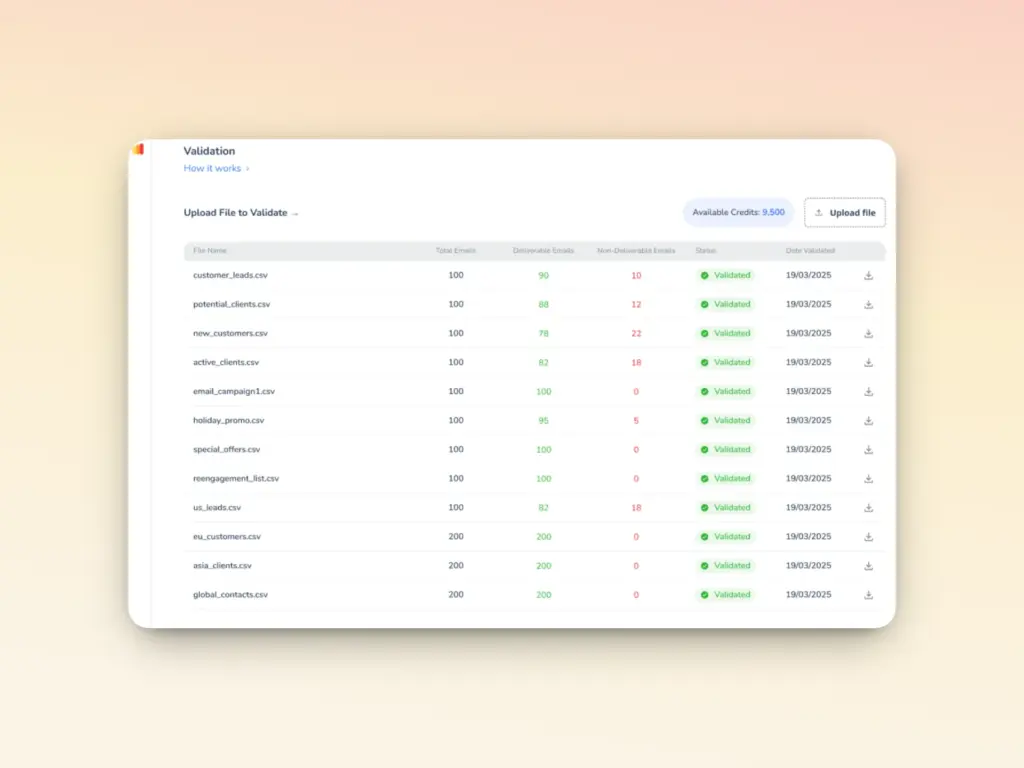
- Warmy’s email validation tool checks addresses for validity before you send large-scale campaigns. That way, you can remove inactive or incorrect emails from your list.
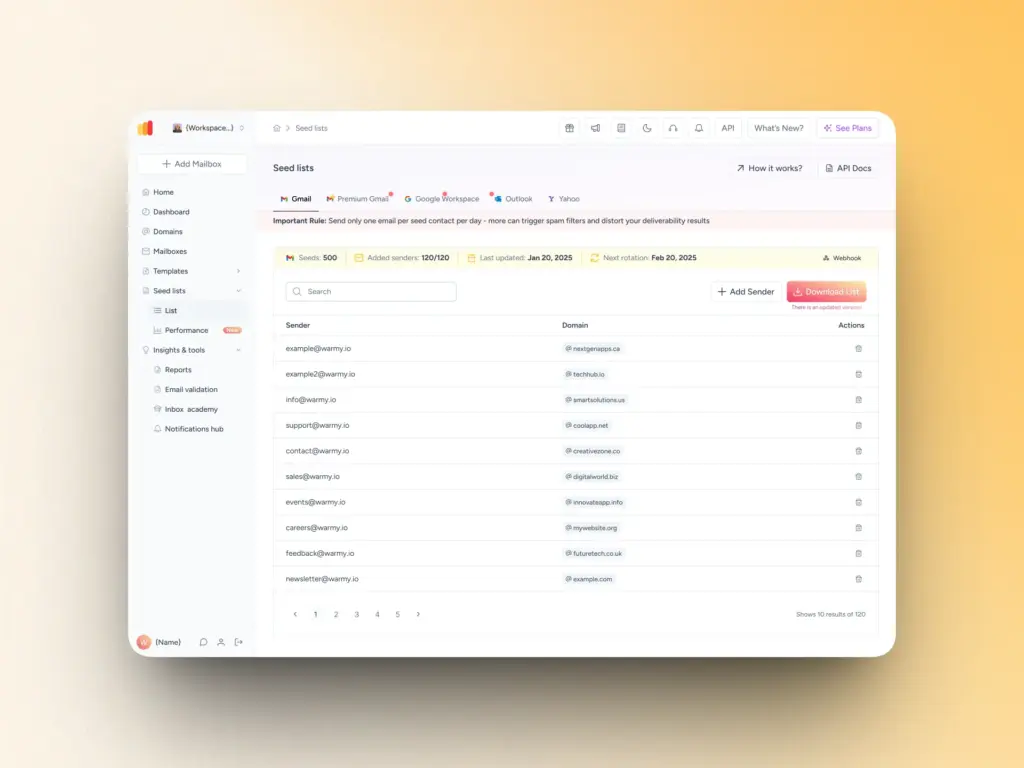
- Warmy’s seed lists also consist of real, active email addresses that generate genuine engagement (opens, scrolls, clicks, and replies) so ESPs see you as a credible sender.
2. Authenticate your domain properly
Without SPF, DKIM, and DMARC alignment, your email looks suspicious, even with great content. Authentication failures are one of the top reasons emails get blocked or listed.
How Warmy helps: Warmy includes a built-in authentication checker plus free tools:
- Free SPF Record Generator: Generate a valid SPF record instantly, optimize to avoid lookup limits, and validate your current setup
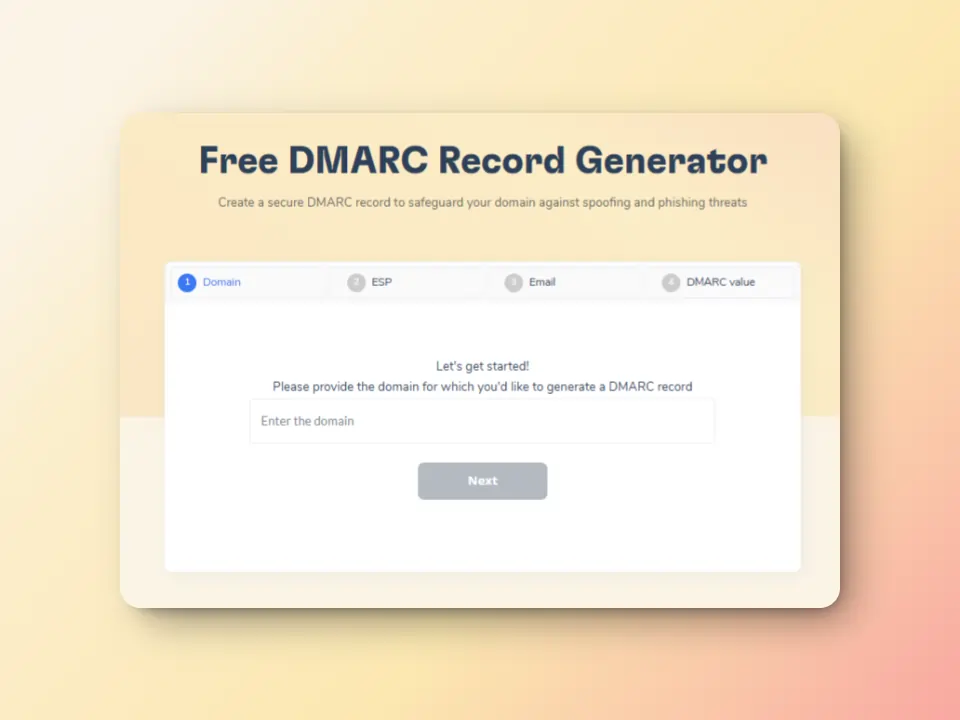
- Free DMARC Record Generator: Create a valid DMARC record, monitor authentication failures, and gradually enforce policies to prevent rejections
3. Warm up new domains gradually
Even a clean IP with no blacklist listings can trigger spam filters if you jump straight to high-volume sending. A proper warmup builds trust with mailbox providers before you scale.
How Warmy helps:
- Warmy’s AI-powered email warmup automatically and gradually increases your sending volume, simulating real human interactions. Emails are opened, replied to, and marked as important. It works across 30+ languages for global audiences. Topics can also be customized to ensure relevance.
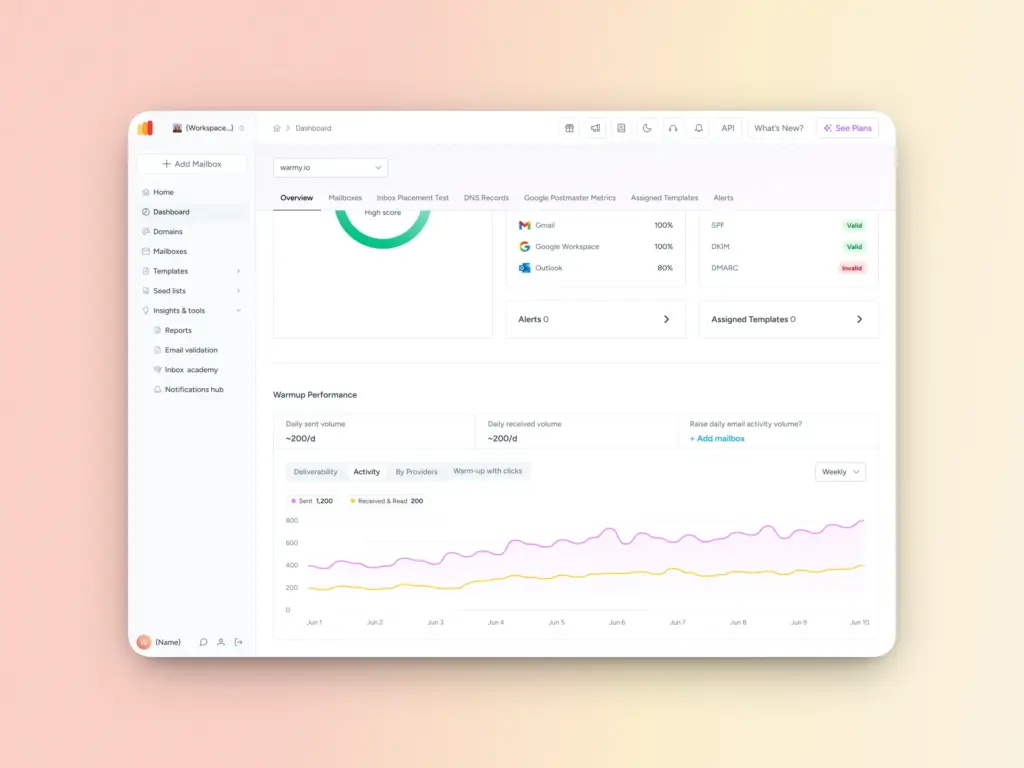
The Warmup Preferences feature lets you fully customize the warmup process: control distribution across different providers, choose B2B or B2C engagement patterns, and adjust settings directly within the platform.
4. Monitor your deliverability continuously
How Warmy helps: Warmy’s free deliverability test gives you a comprehensive assessment of your blacklist status, inbox placement rates (inbox vs. spam vs. promotions), and authentication verification.
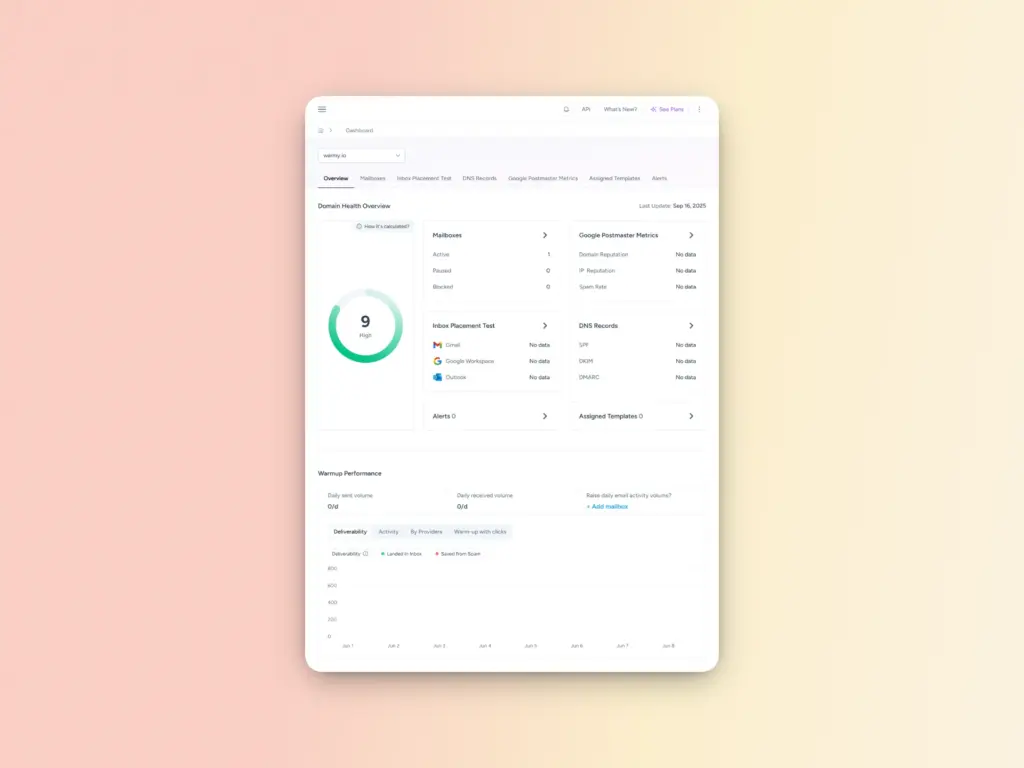
For ongoing monitoring, Warmy’s Domain Health Hub provides:
- A domain health score based on authentication, blacklist status, and inbox placement
- Weekly/monthly spam rate trends and deliverability performance tracking
- DNS status checks for SPF, DKIM, DMARC, rDNS, MX, and A records
- Multi-domain monitoring from a single dashboard
Ready to protect your sender reputation? Start your free Warmy trial.
The truth about what really affects email deliverability
Blacklists matter—but they’re just one piece of a larger puzzle. Here’s the full picture:
- Spamhaus is the only blacklist you need to actively worry about for major provider deliverability. UCEPROTECT, SORBS, and Barracuda have minimal impact on Gmail, Outlook, or Yahoo.
- Behavioral signals often matter more than blacklists. Gmail and Google Workspace don’t use external DNSBLs at all (except PBL). What they do use: engagement data, complaint rates, bounce patterns, and authentication records.
- Blacklist removal is hygiene, not a silver bullet. Removing a listing won’t fix poor sender practices. Address the root cause (list quality, engagement, authentication) or you’ll end up listed again.
The email providers winning share one mission: protect users from low-value, unwanted, or malicious email. Align your sending practices with that mission, and deliverability takes care of itself.
Want to go deeper? Download the Full Research Report: “The Influence of Third-Party Blacklists on Email Deliverability in 2025.”
FAQ
Does Gmail use email blacklists to filter spam?
Gmail and Google Workspace don’t rely on third-party DNSBLs for spam filtering. The only exception is the Spamhaus PBL, which blocks mail from unauthorized or dynamic IPs. Gmail’s filtering is primarily behavioral based on engagement, complaint rates, bounce patterns, and authentication signals.
What happens if my IP is on the Spamhaus blacklist?
If your IP is on Spamhaus SBL, XBL, or PBL, emails to Microsoft 365, Outlook, Yahoo, and AOL users will likely be rejected outright with a 550 SMTP error. Gmail may also show deliverability issues, though this is typically correlated with the poor practices that triggered the Spamhaus listing rather than the listing itself.
Does Microsoft 365 use third-party blacklists?
Yes. Microsoft 365 actively uses Spamhaus ZEN (which includes SBL, XBL, and PBL) to block spam at the SMTP level. Microsoft does not use more aggressive DNSBLs like UCEPROTECT. They also maintain internal blocklists based on SNDS data and user complaints.
How do I know if I’m on an email blacklist?
The fastest way is to run a blacklist check on your sending IP and domain. Warmy’s free email deliverability test checks your status against major DNSBLs and shows your overall deliverability health. You can also watch for SMTP bounce errors with error codes like 5.7.1 and references to blacklists in the bounce message.
Is UCEPROTECT a real threat to email deliverability?
For most senders targeting Gmail, Outlook, or Yahoo, UCEPROTECT is not a significant concern—major providers ignore it or treat it as a very low-priority signal. However, some regional ISPs or corporate mail servers may use it. UCEPROTECT is criticized for aggressive listings and pay-to-delist practices, so most reputable email security professionals discount it.