Mailgun IP warm up service alternative. Warmy vs Mailgun
Daniel Shnaider
10 min
A mailgun alternative for email warmup does something Mailgun’s IP warm-up service cannot: it warms up any provider with AI-adaptive strategy. Warmy is an AI-driven email warmup platform that builds sender reputation across 19+ providers through 1M+ real mailboxes. Here is exactly how Warmy and Mailgun differ, and why one is built for deliverability, not just infrastructure.
Why Do You Need to Warm Up the IP?
Think of your IP address like a new employee walking into a busy office. Nobody knows them yet, so they earn trust by starting small, taking on a few tasks, proving reliability, and gradually taking on more. An IP address works the same way. When you use a new sending IP or domain, email providers have no history on it, and sudden high-volume sending looks suspicious.
Here is why the warm-up process matters:
Earning trust. Email providers flag new IPs that jump straight into high-volume sends. A gradual increase tells them the traffic is expected and legitimate.
Starting slow. You send a small number of emails first, then increase volume steadily. This controlled ramp gives providers time to recognize your sending patterns as normal.
Learning from feedback. As volume increases, bounces, spam complaints, and engagement data surface. Catching these early lets you fix problems before they compound.
Blacklist risk. Sending too many emails too fast can land your IP on a spam blacklist. Once listed, email delivery drops sharply and removal takes time and effort. Google’s bulk sender guidelines now require SPF, DKIM, and DMARC authentication for all senders, making proper IP warm-up a foundational step before any high-volume campaign. You can review the full Gmail sender requirements directly. If you send through Mailgun, see also the guide to Mailgun SPF, DKIM, and DMARC best practices to ensure your authentication is correctly configured before you warm up. Microsoft followed with its own mandate for Outlook.com and Live.com in May 2025; see Microsoft’s email authentication requirements.
Inbox placement. A well-warmed IP significantly increases the percentage of emails that land in the primary inbox rather than spam. For sales teams and marketing campaigns, that difference directly affects pipeline and revenue.
The Risks of Skipping IP Warm-Up
Skipping or rushing the warm-up process has compounding consequences. Your IP reputation drops. ESPs begin filtering or rejecting your messages. If your IP lands on a major blacklist, outreach campaigns go silent while you wait for delisting. For teams relying on email to drive revenue, a single blacklisted IP can freeze a campaign mid-flight. The good news: warm-up is preventable damage, and the right tool handles it automatically.
Pro Tip: Authentication is a prerequisite, not an alternative, to warm-up. Before you send a single warmup email, verify your SPF, DKIM, and DMARC records are correctly configured. Warmy’s free Email Deliverability Test checks all three alongside inbox placement in under two minutes.
Warmy.io — The AI-Driven Mailgun Alternative for Email Warmup
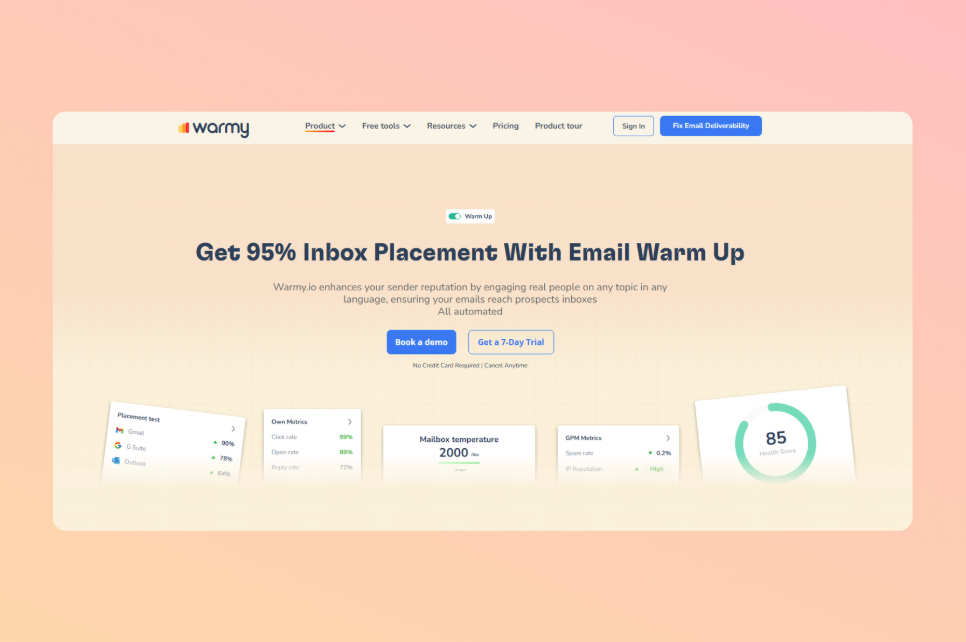
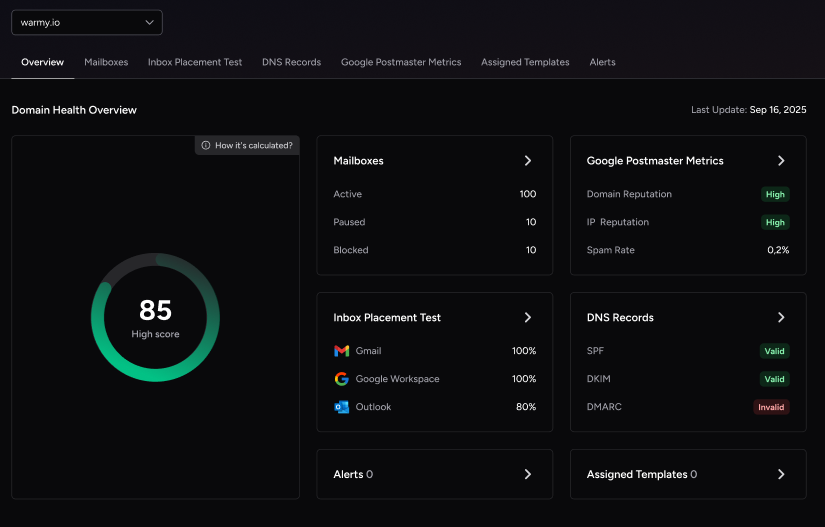
Warmy is an AI-driven email warmup and deliverability platform that automatically builds your sender reputation, improves inbox placement, and keeps your emails out of spam across 19+ providers without technical setup. That provider-agnostic design makes it the natural mailgun alternative for teams who need warmup beyond Mailgun’s own infrastructure.
Adeline AI: The Engine Behind Warmy
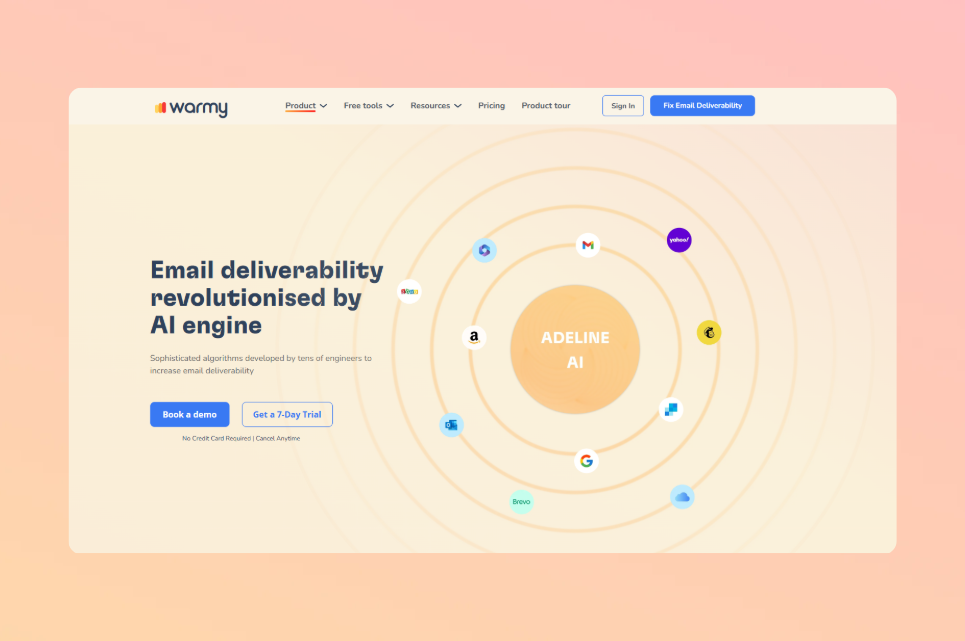
Adeline AI is Warmy’s proprietary warmup engine and the feature that separates it from every other tool in this category. Adeline makes 20 million decisions per day across all active warmup sessions, monitoring 200+ parameters per mailbox to build a personalized warmup schedule and adjust the ramp-up pace in real time.
Unlike fixed-schedule tools, Adeline adapts: if engagement signals shift or a provider changes behavior, it recalibrates the warmup strategy automatically. No manual monitoring required.
Adeline is also available as an in-dashboard conversational assistant that surfaces account data, validates SPF, DKIM, and DMARC records on demand, and answers deliverability questions in context, powered by Warmy’s own proprietary LLM.
Core Warmup Features
When you need your domain trusted by Gmail, Outlook, and Yahoo before sending at scale, Warmy builds that reputation automatically:
Real interactions. Warmy’s network of 1M+ active real mailboxes sends, opens, replies to, and moves your warmup emails out of spam, using genuine inboxes across real providers.
Multilingual warmup. Warmup emails go out in 30+ languages, producing natural, globally diverse engagement signals that modern ESPs are trained to reward.
Topic-specific warm-up. You choose the topic category for your warmup emails, keeping the content relevant to your industry or business type.
Personalized messages. Every warmup email is fully personalized, reinforcing the human engagement signals ESPs reward.
Auto-archive. Warmup emails are automatically archived after delivery so they never clutter your inbox or your recipients’.
Customizable engagement patterns. Warmy lets you distribute warmup across specific providers, set B2B or B2C engagement patterns, and define the exact percentage of emails sent to each ESP, all from the dashboard, no support ticket required.
19+ supported providers. Gmail, Google Workspace, MS365, Outlook, Sendgrid, Yahoo, Mailgun, Custom SMTP, Brevo, Zoho, AOL Mail, Elastic Email, SendPulse, Mailjet, Amazon SES, GoHighLevel, and more. See the complete email warm-up guide for how warmup works across different provider types.
Warmup With Clicks and the Analytics Dashboard
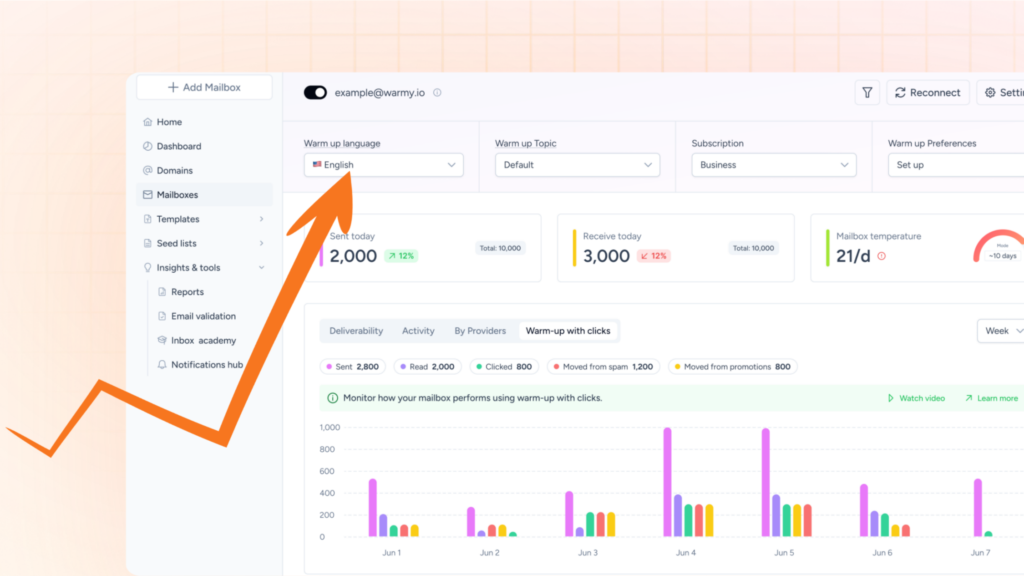
Warmup With Clicks is one of Warmy’s most distinctive features, and most alternatives in this category do not offer it. Standard warmup generates opens and replies. Warmup With Clicks adds real link-click signals on top, the deeper engagement layer that Gmail’s algorithm specifically weights in reputation scoring.
What sets this feature apart is the analytics dashboard. When competitors claim click activity, there is rarely proof. Warmy’s dashboard shows actual click data per email, per provider, and across the warmup timeline. That transparency is the differentiator.
Warmup With Clicks also automatically removes emails from Gmail’s Promotions tab, pushing them toward the Primary inbox and generating the engagement signals that strengthen sender reputation fastest.
Free Tools Ecosystem
Warmy ships with a free tools suite that covers the full deliverability workflow, not just warmup:
Email Deliverability Test: Shows the exact percentage of your emails landing in inbox, spam, promotions, or going unreceived, across Gmail, Outlook, and Yahoo. Also checks blacklists and validates SPF, DKIM, and DMARC.
Email Template Checker: Scans your email content and subject lines for spam trigger words, problematic formatting, and structural issues before you send. Also available as a free Chrome Extension that runs the check directly from your Gmail compose window.
SPF Record Generator: Generates a correctly formatted SPF record, optimized to avoid the 10-lookup limit.
DMARC Record Generator: Creates a valid DMARC policy and supports gradual enforcement to avoid false rejections.
Email Deliverability A/B Testing: Test which sending configurations or domain setups produce better inbox placement, a feature most competitors do not offer.
Inbox Academy: A free masterclass covering email deliverability from authentication to advanced sending strategy.
Every Warmy customer also gets a dedicated Customer Success Manager and a dedicated deliverability expert, a level of support Mailgun does not provide.
Ready to fix your inbox placement? Warmy’s AI-driven warmup covers every provider in your stack, adapts in real time, and comes with a dedicated deliverability expert. Book a free Warmy demo and see it live.
Mailgun IP Warm-Up Service
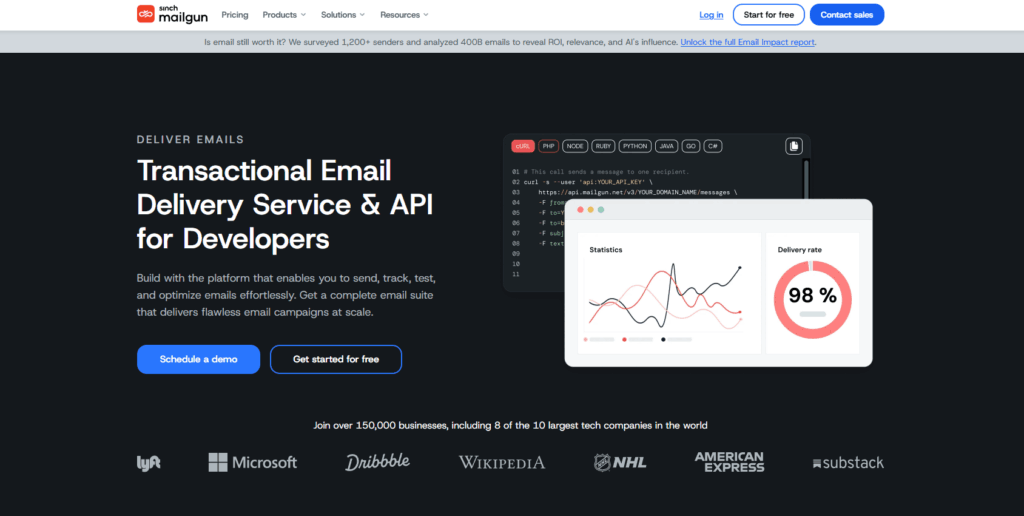
Mailgun is an email infrastructure platform built for developers. Its primary offering is a transactional email API and SMTP relay, not a warmup tool. The IP warm-up feature exists within that infrastructure context: it helps new dedicated IPs build reputation before high-volume sends, but it operates only within Mailgun’s own sending infrastructure.
How Mailgun’s Automated Warmup Works
Mailgun’s automated IP warm-up runs as a 15-stage process. Stage 1 caps daily sends at 1,000 emails, Stage 2 at 2,500. Stage progression is non-cumulative: each stage restarts the volume count from zero, and you must hit the cap before advancing. If you exceed the daily limit, overflow traffic rolls to other dedicated IPs on your domain or to Mailgun’s shared pool, so emails still send, just not from the warming IP.
As of July 2025, Mailgun also exposes a public API for warmup management. You can enable or disable the plan and check stage status via API calls. To enable warmup, use the Dedicated IPs section in your existing Mailgun dashboard, no new account needed. Once warmup completes and sending volume stabilizes, Mailgun support can remove the plan.
Limitations of Mailgun IP Warmup
Mailgun’s warmup works within clear constraints that matter when evaluating it as a deliverability solution:
Scale plan required. Dedicated IPs are only available on Mailgun’s Scale plan ($90/mo for 100K emails) or as an add-on at approximately $59/IP/month. Shared IP users cannot access the warmup feature at all.
Infrastructure lock-in. Mailgun’s warm-up only works with Mailgun’s own infrastructure. It does not warm up Gmail, Outlook, Yahoo, or any other provider you send from outside Mailgun.
No AI adaptation. The 15-stage schedule runs on a fixed volume ramp. It does not adapt to engagement signals, bounce feedback, or provider-specific behavior changes. If your reputation stalls, the system does not self-correct.
Timeline. A full IP warm-up takes 2 to 4 weeks. During that period, your maximum daily send volume on the warming IP is capped.
Pricing increased. Mailgun’s Flex plan doubled from $1.00 to $2.00 per 1,000 emails in December 2025. Teams on Flex should compare costs against the Foundation ($35/mo) or Scale plans.
No marketing tools. Mailgun is infrastructure only: no email builder, no campaign management, no A/B testing for marketing. For teams needing warmup across multiple providers, it is a partial solution. If you are dealing with Mailgun deliverability issues, Warmy covers the gaps Mailgun cannot.
Warmy vs Mailgun: Side-by-Side Comparison
Feature
Warmy
Mailgun
Dedicated AI for deliverability
✅ Adeline AI (20M decisions/day)
❌
Target use case
Email warmup + reputation building for any provider
✅ Template Checker, SPF/DMARC Generator, Chrome Extension, Inbox Academy
❌
Dedicated Customer Success Manager
✅ Every customer
❌
Dedicated deliverability expert
✅ Every customer
❌
Dedicated IP required
❌ Works with any provider
✅ Scale plan ($90/mo) required
API Access
✅
✅ API-first platform
Pricing model
Flat monthly by mailbox count
Volume-based: Foundation $35/mo, Scale $90/mo, Flex $2/1K
Pro Tip: Adeline AI monitors 200+ parameters per mailbox and adapts your warmup strategy in real time based on engagement signals. Mailgun’s 15-stage schedule follows a fixed volume ramp and does not self-correct if reputation stalls. For teams where inbox placement drives revenue, the difference between adaptive and fixed warmup is measurable in pipeline.
Which Tool Is Right for You?
The right choice depends on what you need warmup to do.
If you send high-volume transactional email exclusively through Mailgun’s infrastructure and you are on the Scale plan, Mailgun’s built-in warmup covers the basics. If you send email from any other provider, such as Gmail, Outlook, Brevo, Zoho, or a custom SMTP, Mailgun’s warmup does not apply. Warmy picks up exactly where Mailgun stops: it warms any provider, adapts to engagement signals in real time, and includes the free tools and expert support needed to manage deliverability across your full stack.
Teams using Warmy alongside Mailgun get the best of both worlds: Mailgun’s transactional infrastructure for high-volume API sends, and Warmy’s AI-driven warmup for every provider and inbox they operate. Explore best warmup solutions for high-volume senders on the Warmy blog for a detailed breakdown, or follow the step-by-step IP warm-up guide if you are starting from scratch.
Conclusion
Email deliverability is infrastructure-level work. Mailgun provides the sending pipes. Warmy builds the reputation that makes those pipes work. Both have a role, but they are not the same category of tool. For most teams, warmup goes well beyond what a transactional email provider’s built-in feature can handle.
If you need a mailgun alternative that covers AI-adaptive warmup across every provider in your stack, Warmy is built for exactly that. Adeline AI, Warmup With Clicks, 19+ provider support, and the free tools ecosystem give you a full deliverability platform, not just an IP ramp.
Warming up your IP is essential to earn trust with email providers, start sending emails slowly, learn from mistakes, avoid blacklists, and ensure your emails reach inboxes instead of spam folders.
What are the key features of Warmy?
Key features of Warmy include automated interactions, avoiding spam, personalized messages, AI-driven strategy, global interaction, a comprehensive dashboard, support for major email providers, real interactions, topic-specific warm-up, safety measures, multilingual support, mailbox health checks, and customizable templates.
What is Mailgun's IP warm-up service?
Mailgun's IP warm-up service is an automated process that gradually increases the sending volume over several stages to avoid being flagged as a spammer.
How does the IP warm-up schedule work in Mailgun?
The IP warm-up schedule is designed based on extensive data, considering factors like reputation, list hygiene, and email engagement, with multiple stages and specific daily email volume caps.
Can I use Warmy alongside Mailgun to improve my email deliverability?
Yes, Warmy and Mailgun serve complementary roles: Mailgun handles high-volume transactional sending through its API infrastructure, while Warmy builds and protects the sender reputation across all providers in your stack, including Mailgun itself.
Article byDaniel Shnaider
Daniel Shnaider is an email deliverability expert with over 10 years of industry experience. He specializes in optimizing inbox placement and implementing critical authentication protocols, including SPF, DKIM, and DMARC, across major providers like Gmail and Outlook.
As a key contributor to the Warmy blog, Daniel provides authoritative insights on email warm-up strategies, sender reputation, and spam filter mitigation. His expertise helps businesses and agencies protect revenue by ensuring high-volume communications bypass spam folders.
Summarize with AI
Free Tools
Boost your email performance
Ensure your emails reach the inbox. Use our suite of deliverability tests, spam & template checkers to optimize your outreach.