A DNSBL, or Domain Name System-Based Blacklist, is a database email servers query in real time to block messages from IP addresses or domains associated with spam. When your sending address is listed on one, your emails get rejected before they reach anyone. This guide covers what DNSBLs are, the different types, how to get removed, and the steps you can take to avoid being listed in the first place.
What Is a DNSBL Blacklist and Why Does It Matter?
DNSBL stands for Domain Name System-Based Blacklist. It is a database of IP addresses or domain names known to send spam or conduct other malicious activity. Email servers use these lists as an early filter: when a message arrives, the server converts the sending IP address into a domain name format and checks whether it appears on the DNSBL. If it does, the email can be flagged, quarantined, or rejected outright.
The role DNSBLs play in protecting inboxes is hard to overstate. Without real-time blacklists, the volume of spam reaching users would be unmanageable. DNSBLs give mail servers a constantly updated, automated signal about which senders to trust and which to block — before any content filtering even happens.
| Type | What It Checks | Primary Use | Common Examples |
|---|---|---|---|
| DNSBL | Sending IP address | Block mail servers with a spam history | Spamhaus ZEN, Barracuda |
| RBL | Sending IP address (original DNSBL subset) | Original anti-spam lists; now largely interchangeable with DNSBL | MAPS RBL (Trend Micro) |
| URI DNSBL | URLs inside the email body | Block messages that link to malicious or spammy sites | SURBL, URIBL, Spamhaus DBL |
| RHSBL | Sender domain in the From address (after @) | Block specific abusive sending domains | rhsbl.sorbs.net |
How Does DNSBL Work?
The mechanism is straightforward. When your mail server receives a connection, it reverses the sending IP address into a domain name format and queries the DNSBL zone. A sending IP of 192.168.1.100 gets queried as 100.1.168.192.blacklist.example.com. If the DNSBL returns a positive response, the address is listed, and the receiving server decides whether to reject the message outright, flag it as spam, or pass it to additional filters.
Criteria for listing and delisting vary across providers. Most lists add addresses based on spam trap hits, user reports, or automated behavioral analysis. Delisting can happen automatically after a period of clean behavior, or require a manual request after you’ve fixed the underlying problem.
Technical Specifications
The technical framework for DNSBLs is standardized by RFC 5782, published by the Internet Research Task Force in February 2010. RFC 5782 defines how IP addresses and domain names are encoded into DNSBL zone formats, how mail servers should interpret query responses, and the best practices operators should follow to keep their lists consistent and reliable across the wider email infrastructure.
Different Types of DNSBLs
URI DNSBLs
URI DNSBLs target URLs found inside email bodies rather than the IP address the message came from. This makes them effective against a specific pattern of attack: spam sent from a clean or newly registered IP that links to malicious or spammy websites. The sending infrastructure looks legitimate; it is the links inside the message that give it away.
The most widely used URI DNSBL is SURBL (Spam URI Realtime Blocklist). Spamhaus operates a similar list called the Spamhaus DBL. Other examples include URIBL and ivmURI. All of these maintain databases of URI hosts linked to spam, phishing, and malware, and are regularly updated to catch new threats.
If you want to understand how a SURBL listing affects your deliverability and what it takes to get removed, this detailed guide to the SURBL blacklist walks through the entire process.
RHSBLs
RHSBLs, or Right-Hand Side Blacklists, target the domain portion of email addresses — specifically the domain after the @ symbol in the From address. If a message arrives from user@example.com, an RHSBL checks example.com against its list. This is effective against operators who register or repeatedly use specific domains to run bulk spam campaigns.
The difference between URI DNSBLs and RHSBLs is what they examine: URI DNSBLs look at links embedded in the message body; RHSBLs look at the sender’s domain. Together with IP-based DNSBLs, they form a multi-layered filtering system that covers different attack vectors and makes it considerably harder to slip spam through.
How to Get Delisted from a DNSBL: Step-by-Step Guide
A DNSBL listing has serious implications for any legitimate email operation. If you find that your IP address or domain has been blacklisted, here is how to get removed:
- Identify the blacklist(s). Before you can request removal, you need to know exactly which DNSBL has listed you. There are various online tools that check your IP and domain against multiple blacklists simultaneously.
- Investigate the reason. Understand why you were blacklisted. Common causes include sending spam or high-complaint email, running an open mail relay, being part of a botnet, hosting malware, or hitting spam traps. Review your server logs, email logs, and sending history to pinpoint the issue.
- Fix the problem first. This is the step most people skip, and it is also the most important. Requesting delisting before resolving the root cause almost guarantees you will be re-listed within days. Secure your mail server, clean your sending list, and address whatever triggered the listing before you submit anything.
- Visit the DNSBL’s website. Most DNSBLs have a dedicated site with removal instructions — look for a section labeled “Removal” or “Delisting.” DNSBL.info is a useful directory for finding the right removal page across multiple lists. For specific high-impact lists, this guide to removing your IP from the Spamhaus ZEN blacklist is a good starting point.
- Submit a delisting request. Follow the DNSBL’s specific procedure, which typically involves filling out a form with your IP or domain details and a description of what corrective actions you have taken. Be thorough and accurate — incomplete submissions slow down the process.
- Wait for a response. Processing times vary. Some DNSBLs respond within hours; others may take a few days. Check your status periodically rather than submitting multiple requests, which can actually delay the review.
- Consider feedback loops. Some email providers offer feedback loops that notify you when recipients mark your messages as spam. Enrolling in these programs is a valuable early-warning system — it lets you catch reputation problems before they escalate into a blacklisting.
Not sure if you’re listed? Checking your status has never been easier. Warmy’s free Email Deliverability Test checks your IP and domain against the major blacklists, verifies your SPF, DKIM, and DMARC records, and shows your inbox placement across Gmail, Outlook, and Yahoo — all in one report.
Criticisms and Controversies
Legitimate Emails Blocked
One of the most persistent criticisms of DNSBLs is the inadvertent blocking of legitimate email. This problem is especially common in shared hosting environments where multiple domains send email from the same IP address. If just one of those domains sends spam or violates sending guidelines, the entire IP gets listed — and every other business sharing that server loses deliverability without having done anything wrong. While DNSBL operators work hard to minimize false positives, the scale and speed of spam traffic make them a persistent challenge.
Dynamic IP Address Listings
Another area of contention is the listing of dynamic IP addresses. Many residential internet users are assigned dynamic IPs that change periodically. If a user with a dynamic IP engages in spam behavior and gets blacklisted, the IP might later be assigned to a completely different user — who then faces the consequences of the previous holder’s actions. This is a structural limitation of IP-based reputation systems, and one that has no clean solution.
Legal Battles and Lawsuits
DNSBL operators have faced lawsuits over the years, typically from entities contesting their listings and claiming damages. The most prominent case involved the Spamhaus Project, which was sued by bulk email marketing company e360 Insight after being listed as a spam source. The case ran for years through multiple appeals. What began as an $11.7 million default judgment was ultimately reduced to a nominal $3 by the U.S. Court of Appeals for the Seventh Circuit — a clear vindication for Spamhaus and a landmark outcome for the industry. Cases like this highlight the balance DNSBL operators must maintain between aggressively combating spam and ensuring legitimate entities have a fair path to contest listings.
How to Prevent DNSBL Blacklisting: Authentication, Warmup, and Monitoring
Getting delisted is the reactive play. The proactive one is building a technical foundation that keeps you off these lists in the first place — starting with email authentication.
SPF, DKIM, and DMARC: The Non-Negotiable Foundation
Email authentication is no longer optional. Since February 2024, Google requires all senders pushing more than 5,000 emails per day to Gmail accounts to implement SPF, DKIM, and DMARC. Since November 2025, Google actively rejects non-compliant mail. Microsoft followed with equivalent enforcement for Outlook and Hotmail in May 2025. Yahoo and Apple introduced similar requirements in 2024.
If you are not sure whether your records are correctly configured, this guide to setting up SPF, DKIM, and DMARC explains each protocol and walks you through the setup. Here is what each one does:
- SPF (Sender Policy Framework): Specifies which IP addresses are authorized to send email on behalf of your domain. An SPF failure is one of the most common DNSBL listing triggers.
- DKIM (DomainKeys Identified Mail): Adds a cryptographic signature to your outgoing messages, proving they were not altered in transit and that they come from an authorized source.
- DMARC (Domain-based Message Authentication, Reporting, and Conformance): Ties SPF and DKIM together with a policy that tells receiving servers what to do when authentication fails. Google requires at minimum p=none; moving to p=quarantine or p=reject provides substantially stronger protection.
Pro Tip: Start DMARC at p=quarantine, not p=none. Setting your DMARC policy to p=quarantine rather than p=none still meets Google’s and Microsoft’s enforcement requirements, but gives you real visibility into unauthorized use of your domain without risking rejections of legitimate mail. Review your DMARC aggregate reports for a few weeks to confirm all legitimate sending sources are covered by SPF and DKIM, then move to p=reject for maximum protection.
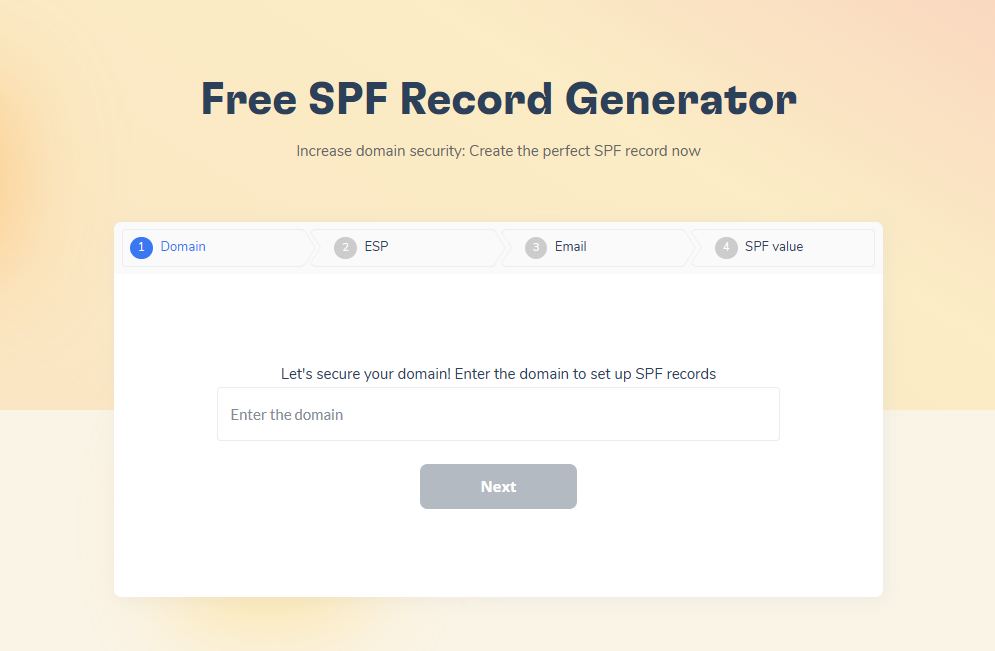
You can generate correctly formatted SPF and DMARC records for free with Warmy’s SPF Record Generator and DMARC Record Generator. Both tools handle the DNS syntax and validate that your records are properly structured before you publish them.
Beyond authentication, Google and Yahoo now require bulk senders to include a one-click List-Unsubscribe header in marketing emails and honor unsubscribe requests within 48 hours. Spam complaint rates above 0.3% trigger active delivery disruptions. Understanding your spam complaint rate and keeping it well below Google’s 0.1% target is an essential part of staying off blacklists.
Email Warmup and Sender Reputation
Authentication establishes your identity. Warmup builds your reputation. Sending at volume from a new domain or IP without a warmup period gives ISPs nothing to evaluate your legitimacy against — and a sudden spike in volume from an unknown sender looks exactly like a spam campaign, because most spam campaigns follow precisely that pattern.
Email warmup means gradually increasing your sending volume over several weeks while generating real engagement: opens, replies, clicks, and messages moved from the spam folder back to the inbox. That behavioral track record is what tells Gmail, Outlook, and Yahoo your sending is legitimate. For a detailed look at how this works in practice, this guide on how long to warm up a new domain covers the timelines and milestones.
Warmy automates the entire process. Adeline AI, Warmy’s proprietary warmup engine, builds a personalized schedule for each mailbox, adjusts the ramp-up pace based on live engagement signals, and monitors your blacklist status in parallel so you are alerted the moment a listing appears. Warmy’s network of over 1 million real mailboxes generates the authentic engagement ISPs look for, across 30+ languages.
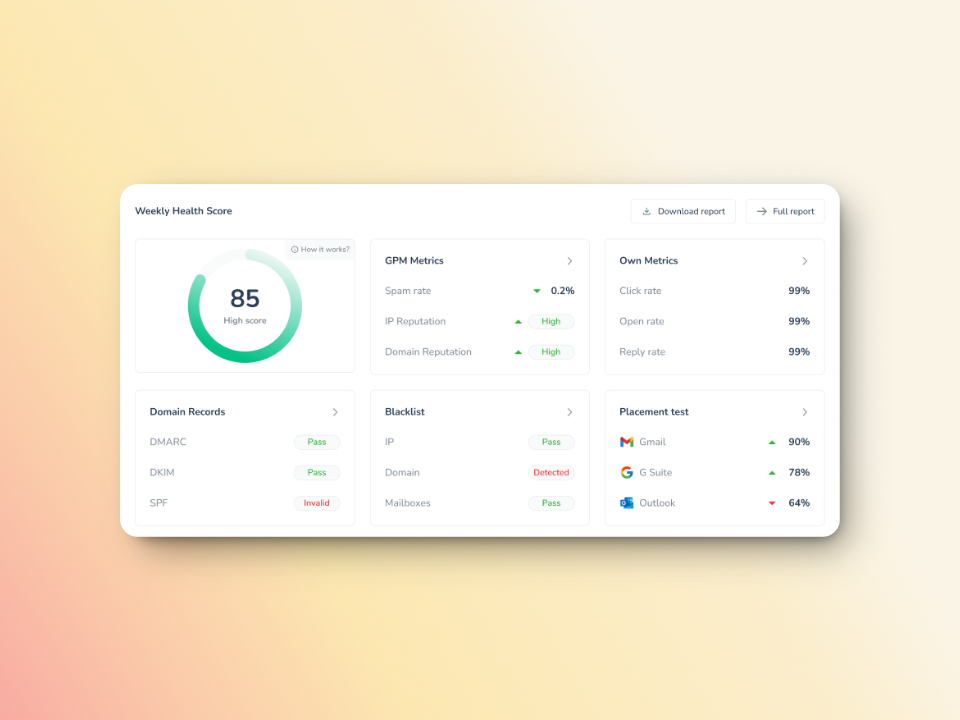
When you need a full view of your domain’s health, Warmy’s Domain Health Hub gives you a numeric health score, spam rate trends, and DNS validation in one dashboard. And for on-demand inbox placement checks, the Warmy Email Deliverability Test shows you exactly where your emails are landing across Gmail, Outlook, and Yahoo, and flags any authentication issues in real time.
Conclusion
DNSBLs are a fundamental part of how the email ecosystem defends itself against abuse. For anyone sending email at scale, understanding how these lists work, how to check your status, and how to get removed when something goes wrong is not optional knowledge. Neither is building the technical setup that keeps you off them in the first place.
The requirements have tightened considerably in recent years. Google and Microsoft now enforce SPF, DKIM, and DMARC for all bulk senders, with active rejection of non-compliant mail since late 2025. Pair solid authentication with a properly warmed sender reputation, and you have the strongest protection against DNSBL listings that is practically available today.
Protect your sender reputation with Warmy. Warmy is the AI-driven deliverability platform that warms up your mailbox, monitors your blacklist status, and validates your authentication records so your emails reach the inbox. Over 35,000 businesses and marketers trust Warmy to keep their email channel reliable. Start your free trial and see results from day one.