Key takeaways:Emails land in spam due to three main causes:
To fix this, senders must implement the following tips:
|
Poor email deliverability isn’t just a minor technical inconvenience. The downstream effects touch everything from your revenue to your brand’s long-term reputation.
What happens when your emails land in spam?
The ramifications of poor deliverability can be severe and can impact anything from customer confidence to your revenue.
- Reduced engagement and lost sales. When your emails don’t reach the inbox, no one reads them. This makes it hard for people to see your emails, which means less opens, less clicks, and less conversions. If you depend on email marketing to drive sales, upsells, or lead nurturing—this hits your bottom line directly and immediately.
- Damage to your sender reputation. Your sender reputation is crucial for inbox placement. It is your digital credit score for email. Every time your messages get flagged as spam, email service providers (ESPs) lower your trustworthiness score. The lower it drops, the more aggressively your future emails get filtered. It becomes a self-reinforcing cycle that’s hard to escape without deliberate intervention.
- Ripple effects across other channels. A poor domain reputation doesn’t stay contained to email. If major ESPs begin flagging your domain, it can affect how your brand is perceived across multiple digital touchpoints. Particularly if you’re running integrated multi-channel campaigns where email and retargeting overlap.
- Loss of customer trust and brand credibility. Customers who expect to hear from your brand—and don’t—start to disengage. Some will think you’ve gone silent. Others will grow suspicious and mark you as spam themselves, accelerating your reputation damage. Trust, once lost, is expensive to rebuild.
- Increased operational costs. Investing in troubleshooting or manual audits and hiring experts to clean up your domain reputation? These can be expensive in terms of both time and money, pulling you away from other business-critical efforts.
Not sure where your deliverability stands? Run a Free Email Deliverability Test.
Common reasons your emails land in spam
Spam filtering is multi-layered. ESPs evaluate your emails across three categories: technical setup, content quality, and behavioral signals. A single weakness in any category can be enough to send you to spam.
Technical issues that affect email deliverability
Missing or misconfigured DNS authentication records
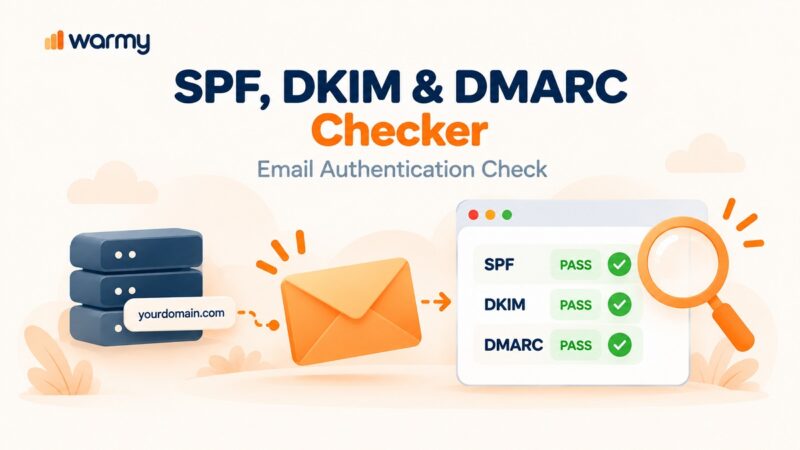
- The three pillars of email authentication are SPF (Sender Policy Framework), DKIM (DomainKeys Identified Mail), and DMARC (Domain-based Message Authentication, Reporting & Conformance) are the three pillars of email authentication. They tell the receiving servers: “This email really came from who it claims to come from.”
- Without them or with incorrect configurations, your emails fail basic authentication checks. ESPs treat unauthenticated email as inherently suspicious, often routing it directly to spam or rejecting it outright.
Poor domain reputation
Your domain reputation is shaped by your entire sending history: past spam complaints, bounce rates, engagement levels, and volume patterns. A domain that was previously used for spam can carry that baggage for years.
Pro Tip: Use tools like Google Postmaster Tools to regularly check your domain’s health score and catch issues before they compound.
Blacklisted IPs
Blacklists are maintained by third-party organizations and used by ESPs to filter incoming mail. If your sending IP appears on one of these lists (due to past spam behavior, too-rapid volume spikes, or high complaint rates), your deliverability takes a serious hit.
Get the detailed findings on how major ESPs use external blacklists in their filtering logic, published by our research team.
Not warming up a new domain or IP
Sending high volumes of email from a brand-new domain or IP is a fast track to spam filters. ESPs have no sender reputation to evaluate, so they default to suspicion. Gradual warmup or starting with small volumes and increasing steadily is essential for establishing credibility.
Content issues that trigger spam filters
Even if your technical setup is flawless, the content of your emails can still get you flagged. ESPs also analyze what’s inside your message, not just who sent it.
Spam trigger words in subject lines and body copy
Certain words and phrases have become so strongly associated with spam that filters flag them automatically. Common words that trigger spam filters include: “Free,” “Guaranteed,” “Limited time,” “Risk-free,” “Act now,” and “You’ve been selected.”
These are the types of words that can make it look as though your email is distributed as a mass marketing campaign or a phishing scam causing ESPs to mark your emails as spam.
Excessive use of images and links
Spam filters search for a high image to text ratio typically seen in spam emails. Additionally, having too many links are red flags, since spammers often leverage short links to mask sketchy or malicious content.
Plus, if your emails have broken links, it’s almost another surefire way of being sent to spam. A broken link is one that leads to a page that no longer exists or a destination that isn’t working. These types of links can be a sign of poorly maintained campaigns, and ESPs may see them as an indication that the sender is not trustworthy or professional.
Generic, non-personalized content
Emails with zero personalization (generic subject lines, no recipient name, one-size-fits-all body copy) come across as mass blast campaigns. Meanwhile, personalization efforts signal that a human relationship exists behind the email, which ESPs reward with better inbox placement.
Behavioral factors that impact deliverability
ESPs don’t just look at your emails in isolation. They also track how recipients behave when they receive them. Those behavioral signals feed directly into your sender score.
Low open rates, click rates, and replies
If your emails regularly get low engagement (poor open rates, low clicks, low responses, etc.), ESP algorithms might start perceiving that users don’t want your emails. Over time, low engagement can cause your emails to be auto-sorted into spam even before recipients see them.
High bounce rates
A bounce occurs when an email fails to deliver. Hard bounces (permanent failures, usually invalid addresses) are especially damaging.
A high bounce rate can indicate that you are sending emails to outdated or incorrect email addresses, which raises suspicions for ESPs. High bounce rates not only affect deliverability but also damage your reputation as a sender.
Sudden volume spikes
Sending 500 emails one week and 50,000 the next looks suspicious because spammers follow exactly this pattern. ESPs flag unusual volume increases as a potential sign of an account compromise or bot activity. Consistent, gradual growth in sending volume is far less likely to trigger filters.
How to fix email deliverability issues
These are concrete strategies to help you improve your email deliverability and keep your messages out of the spam folder.
Fix 1: Set up proper email authentication
- Verify your SPF record includes all authorized sending IPs and domains.
- Set up DKIM to add a cryptographic signature to every outgoing email.
- Configure DMARC to define how receiving servers should handle authentication failures and to get reporting on any abuse.
- Check alignment: your From domain, SPF domain, and DKIM domain should all match.
Pro Tips: Ensure your SPF and DMARC records are valid and up to date. Use Warmy’s SPF Record Generator and DMARC Record Generator for FREE.
Fix 2: Clean and maintain your email list
- Remove hard-bounce addresses immediately after they occur.
- Suppress unsubscribers and non-engagers after defined inactivity windows.
- Use double opt-in for new subscribers to ensure address quality from the start.
- Run list validation tools periodically to catch invalid or risky addresses.
Fix 3: Improve your email content
- Write subject lines that are specific, honest, and relevant.
- Eliminate spam trigger words and avoid all-caps or excessive punctuation.
- Balance your image and text ratio. Add alt text to every image.
- Personalize by using the recipient’s name and reference their interests or behavior.
- Include only links you trust and verify every URL before sending.
Fix 4: Delist from IP blacklists
If your IP has been blacklisted, look it up using blacklist removal tools. Then, visit the blacklist provider’s website to submit a removal request. Most providers require you to demonstrate that you’ve resolved the underlying issue that caused the listing.
Fix 5: Warm up your domain or IP proactively
Whether you’re starting fresh or recovering from a reputation hit, gradual warmup is essential. Begin with small sends to your most engaged subscribers, then incrementally increase volume over several weeks. This establishes a positive sending history before you scale. Additionally, warmup is not a one-time thing. It’s something you should do in parallel with your campaigns to continuously maintain a positive sender reputation.
Ready to stop landing in spam? Start Your Free Warmy Trial Today.
How Warmy helps you stay out of spam proactively
Warmy is an AI-driven email warmup platform that resolves deliverability issues before they derail your campaigns. Rather than reacting to problems after they’ve damaged your sender reputation, Warmy gives you the infrastructure to prevent them in the first place.
AI-powered email warmup
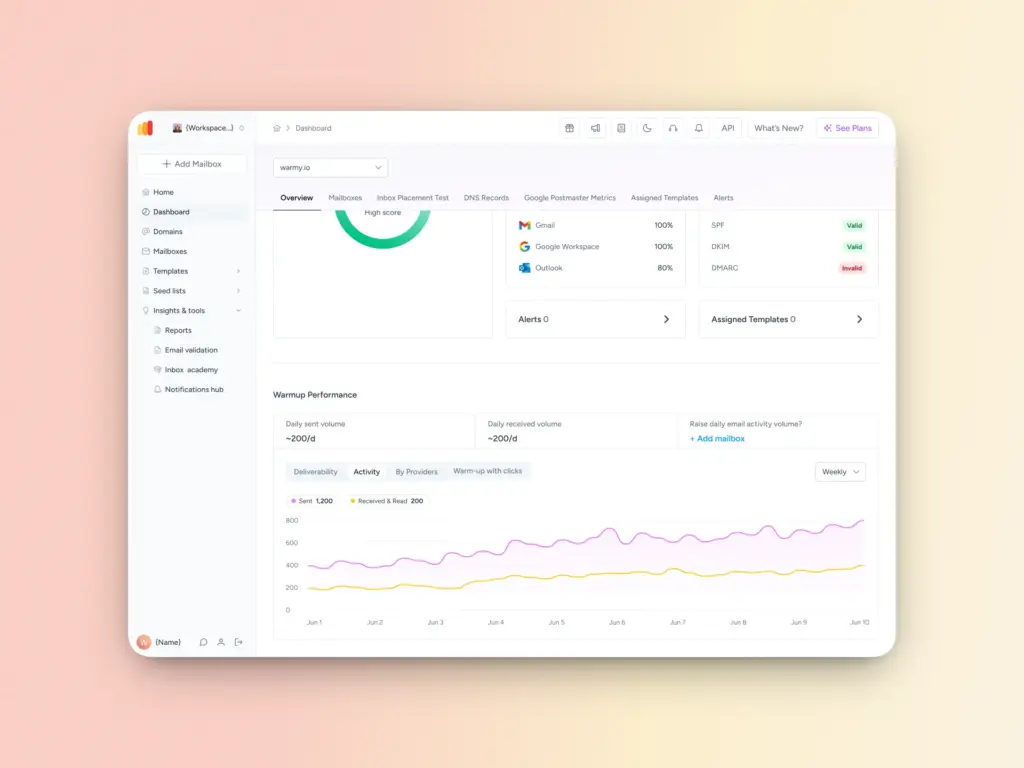
Warmy automates the warmup process by gradually increasing your email volume in a pattern that looks natural to ESPs. The platform’s AI manages the pacing, timing, and engagement simulation—so you don’t manually have to guess. Warmy’s Warmup Preferences feature also lets senders customize the distribution of warmup emails across different providers and choose between B2B or B2C engagement patterns of the warmup.
Email template checker
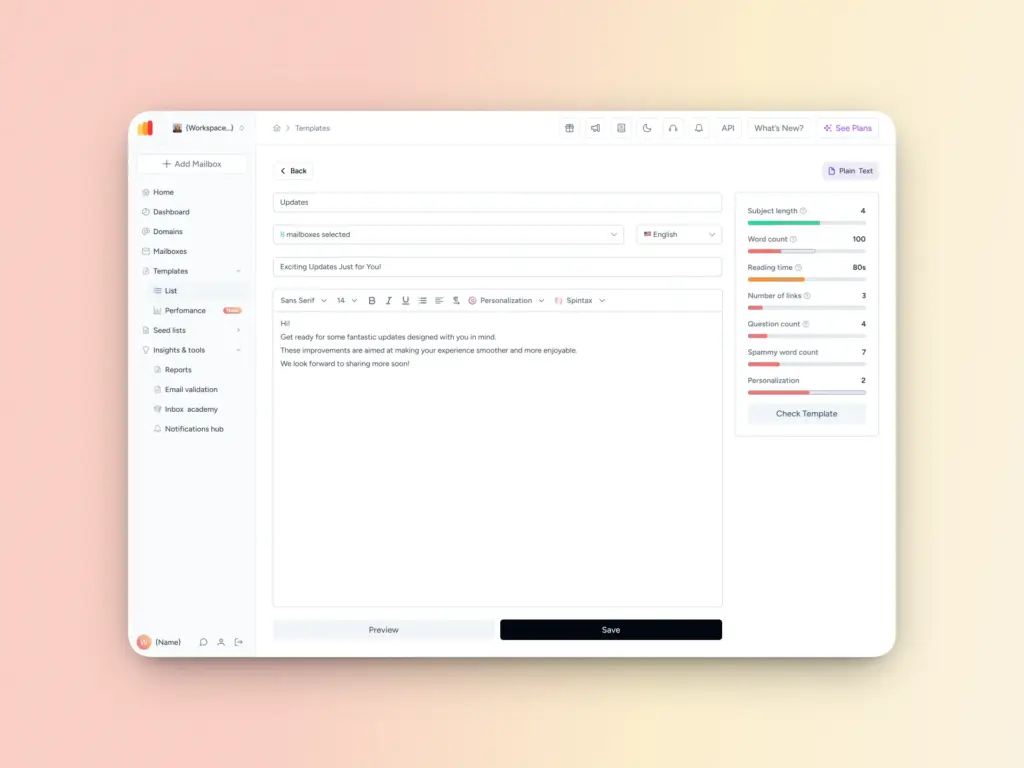
Even well-authenticated domains can trip spam filters through content issues. Warmy’s Template Checker scans your emails against known spam filter triggers and surfaces issues before you hit send. There’s also a Chrome Extension version so you can run checks directly from your browser without switching tools.
Top-tier seed lists with real engagement
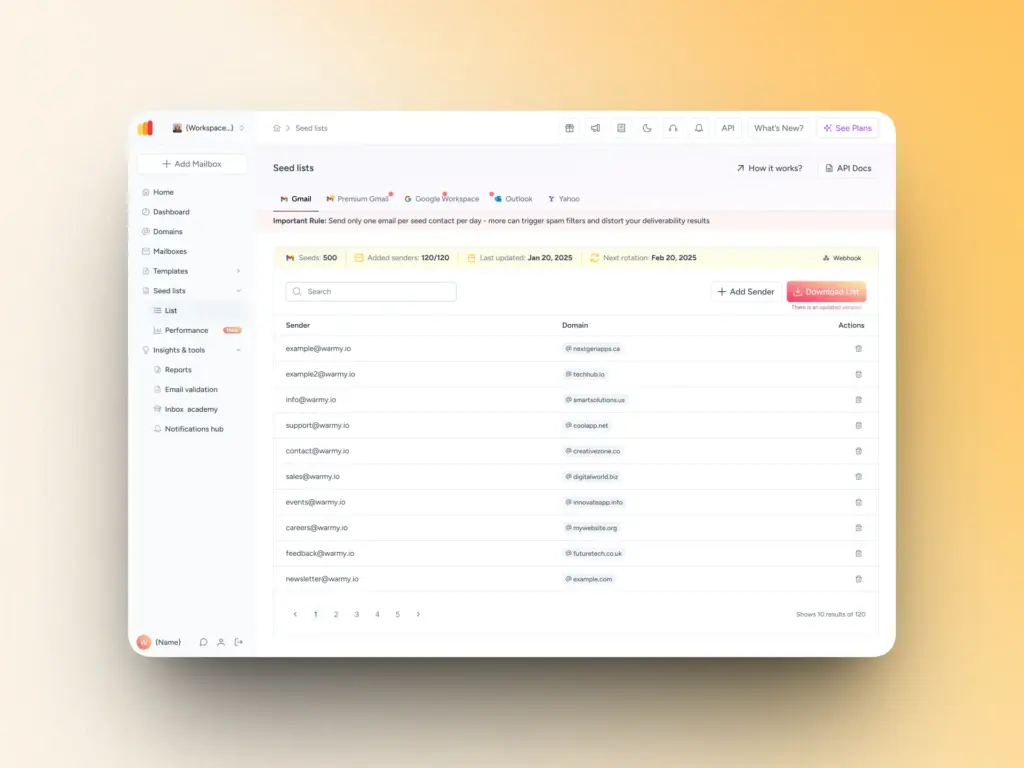
Traditional warm-up tools only open emails. Warmy’s seed lists go further, emails are scrolled through, clicked on, and replied to, simulating genuine human engagement that ESPs value. Messages that land in spam within the seed list are removed and marked as important, sending clear positive signals to ESPs.
Inbox placement test and Domain Health Hub
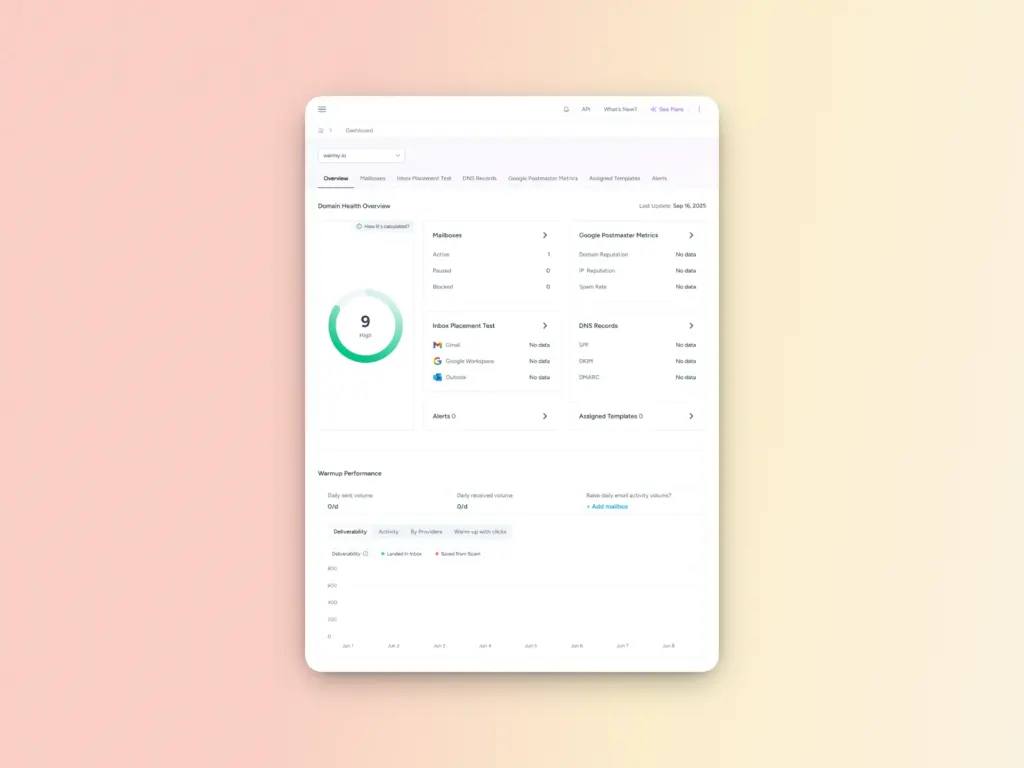
Before you can fix your deliverability, you need to understand where it stands.
The free email deliverability test from Warmy provides a comprehensive assessment of your emails and where they are landing. Here are some other examples of the valuable information and data the deliverability test provides:
- Inbox placement analysis: the percentage of your emails that end up in the spam folder, promotions tab, inbox, and even the unreceived ones.
- Blacklist status: Learn if your domain or IP is listed on any blacklists so you can proceed with the delisting process.
- Authentication verification: Assess your email reputation and verifies your email authentication settings such as SPF, DKIM, and DMARC.
Additionally, Warmy’s Domain Health Hub provides a domain-level health dashboard so businesses can take a more strategic approach to email deliverability. The Domain Health Hub includes the following features:
- A domain health score based on a combination of various factors like authentication, blacklist status, and inbox placement tests. You’ll also be able to monitor your spam rate trends and overall deliverability performance with weekly or monthly tracking options.
- Comprehensive DNS status checks to easily validate SPF, DKIM, DMARC, rDNS, MX, and A records for stronger authentication & security.
- Optimized multi-domain monitoring so users can manage all their domains from one dashboard and identify which ones need immediate attention.
- Quick access to a detailed breakdown of health metrics, performance reports, and deliverability trends per domain.
See exactly what’s hurting your deliverability. Get Your Free Deliverability Test.
Stay ahead of the spam folder, make sure your emails land in the inbox
Email deliverability isn’t a one-time fix, it’s an ongoing practice. The senders who consistently reach the inbox are those who practice continuous authentication, list hygiene, content quality, and engagement.
The strategies in this guide will address most of the common issues. But if you want to move from reactive to proactive, Warmy gives you the infrastructure to do it. Try Warmy free and see the difference in your inbox placement. Start your free trial today.
FAQ
Why do my emails go to spam even though I have SPF and DKIM set up?
Authentication is necessary but not sufficient on its own. Even with SPF and DKIM in place, your emails can still be filtered for content issues (spam trigger words, bad image ratio), behavioral signals (low engagement, high bounce rates), or if your IP has been blacklisted. Run a full deliverability audit to identify all active issues.
How long does it take to fix a bad sender reputation?
It depends on the severity of the damage. Minor reputation issues can be recovered within a few weeks of consistent clean sending. Significant damage—like being on multiple blacklists or having very high complaint rates—can take 1–3 months of disciplined warmup and list hygiene to fully resolve.
What is email warmup and why does it matter?
Email warmup is the process of gradually increasing your sending volume from a new or recovering domain or IP. It helps establish a positive sending history with ESPs so they trust your messages. Sending high volumes without warm-up is one of the most common reasons new campaigns immediately land in spam.
What is a good spam complaint rate?
Most ESPs consider a spam complaint rate above 0.1% (one complaint per 1,000 emails) a warning sign, and above 0.3% a serious problem. Google and Yahoo now enforce strict thresholds as part of their bulk sender requirements. Keeping complaints below 0.08% is the safest target.
How do I check if my IP is blacklisted?
Use a free tool like MXToolbox’s Blacklist Checker or Warmy’s built-in deliverability test. These tools scan your IP against dozens of blacklist databases and show you your current status. If you’re listed, the tool will typically point you to the specific blacklist provider’s delisting request form.