SMTP Error 535 5.7.0 is a permanent delivery failure caused by authentication issues, specifically from the sender side. It means the server refuses to accept credentials or authentication used to send the email. To resolve this issue, senders can follow any of these solutions:
- Confirm credentials
- Use app-specific passwords instead of account passwords
- Verify server and port settings
- Match updated security policies of provider
- Try again after throttling periods
This article explains what SMTP 535 5.7.0 means, a deeper dive on why it happens, how it differs from its other variants, and how you can resolve it.
What does SMTP Error 535 5.7.0 mean?
As part of the general SMTP error 535, Error 535 5.7.0 means the server refuses to deliver your email due to a specific error with the authentication attempt. The mail server did not accept the credentials or authentication behavior provided by the sending client.
Here is what happens behind the scenes:
- In SMTP authentication, the sender must prove their identity to the email server (often using AUTH LOGIN or a similar mechanism).
- If that authentication fails, the server will refuse to move forward and return a 535 error.
You might see messages like:
- 535 5.7.0 – Too many authentication failures
- 535 5.7.0 – Authentication failed
Know more about other SMTP Error codes here: The Ultimate Guide to SMTP Error Codes, What They Mean, and How to Fix Them
Why does SMTP Error 535 5.7.0 happen?
Different email service providers offer different notifications and labels as to the SMTP error 535 5.7.0, however the actual message is clear, and their triggers are most often similar.
Common reasons behind 535 5.7.0 Error include:
- Incorrect or repeated failed credentials: If a client repeatedly attempts to authenticate with invalid credentials, some mail servers will lock out further attempts temporarily and return 535 5.7.0 especially systems that throttle for security reasons.
- Provider security policies: Some providers (Yahoo, AOL, AT&T) may block third-party SMTP connections unless an app-specific password is used. Attempts to authenticate without one can trigger 5.7.0.
- Outdated or unsupported authentication methods: Modern email services may require OAuth 2.0 or other secure authentication mechanisms. Sending clients using outdated or insecure methods may be rejected outright.
- Misconfigured SMTP settings: Incorrect SMTP port, encryption type (STARTTLS vs SSL/TLS), or attempting to authenticate before encryption can lead to authentication failures.
How to fix “SMTP Error 535 5.7.0 – Authentication failed?”
Since Error 535 5.7.0 is tied to authentication, the fixes revolve around correct credentials and secure authentication practices:
- Confirm credentials. Double-check that the username and password are correct and up to date. If you’ve changed the password recently, update it in your mail client or sending application.
- Use app-specific passwords. For providers with strict security (Gmail, Yahoo, AOL), generate an app-specific password instead of using the account password. This overrides blocks on basic authentication.
- Verify server and port settings. Ensure you’re connecting to the correct SMTP server and port: Port 587 with STARTTLS for modern clients and Port 465 with SSL/TLS where required
- Support provider security rules. If your provider has updated security policies (e.g., OAuth enforcement or blocked basic auth), configure your client to match those requirements or use a supported app integration.
- Retry after throttling periods. In cases where the server blocks authentication attempts due to too many failures, waiting a short period before trying again may resolve the issue.
How Warmy can help fix SMTP Error 535 5.7.0
Warmy can’t directly fix authentication credentials. These are controlled by your mail server and provider. However, Warmy strengthens the infrastructure and behavior signals around your sending so authentication issues are far less likely to cause deliverability problems.
Holistic and real-time deliverability monitoring
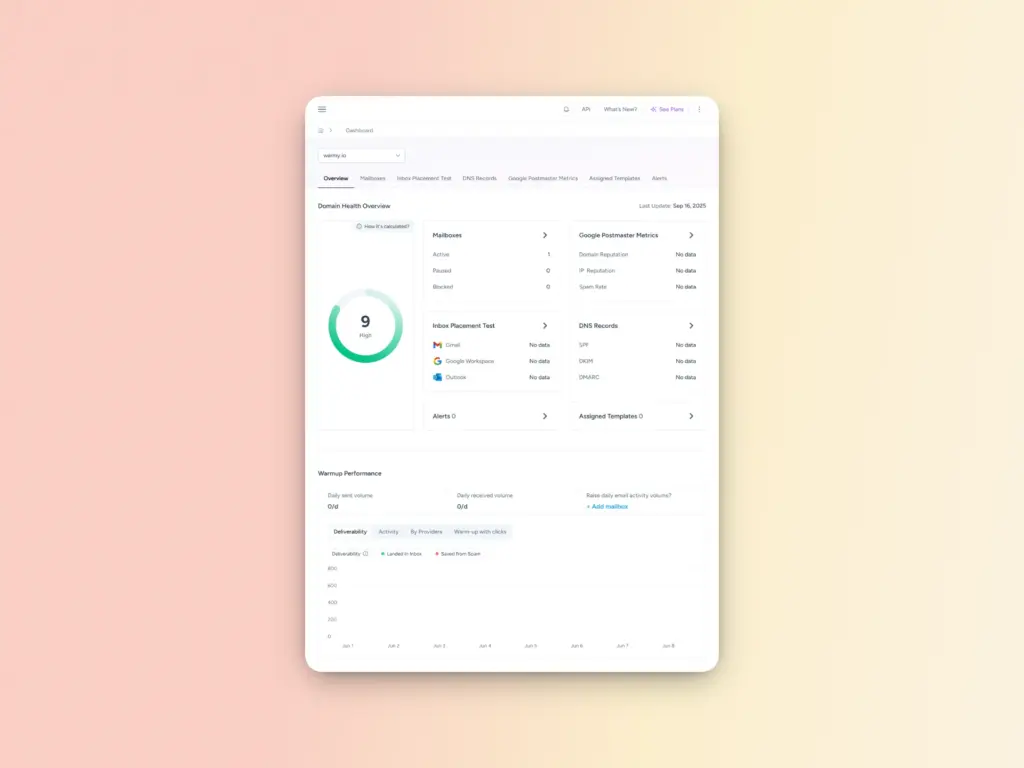
Warmy provides continuous monitoring of your email performance, authentication success rates, and credential health through its report generation. With this advantage you can monitor the following:
- Health score: A quick snapshot of the domain’s overall health, based on its reputation and performance.
- DNS records: Details on SPF, DKIM, and DMARC settings for authentication.
- Deliverability: Breakdown of how well your emails are being delivered to recipients’ inboxes.
- Spam rate: Insights into how often your emails are marked as spam by recipients.
- GPM Status: Gmail Postmaster (GPM) status, including your domain’s reputation and spam rate as reported by Gmail.
Inbox placement and diagnostics
Warmy’s deliverability tests report where your emails land (inbox vs spam), authentication outcomes (SPF, DKIM, DMARC), and engagement metrics. This gives you context when authentication failures begin to affect broader delivery outcomes.
SPF/DKIM/DMARC Support
Warmy provides free SPF Record Generator and free DMARC Record Generator tools that ensure your authentication protocols are configured correctly.
These tools help you avoid the configuration mistakes that can trigger SMTP errors and deliverability problems. When your authentication is properly set up, receiving servers are more likely to process your commands smoothly even if minor compatibility concerns exist.
Reputation and warmup integration
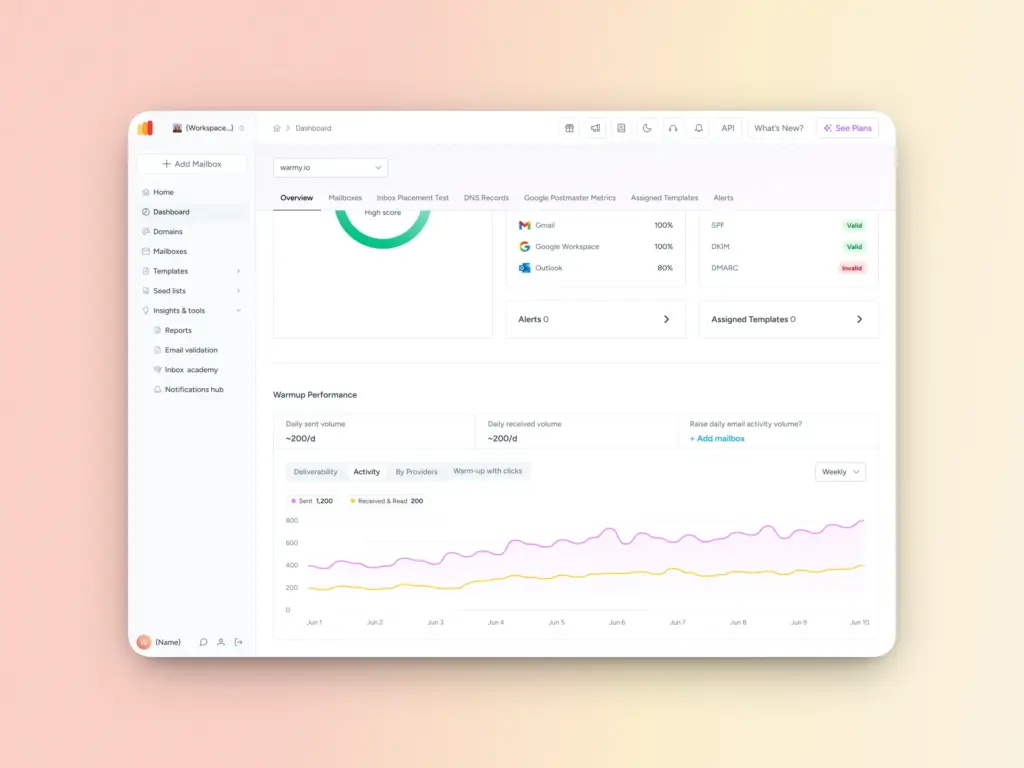
Warmy’s AI warmup routines, along with its free email deliverability test help establish a stable sender reputation, which reduces the likelihood that providers will enforce aggressive authentication throttles that result in errors like 5.7.0.
By combining real engagement signals, domain health monitoring, and comprehensive deliverability testing, Warmy helps ensure that errors like 535 5.7.0 have minimal impact on your email operations and that you are alerted early when authentication behaviors need attention.
Try Warmy for 7 days for free, and obtain your ideal email health today.
FAQ
What exactly does SMTP Error 535 5.7.0 mean?
SMTP Error 535 5.7.0 is a permanent delivery failure that occurs when a mail server rejects your authentication attempt. It means the server did not accept the credentials or authentication method used by the sending client, preventing your email from being delivered.
Is SMTP Error 535 5.7.0 caused by the sender or the receiving server?
The error originates on the sender side. It typically stems from incorrect credentials, outdated authentication methods, misconfigured SMTP settings, or a provider’s security policy blocking the connection. All of these are issues with how the sending client is authenticating.
Why does Gmail or Yahoo require an app-specific password?
Providers like Gmail, Yahoo, and AOL have strict security policies that block basic authentication from third-party applications. An app-specific password bypasses these restrictions by giving your mail client a unique credential that the provider recognizes as a trusted, secure access method.
How long should I wait before retrying after repeated authentication failures?
There’s no universal timeframe, as throttling periods vary by provider. However, waiting a few minutes to an hour before retrying is generally recommended to allow the server’s lockout window to reset and avoid further triggering security filters.
Can Warmy prevent SMTP Error 535 5.7.0 from happening?
While Warmy cannot directly fix authentication credentials, it helps reduce the risk significantly. Through continuous deliverability monitoring, DNS health checks, SPF/DKIM/DMARC configuration tools, and AI-driven warmup routines, Warmy strengthens your sending infrastructure so authentication issues are caught early and have minimal impact on your email operations.