Email warm-up tools that integrate with Outlook are platforms that gradually build sender reputation by generating realistic email engagement through Microsoft 365, Outlook.com, and custom SMTP inboxes. The process involves automated opens, replies, and spam rescues that signal to Microsoft’s filters that your domain is trustworthy before live campaigns begin.
Many senders optimize for Gmail and overlook a critical fact: Microsoft 365 accounts for 61% of the B2B email audience, and it evaluates sender reputation independently from Google. A domain that performs well with Gmail can still face aggressive SmartScreen filtering on Outlook if the warm-up process never targeted Microsoft inboxes. This article compares six tools that specifically support Outlook and M365 warm-up, covering verified features, actual pricing, and which type of sender each one suits best.
Not sure where your Outlook emails are landing right now? Run a free Email Deliverability Test and get a placement breakdown across major providers before choosing the best email warm-up tools that integrate with Outlook and Microsoft.
Why Outlook and Microsoft 365 Warm-Up Is Different
SmartScreen Is More Sensitive to Volume Patterns Than Gmail
Microsoft’s SmartScreen filter reacts strongly to sudden volume changes from domains without an established sending history. Unlike Gmail, which weighs domain-level reputation and content signals together, Outlook weighs IP-level behavior and sending consistency first – meaning an aggressive early ramp that is safe for Gmail can trigger filtering on the same domain’s Outlook traffic.
Outlook Reputation Is IP-Based, Not Domain-Based
Microsoft’s Smart Network Data Services (SNDS) tracks sender reputation at the IP level, not the domain level – the opposite of Google Postmaster Tools. For senders on shared infrastructure, SNDS data reflects the entire shared pool, not your domain alone. In 2026, Microsoft migrated SNDS to a new portal; automated access links now expire every 30 days, requiring active renewal to keep monitoring running.
Microsoft’s 2025 Authentication Mandate
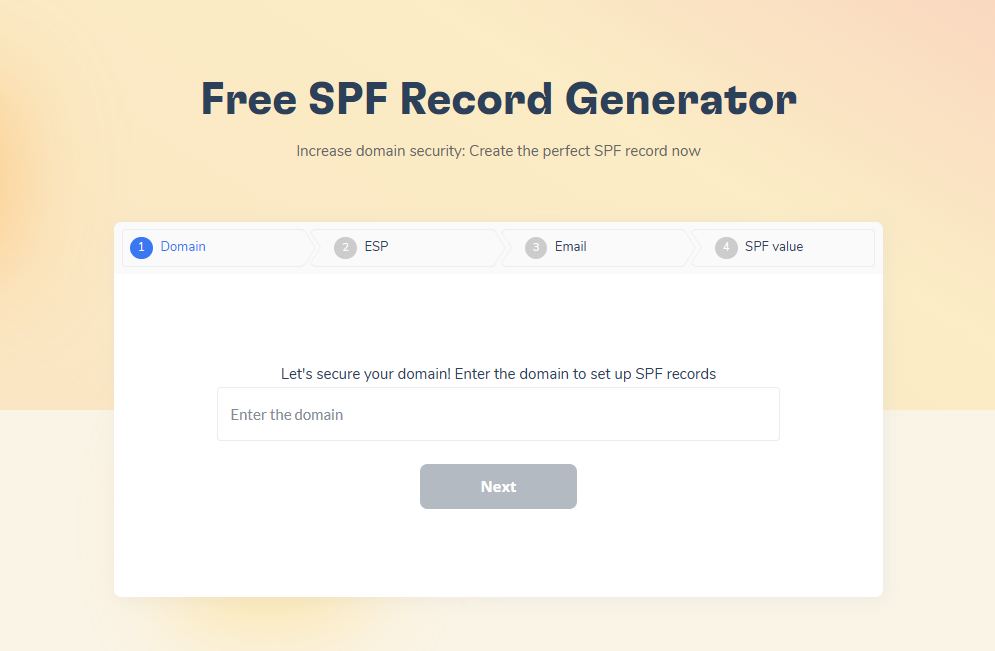
Microsoft began enforcing SPF, DKIM, and DMARC for senders exceeding 5,000 emails per day to Outlook.com in 2025 – non-compliant mail is junked initially and rejected over time. Authentication must be correctly configured before warm-up begins, since warm-up activity cannot improve Outlook inbox placement if authentication records are broken. Warmy’s free SPF Record Generator and DMARC Generator let you build and verify both records before starting warm-up.
What to Look for in an Outlook Warm-Up Tool
Not every email warm-up tool handles Outlook and Microsoft 365 equally well. Before choosing, verify these criteria:
- Native M365 and Outlook.com support – confirm the tool connects via OAuth or IMAP/SMTP to both Microsoft 365 business accounts and personal Outlook.com addresses.
- Custom SMTP compatibility – essential for senders using SendGrid, Mailgun, Amazon SES, or their own mail server alongside Microsoft 365.
- A warm-up network that includes Microsoft 365 accounts – engagement signals generated by Gmail-only networks produce weaker Outlook reputation signals. Check the network composition, not just its size.
- Provider distribution controls – the ability to direct a specific percentage of warm-up traffic to M365 inboxes lets you mirror your actual recipient mix and build targeted Outlook reputation.
- Inbox placement testing across both Gmail and Outlook – a tool that only tests Gmail leaves you blind to how Outlook actually receives your emails.
- Integrated blacklist monitoring – a blacklisted sending IP will be filtered by Outlook regardless of warm-up activity.
- Warmup With Clicks – link clicks are a stronger positive signal to Microsoft’s SmartScreen than opens and replies alone; fewer tools offer this.
Comparison Table
| Tool | M365 Support | Custom SMTP | Starting Price | G2 Rating | Best For |
|---|---|---|---|---|---|
| Warmy | Yes (native) | Yes | Custom pricing | 4.8/5 | All-in-one M365 warm-up with advanced customization |
| Mailreach | Yes | Yes (SMTP) | $25/inbox/month | 4.8/5 | Spam testing + warm-up with B2B inbox network |
| Instantly | Yes | Limited | From $47/month | 4.8/5 | Bundled warm-up + outreach, flat-fee scaling |
| Smartlead | Yes | Yes | From $39/month | 4.6/5 | Unlimited warm-up bundled with outreach platform |
| Folderly | Yes | Yes | From $96/inbox/month | 4.8/5 | Enterprise deliverability repair and monitoring |
| Warmup Inbox | Yes | Yes | $15/inbox/month | 4.6/5 | Budget-friendly standalone warm-up |
The 6 Best Email Warm-Up Tools That Integrate with Outlook and Microsoft
1. Warmy
Warmy is an AI-driven email warmup and deliverability platform that automatically builds sender reputation through the Adeline AI engine. It natively supports Microsoft 365, Outlook.com, custom SMTP, Gmail, Google Workspace, Yahoo, Brevo, Mailgun, Amazon SES, Elastic Email, GoHighLevel, and more than a dozen other providers.
Key Features
- Adeline AI engine: makes 20 million daily decisions to adapt warm-up pace, sending volume, language, and engagement patterns per inbox in real time, not on a fixed schedule.
- Warmup Preferences: configure the exact percentage of warm-up emails sent to each provider – Google Workspace, Gmail, M365, Outlook, Yahoo, or custom SMTP – so warm-up traffic mirrors your actual recipient mix. Documented in detail on the email warm-up product page.
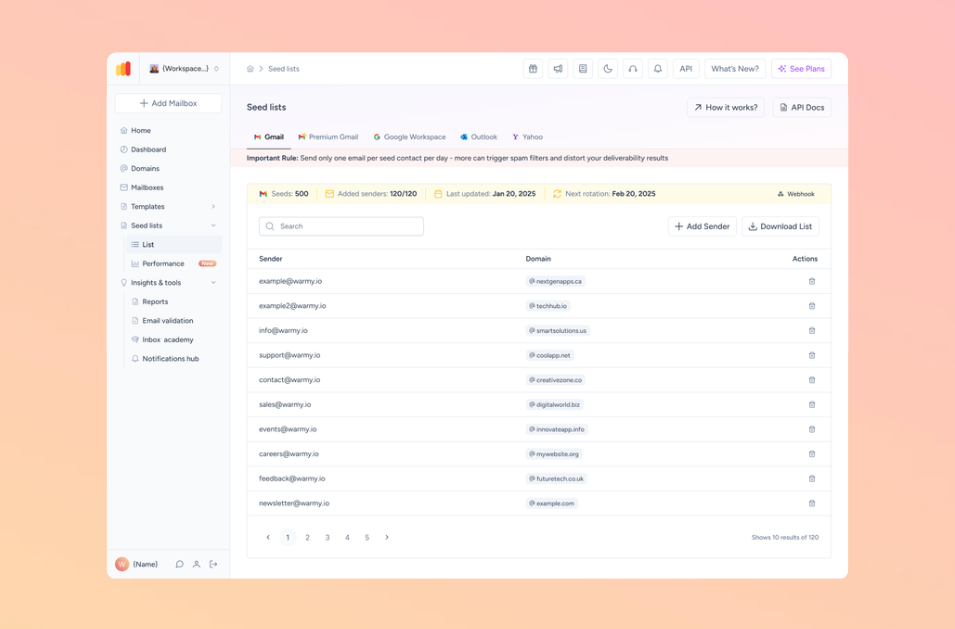
- Seed lists for Gmail, Outlook, and Yahoo: dedicated seed list mailboxes across all three major providers for inbox placement testing – see exactly where your emails land before campaigns go live.
- Warmup With Clicks: links inside warm-up emails are clicked by seed recipients, generating a stronger positive engagement signal to Microsoft’s SmartScreen than opens and replies alone.
- 1M+ active mailbox network: warm-up emails are opened, replied to, and automatically moved from spam to inbox using real inboxes, not bots.
- Email Deliverability Test: inbox placement checks across Gmail, Outlook, Yahoo, and others, plus blacklist monitoring, SPF/DKIM/DMARC verification, and an overall deliverability score.
- Domain Health Hub: domain-level health scores, weekly spam rate trends, and DNS status for SPF, DKIM, DMARC, and rDNS records.
- Multi-language warm-up: 30+ languages for natural engagement signals with international recipients.
- Topic-based warm-up: align warm-up content with your actual outreach topic or real email templates.
- Workspace Management: single dashboard for all connected mailboxes with client-level visibility, separate settings, and automated reporting.
- Dedicated Customer Success Manager and deliverability expert for every customer.
- Free tools: SPF Record Generator, DMARC Generator, Email Template Checker (also as Chrome extension), and Email Deliverability Test.
Best For
Sales teams, agencies, and B2B outreach teams that need comprehensive Outlook and M365 warm-up with provider-level customization, placement testing, and dedicated expert support.
Pros and Cons
| Pros | Cons |
|---|---|
| Adeline AI adapts in real time to actual reputation signals | Pricing is custom; exact rates require trial or sales call |
| Warmup Preferences controls warm-up distribution per provider, including M365 | Per-inbox pricing becomes expensive at 10+ inboxes |
| Warmup With Clicks generates stronger engagement signals | Advanced features (topics, languages, templates) on higher-tier plans only |
| Seed lists for Gmail, Outlook, and Yahoo for true placement testing | Not a sending platform; requires a separate outreach tool |
| Auto-archives warm-up emails; no inbox clutter | |
| Dedicated CSM and deliverability expert for every account | |
| Full suite of free diagnostic tools included |
Pricing
| Plan | Approx. Price | Notes |
|---|---|---|
| Starter | ~$49/month | 1 inbox, ~100 warm-up emails/day (third-party reference) |
| Business | ~$189/month | Up to 5 inboxes (third-party reference) |
| Premium+ | Custom | Higher volumes – contact sales for current rates |
| Custom | Custom | Agencies and enterprise; volume discounts available |
Note: Warmy moved to custom pricing in 2026. Reference prices above are sourced from third-party review sites and may not reflect current quotes. Start a 7-day free trial (no credit card required) or book a demo to confirm your rate.
G2 rating: 4.8/5 (498 reviews) – Read reviews on G2
Pro Tip: Before connecting Warmy to your Outlook or M365 inbox, verify SPF, DKIM, and DMARC are correctly configured. Microsoft’s SmartScreen evaluates authentication status before engagement signals, so a broken authentication record limits what any warm-up tool can achieve for Outlook inbox placement.
2. Mailreach
Mailreach is a dedicated warm-up and deliverability tool combining automated inbox warming with spam placement testing and continuous reputation monitoring. It is built specifically for B2B cold email senders and does not include outreach or lead-finding features.
Key Features
- 30,000+ warm-up network: primarily Google Workspace and Office 365 accounts, generating realistic engagement for both Gmail and Outlook deliverability.
- Co-Pilot: monitors deliverability signals daily and surfaces alerts and actionable recommendations before small drops escalate.
- Spam testing integrated alongside warm-up: run on-demand inbox placement tests across Gmail, Outlook, Yahoo, and other providers.
- Supports Gmail (OAuth), Outlook, and custom SMTP providers including Zoho, Brevo, Mailjet, Mailgun, SendGrid, Amazon SES.
- API access: available for teams that need automated inbox management and monitoring at scale.
- No free trial for warm-up (a free spam test is available on the Mailreach website).
Best For
B2B teams managing 5 to 50+ inboxes who need detailed inbox placement reporting and daily reputation monitoring alongside warm-up, without an all-in-one outreach platform.
Pros and Cons
| Pros | Cons |
|---|---|
| 30,000+ real G Workspace and Office 365 inboxes in the network | No free trial for warm-up |
| Integrated spam testing and inbox placement reports | Per-inbox pricing scales linearly; no volume discount below 51 inboxes |
| Co-Pilot daily alerts before reputation issues escalate | No multi-language warm-up |
| API access for automated oversight at scale | No dedicated deliverability expert per customer |
Pricing
| Plan | Price |
|---|---|
| Standard | $25/inbox/month |
| Volume (51+ inboxes) | $19.50/inbox/month |
G2 rating: 4.8/5
3. Instantly
Instantly is a cold email outreach and sales engagement platform with unlimited warm-up bundled into every plan. Warm-up is one feature within a broader outreach workflow that also includes sequencing, a lead database, inbox rotation, and an AI reply agent.
Key Features
- Unlimited warm-up across a 4.2M+ account network included on all plans; no per-inbox warm-up charge.
- Supports Gmail, Google Workspace, Microsoft 365, Outlook, and SMTP-connected inboxes.
- One-click warm-up activation per inbox, with bulk activation for multi-inbox setups.
- Warmup dashboard: deliverability score, inbox vs. spam placement, and weekly activity trends.
- Unibox: unified inbox aggregating replies from all connected sending accounts into a single view.
- Does not include dedicated inbox placement testing across Gmail, Outlook, and Yahoo, or continuous domain health monitoring.
Best For
Agencies and outbound teams already using Instantly for cold email who want warm-up included at no extra per-inbox cost. Less suited to senders who need standalone Outlook deliverability diagnostics.
Pros and Cons
| Pros | Cons |
|---|---|
| Unlimited warm-up at flat monthly price | No dedicated inbox placement testing across Outlook, Gmail, and Yahoo |
| 4.2M+ warm-up network – one of the largest | No domain health hub or continuous blacklist monitoring |
| Supports M365 and Outlook natively | Warm-up customization limited compared to standalone tools |
| All-in-one platform reduces tool fragmentation | Users report deliverability uncertainty despite warm-up running |
Pricing
| Plan | Price (monthly) | Includes |
|---|---|---|
| Growth | $47/month | Unlimited accounts + warm-up, basic analytics |
| Hypergrowth | $97/month | Higher sending limits, more advanced features |
| Light Speed | $358/month | SISR IP rotation, highest sending volumes |
G2 rating: 4.8/5 (~4,000 reviews)
4. Smartlead
Smartlead is an AI-powered cold email infrastructure platform with unlimited warm-up included across all plans. Like Instantly, it is primarily a sending and outreach platform, with warm-up as a built-in capability.
Key Features
- Unlimited warm-up on all plans; warm-up emails are automatically sent, opened, and replied to within the shared pool.
- Supports Microsoft 365, Gmail, Google Workspace, and custom SMTP providers.
- AI-adjusted warm-up: timing and reply rates adapt to inbox conditions rather than fixed schedules.
- ESP matching: warm-up emails are matched provider-to-provider (e.g., M365 to M365), which users report improves Outlook placement by 10 to 16%.
- Bulk CSV inbox onboarding: reduces setup time when onboarding many inboxes simultaneously.
- Separate client workspaces: isolated billing, API tokens, and optional white-label dashboards per client.
- Ultra Premium Warmup add-on: a higher-quality warm-up pool recommended for Outlook-heavy sending environments.
- SmartDelivery: inbox placement scoring reports – note this is not seed-panel testing across Gmail, Outlook, and Yahoo.
Best For
High-volume outbound agencies and SDR teams who want warm-up and outreach infrastructure in one platform, with per-client workspace isolation and strong API capabilities.
Pros and Cons
| Pros | Cons |
|---|---|
| Unlimited warm-up on all plans | No true inbox placement testing across Gmail, Outlook, and Yahoo |
| ESP matching for provider-to-provider warm-up signals | No continuous domain health monitoring or blacklist alerting |
| Separate client workspaces with isolated billing for agencies | Standard pool quality varies; Premium pool recommended for Outlook |
| Bulk inbox onboarding via CSV | UI complexity can be steep for new users |
| Ultra Premium add-on for better Outlook warm-up quality |
Pricing
| Plan | Price |
|---|---|
| Basic | From $39/month |
| Pro and above | Higher tiers for scale |
| Ultra Premium Warmup | Add-on (contact sales) |
G2 rating: 4.6/5 (~300 reviews)
5. Folderly
Folderly is a full deliverability repair and monitoring service, not a warm-up tool. It diagnoses root causes of spam placement, runs daily inbox placement tests, scans DNS records and email content for spam triggers, and provides expert-backed recommendations for fixing persistent deliverability problems.
Key Features
- Root cause analysis: identifies specific reasons emails land in spam – authentication misconfiguration, content triggers, blacklist entries – rather than just increasing warm-up volume.
- Daily inbox placement testing across Gmail, Outlook, and other providers.
- Spam trigger scanning: checks DNS records and email content for elements that trigger Microsoft’s SmartScreen and other filters.
- Warm-up runs in the background alongside diagnostics, through a controlled network that mimics natural sender behavior.
- Dedicated account management and white-label options for agencies.
- Supports Microsoft 365 and custom SMTP configurations.
Best For
Enterprise teams and agencies with persistent, hard-to-diagnose Outlook deliverability problems – where the issue is not warm-up volume but an underlying authentication, content, or infrastructure problem that needs expert identification and repair.
Pros and Cons
| Pros | Cons |
|---|---|
| Diagnoses why emails land in spam, not just warms up the inbox | $96/mailbox/month (yearly) with mandatory one-year commitment – costs compound fast |
| Daily placement tests with spam trigger scanning | Documented bug: multiple users report Folderly sending tens of thousands of warmup emails overnight without warning, destroying domain reputation |
| Enterprise white-label and dedicated account management | Placement testing covers only Gmail, Google Workspace, Outlook, and M365 – no Yahoo or other providers |
| Free Pulse monitoring tool with real-time Slack/email alerts | Consulting-first model lacks agility of self-serve tools |
Pricing
| Tier | Price |
|---|---|
| 1–9 mailboxes (yearly billing) | $96/mailbox/month |
| 1–9 mailboxes (monthly billing) | $120/mailbox/month |
| 10–24 mailboxes | ~$90/mailbox/month (yearly) |
| Inbox Insights add-on | $79/month or $799/year |
Note: Folderly requires a minimum one-year commitment on all plans. Free trial available.
G2 rating: 4.8/5 (101 reviews)
6. Warmup Inbox
Warmup Inbox is a straightforward, dedicated warm-up tool focused on building sender reputation through automated inbox engagement. It runs on a network of 30,000+ real inboxes and supports Gmail, Google Workspace, Outlook.com, Microsoft 365, and custom SMTP. Setup requires no technical background and a 7-day free trial is available.
Key Features
- Automated warm-up: opens, replies, and spam-folder rescues to build sender reputation.
- Supports M365, Outlook.com, Gmail, Google Workspace, and custom SMTP.
- Topic-based and language-specific warm-up options.
- Auto-removal from spam: warm-up emails found in the spam folder are automatically moved to inbox.
- Monitoring dashboard: daily activity, reply rates, spam score trends.
- 7-day free trial – low-risk evaluation before committing.
- Note: some users report that Outlook-specific warm-up traffic is limited at lower plan tiers, requiring an upgrade for full M365 coverage.
Best For
Solo SDRs, freelancers, and small teams that need straightforward Outlook warm-up at a low entry price on a domain where authentication is already correctly configured.
Pros and Cons
| Pros | Cons |
|---|---|
| Lowest entry price at $15/inbox/month | No inbox placement testing across providers |
| 7-day free trial reduces evaluation risk | No dedicated deliverability expert or CSM |
| Supports M365, Outlook, and custom SMTP | Outlook warm-up traffic can be limited at lower plan tiers |
| Simple setup with no technical requirements | Basic reporting compared to Warmy or Mailreach |
Pricing
| Plan | Price | Daily Warm-Up Emails |
|---|---|---|
| Basic | $15/month | 75 |
| Pro | $49/month | 250 |
| Max | $79/month | 1,000 |
G2 rating: 4.6/5 (47 reviews)
How to Set Up Outlook Warm-Up: Quick Guide
- Configure SPF, DKIM, and DMARC first. Authentication must be correct before warm-up can improve Outlook placement. Use Warmy’s free SPF Record Generator and DMARC Generator to build and verify both records. The Outlook deliverability guide on the Warmy blog covers the full setup process.
- Connect your Outlook or M365 inbox. M365 accounts typically connect via OAuth or IMAP/SMTP. Outlook.com personal accounts usually require IMAP/SMTP. Confirm the connection method before purchase.
- Start at low volume and ramp gradually. Begin with 10 to 20 warm-up emails per day. Increase no more than 20 to 40% per week. Outlook’s SmartScreen is more sensitive to volume spikes than Gmail, and an aggressive early ramp is the most common cause of Outlook warm-up failure.
- Monitor SNDS and your warm-up dashboard in parallel. SNDS shows IP-level reputation signals from Microsoft. Pair it with your warm-up tool’s placement reports to confirm inbox rates are improving week over week.
- Check email content before campaigns. Microsoft’s SmartScreen evaluates content alongside sender reputation. Use the Email Template Checker to scan for spam triggers before launch.
Pro Tip: Keep warm-up running after campaigns start. Deliverability experts recommend maintaining warm-up activity throughout and between campaigns – consistent positive engagement is what sustains Outlook sender reputation long-term.
Which Tool Fits Your Situation?
| Situation | Recommended Tool | Why |
|---|---|---|
| Need warm-up + outreach at flat fee | Instantly or Smartlead | Unlimited warm-up included; no per-inbox charge |
| Need standalone M365 warm-up with advanced customization | Warmy | Warmup Preferences, seed lists, Adeline AI, expert support |
| Need warm-up + detailed placement reporting | Mailreach | 30K+ G Workspace/O365 network, Co-Pilot, spam testing |
| Budget-first; single or few inboxes | Warmup Inbox | $15/month entry, 7-day trial, simple setup |
| Persistent Outlook spam issue; need diagnosis | Folderly | Root cause analysis, daily placement tests, expert repair |
Conclusion
Outlook and Microsoft 365 warm-up is a distinct challenge from Gmail. SmartScreen filters sending patterns differently, SNDS monitors IP-level reputation rather than domain-level data, and Microsoft’s 2025 authentication enforcement changed the baseline requirements for any bulk sender. The tools in this list all support M365, but they differ significantly in how thoroughly they address these Outlook-specific factors.
Warmy provides the most comprehensive platform for Outlook-specific warm-up needs: Warmup Preferences to configure provider distribution, seed lists across Gmail, Outlook, and Yahoo, Adeline AI adapting to real-time reputation signals, Warmup With Clicks, and a dedicated deliverability expert for every account. For teams that want warm-up included in their sending tool, Instantly and Smartlead both bundle Outlook support at flat monthly rates. For persistent M365 reputation problems, Folderly’s diagnostic depth is the right fit – though its one-year commitment and automation risk deserve careful consideration. And for solo senders who need a simple, low-cost entry point, Warmup Inbox delivers core warm-up for $15/month.
For more on warming up Gmail specifically, see 6 Best Email Warmup Tools for Gmail. For high-volume senders managing many domains, the Best Warmup Solutions for High-Volume Email Senders covers scaling considerations in depth.
Ready to connect your Outlook or M365 inbox to a platform built for it? Book a demo and see Warmy in action.