Why generic email warmup fails in 2026
Email as a means of communication is far from being outdated. In fact, Clean Email published a report projecting that there will be 4.73 billion users by 2026 and 4.85 billion by 2027. This makes the email market more populated than ever.
With these projections, inbox providers are expected to implement even stricter protocols to protect their users against spam. This can be a challenge if you’re trying to find success in email marketing outreach. But it’s also a reminder to prioritize your email deliverability, domain health, and sender reputation.
The evolution of email provider spam filters and its role in email security
Spam filtering has changed dramatically over the past three decades:
- 1990s (keyword filters): Providers like AOL introduced automated filters scanning for trigger words like “free,” “win,” and “guaranteed.” Simple, but prone to blocking legitimate emails that used the same language.
- Mid-2000s (Bayesian and multi-signal scoring): Filtering expanded beyond content to combine headers, URLs, and early sender reputation into a single spam score. Deliverability became a statistics and history problem, not just a content problem.
- Today (machine learning at the domain level): Google, Microsoft, and Yahoo now analyze sending consistency, engagement patterns, domain age, authentication configuration, and behavioral signals — all at the individual domain level, using AI.
One concrete example of this tightening environment: Microsoft’s enforcement of SPF, DKIM, and DMARC requirements for senders above 5,000 emails/day to Outlook. Requirements that were previously best practices are now hard gates.
The real cost of one-size-fits-all warmup strategies
A generic warmup schedule doesn’t fail loudly. It fails slowly. Spam rates tick upward, inbox placement dips, and engagement softens before you realize your domain was never properly prepared. It’s invisible revenue leakage.
- The average global inbox placement rate sits at 83.5%
- For a program sending 100,000 emails/month, that’s 16,500 messages not reaching the inbox
A generic warmup schedule creates a reputation debt that compounds silently over weeks or months. ISPs don’t immediately blacklist. In fact, reputation algorithms are patient, but seriously unforgiving. By the time you notice inbox placement dropping from 98% to 83%, your domain has already been moved down the sender hierarchy.
Not sure where your domain stands currently? Test Your Email Deliverability Free.
How poor warmup damages sender reputation
Five factors drive reputation damage from a mismatched warmup:
- Volume spikes: Sending too much, too soon signals spam-like behavior to ISPs.
- High bounce rates: A high rate of undelivered emails signals poor list quality and hurts your score.
- Low engagement signals: Low opens and clicks push your emails to promotions at best, spam at worst.
- Complaint accumulation: Recipients marking your emails as spam creates damage to your domain health as inbox providers perceive this as sending irrelevant or harmful content.
- Network contamination: If you manage multiple inboxes within the same domain, spam-like behavior from other senders on the same network can affect your own reputation.
In a nutshell: A warmup schedule that moves too fast for an unestablished domain triggers spam filters. Moving too slow, however, leaves the domain underutilized. Neither outcome is acceptable when deliverability directly affects your business results.
What does “customizable warmup” actually mean?
Customizable warmup tailors the sending ramp, content patterns, and interaction simulation to your domain’s unique profile rather than applying a one-size-fits-all schedule.
There are two layers to it:
- core parameters that every sender should configure
- advanced settings that determine whether your warmup signals actually match your real sending environment.
Thus, email deliverability tools with customizable warmup schedules present a significant advantage.
Core customization parameters
These four variables impact how inbox providers perceive your sending behavior from day one:
| Parameter | What it controls | Why it matters |
|---|---|---|
| Volume control | Emails sent per day + weekly ramp rate | A new domain in a high-compliance industry needs a slower ramp than an established domain scaling to a new subdomain |
| Reply rate | % of warmup emails that receive replies | Replies are a strong positive engagement signal. Customizing this shapes how much trust you build during warmup |
| Ramp-up speed | How quickly you scale to your target send volume | Should reflect your actual domain situation, not a generic 8-week schedule built for an average sender |
| Provider distribution | Which providers (Gmail, Outlook, Yahoo) receive your warmup emails | If your real audience skews toward one provider, your warmup should reflect that, and not split evenly across providers your recipients don’t use |
Advanced customization features
Once the core parameters are set, these settings determine whether your warmup signals actually resemble your real sending environment:
- Engagement patterns: B2B and B2C email behavior differ in measurable ways: open timing, reply frequency, forwarding patterns. Warming up a B2B sales domain with consumer-style engagement produces signals that don’t match your real audience, weakening the reputation foundation you’re building.
- Industry-specific warmup: Financial services, healthcare, and legal senders face heightened spam filter scrutiny due to the volume of fraud and phishing in those categories. Thus, warmup for these industries needs to account for stricter filtering thresholds.
- Multi-language warmup: If your real campaigns send in French, German, Japanese, or Spanish, your warmup should generate engagement in those same languages too. English-only warmup for a multilingual program is a mismatch that works against you.
Why do these settings matter for different businesses?
A solo founder warming up one inbox for cold outreach has different needs compared to an agency managing 40 client domains across three industries and two continents. Both need email warmup, but applying the same settings to both produces different outcomes.
The variables that should shape your configuration:
- Domain age
- List composition
- Target providers
- Send volume
- Industry
- Sending cadence
Tools that don’t expose these controls force you to accept defaults that may not really reflect your situation at all.
Pro tip: Most senders default to an even split across Gmail, Outlook, and Yahoo during warmup. However, if your real audience is 70%+ Gmail (typical for B2B SaaS), you’re under-building reputation where it matters most.
Essential customization features to look for in email deliverability tools with customizable warmup schedules
Before evaluating specific tools, establish what your program actually requires.
1. Provider-specific warmup distribution. This refers to the ability to weight warmup activity toward Gmail, Outlook, Yahoo, or other providers based on where your real audience lives.
2. Volume and pacing controls. Per-inbox daily limits and week-over-week ramp rate controls. Confirm the tool’s ceiling. Some cap at only 50–100 emails/day, which can become a bottleneck for high-volume programs.
3. Engagement pattern customization. The ability to select B2B or B2C engagement patterns and adjust reply rates. Without this, warmup engagement signals may not reflect how your real recipients interact with email.
4. Custom template support. The option to use your own email content during warmup, rather than generic placeholder text. This helps give you an idea how your actual campaigns will perform.
5. Real-time adjustment capabilities. The ability to change settings mid-warmup without restarting the process. Business timelines don’t always conform to a warmup schedule and the tool should accommodate adjustments without requiring a full reset.
Top 8 email deliverability tools with customizable warmup schedules (2026)
| Tool | G2 Rating | Key Customization Features |
|---|---|---|
| Warmy | 4.8/5 (498 reviews) | Provider distribution controlEngagement patterns (B2B vs B2C)30+ languagesAdeline AI adaptive warmup schedulingCustom templates for warmupCan send millions of warmup emails a dayWorkspace managementOption to add Warmup with Clicks feature |
| Lemwarm | No reviews | Volume scalingSmart clusters: Personalized warmup emails according to your industry, audience, and email goals |
| Warmup Inbox | 4.6/5 (47 reviews) | Topic and language (12 options) warmupESP-specific warmup |
| Instantly | 4.8/5 (4,037 reviews) | Slow Ramp Up featureAccount rotationVolume of warmup emails a day (no maximum explicitly stated but they recommend a maximum of 10 warmup emails per day)Customize desired open rate, response rate, and spam protection |
| Warmbox | No reviews | Selection of warmup recipe (Grow, Flat, Randomize, and Fully Custom) |
| Mailivery | 4.5/5 (14 reviews) | Customize volume, reply rate, and timing of warmupChoose between three warmup speed settings (slow, normal, or fast) |
| Smartlead | 4.6/5 (306 reviews) | Set daily send caps and reply rates |
| TrulyInbox | 3.7/5 (17 reviews) | Custom reply rate, sending schedules, and timezoneIndustry-specific warmup content (over 50+ industries)Customize warmup language (12 options to choose from)Choose warmup strategies (progressive, random, flat) |
See how Warmy’s customization compares in practice. Try it now.
1. Warmy — Most robust and has the most comprehensive customization options
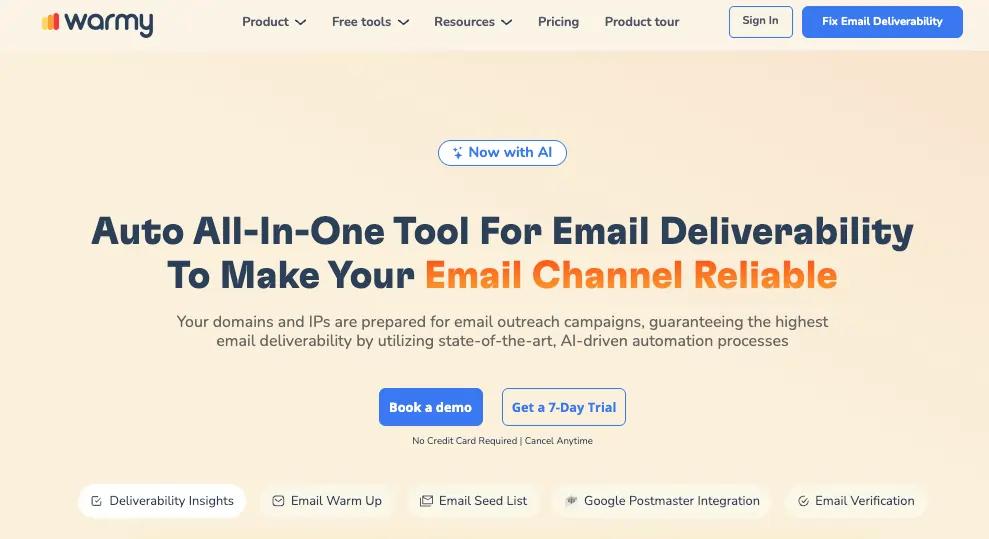
Warmy is an all-in-one email warmup and deliverability tool designed to build, establish, and improve domain reputation, email health, and overall email deliverability. Warmy possesses the customization qualities and programs necessary for each of your email deliverability needs.
AI-driven adaptive warmup (Adeline engine)
Adeline is Warmy’s AI engine. Rather than applying a static ramp schedule, Adeline monitors domain-specific signals and adjusts warmup pace based on actual performance. This means accelerating when conditions support it and pulling back when signals suggest caution. This matters because domain reputation and health aren’t identical for all users: a fixed schedule that works for one domain is wrong for most others.
Adeline can also guide you with campaign setup advice, deliverability troubleshooting, performance optimizations tips, and general platform guidance.
You can also select a slow mode for domains that require a more conservative approach. This is useful for brand-new domains, recently blacklisted domains, or senders in high-scrutiny industries.
Provider distribution control
Warmy’s Warmup Preferences feature allows sender to set the distribution of warmup activity across inbox providers. So if 70% of your real audience uses Gmail and 20% uses Outlook, you can configure warmup to reflect that split. This helps build reputation with the providers that actually reflect your actual audience.
Engagement pattern selection
You can also choose if you want to use B2B or B2C customers for engagement patterns, giving your warmup process a more tailored approach for your business type. This affects timing, reply patterns, and interaction frequency during warmup—ensuring the signals being generated match the audience type your real campaigns will reach.
Warmup topic and language
Unlike most warmup tools, Warmy supports over 30 languages. This makes it the most robust choice for senders targeting a global reach.
If your team is running international outreach, this removes one of the most significant mismatches in standard warmup tools: English-only engagement on a domain sending primarily to non-English speaking recipients.
You can also incorporate your own templates, keeping warmup content consistent with your actual brand communication.
Start your free trial and see custom warm-up in action.
2. Lemwarm
- Lemwarm is Lemlist’s native warmup solution, built to complement its cold email platform. It offers adjustable volume scaling and lets users control how sending volume increases over time.
- The “Smart Cluster” feature adds the ability to send automated yet personalized emails based on your industry, audience, and goals. Messages and subject lines are generated based on information you share via a questionnaire.
Limitations: While the Smart Clusters are a clever concept, it’s not just the relevance of the topic or messaging that impacts inbox placement. Depth of interaction signals (like the replies and spam recovery) weigh more. Warmy offers both topic warmup according to industry and the option to add Warmup With Clicks.
3. Warmup Inbox
Warmup Inbox focuses on real inbox-to-inbox engagement and offers the following customization options:
- ESP-specific warmup for senders who want to build trust with specific ESPs only.
- Language-specific warmup with 12 different languages to choose from
- Topic warmup to align the warmup process with your ideal customer profile (ICP)
Limitations: User reviews mention that the warmup schedule can be too aggressive, as some senders experienced being suspended by Google within 24 hours. Additionally, the ESP and language warmup are only accessible for the most expensive pricing tiers.
4. Instantly
- Instantly bundles warmup with its cold email sending platform and supports unlimited mailbox warmup on its higher-tier plans.
- Customization options include the Slow Ramp Up feature which ensures gradual increase of sending volume to protect the domain.
- Advanced settings include enabling the “read” emulation, selecting the number of warmup emails a day, open rate, response rate, and spam protection.
Limitations: There is no mention of the maximum allowed warmup emails allowed a day but Instantly recommends a maximum of 10 warmup emails per day, which can be a bottleneck for senders aiming for high-volume outreach. Many users leverage the outreach capabilities of Instantly and pair it with Warmy’s warmup instead.
6. Warmbox
- Warmbox offers a selection of warmup strategies or “recipes” which allows users to choose among Grow, Flat, Randomize, and Fully Custom.
- Other customization options include warmup timing range, maximum warmup emails sent per day, and reply rate per day.
Limitations: Other than what’s mentioned above, there are no other detailed specifics from Warmbox on what their “Fully Custom” warmup includes.
6. Mailivery
- Mailivery provides full control over volume, reply rate, and timing of the warmup process.
- Warmup customization options include time zone selection, weekend sending preferences, and holiday sending.
- Mailivery’s Ramp-up Feature allows senders to choose from three warmup speed settings: Slow, Normal, or Fast.
Limitations: While Mailivery already offers a good set of default settings, there are other tools that offer even more granular customization options.
7. Smartlead
- Smartlead’s warmup feature is integrated into its broader cold email platform
- Customization of the warmup schedule includes daily send caps and reply rates, then the AI handles the pacing.
Limitations: Smartlead’s warmup customization is fairly limited compared to more specialized tools.
8. TrulyInbox
TrulyInbox offers plenty of warmup customization options like:
- Custom reply rate, sending schedules (Progressive/Random/Flat), and timezone
- Industry-specific warmup content (over 50+ industries)
- Customize warmup language (12 options to choose from)
- Choose warmup strategies (progressive, random, flat)
Limitations: TrulyInbox is definitely more robust than other warmup tools that only provide basic warmup schedules. However, users can only access these features on the higher-priced plans.
How to choose the right customizable warmup tool
1. Assess your sending volume and patterns
- Start with your target daily, send volume and work backward. If you’re planning to send 10,000 emails/day at full ramp, you need a warmup tool that can operate at a meaningful fraction of that volume during warmup.
- Tools capped at 100–200 emails/day per inbox won’t build sufficient reputation signals before your campaigns need to launch.
- Consider consistency. If your sending volume fluctuates significantly between campaigns, you need a tool that supports real-time adjustment. Not one that locks you into a fixed schedule.
2. Match tool customization to your domain age
- A brand-new domain needs a slower, more conservative ramp. An established domain adding a new subdomain can move faster.
- A domain recovering from a deliverability problem needs a deliberate rebuild strategy with close monitoring. These are meaningfully different scenarios.
- A tool that applies the same default schedule to all three will underserve at least two of them.
3. Industry and audience considerations
- Financial services, healthcare, and legal senders face more aggressive spam filtering than eCommerce or SaaS.
- B2B senders also need warmup engagement that mirrors professional email behavior. International senders need language-matched warmup.
- Identify which of these apply to your program before selecting a tool. Then verify the tool actually addresses them, not just claims to.
4. Agency vs. individual user requirements
- As an individual sender, you need good per-inbox customization. Agencies need all of that plus multi-client management, white-label reporting, and the ability to configure each client domain independently.
- These are different products. Evaluate them on different criteria.
5. Integration and workflow needs
- If you’re already using a cold email platform, check whether warmup is available natively and whether it meets your customization requirements.
- If it doesn’t, a standalone warmup tool integrated via SMTP is often a better solution than compromising on warmup settings for workflow convenience.
Leverage customization as a competitive advantage
The gap between basic and advanced email deliverability tools with customizable warmup schedules is widening. A generic ramp schedule builds a generic sender reputation. Customized warmup builds a reputation that reflects your actual sending environment, your real audience, and your specific domain situation.
if you need more than a default schedule, Warmy combines AI-adaptive warmup, provider distribution controls, B2B/B2C engagement pattern selection, 30+ language support, and an agency dashboard designed for multi-client management into a platform that addresses the full range of customization requirements high-volume senders actually have.
Ready to build the right warm-up for your domain? Start for free today.
FAQ
Why are my emails still landing in spam even though I’m using a warmup tool?
Generic warmup schedules don’t account for domain age, industry, or audience type. If your warmup settings don’t match your actual sending environment the reputation signal you’re building doesn’t reflect your real use case.
Can I customize warmup differently for different clients or domains?
Yes, if your tool supports domain-level configuration. Warmy’s Agency Dashboard manages each client domain independently, with separate settings for each inbox. This is a core requirement for agencies — avoid tools that apply global settings across all accounts.
What’s the difference between AI-adaptive warmup and a standard ramp schedule?
A standard ramp schedule increases volume on a fixed timeline regardless of how your domain is performing. AI-adaptive warmup monitors real signals — engagement rate, placement data, domain behavior — and adjusts the pace accordingly.
How many warm-up emails per day do I actually need?
It depends on your target campaign volume and domain history. As a starting point: new domains should begin at 20–30/day and ramp by 30–50% weekly.
Do I need a different warmup for Outlook versus Gmail?
Yes. Gmail weights engagement signals heavily. Outlook places significant emphasis on authentication — and now enforces SPF, DKIM, and DMARC as hard requirements for senders above 5,000 emails/day. Tools that support provider-specific distribution let you build reputation with each provider at the weight that matches your real audience composition.
Can I adjust my warmup settings mid-process without starting over?
This depends on the tool. Warmy supports real-time adjustments without requiring a full warmup reset. If your tool locks you into a fixed schedule, you’ll need to factor that into your planning — particularly if your campaign timeline changes after warmup has begun.
What’s the minimum warmup period before I can send a high-volume campaign?
Most domains need four to eight weeks of consistent warmup before reliably supporting high-volume sends. New domains should target the longer end of that range. Attempting to compress warmup significantly below four weeks, even with high daily volumes, introduces deliverability risk that compounds as campaign volume increases.
Is customizable warmup worth the higher cost versus a basic tool?
For senders where deliverability directly affects revenue — cold outreach, transactional email, SaaS onboarding — the cost of a deliverability problem far exceeds the price difference between a basic and advanced warmup tool. The 64.6% of businesses that report deliverability problems hurting revenue and retention did not fail because they spent too much on warmup infrastructure.
How do I warm up in multiple languages?
Use a tool that supports multilingual warmup natively. Warmy supports over 30 languages, allowing warmup engagement to be generated in the same language as your real campaigns. English-only warmup for a German-language B2B program creates a signal mismatch that weakens the reputation you’re building.
How do I know if my warmup customization is actually working?
Track inbox placement rate by provider, spam complaint rate, bounce rate, and engagement metrics throughout warmup. If placement is above 95%, complaints are below 0.1%, and engagement metrics are within target ranges, your customization is producing the right signals. If any metric is underperforming, review your settings — starting with provider distribution and engagement pattern configuration.