Gmail dominates the inbox industry. With over 1.8 billion active users worldwide and a 75.78% market share in the United States alone, it’s almost certain that your prospects and customers are using it. This is why email warmup isn’t optional for Gmail users. It’s the foundation of everything.
Warmy.io is an AI-driven email warmup and deliverability platform that helps businesses, sales teams, and agencies build sender reputation and achieve consistent Gmail inbox placement without manual effort.
In this guide, you’ll find a breakdown of Warmy and other email warmup tools for Gmail in 2026— what each one does well, where it falls short, and which type of sender it’s best suited for.
Here’s what we found:
- Warmy.io: AI-powered email warmup with deep deliverability insights
- Mailreach: simple setup, great for beginners
- Instantly.ai: primarily a cold email sending platform with a massive sending network
- Lemwarm: basic peer-to-peer warmup that elevates Lemlist user experience
- Mailwarm: no-frills, reliable daily warmup for small-scale sending
- Woodpecker: built for cold outreach with deliverability feature
- Folderly: enterprise-level insights
Why Gmail deliverability is harder than ever in 2026
Gmail’s spam defenses have become significantly more aggressive. According to Google, Gmail’s AI-driven filters now block 99.9% of spam, phishing, and malware, stopping nearly 10 million malicious emails per minute. That’s the environment your legitimate campaigns are competing in.
The consequences are measurable as inbox placement rates declined across virtually every major email service provider in 2025.
Gmail uses a wide array of signals to decide where your email lands:
- Sender reputation score: built over time based on sending behavior
- Content and email format: including HTML structure, links, and subject lines
- Sending patterns and volume: sudden spikes are red flags
- User engagement: opens, replies, clicks, and “not spam” actions
- Authentication records: SPF, DKIM, and DMARC compliance
If even just one of these signals is off, your email can be filtered. Not because it’s spam, but because it looks like it could be.
Pro Tip: Gmail’s filters are no longer primarily content-based. It’s all about sender reputation, which means what you say in your email matters far less than who Gmail thinks you are as a sender. Warmup directly builds that identity before you ever launch a campaign. In short, Gmail warmup builds sender reputation before you ever launch a campaign.
Not sure where your emails are landing right now? Run a Free Gmail Deliverability Test.
What is email warmup and why is it important for Gmail deliverability?
Email warmup is the process of gradually increasing the volume and frequency of emails sent from a new or inactive Gmail account or domain. With Gmail in particular, this gradual ramp-up demonstrates to Google’s filters that your sending behavior is consistent, legitimate, and engaged with by real people.
Without a proper warmup, sending a high volume of email campaigns suddenly can:
- Trigger Gmail’s spam filters immediately
- Land your domain on a blacklist (which can take weeks or months to reverse)
- Permanently damage your sender reputation before your campaign even begins
Manual vs. automated email warmup
| Manual Warmup | Automated Warmup (e.g., Warmy.io) | |
|---|---|---|
| Speed | Slow, week-by-week | Intelligent ramp-up from day one |
| Scalability | Very limited | Scales to millions of emails/day |
| Engagement quality | Depends on your contacts | Real mailboxes, simulated engagement |
| Oversight needed | High | Low — runs in the background |
| Risk | Human error, inconsistency | Managed automatically |
How to choose the right Gmail warmup tool
Not every warmup tool is built the same. Before committing, evaluate each option against these criteria:
- Warmup network quantity and quality: Are the mailboxes real and active, or bot-controlled? How large is the network and is it enough to mirror the scale of your real life campaigns?
- Sending volume ceiling: How many warmup emails can it send per day?
- Analytics depth: Does it tell you where your emails are landing, not just if they were sent and received by servers?
- Authentication support: Does it help you set up SPF, DKIM, and DMARC?
- Customization: Can it adapt to your domain’s age, history, and engagement goals?
Not sure where your emails are landing right now? Run a Free Deliverability Test to see a full breakdown before you choose a tool.
Top 6 email warmup tools for Gmail
| Tool | Warmup network | Max Daily Warmup | Analytics depth | Authentication Support | Customization |
|---|---|---|---|---|---|
| Warmy.io | >1M+ active mailboxes Real mailboxes Optional add-ons: Seed List per provider and Warmup With Clicks | Up to millions per day | Inbox placement tests Blacklist monitoring | Full DNS Checks SPF + DMARC generators | Advanced (Basic plus distribution per provider, language, topic, temperature, engagement patterns, template) |
| Mailreach | 30,000+ mailboxes | 100/day | Domain & Inbox health checks Reputation tracking including blacklists, SPF, DKIM, DMARC, ETS | Record checks only | None |
| Instantly.ai | 1M+ accounts | ~10/day (rec.) | Basic metrics like the number of warmup emails sent, warmup emails received, landed in inboxes, and rescued from spam. | None (except DFY plans) | Limited |
| Lemwarm | 20,000 + peer-to-peer | Not disclosed | Daily insights on performance, technical setup and sender reputation. | Helps adjust settings like SPF, DKIM, DMARC, MX Records, and Custom Tracking Domain | Smart “clusters” for personalized warmup emails and replies |
| Mailwarm | 5,000+ Mailwarm accounts | 500/day | Inbox placement tests running 24/7Free blacklist checks | Record checkers | None |
| Folderly | Not disclosed | Not disclosed | Email placement and blacklist checks (add-on) | Includes DNS checks SPF Record Generator DMARC Record Generator | None |
1. Warmy.io — Best overall Gmail warmup tool

Warmy.io is an AI-driven email warmup platform that resolves Gmail (and other ESP) deliverability problems at their root by building and establishing a positive sender reputation through intelligent automation, real inbox engagement, and a full suite of deliverability monitoring tools.
Among email warmup tools for Gmail, Warmy’s warmup solution is the most robust:
- It adjusts automatically based on domain age, mailbox history, and performance signals so new domains get a gentler ramp and established ones can accelerate faster.
- Warmy’s network of over 1 million real mailboxes generates real conversational email content across 30+ languages, simulating the genuine human engagement that modern ESPs are trained to recognize and reward.
- Customization options include the topic, engagement pattern, and even distribution across providers. That way, your warmup works for your actual outreach and you can adjust the distribution to favor Gmail.
It’s built for small businesses, SDRs, agencies, and enterprise teams who can’t afford to have their outreach land in spam.
Key features:
- Google Postmaster Tools integration: Direct integration with Google’s own deliverability data gives you unfiltered insight into how Gmail views your domain.
- Adeline AI: Warmy’s proprietary AI engine is dedicated to email deliverability. Not only can Adeline answer questions, it also analyzes individual sender data and various touchpoints to diagnose, troubleshoot, and execute a unique deliverability strategy guaranteed to improve inbox placement.
- Up to millions of warmup emails per day: This makes Warmy the best tool for high-volume senders and agencies, as it has the capacity to scale.
- Auto-archives warm-up emails so your inbox stays clean while data flows into your dashboard
- Domain Health Hub: The dashboard tracks domain reputation, blacklist status, DNS records, and inbox placement in real time
- Free email deliverability test: Shows exactly what percentage of your emails land in your Gmail inbox, promotions, spam, or aren’t received at all.
- Free SPF Record and DMARC Record Generators helps configure authentication correctly which is now a critical factor and requirement for Gmail bulk senders.
- Email Template Checker (including a Chrome extension) analyzes your drafts for spam triggers before you hit send
Limitations:
- Feature depth may be more than a solo sender needs on the basic tier
- Higher-volume plans carry a higher price point (though ROI is typically clear for active senders)
Try Warmy.io for free and see your inbox placement improve within days.
2. Mailreach
Mailreach is a straightforward, easy-to-use warm-up tool designed to help increase Gmail deliverability with minimal setup time. If you’re new to email warmup and want something that works out of the box, Mailreach is a pretty good starting point with its network of 30,000 mailboxes.
Key features:
- Fast and easy setup with minimal configuration, even for non-technical users
- Provides a free email spam test which is commonly used as a surface-level health check.
- Clean dashboard with real-time email performance tracking
- Ideal for senders who prefer simplicity over advanced customization
Limitations:
- Customization and reporting are limited compared to more advanced tools
- No free trial available
- Per-inbox pricing can scale costs quickly for teams managing multiple domains
3. Instantly.ai
Instantly.ai is primarily a cold email sending platform. Its massive network also makes it particularly well-suited for sales teams running large-scale outreach. However, its built-in email warmup feature comes up a bit short.
Key features:
- One-click activation to connect your email account
- Deliverability score and inbox placement statistics displayed clearly
- Leverages a network of over 1,000,000 real email accounts for warm-up
- Slow Ramp Up feature ensures a gradual increase of sending volume to protect domain reputation
Limitations:
- Instantly is really a sending tool, and does not specialize as a warmup tool
Pro Tip: Many senders use Instantly for their outreach campaigns and pair it with Warmy for email warmup. See the full comparison of Instantly vs Warmy.
4. Lemwarm
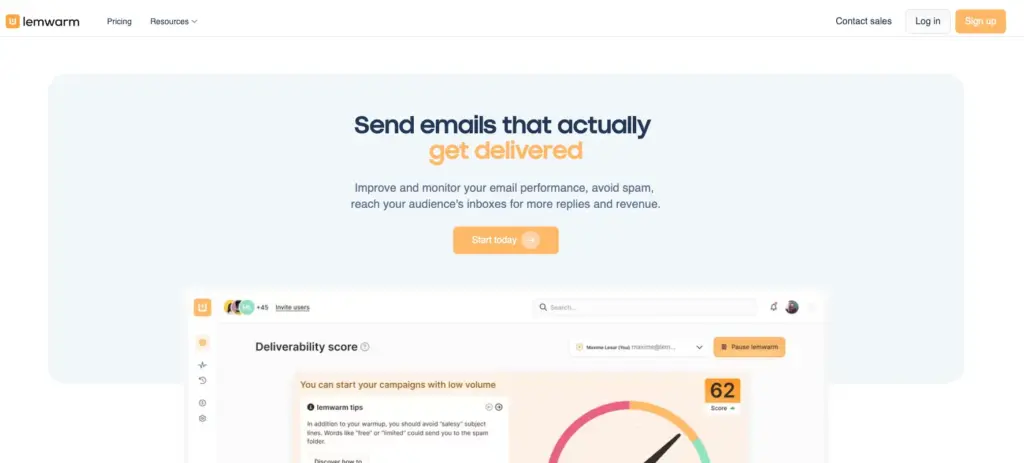
Lemwarm, part of the Lemlist suite, takes a tailored approach to warmup. Rather than applying a one-size-fits-all schedule, it asks you a few onboarding questions and builds a warmup plan specific to your domain’s history and needs.
Key features:
- Leverages more than 20,000 real users with domain ages up to 25 years
- Dashboard includes daily inbox placement insights and technical setup
- Leverages smart “clusters” to ensure personalized warmup processes per industry
Limitations:
- Best value when used alongside other Lemlist tools
- Customization options are noteworthy but limited compared to other email warmup tools for Gmail like Warmy
Lemwarm vs Warmy side-by-side comparison can be found here.
5. Mailwarm
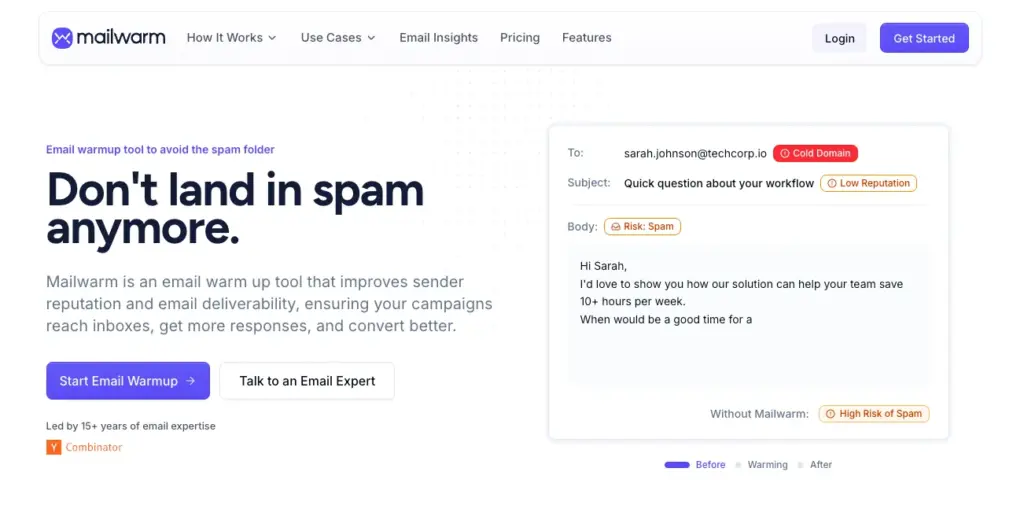
Mailwarm is a reliable, easy-to-use deliverability tool focused on doing one thing well: warming up your Gmail account consistently every day. With access to a reputable list of over 5,000 email domains, it’s a dependable choice for senders who want simplicity without surprises.
Key features:
- Clean and user-friendly interface for quick setup
- Good for beginners with only one or two inboxes
Limitations:
- Priced higher than alternatives relative to its feature set
- Volume ceiling (500/day) is limiting for those who prefer aggressive warmup schedules and targeting larger scale outreach
We also have a complete comparison of Mailwarm vs Warmy.
6. Folderly
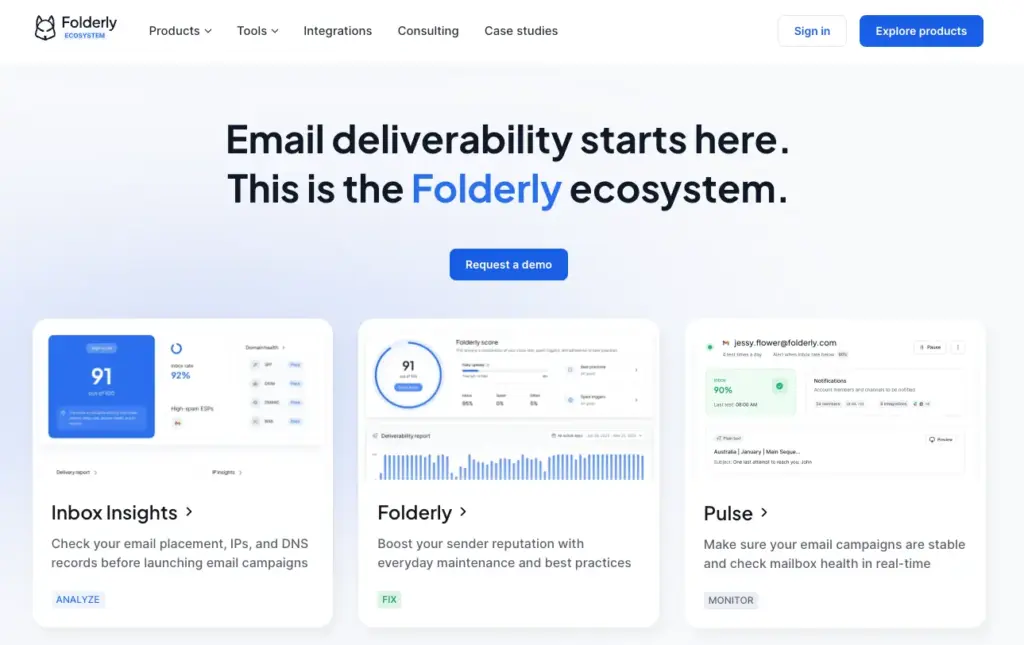
Folderly positions itself as a comprehensive email deliverability platform with three main components: inbox insights, daily warmup, and monitoring dashboard.
Key features:
- Daily monitoring of where your emails are landing across providers
- Detects and flags potential spam triggers in email content
Limitations:
- Limited transparency about the composition of its warmup network
- The three components must be availed separately, while tools like Warmy offers these capabilities in one pricing plan
The verdict: Here’s why Warmy is the best email warmup tool for Gmail
Every tool on this list warms up your email but there’s a meaningful difference between warming up your email and warming it up in a way that precisely targets Gmail’s filtering signals. Warmy is the only platform that gives you the controls to do the latter deliberately and at scale.
Here are three features that set Warmy apart specifically for Gmail deliverability:
Warmup Preferences: the feature that lets you control distribution per provider
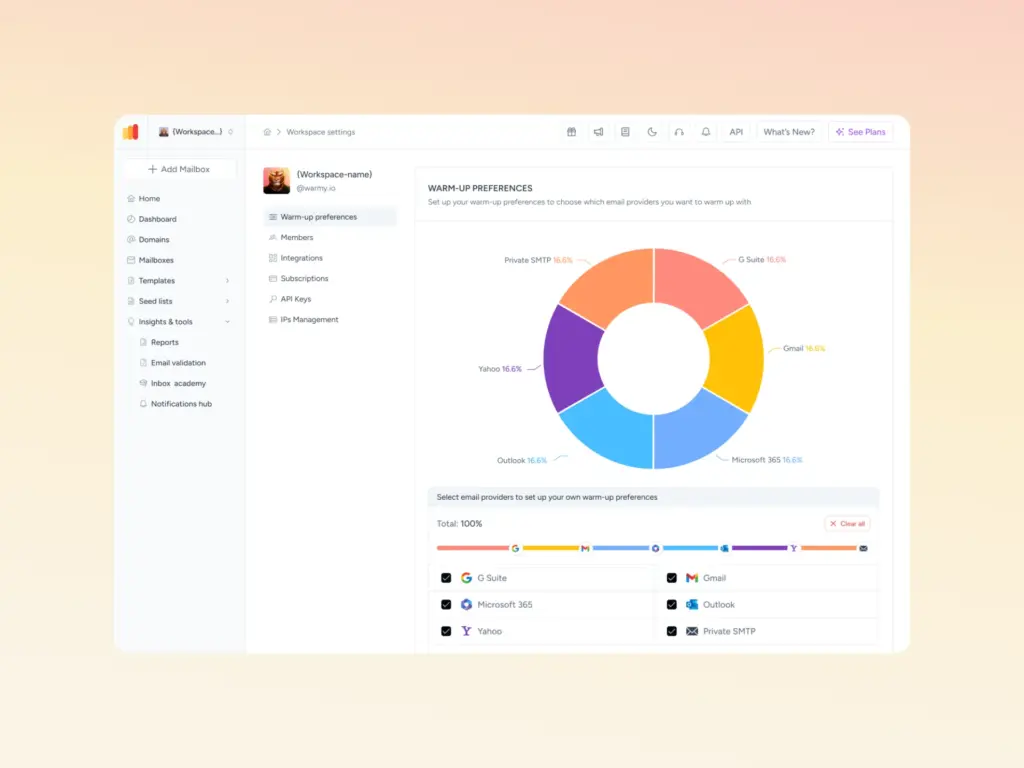
Warmy’s Warmup Preferences feature gives you granular control over how your warmup volume is distributed across providers:
- You can set custom distribution percentages. For example, weighting your warmup heavily toward Gmail if that’s where your audience lives while still maintaining a natural, diverse sending pattern that doesn’t look manufactured.
- You can also choose between B2B and B2C engagement modes. This affects the tone, timing, and interaction patterns of the warmup emails Warmy’s network generates. This matters because Gmail’s filters don’t just evaluate volume, they also evaluate behavioral patterns.
These settings can be adjusted across all mailboxes at once or fine-tuned at the individual sender level, giving agencies and multi-account teams the flexibility to manage diverse client needs without a one-size-fits-all approach.
Provider-level Seed Lists lets you warm up Gmail on purpose
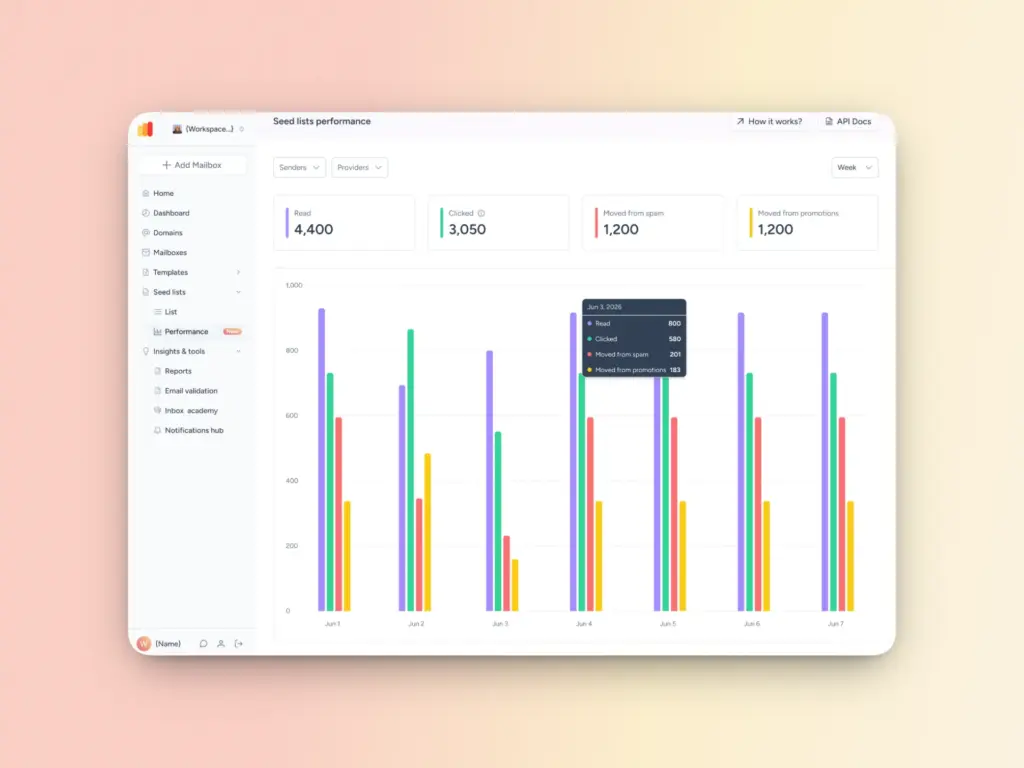
Most warmup tools send your warmup emails across a mixed network of inboxes without letting you control which providers receive them. Warmy’s Seed List gives you a different level of precision.
With Warmy, you can distribute warmup emails across specific providers like Gmail so the engagement signals your domain builds are coming from the exact same inbox environment you’re trying to reach. If Gmail inboxes are your primary target, you can be sure Gmail accounts are the ones opening, reading, and engaging with your warmup emails.
The new upgrades to this feature include the Seed List Receiver Update and Performance Statistics which allow senders to:
- Access detailed performance statistics showing exactly how your seeds are performing by provider, how many emails were moved from spam, how many were read, how many links were clicked.
- See the impact of warmup on Gmail placement specifically, not just in aggregate.
- Ensure up to date Seed Lists to ensure data is accurate and bounce rates stay low
Warmup With Clicks – the engagement signal that actually moves the needle
Gmail increasingly rewards senders whose emails prompt real interactions. Not just opens, but actual link clicks. Clicks are one of the strongest positive engagement signals a mailbox provider can receive, and they’re also the hardest to simulate authentically.
Warmy’s Warmup With Clicks feature goes further than any other tool on this list by incorporating link click behavior into the warmup process. Here’s how it works in practice:
- Warmup emails are sent to Warmy’s internal seed list of real, actively maintained addresses
- Recipients open the emails and click links, just as a genuine reader would
- If an email lands in the spam folder, it’s automatically moved to the inbox and marked as important
- If it lands in Gmail’s Promotions tab, it’s moved to the Primary inbox
Each of these actions sends a direct positive signal to Gmail that your domain produces emails people want. Over time, this builds the kind of sender reputation that earns consistent inbox placement even as you scale volume.
Unlike traditional seed list approaches that require manually downloading CSV files, uploading them to your ESP, and tracking splits yourself, Warmup With Clicks is fully automated. You connect your mailbox, and Warmy handles everything. Yes, including keeping the seed list current so you’re never sending to outdated or inactive addresses.
You’ll also be able to keep an eye on the Gmail performance with the Warmup With Clicks statistics dashboard.
The result: stronger engagement signals, lower spam rates, better primary inbox placement, and a warmup process that requires no ongoing manual management.
Achieve Gmail deliverability with Warmy.io
The senders who land consistently in Gmail inboxes aren’t necessarily sending better emails. They’re sending from better-established domains, with cleaner authentication, and with a track record Gmail respects.
Warmy.io gives you the fastest, most comprehensive path to achieving deliverability success in Gmail with AI-driven warmup, real inbox engagement, domain health monitoring, seed lists, and free authentication tools all in one platform.
Ready to warm up your Gmail sending the right way? Start Your Free 7-Day Trial.