What Is GetResponse Email Deliverability?
Email deliverability measures whether your emails reach the inbox, not just whether the sending server accepted them. According to Validity’s 2025 Email Deliverability Benchmark Report, the global average inbox placement rate is 83.5%, meaning roughly 1 in 6 emails is never seen. For a business sending 10,000 emails per campaign, that’s over 1,600 missed conversations per send. Inside GetResponse, deliverability depends on your sender reputation, your authentication records, your list quality, and how engaged your recipients are.
About GetResponse
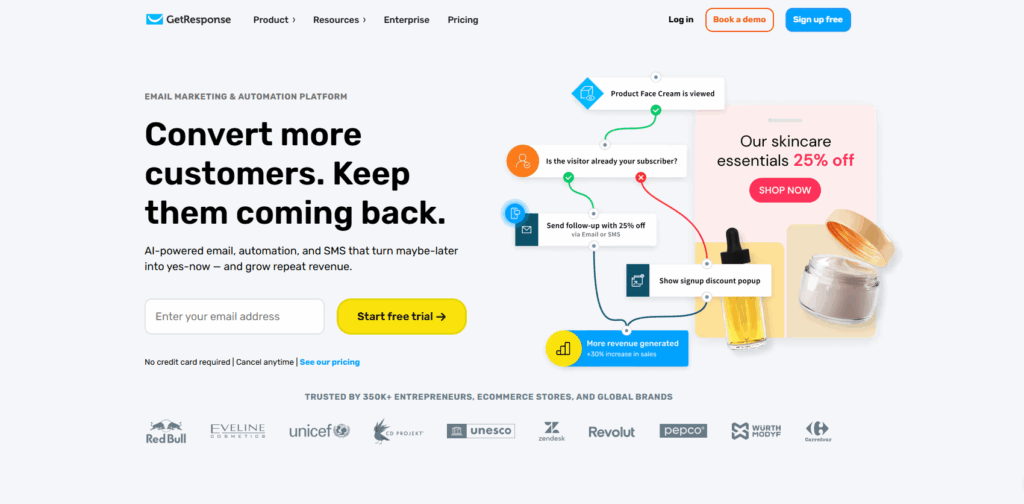
GetResponse has been in the email marketing business since 1998, making it one of the longest-running platforms in the industry. It has evolved from a basic email tool into an all-in-one marketing platform used by businesses worldwide. Beyond email marketing, GetResponse now offers advanced automation, webinar hosting, AI-powered course builder, conversion funnels, paid newsletters, landing pages, push notifications, and ecommerce tools.
GetResponse serves businesses of all sizes, from early-stage startups to large enterprises. Its advanced email automation, customizable templates, in-depth analytics, and audience segmentation capabilities make it a practical choice for marketers who want to centralize their workflows and improve campaign results.
What Is Email Deliverability Rate?
Email deliverability rate is not the same as email delivery rate. Delivery rate measures whether a receiving server accepted your email. Deliverability rate measures whether that email reached the inbox, not the spam folder, not the promotions tab, not a secondary folder.
Two metrics sit at the center of deliverability health:
- Inbox placement rate — the percentage of sent emails that land in the primary inbox, rather than being filtered to spam or discarded entirely.
- Bounce rate — the percentage of emails that fail to reach the recipient’s server at all, due to invalid addresses, full mailboxes, or domain-level rejections.
Any effective email marketing strategy depends on understanding and actively managing both.
How GetResponse Measures Email Performance
GetResponse uses advanced tracking systems to follow every email’s path after it leaves the platform. The platform tracks inbox placement rate, bounce rate, open rate, click-through rate, and engagement levels, giving marketers a picture of both delivery success and content performance.
One important limitation to understand: open rates are no longer a reliable standalone metric. GetResponse tracks opens through a tracking pixel embedded in each email. However, Apple’s Mail Privacy Protection (MPP) — now active on a significant share of Apple Mail users — preloads that pixel automatically, regardless of whether the recipient ever views the message.
Additionally, automated bots scan emails for security purposes and can register false clicks, which means click-through rates can also be skewed. Use a combination of metrics, and weight conversion data most heavily, when assessing GetResponse campaign performance.
Common Email Deliverability Issues (and How to Fix Them)
Spam Traps
Spam traps are email addresses maintained by mailbox providers and anti-spam organizations specifically to catch senders with poor list hygiene. They never belong to real subscribers. If your emails reach a spam trap, your sender reputation drops immediately, and major email providers may begin filtering or blocking your messages. The fix is regular list cleaning: remove unengaged contacts and avoid purchasing or scraping email lists.
Blacklists
If your sending domain or IP address ends up on a blacklist, emails from that sender are filtered as spam by providers who reference that list. Blacklisting typically follows high complaint rates, spam trap hits, or sudden spikes in sending volume. You can check your domain’s blacklist status at any time using Warmy’s free email deliverability test, and find IP blacklist removal guidance for any listings that appear.
Poor Sender Reputation
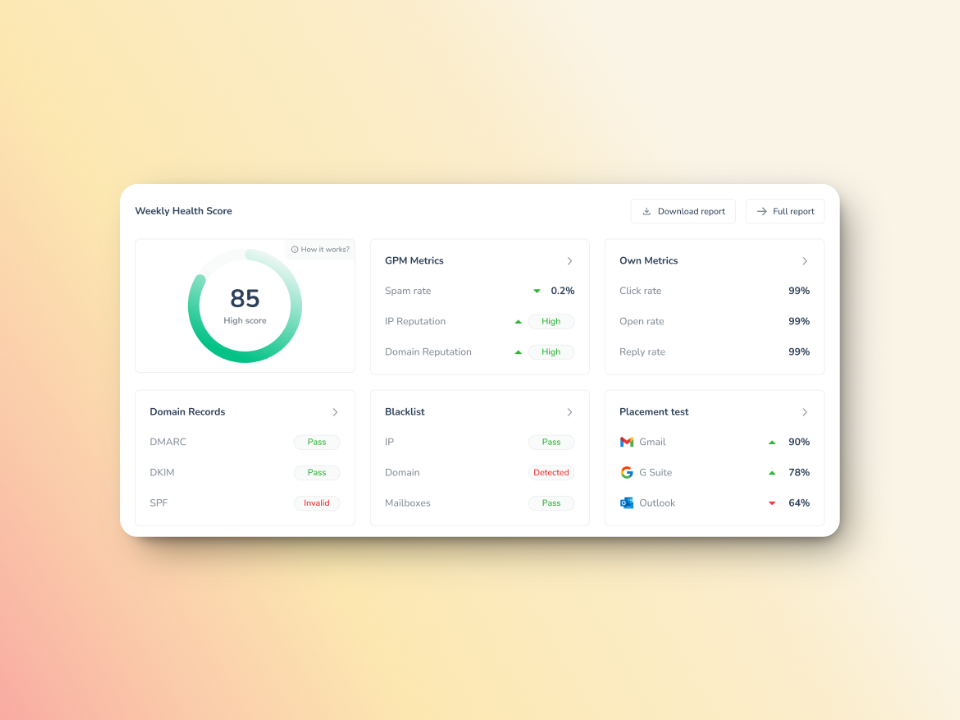
Sender reputation is a score assigned to your domain and IP by mailbox providers, built over time based on your sending patterns and recipient engagement. A history of bounces, low open rates, spam complaints, or irregular sending volumes all pull the score down. The lower your reputation, the more of your emails land in spam — regardless of content quality. Building and maintaining sender reputation is the core purpose of email warmup. You can learn more about what drives email sender reputation score and how to improve it.
Missing or Misconfigured Email Authentication
| New in 2024: Mandatory Email Authentication Google and Yahoo now require SPF, DKIM, and DMARC for all bulk senders sending 5,000 or more messages per day. Microsoft followed with its own enforcement in May 2025. If your GetResponse account sends at any meaningful volume, verify your authentication records before your next campaign. Google’s sender requirements spell out what’s needed, and non-compliant senders now face temporary or permanent rejection. |
|---|
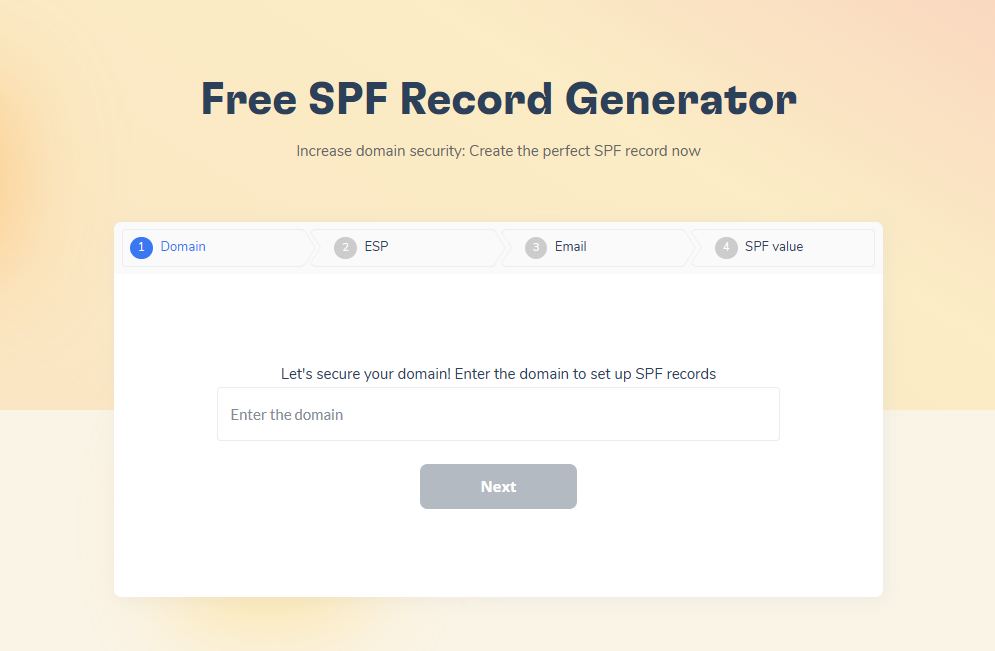
SPF (Sender Policy Framework) tells receiving servers which IP addresses are authorized to send email on behalf of your domain. DKIM (DomainKeys Identified Mail) adds a cryptographic signature that verifies the message was not altered in transit. DMARC ties both together and tells providers what to do when a message fails authentication checks. You can generate correctly formatted records for free using Warmy’s free SPF record generator and free DMARC record generator.
Comparison: Spam Traps vs. Blacklists vs. Poor Sender Reputation
| Issue | Definition | Deliverability Impact | Fix |
|---|---|---|---|
| Spam Traps | Decoy email addresses that catch senders with poor list hygiene | Immediate reputation damage; potential blocking by major ISPs | List cleaning, remove unengaged contacts, stop using purchased lists |
| Blacklists | Public or private registries listing domains and IPs known for spam | Emails filtered or rejected by any provider referencing that list | Identify the listing with a deliverability test, submit removal request, fix the root cause |
| Poor Sender Reputation | A low domain or IP trust score built from complaint rates, bounces, and engagement history | Increasing percentage of emails routed to spam over time | Email warmup, list hygiene, consistent sending cadence, authentication compliance |
Low Engagement Rates
When recipients consistently ignore your emails — no opens, no clicks, no replies — mailbox providers interpret that as a signal that your content is not wanted. ISPs in 2026 weight click-based and reply-based signals heavily in their filtering decisions, following Microsoft’s tightened engagement filtering in May 2025. The fix is consistent list hygiene: remove contacts who have not engaged in 90+ days (measured by clicks, not opens), send only to permission-based lists, and focus on content that earns genuine interaction.
Pro Tip: Even if your SPF, DKIM, and DMARC records are perfectly configured, a cold or inactive domain can still hit spam. Warm up any new or paused domain for two to four weeks before launching large sends. Skipping warmup is one of the most common causes of deliverability failure in GetResponse campaigns.
Run a free deliverability test to see exactly where your emails are landing before your next campaign.
Why the Numbers Are Not Accurate
Open rates have always had reliability limitations, but two issues now dominate the accuracy problem for GetResponse users in 2026.
Apple Mail Privacy Protection (MPP) is the more significant factor. When MPP is enabled, Apple’s proxy servers automatically preload emails — including the tracking pixel — regardless of whether the recipient ever views the message. Since Apple Mail accounts for roughly half of all email opens globally, reported open rates for most GetResponse senders are materially inflated. Automations and segments built on “opened in last 30 days” logic now include a meaningful share of contacts who have not genuinely engaged in months, which degrades sender reputation over time.
Bot scanning is the second issue. Many email security systems — including those used by corporate mail servers — automatically click every link in an incoming message to check for malicious content. This generates false click events that inflate click-through rates, particularly in B2B sending through GetResponse.
The practical guidance is to shift your primary success metrics to reply rate and conversion rate. Both reflect genuine human actions that no automated system fakes. When running A/B tests on subject lines or content, evaluate results on conversions — not reported open rate.
Solving Deliverability Issues with Warmy.io
Warmy.io is an AI-driven email warmup and deliverability platform that resolves inbox placement issues by gradually building sender reputation through simulated real interactions. The platform’s core engine, Adeline AI, analyzes hundreds of parameters per mailbox, builds a personalized warmup schedule, adjusts ramp-up pace in real time, and applies crowd-learning across all mailboxes simultaneously.
That’s the gap Warmy closes for GetResponse users: GetResponse provides the sending infrastructure and analytics, but it cannot build your sender reputation for you. Warmy handles that layer, ensuring your domain is trusted by Gmail, Outlook, and Yahoo before you scale your campaigns. Businesses using Warmy have seen 2.3x higher open rates, 3x higher click rates, and a 35% reduction in bounce rates (Warmy.io internal data). The platform supports warmup across 35,000+ happy businesses, marketers, and entrepreneurs globally.
Warmy.io Free Tools for Better Deliverability
Free Email Deliverability Test
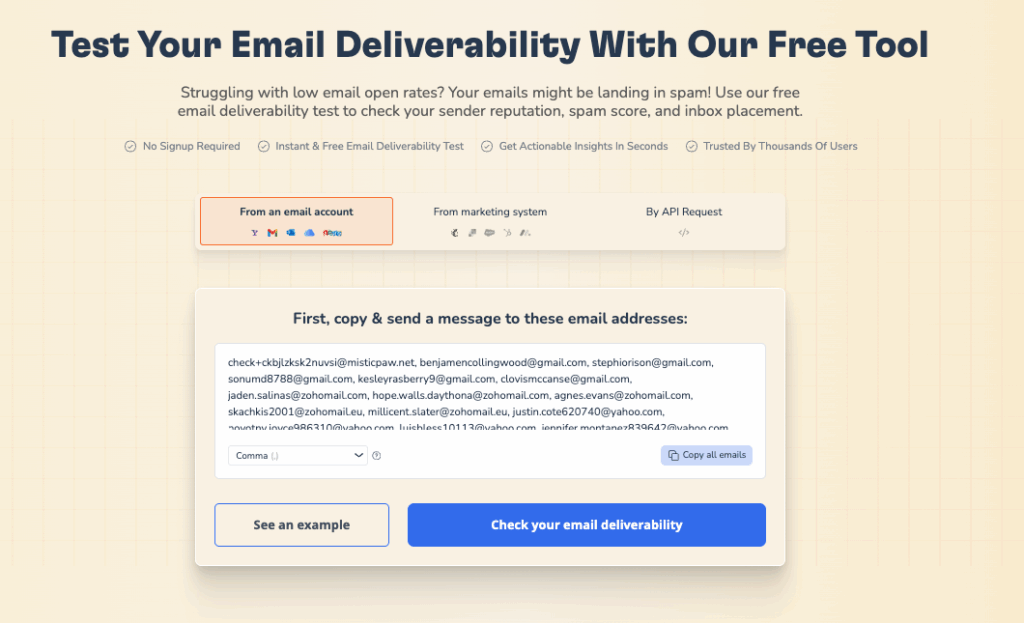
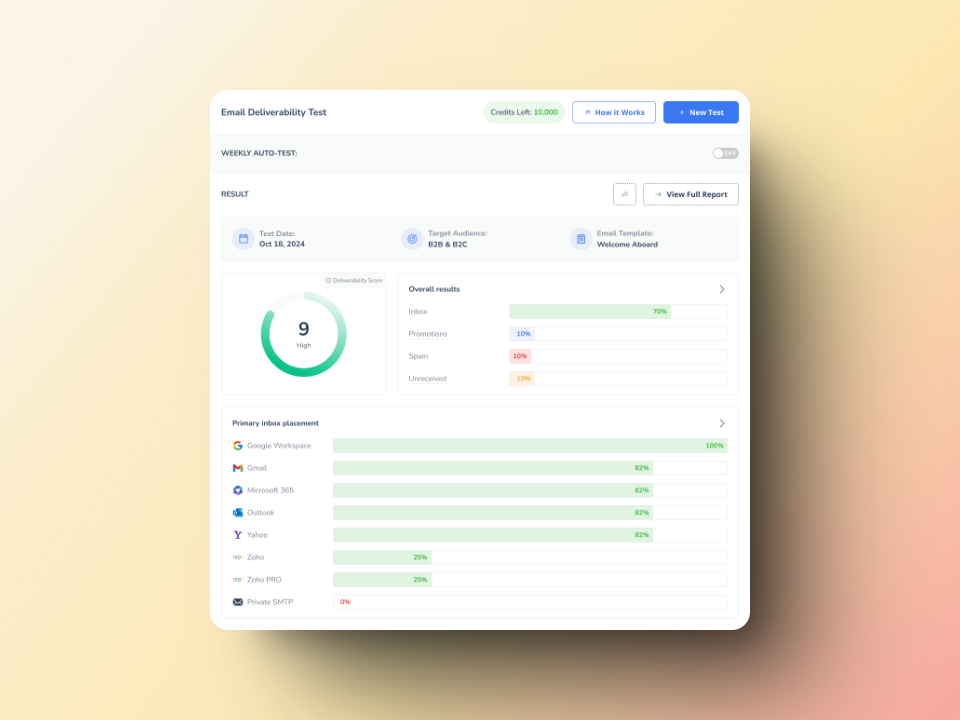
When you need to know if your emails are reaching the inbox, Warmy’s Email Deliverability Test shows you exactly where they land — and why. The test delivers a detailed deliverability score by checking inbox placement across Gmail, Outlook, and Yahoo, scanning your domain and IP against major blacklists, and verifying that your SPF, DKIM, and DMARC records are correctly configured.
Free SPF and DMARC Record Generators
Warmy’s free SPF record generator creates a correctly formatted SPF record based on your sending services, optimizes the structure to avoid the 10-lookup limit, and validates existing records. Warmy’s free DMARC record generator creates a valid DMARC policy, enables monitoring of authentication failures, and supports gradual policy enforcement to avoid false rejections.
Template Checker
When you need your email to clear spam filters before it goes out, Warmy’s Template Checker gives you a definitive answer. It scans your content for spam trigger words, problematic formatting, and structural issues that filters target — then returns a spam score with specific fixes. The Chrome Extension version brings that same check directly into your Gmail compose window, so you catch problems before the send button is ever an option.
Email Signature Builder, Mailbox Calculator, and Sequence Builder
Warmy’s Email Signature Builder lets you create professional email signatures that reinforce sender credibility. The Mailbox Calculator helps you manage sending volume to avoid triggering spam filters. The Sequence Builder helps you design email sequences that maintain engagement and sustain high deliverability rates throughout a campaign.
Warmy offers a 7-day free trial — no credit card required — so you can run deliverability tests, generate authentication records, and measure the impact on your GetResponse campaigns before committing. For a deeper look at how Warmy compares to alternatives, see the guide on email warmup and deliverability tools.
Conclusion
GetResponse gives you a powerful platform for building and sending email campaigns, but your deliverability outcomes depend on factors outside the platform: your sender reputation, your authentication records, your list quality, and how mailbox providers perceive your domain. The 2024 enforcement of mandatory SPF, DKIM, and DMARC by Google and Yahoo — followed by Microsoft in May 2025 — means authentication is no longer optional. Any GetResponse user sending at meaningful volume needs correct authentication records in place today.
Warmy.io addresses the reputation and warmup layer that GetResponse cannot manage on its own. With free diagnostic tools for deliverability testing, authentication record generation, and template checking, plus AI-powered warmup that works automatically in the background, Warmy gives you the infrastructure to ensure your campaigns reach the inbox. For teams dealing with an email authentication and inbox warm-up challenge, or those wanting to understand email deliverability best practices more deeply, both guides are worth reviewing before your next large send.
Book a demo and see how Warmy protects your sender reputation at scale.