SendPulse email deliverability is the measure of how reliably emails sent through the SendPulse platform reach recipients’ inboxes rather than spam folders. To improve it, you need to: (1) authenticate your domain with SPF, DKIM, and DMARC; (2) maintain a clean, engaged subscriber list; (3) warm up new or underused sending IPs; and (4) monitor your sender reputation and spam complaint rate continuously.
Deliverability isn’t a checkbox in email marketing. It’s the decisive factor in whether your campaigns generate revenue. Even a perfectly written email is worthless if it lands in spam. This guide covers what drives SendPulse deliverability, why the platform’s metrics can mislead you, and how to fix inbox placement problems for good.
What is email deliverability?
Email deliverability is the ability of your emails to land in a recipient’s inbox rather than their spam folder or be blocked entirely before delivery. Effective email marketing depends on it: if your emails don’t get through, your message, your offer, and your revenue opportunity all disappear.
Several factors determine whether an email reaches the inbox. Sender reputation works like a credit score for your email address and sending domain. A strong reputation signals to email service providers (ESPs) that your mail is legitimate and wanted. Email content also plays a role: messages packed with aggressive sales language, too many links, or spam trigger words are more likely to be filtered. Recipient engagement matters as well. ESPs track whether people open, reply to, and click your emails. Strong engagement signals that your list values your messages and reduces the chance of landing in spam.
Understanding and optimizing email deliverability is a core strategic requirement for any email marketing program, not just a technical concern.
SendPulse Deliverability: Key Issues and Causes
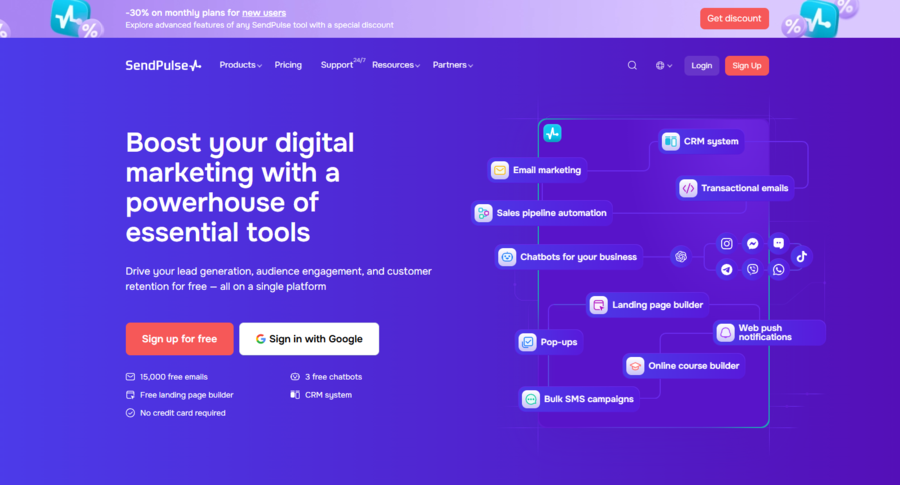
SendPulse is a multi-channel marketing platform that handles email campaigns, SMS, web push notifications, chatbots across WhatsApp, Telegram, and Facebook Messenger, as well as a built-in CRM, website builder, and online course tools. It’s a capable platform, but like any ESP, its deliverability outcomes depend heavily on how you use it and how the underlying infrastructure is configured.
How SendPulse Infrastructure Affects Inbox Placement
SendPulse manages large sending volumes across shared and dedicated IP configurations. Shared IPs, available on standard plans, pool multiple senders together. This can benefit smaller businesses that lack their own sending history, but it does create a vulnerability: if another sender on the same shared IP triggers spam complaints or blacklisting, every account on that IP can see reduced inbox placement.
For businesses that need full control over their sending reputation, SendPulse offers dedicated IP addresses on its Pro and premium plans. A dedicated IP belongs to a single sender, which means your reputation is entirely your own. However, a new dedicated IP starts with no history, so it must be warmed up gradually before you send at volume.
Pro Tip: If you’re moving to a dedicated IP, plan a structured warmup before launching any significant campaign volume. An unwarmed IP, regardless of the platform, will trigger spam filters on high-volume sends. Warmy.io automates this process and protects your sender score from day one.
User Practices
The way you use SendPulse matters as much as its infrastructure. Poor list management is one of the most common causes of deliverability problems. Failing to remove inactive subscribers, keeping addresses that have hard bounced, or sending to people who have opted out all damage your sender score over time. The frequency and consistency of your sending also matters: erratic volume spikes look suspicious to spam filters and can trigger rate limiting or blocking.
Regular email list hygiene, including removing inactive contacts and honoring unsubscribe requests within 48 hours, is the single most controllable factor in long-term deliverability. Validity’s 2026 Email Deliverability Benchmark confirms that list quality and authentication together account for the largest share of inbox placement variance across major providers.
Email Compliance and Sender Regulations
Compliance with email regulations is mandatory, not optional. The CAN-SPAM Act governs commercial email in the US, requiring clear sender identification, honest subject lines, and a working unsubscribe mechanism. SendPulse provides the tools to meet these standards, including easy unsubscribe links and sender authentication setup, but the responsibility for using them correctly sits with each account owner.
Beyond CAN-SPAM, bulk sender authentication requirements now enforced by Google, Yahoo, and Microsoft raised the bar significantly. As of February 2024, any sender dispatching more than 5,000 emails per day to Gmail accounts must have SPF and DKIM both configured, publish a DMARC record at minimum p=none, implement one-click unsubscribe, and keep spam complaint rates below 0.1%. Non-compliant senders now face temporary or permanent message rejection. These are hard requirements, and SendPulse users who haven’t configured authentication properly are at risk.
In May 2025, Microsoft enforced equivalent requirements for Outlook, rejecting non-compliant senders with a hard 550 error. Red Sift’s 2026 DMARC mandate guide covers the full scope of requirements across Google, Yahoo, Microsoft, and Apple.
Why SendPulse Deliverability Metrics Can Mislead You
Deliverability metrics like open rates are widely used to judge campaign success, but they can paint a misleading picture. Relying on them without understanding their limitations leads to false confidence and poor strategic decisions.
The Gap Between Reported and Real Deliverability
SendPulse reports an email as “sent” as soon as it leaves its servers, regardless of whether it lands in the inbox or the spam folder. If your message is filtered before the recipient sees it, the platform still logs it as delivered. This gap between reported delivery and actual inbox placement is one of the most dangerous blind spots in email marketing reporting.
Open Rates and Their Reliability
Open rates have become significantly less reliable as a primary metric. Apple’s Mail Privacy Protection (MPP), introduced with iOS 15 in September 2021, routes emails through Apple’s proxy servers, which pre-load tracking pixels regardless of whether a user actually opens the message. With 64% of Apple Mail users now on MPP, a large portion of reported opens are machine-triggered, not human-initiated. The result is artificially inflated open rates that don’t reflect genuine engagement.
Beyond MPP, email clients that block images by default prevent tracking pixels from loading entirely, so real opens go unrecorded. A user might also open an email for two seconds without reading it, and that still counts as an open.
Factors Affecting Metric Accuracy
Three systemic factors distort the accuracy of deliverability metrics:
- Technology limitations. Tracking pixels and link-click monitoring depend on recipient settings, device behavior, and client configurations that vary widely across desktop, mobile, and app-based email clients.
- User behavior variability. Desktop and mobile email clients generate different interaction patterns. Someone previewing a message on a phone produces a different data signature than someone reading it fully on a desktop.
- Spam filters and firewalls. Enterprise and organizational email filters often block images and tracking pixels entirely, stripping open data from large B2B segments.
Because of these distortions, clicks, conversions, and actual revenue per email are more reliable performance indicators than open rates. Use open rates as a directional signal, not as a definitive measure of deliverability health.
Not sure where your SendPulse emails are actually landing? Run a free Email Deliverability Test to see your exact inbox placement rate across Gmail, Outlook, and Yahoo, plus your blacklist and authentication status.
SendPulse Deliverability Issues vs. Warmy.io Fixes
| SendPulse Deliverability Issue | Root Cause | Warmy.io Fix |
|---|---|---|
| Emails landing in spam on shared IP | Another sender on the same IP damaged its reputation | Email warmup builds trust with ESPs independently of your IP’s shared history |
| New domain or IP with no sending history | Zero reputation score triggers aggressive filtering | Adeline AI builds a gradual, personalized warmup schedule to establish reputation safely |
| High spam complaint rate | Sending to disengaged or unverified lists | Domain Health Hub monitors spam rate trends and flags dangerous thresholds before they damage deliverability |
| SPF, DKIM, or DMARC misconfiguration | Authentication records missing or incorrectly set up | Free SPF and DMARC generators create correct records; Email Deliverability Test verifies configuration |
| Email content triggering spam filters | Subject lines or body copy contains spam trigger words | Template Checker scans your content before you send and returns a spam score with specific fixes |
| No visibility into actual inbox placement | Platform reports show “delivered” but not inbox vs. spam | Email Deliverability Test shows exact placement percentages across major providers |
How to Fix SendPulse Deliverability Issues with Warmy.io
Warmy is an AI-driven email warmup and deliverability platform that automatically builds your sender reputation, improves inbox placement, and keeps your emails out of spam, no technical expertise required. For SendPulse users dealing with inbox placement issues, shared IP exposure, or authentication gaps, Warmy closes the gap between what SendPulse sends and what actually reaches the inbox.
Learn more about how Warmy’s approach differs from basic warmup tools in this in-depth product breakdown.
Enhancing Sender Reputation and Deliverability
When you need your domain to be trusted by Gmail, Outlook, and Yahoo before you send at scale, Warmy’s email warmup builds that reputation automatically. Adeline AI creates a personalized schedule for each mailbox, gradually increasing send volume while generating real engagement signals: opens, replies, clicks, and spam removals across 30+ languages. Over time, this signals to ESPs that your emails are legitimate and wanted, which is exactly the signal that keeps you out of spam.
Adeline is Warmy’s proprietary AI engine, not a third-party model. It analyzes hundreds of parameters per mailbox in real time, adjusts warmup pace based on your specific sending history and ESP responses, and applies crowd learning across all mailboxes it manages simultaneously.
Free Tools for SendPulse Users
Warmy offers a suite of free diagnostic and setup tools that directly address the most common SendPulse deliverability gaps:
Email Deliverability Test. When you need to know exactly where your emails are landing, this tool gives you a comprehensive answer. It shows your inbox placement percentage across Gmail, Outlook, and Yahoo; checks your domain and IP against major blacklists; verifies your SPF, DKIM, and DMARC configuration; and delivers an overall deliverability score.
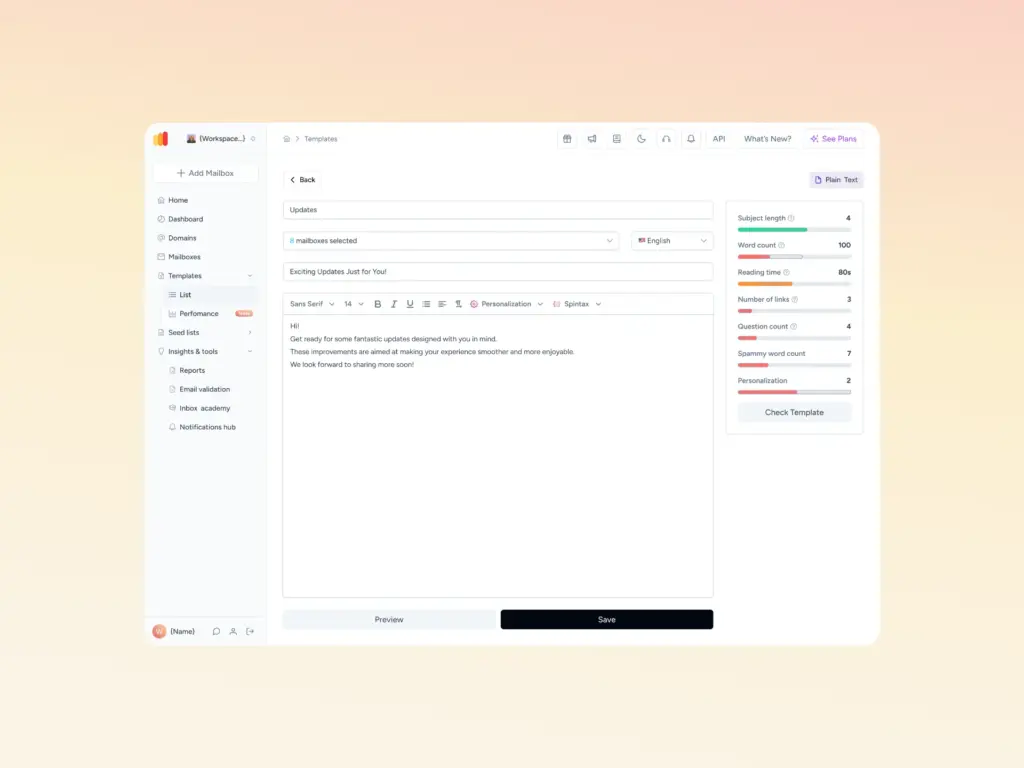
Template Checker. When you need your email to clear spam filters before it goes out, Warmy’s Template Checker scans your content for spam trigger words, problematic formatting, and structural issues that filters target, then returns a spam score with specific fixes. A Chrome Extension version lets you run the same check from inside Gmail.
SPF Record Generator. Generates a correctly formatted SPF record for your sending domain and validates existing records against the 10-lookup limit. Access: Free SPF Generator.
DMARC Record Generator. Creates a valid DMARC policy based on your security and enforcement needs, with support for gradual policy rollout from p=none to p=reject. Access: Free DMARC Generator.
Email Signature Builder. Creates a professional email signature that reinforces sender trust and identity. Access: Signature Builder.
Mailbox Calculator. Determines the optimal sending frequency and volume for your use case. Access: Mailbox Calculator.
Cold Email Sequence Builder. Assists in building email sequences structured for deliverability and engagement. Access: Sequence Builder.
Conclusion
SendPulse provides a capable multi-channel marketing platform with solid email infrastructure, but deliverability outcomes still depend on how well you manage your sending reputation, list hygiene, and authentication setup. The most common issues, shared IP exposure, missing authentication records, misleading open rate data, and spam filter triggers, all have direct, actionable solutions.
Warmy.io addresses each of these systematically. Its automated warmup builds the sender reputation that ESP filtering systems respond to, while its free diagnostic tools help you identify and fix the configuration gaps that cause inbox placement failures. For SendPulse users who want reliable deliverability rather than hoping for it, Warmy provides the infrastructure layer that makes the difference.
Ready to see exactly where your emails are going? Book a demo and see how Warmy protects your sender reputation at scale.