SMTP Error 431 and SMTP Error 432 both stop your email from reaching its destination because the receiving side has run out of space. Error 431 signals a server-level storage problem; Error 432 points to the recipient’s individual mailbox being full. Because both belong to the 4xx temporary failure class, as defined in RFC 5321, your sending server queues the message and retries automatically. Knowing what triggers each error and how to resolve it quickly is the difference between a minor delay and a lost deal.
Pro Tip: When you encounter repeated 4xx SMTP errors during a campaign, it often signals a deeper sender reputation issue, not just a recipient-side storage problem. Run a free Email Deliverability Test to check your domain health, blacklist status, and authentication setup before retrying at scale.
What Are SMTP Errors 431 and 432?
| SMTP Error 431 | SMTP Error 432 | |
|---|---|---|
| Meaning | Recipient’s mail server temporarily full | Recipient’s mailbox has reached its storage limit |
| Scope | Server-wide storage issue | Single mailbox storage issue |
| Who resolves it | Server administrator | Mailbox owner (recipient) |
| Retry behavior | Sending server retries automatically | Sending server retries automatically |
| Typical resolution time | Minutes to hours | Minutes to days (once recipient clears space) |
| Error class | 4xx temporary failure (RFC 5321) | 4xx temporary failure (RFC 5321) |
SMTP Error 431 signals that the recipient’s mail server does not have enough system storage to accept your message at this moment. It is a server-wide resource constraint, not specific to any one inbox.
SMTP Error 432 signals that the specific recipient’s mailbox has hit its maximum capacity. The server is working fine, but that particular inbox cannot accept new messages until the owner frees up space.
Neither error is permanent. Once the underlying storage issue is resolved, email delivery continues normally.
Common Causes of SMTP Errors 431 and 432
Insufficient Server Storage
SMTP Error 431 appears when the recipient’s mail server runs low on disk space. This happens most often during high-traffic periods when the server receives more messages than its storage can accommodate simultaneously. For servers managing hundreds or thousands of mailboxes, storage constraints build up quickly when old messages and large attachments are never archived or purged. You can learn more about how temporary SMTP failures and retry logic work in Warmy’s guide to SMTP retries and deferrals.
Full Mailbox Capacity
SMTP Error 432 is the most direct cause: the recipient’s mailbox is full. Personal and business accounts alike hit this limit when old emails, especially those with large attachments, are never deleted or archived. When a mailbox reaches 100% capacity, the server actively refuses new inbound messages and returns a mailbox full bounce to the sender. For a related storage-triggered error, see how to fix SMTP Error 452, which also fires when the server runs out of storage capacity. Yahoo accounts can also trigger similar bounce behavior when mailbox limits are exceeded; see Yahoo emails bouncing back for a complete Yahoo-specific fix guide.
Server Overload
High-traffic events, server migrations, or maintenance windows can push a mail server past its capacity to process incoming requests. During these periods, even a server with adequate long-term storage may temporarily reject messages with Error 431. The related error SMTP 552 fires when a mailbox exceeds its storage quota at the server level; see SMTP Error 552 mailbox full for how to prevent and resolve it.
Poor Email Management Practices
Businesses without enforced storage quotas or archiving policies accumulate data until servers and mailboxes buckle. Without regular housekeeping, large attachments pile up and storage fills faster than administrators anticipate. Setting automatic archive or delete rules for emails older than 90 days is the most effective way to prevent recurring 432 errors.
Technical Failures
Software bugs, hardware failures, or disruptions during scheduled maintenance can temporarily present as SMTP Error 431 or 432. These usually resolve once the technical fault is corrected, and your retry queue handles the rest automatically.
Not sure if these errors are affecting your domain’s sending performance? Run a free Email Deliverability Test to check inbox placement, blacklist status, and authentication health in minutes.
How to Fix SMTP Errors 431 and 432: Step-by-Step
These fixes apply whether you are a sender troubleshooting bounced messages or an administrator managing mailbox storage.
Gmail
Check Account Storage
Open Google One or Google Drive to see your total storage usage across Gmail, Drive, and Photos. If you are near or over your limit, either purchase additional storage or free up space before retrying.
Clean Up Emails
Use Gmail’s search bar and type larger:10M to surface all messages over 10 MB. Batch-delete old threads with large attachments, then empty the Trash to reclaim the space immediately.
Manage Labels and Filters
Review your Gmail filters to confirm emails are being archived or deleted on schedule. Labels that accumulate indefinitely contribute to quota creep. Set filters to auto-delete low-priority promotional emails after 30 days.
Outlook
Check Mailbox Usage
In Outlook, right-click the Deleted Items folder and select Empty Folder. Deleted items still count toward your mailbox quota until permanently removed.
Bulk Delete and Archive
Use Outlook’s AutoArchive feature to move older emails to a local archive folder automatically. This reduces your primary mailbox size without losing historical data.
Manage Attachments
For Exchange administrators, use the Exchange Admin Center to increase per-user mailbox size limits. For individual users, save large attachments to OneDrive or a local drive, then remove the attachment from the email.
Yahoo
Check Mailbox Usage
Go to Yahoo Mail Settings to view current storage consumption. If you are close to the limit, create space before more messages arrive.
Bulk Delete Emails
Use Yahoo’s search filters to find old threads or emails with large attachments. Select all results and delete them in bulk, then empty the Trash folder to complete the cleanup.
Manage Attachments
Download and save important attachments locally, then remove them from the emails inside Yahoo Mail. Each attachment removed frees its full file size from your quota.
General Troubleshooting Principles
Wait and Retry
Because both errors are 4xx temporary failures, your sending server already queues the message for retry. If the recipient clears storage quickly, the next retry attempt succeeds without any action on your part.
Contact the Recipient
Reach the recipient by phone or an alternative channel. Let them know a message is queued and ask them to clear mailbox space so delivery can complete on the next retry cycle.
Contact Technical Support
If the problem persists across multiple retries and the recipient confirms their storage is clear, contact your email service provider’s technical support team to rule out a sending-side configuration issue.
How Warmy Protects Your Sender Reputation Against Delivery Failures
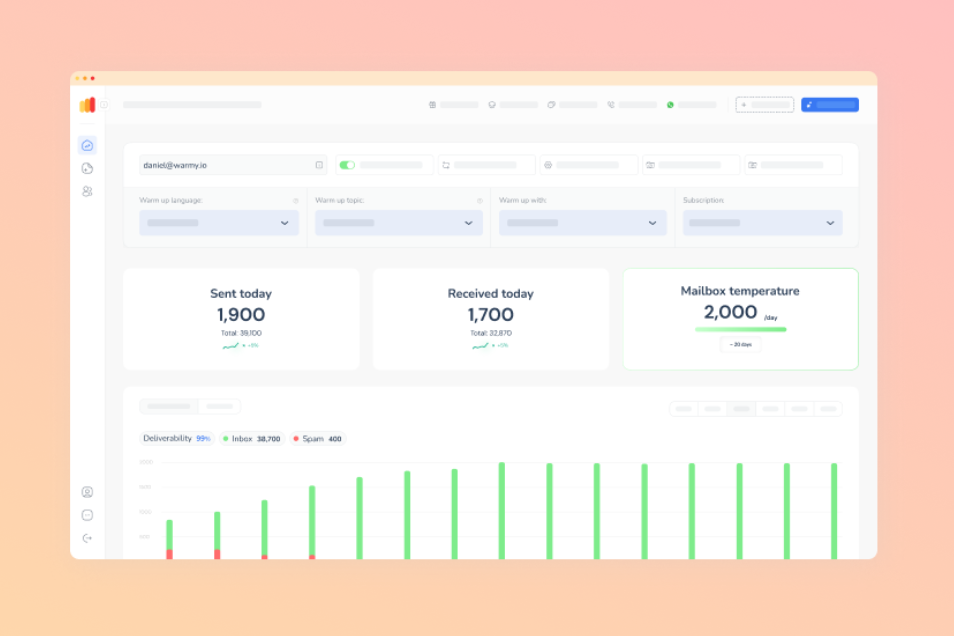
Warmy is an AI-driven email warmup and deliverability platform that automatically builds your sender reputation, improves inbox placement, and keeps your emails out of spam. While SMTP Errors 431 and 432 originate on the recipient side, senders with weak domain reputation are more vulnerable to compounding delivery failures during retry queues. Servers that do not recognize your domain may impose stricter throttling or reject retries that a well-warmed domain would pass through.
Warmy’s AI engine, Adeline, analyzes hundreds of parameters per mailbox, builds a personalized warmup schedule, and adjusts ramp-up pace in real time. It simulates genuine human engagement signals across a network of 1M+ real mailboxes, across 30+ languages, giving your domain the trust signals mailbox providers look for before they accept messages at scale.
Beyond warmup, Warmy’s free tools help you validate and monitor every factor that affects delivery:
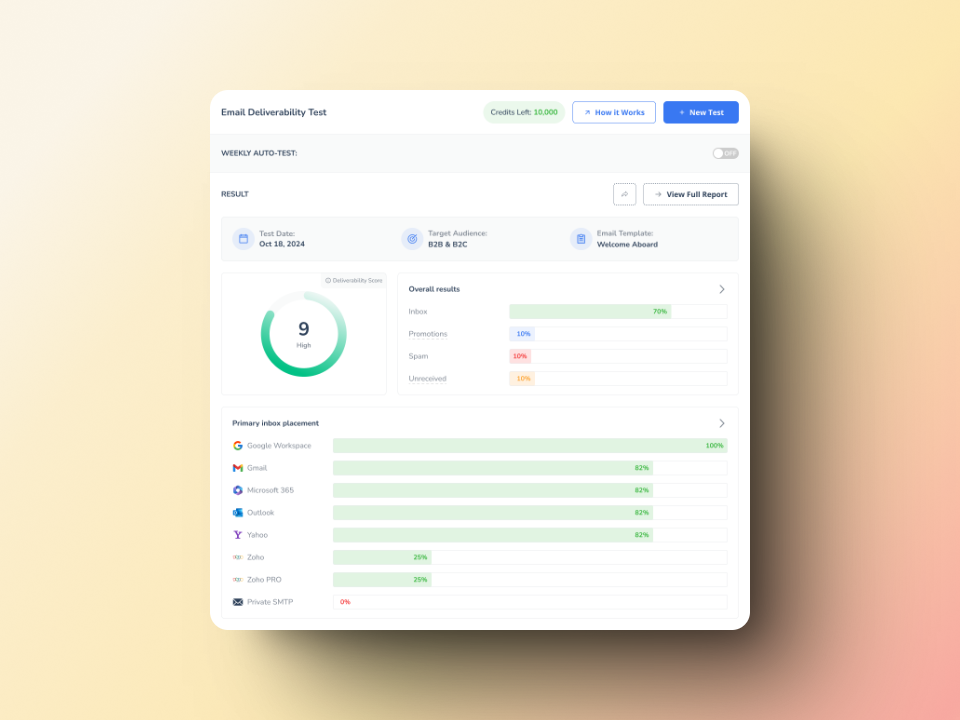
- Email Deliverability Test: shows exactly where your emails land (inbox, spam, or promotions) across Gmail, Outlook, and Yahoo, checks your domain and IP against major blacklists, and verifies SPF, DKIM, and DMARC configuration.
- SPF Record Generator: generates a correctly formatted SPF record and validates your existing setup to prevent authentication failures.
- DMARC Generator: creates a valid DMARC policy that monitors authentication failures and prevents domain spoofing.
- Template Checker: scans your email content and subject lines for spam trigger words before you send, reducing the chance your messages are blocked or filtered.
Why Authentication Matters More Than Ever in 2026
Google’s email sender guidelines took effect in February 2024 and saw enforcement escalated in November 2025. They now mandate SPF, DKIM, and DMARC authentication for anyone sending 5,000 or more emails per day to Gmail accounts. Senders must keep spam complaint rates below 0.3%, with Google recommending staying below 0.1% for reliable inbox placement. Marketing messages must include one-click unsubscribe. Microsoft followed with similar requirements for Outlook, Hotmail, and Live.com addresses starting May 2025.
Non-compliant senders now face permanent 5xx rejections at the SMTP level, not just spam folder placement. Properly configured authentication and a warm sender reputation are no longer optional for reliable delivery at scale.
Conclusion
SMTP Errors 431 and 432 are temporary storage failures that your sending server handles automatically through retry logic. Resolving them is straightforward: wait for the recipient to clear space, reach out directly, or manage storage on your own server using the Gmail, Outlook, and Yahoo steps above. For senders running high-volume campaigns, pairing these fixes with strong domain authentication and a properly warmed sending reputation ensures that temporary errors stay temporary and do not cascade into broader deliverability problems.
Start your free Warmy trial and fix your inbox placement today. Or book a demo to see how Warmy protects your sender reputation at scale.



![Best Email API for SaaS: Deliverability and Speed [2026]](https://www.warmy.io/blog/wp-content/uploads/2026/06/Copia-de-Blog-9.jpg "Best Email API for SaaS: Deliverability and Speed [2026] 4")