SMTP Error 501 5.7.1 means the receiving server rejected your message because it could not authenticate you or confirm that you have permission to send through that connection. In most cases the fix is one of three things: correct your SMTP username and password (use an app password if two-factor authentication is on), confirm the account has send rights on that server, or switch to the correct encrypted port (587 or 465).
The platform-specific steps below cover Gmail, Outlook, and Yahoo Mail so you can resolve it in minutes. SMTP error codes are three-digit responses standardized under RFC 5321, and the 5xx class specifically signals a permanent failure that must be fixed before you resend, unlike a 4xx code that may clear on retry.
The usual message explaining SMTP Error 501 5.7.1 is:
“501 5.7.1: Authentication Required”
or
“501 5.7.1: Permission Denied”.
These messages convey a meaning that sending an email from that particular account was stopped due to insufficient permissions or wrongly entered authentication credentials.
The implication of SMTP Error 501 5.7.1 is severe as it can stop all emails sendings from that account, proceeding to communication delays and loss in business. For a corporation, the error can stop all operations and impact client relationships. For a private person, it could mean a lost opportunity.
As such, knowing and resolving SMTP Email Error 501 5.7.1 is essential for everyone that uses emailing as a central communication tool to ensure high-quality and secure operations of the emailing system.
SMTP Error 501 5.7.1 belongs to the broader 501 family of syntax and permission errors. If your logs show a different sub-code, the fix looks slightly different: SMTP Email Error 501 covers the general syntax error, SMTP Email Error 501 5.1.3 and SMTP Email Error 501 5.1.7 both point to malformed recipient addresses, and SMTP Email Error 501 5.5.4 flags an invalid parameter in the SMTP command itself. This guide focuses specifically on 5.7.1, the authentication and permission variant. For the complete list of SMTP response codes and what each one means, see Warmy’s SMTP error code directory.
What causes of SMTP error 501 5.7.1
Problems related to permission settings and authentication failures are the usual occurrences that cause an SMTP Error 501 5.7.1. Consequently, certain emails are stopped from being sent as the server considers the sender not to be secure. This error can be caused by the following factors:
Authentication Failures
The client attempts to authenticate with the SMTP server, but the server cannot verify the credentials. This usually happens because of an incorrect username or password, an expired app password, or SMTP server settings that changed without the user’s knowledge.
Permission Settings
This error can also occur when the sender’s account lacks permission to relay mail through that particular server. Many organizations restrict SMTP relay rights to specific accounts or credentials, so an account outside that list is rejected automatically.
Server Configuration Issues
Server-side misconfigurations can also trigger this error. If the SMTP server’s configuration restricts requests from a specific IP address or domain, it treats the connection attempt as unauthorized and blocks it.
Policy Restrictions
Email servers may have strict policies about who can send emails to avoid spam. If the email is sent from a domain not explicitly allowed or if the sending pattern triggers spam filters, the server may return a 501 5.7.1 error.
Secure Connection Requirements
Additionally, some servers require a secure connection or SSL/TLS to send emails. If the email client is misconfigured and attempts to send emails on the connection, the server may reject the send attempt.
IP Address Blacklisting
Finally, if the sender’s IP has been blacklisted for spam or other malicious activities, the server will not allow any email sent from that IP to be authenticated, as a result, the 514 SMTP error. Free check if you are blacklisted here – Email deliverability test
Pro Tip: If 501 5.7.1 shows up on one account while others send fine, check your IP and domain reputation before touching any client settings – a blacklisted IP produces a very similar-looking rejection. Warmy’s Deliverability Insights dashboard flags this in under two minutes.
Detailed resolution steps across email platforms
SMTP Error 501 5.7.1 can be resolved on different popular email platforms like Gmail, Outlook, and Yahoo, by following a systematic approach to authentication issues and permission settings. To effectively resolve SMTP Email Error 501 5.7.1, adhere to the steps below;
For Gmail
Check Authentication Settings. Ensure that you are using the correct credentials. Go to your Gmail settings and review the SMTP settings under ‘Accounts and Import’ or ‘Other Google Account settings’. Make sure you’re using:
- SMTP Server: smtp.gmail.com
- Username: Your full email address
- Password: Your Gmail password
- Port: 587 (TLS) or 465 (SSL)
2FA and App Password. If you have two-factor authentication set up on your account, you will probably need to use an app-specific password rather than the typical one you use.
Google’s guide on creating and using app passwords walks through the setup.Authentication Method. Google discontinued the “Less secure apps” setting – it was fully retired for personal accounts in 2022 and for Google Workspace accounts by mid-2025 – so plain password-only SMTP access no longer works for Gmail at all. If your app or device still prompts for a plain password, switch to an app password (with 2FA enabled) or reconfigure the client to sign in with OAuth 2.0.
For Outlook
Verify Your Email Account Settings. In Outlook, go to ‘File’ > ‘Account Settings’ > ‘Account Settings’. Select your email account and click ‘Change’. Under ‘More Settings’ > ‘Outgoing Server’, ensure that ‘My outgoing server (SMTP) requires authentication’ is checked.
Use Correct SMTP Settings. Make sure your SMTP settings are correct:
- SMTP Server: smtp.office365.com
- Port: 587
- Encryption Method: STARTTLS
- Authentication: Your Outlook username and password
Secure Connection Setup. Verify that the connection encryption is correctly configured to use SSL or TLS, according to what your server supports.
- Modern Authentication. Microsoft has retired basic authentication (plain username and password) for Exchange Online and Outlook.com SMTP connections. If your settings above are correct but authentication still fails, your account likely requires OAuth 2.0 (Modern Authentication) or an app password instead of your regular sign-in password.
For Yahoo Mail
SMTP Configuration Check. In your email client using Yahoo Mail, make sure your SMTP settings are accurately configured:
- SMTP Server: smtp.mail.yahoo.com
- Port: 465 (SSL required)
- Username: Your full Yahoo email address
- Password: Your Yahoo app password (required if two-factor authentication is enabled – generate one from Yahoo Account Security)
Authentication and Security. Ensure ‘Use SSL’ is checked and that ‘SMTP requires authentication’ is selected in your email client settings.
Pro Tip: Once your settings are corrected, don’t just resend blindly – a fresh SMTP misconfiguration can sometimes coincide with a spam-filter block. Run your next send through Warmy’s Template Checker first to rule out formatting or content issues before they compound the problem.
Struggling to keep your sender reputation clean while you fix authentication issues? Start warming up your domain with Warmy and build the trust that keeps 501 5.7.1 and similar errors from coming back.
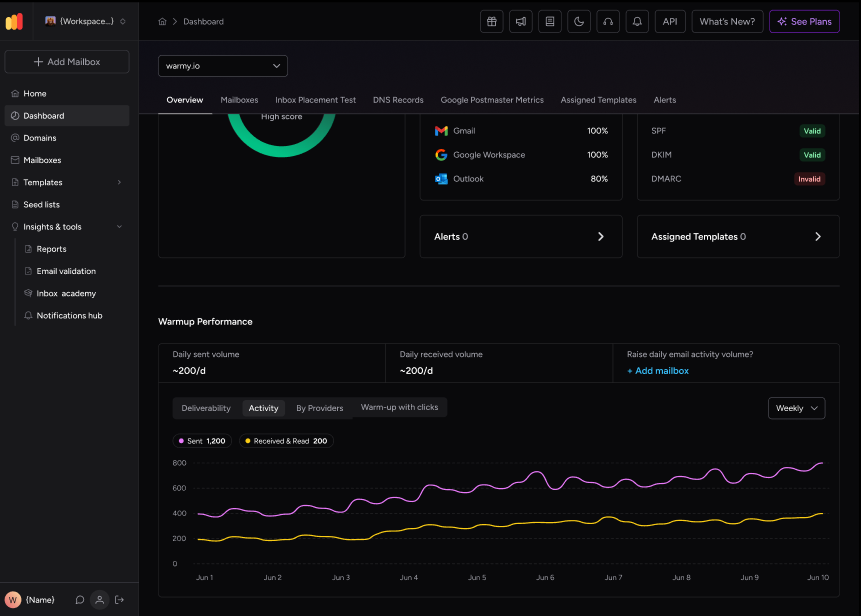
Enhancing email performance with Warmy.io
Warmy.io helps prevent SMTP Error 501 5.7.1 by addressing two of its root causes directly: a damaged sender reputation that gets your IP blacklisted, and weak authentication signals that make servers distrust your account. Its warm-up engine gradually builds trust with ISPs by simulating real inbox engagement – opens, clicks, and replies – so your IP and domain stay off blacklists in the first place. See Warmy’s complete guide to warming up a new domain for the full walkthrough.
Its deliverability test also flags whether your domain or IP is already listed on a blacklist, so you can catch a reputation problem before it starts generating 501 5.7.1 errors.
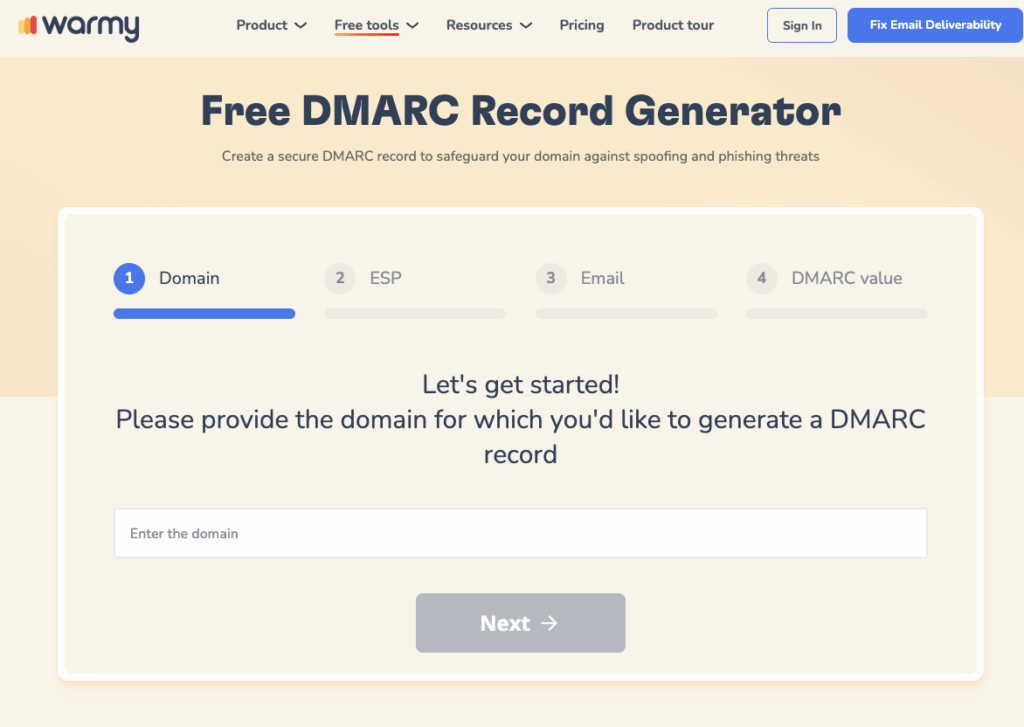
Free SPF and DMARC record generators are also worth setting up, since properly aligned authentication records are exactly what stops a receiving server from returning 501 5.7.1 in the first place.
Conclusion
Timely addressing of SMTP errors is essential for the effective and secure operation of email. Otherwise, these errors can disrupt information exchange, leading to interruptions in communication and even posing security risks.
When errors such as authentication failures occur, or misconfigurations are apparent, organizations and private users should immediately investigate the causes.
If you want to prevent SMTP Error 501 5.7.1 from recurring, Warmy.io simplifies the process by handling warm-up, deliverability testing, and authentication setup for you. If you’re comparing options first, see Warmy’s roundup of the best email warmup and deliverability tools.
Ready to stop 501 5.7.1 and similar errors before they start? Start your free Warmy trial – no credit card required.