SMTP Error 553 5.7.2 is a permanent delivery failure that signals a sender authorization or identity rejection. To resolve this error, senders can do any of the following solutions:
- Verify sender authentication alignment
- Check and validate SPF records
- Review DMARC configuration
- Confirm SMTP relay permissions
- Validate third-party email integrations
When you receive the SMTP Error code 553 5.7.2, it essentially means your email was rejected due to an error on your end. You need to fix this error code right away to get your email campaigns back up and running and before your email deliverability takes a hit.
What is error code 553 5.7.2 on email and what causes it?
SMTP Error 553 5.7.2 belongs to the overarching SMTP Error 553 signifying a permanent failure. This means simply waiting and retrying will not solve the issue. This particular error code usually comes with the following error messages:
- “553 5.7.2 Sender address rejected: not authorized”
- “553 5.7.2 Sender not permitted”
- “553 5.7.2 Message rejected due to sender policy restrictions”
This error stems from any of the following causes:
- Sender identity mismatch or the authenticated account differs from the email address used in the “From” field
- SPF or DMARC policy failures
- Unauthorized SMTP relay attempts
- Usage of third-party sending services without authorization
- Strict provider security policies
See other SMTP Error 553 Variants:
- SMTP Email Error 553 5.7.1- How to Fix it [SOLVED]
- SMTP Email Error 553 5.3.0- How to Fix It [SOLVED]
- SMTP Email Error 553 5.1.3 – How to Fix It [SOLVED]
How to fix Error 553 5.7.2 on Gmail, Outlook, and other providers?
In most cases, SMTP Error 553 5.7.2 begins as an authorization failure, but eventually this can escalate into a reputation-based enforcement. Let’s take a deeper look into these errors and their other possibilities
1. Ensure identity alignment
One of the most common triggers occurs when the authenticated account differs from the email address used in the “From” field. Many mail servers enforce strict alignment between authentication identity and visible sender identity.
Steps to fix SMTP Error 553 5.7.2:
- Ensure the authenticated SMTP account matches the domain used in the sender address.
- The domain in the “From” field should align with the domain authenticated by your SMTP credentials.
2. Configure SPF or DMARC policies properly
Beyond Error 553 5.7.2, there are multiple reasons why you should configure your authentication protocols such as SPF, DKIM, and DMARC.
In particular, Sender Policy Framework (SPF) and Domain-based Message Authentication, Reporting, and Conformance (DMARC) help providers verify whether a sending server is authorized to send emails for a domain.
If these authentication checks fail, servers may reject the message with Error 553 5.7.2.
Steps to fix SMTP Error 553 5.7.2:
- Confirm your SPF record includes all sending services and mail servers authorized to send emails on behalf of your domain. Missing or incorrect SPF entries often lead to sender authorization failures.
- Confirm that your domain alignment settings are correct and not overly restrictive. DMARC policies require domain alignment between authentication mechanisms and sender identity.
If you are unsure how to configure these records properly, these free tools from Warmy make the process easier:
3. Confirm SMTP relay permissions
Some servers block emails when a sending server attempts to relay mail through them without permission. This often happens when SMTP relay settings are misconfigured.
Steps to fix SMTP Error 553 5.7.2:
- If using a relay server, verify that your IP address or authenticated account is authorized to send mail through it.
4. Authorize any third-party sending services
If you send emails using marketing platforms, CRM tools, or automation software that has not been properly authorized in your domain’s DNS configuration, receiving servers may block the message.
Steps to fix SMTP Error 553 5.7.2:
- Validate third-party email integrations to ensure external platforms such as CRMs or marketing automation tools are properly authenticated and included in your domain authentication records.
5. Follow strict provider security policies
Some mailbox providers enforce alignment rules between authentication credentials and sending domains. Violations of these policies can trigger sender authorization rejections.
Steps to fix SMTP Error 553 5.7.2:
- Try to contact the email service provider, especially if you already ensured that configurations appear correct.
- This should be your last resort if rejections persist. Your email service provider can confirm whether additional security policies or restrictions apply.
What is 553 5.7.2 [TSS11]?
In some cases, specially for Yahoo users, you can encounter a more specific variation of Error 553 5.7.2:
553 5.7.2 [TSS11] All messages from XXXXXXX will be permanently deferred; Retrying will NOT succeed
What does this mean?
- The receiving mail server has classified your sending infrastructure (either your domain, IP address, or both) as a source of problematic or suspicious traffic.
- Unlike temporary delivery slowdowns such as greylisting, which allow messages to succeed after retry attempts, a TSS11 block represents a hard enforcement decision by the receiving provider.
Why do hard blocks like TSS11 occur?
- Hard policy blocks are usually triggered when mailbox providers detect sending behavior that violates trust or security expectations.
- These detections are driven by reputation scoring systems that analyze multiple sending signals simultaneously.
- Providers deploy these blocks to protect their users from unwanted or potentially malicious email traffic.
- Once a sending source is flagged, servers may refuse to accept messages entirely rather than filtering them into spam folders.
- TSS11 rejections are based on trust and reputation scoring, not temporary system availability.
Because of this, repeated retry attempts can sometimes worsen deliverability outcomes by increasing rejection volume and reinforcing the perception of abusive sending behavior.
How can Warmy help prevent SMTP 553 5.7.2 issues?
Hard enforcement errors like TSS11 and SMTP Error 553 5.7.2 rarely appear without warning. In most cases, they follow declining engagement, rising bounce rates, or authentication inconsistencies that signal deteriorating sender trust.
Monitoring domain health, authentication status, inbox placement, and sender reputation trends allows senders to detect warning signals early. Even before mailbox providers escalate enforcement to permanent delivery blocks.
Warmy provides infrastructure monitoring and reputation-building tools that help reduce the risk of sender authorization failures and authentication misalignment.
AI-powered email warmup and free email deliverability test to monitor and ensure ideal email health
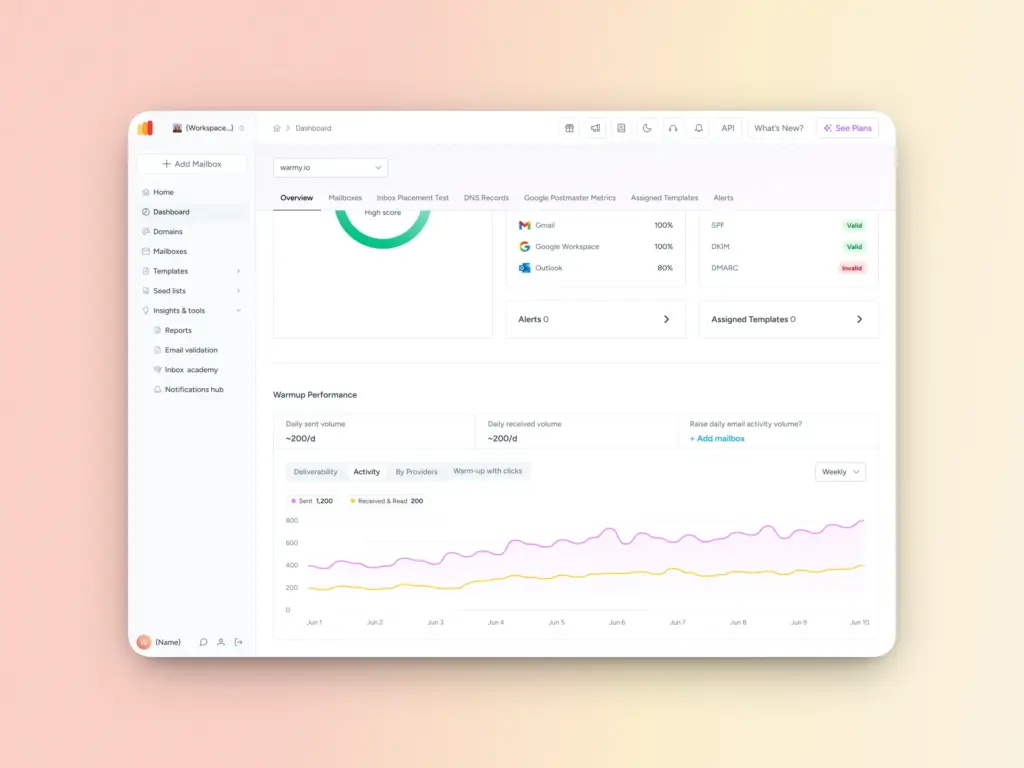
Warmy gradually increases sending volume using real engagement behavior, such as opens, replies, and clicks, with its email warmup system. This helps build trust with mailbox providers and reduces the likelihood of security-based rejections.
Our free email deliverability test can also help you observe your sender reputation, spam score, and inbox placement.
Domain health monitoring
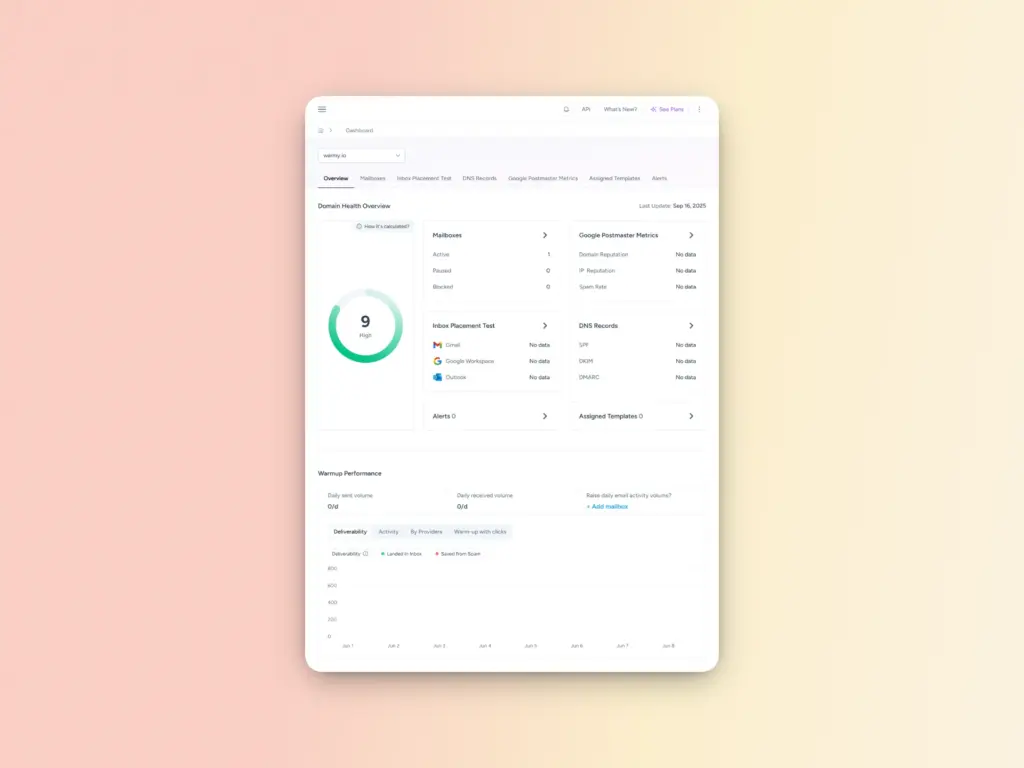
The domain health hub gives you an overall view of your domain health. If you’ve experienced SMTP Error 553 5.7.2 or other SMTP errors before, this dashboard will let you know the following:
- Domain health score based on deliverability factors like inbox placement test, DNS authentication, and Google Postmaster data
- Status of DNS records if they are valid and properly configured
- Spam rate trends, inbox placement, and overall deliverability performance with weekly or monthly tracking options
This allows senders to detect authentication misalignment before it results in permanent rejection errors.
Free SPF and DMARC Record Generators
Aside from checking authentication protocols, Warmy also provides free SPF Record Generator and free DMARC Record Generator tools that ensure your authentication protocols are configured correctly. These tools help you avoid the configuration mistakes that can trigger SMTP errors and deliverability problems.
Scheduled deliverability tests
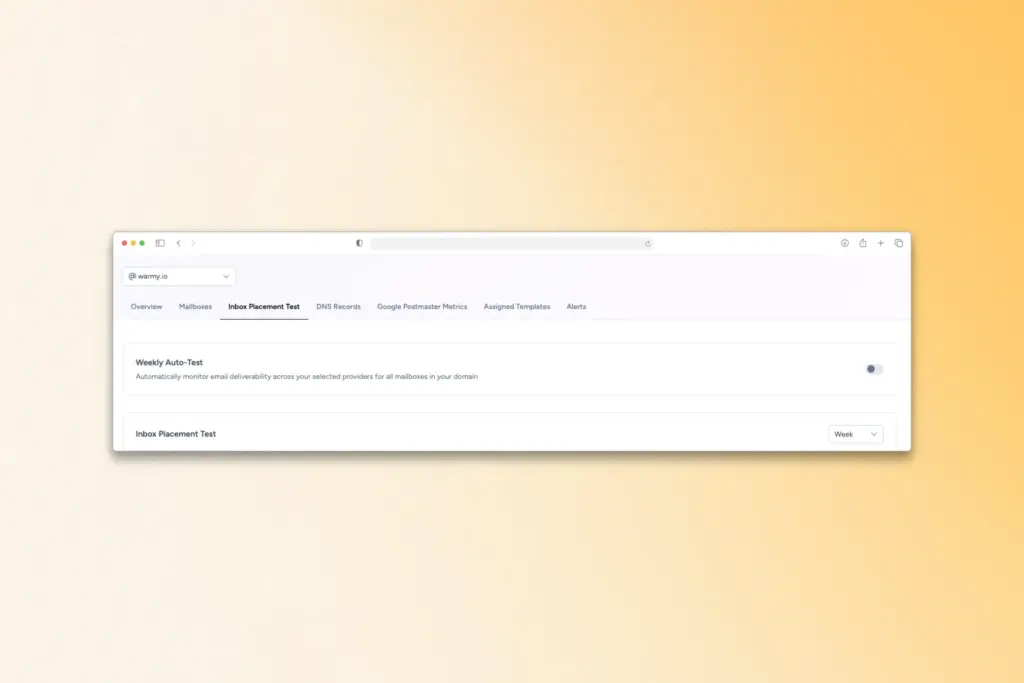
Warmy can run weekly deliverability assessments automatically to reveal underlying weaknesses in your sending setup. These tests include:
- Inbox placement checks
- Spam folder placement trends
- Delivery consistency across providers
While this doesn’t catch invalid addresses directly, it tells you how well your list hygiene and validation practices are performing in practice.
Try Warmy’s free inbox placement test to receive deliverability diagnostics and real feedback loops on where your emails land and how servers process it on the way.
Blacklist monitoring and reputation alerts
Early warnings allow senders to address potential deliverability threats before they escalate into widespread message rejection. SMTP Error 553 5.7.2 is primarily a sender authorization failure that signals a mismatch between your sending identity and your authentication or policy configuration.
With one simple connection, you can quickly get the inside scoop on your mailbox’s performance and whether it is blacklisted anywhere.
Proactive monitoring, authentication verification, and sender reputation management play a critical role in preventing these errors. Platforms like Warmy provide continuous visibility and automated warmup strategies that help maintain sender credibility and ensure consistent inbox placement.
Ready to eliminate SMTP errors and boost your email deliverability? Try Warmy for free and boost your email performance!
FAQ
What does SMTP Error 553 5.7.2 mean?
SMTP Error 553 5.7.2 is a permanent email delivery failure indicating that the sending address is not authorized. It typically occurs due to authentication misalignment, SPF or DMARC failures, unauthorized SMTP relay attempts, or third-party sending services that are not properly configured.
Can retrying fix SMTP Error 553 5.7.2?
No. SMTP 553 5.7.2 is a permanent rejection, not a temporary issue. Retrying the email without fixing the underlying authentication or authorization problem will not resolve it and may further damage your sender reputation.
How is SMTP 553 5.7.2 different from 553 5.7.1?
While both are authorization-related errors, 553 5.7.2 specifically refers to a sender identity rejection or authorization failure. Error 553 5.7.1 is often tied to general policy violations or security restrictions imposed by the receiving server.
Can SMTP 553 5.7.2 affect my sender reputation?
Yes. Repeated authorization failures can escalate into reputation-based enforcement. If left unresolved, mailbox providers may begin permanently rejecting your emails or applying stricter filtering rules.
How can I prevent SMTP 553 5.7.2 errors in the future?
To prevent this error, ensure proper SPF, DKIM, and DMARC configuration, align your authenticated account with your “From” domain, authorize all third-party sending tools, and monitor your sender reputation regularly. Proactive domain health monitoring and controlled email warmup can help detect and prevent issues before they lead to permanent rejections.