





There are tons of SMTP related errors that an average email user can encounter. Some of them can be due to IP reputation concerns, while others are rooted and are likely the result of a temporary errors failure — retryable errors.
SMTP error 421 4.3.2 (Service Shutting Down) occurs when a mail server unexpectedly closes down. Encountering this, of course, will result in email delivery interruptions, but it is highly unlikely that the issue is because of something on the sender’s end.
This issue can stem from server overload or scheduled maintenance. However, there are some instances in which this error occurs due to a misconfigured setting that prevents emails from being processed.
Understanding the cause of this error is the first step. Although you are receiving this error from a server overload, you cannot neglect other factors that may affect your email deliverability.
In this guide, we’ll explain what SMTP error code 4.3.2 is, its impact on email servers, how to fix it, and what are some of the best practices to prevent future occurrences.
What causes SMTP error 421 4.3.2?
SMTP error 421 4.3.2 – Service Shutting Down typically indicates a temporary failure on the mail server. This means that the error is a result of uncontrollable factors such as mail server overloads, or scheduled maintenance.
You can still receive this error message if there are some sending limitations implemented in your account or if your email is blacklisted. Here are the detailed explanations of this issue.
Mail server overload
- The mail server is processing too many connections at the same time.
- High email traffic exceeds server capacity.
- Insufficient server resources (CPU, memory, bandwidth).
Scheduled maintenance or downtime
- The mail server is undergoing scheduled updates or maintenance.
- The email service was restarted manually or automatically.
Misconfigured server settings
- SMTP configuration errors (incorrect throttling limits, misconfigured queue settings).
- Poorly set connection limits for incoming and outgoing emails.
- Incompatibilities with email security protocols.
Network or ISP restrictions
- Firewall rules or security software blocking email communication.
- ISP restrictions on email sending limits.
- DNS or MX record misconfigurations.
Blacklisted IP or domain
- If the sending IP address is blacklisted, the receiving server may temporarily refuse connections.
- Reputation issues due to high spam rates.
Email queue congestion
- A large backlog of undelivered emails clogging the mail queue.
- Slow message processing due to poor performance tuning.
How to fix SMTP Error 421 4.3.2?
It is more likely that this error can be resolved by simply waiting for a few moments. However, it is still wise to implement some corrective and preventive actions to guarantee that the error is at least not coming from your end.
For email senders:
- Retry sending emails at a later time
- Since this is often a temporary error, wait a few minutes before resending emails.
- Check if the receiving mail server is down
- Contact the recipient’s IT team or use online SMTP testing tools.
- Ensure your IP isn’t blacklisted
- Use tools like MXToolbox or Spamhaus to check your email reputation.
For system admins & IT professionals:
Step 1: Check server load and performance
- Run system diagnostics to monitor CPU, RAM, and disk usage.
- Identify resource bottlenecks and optimize server performance.
Step 2: Inspect email logs
- Analyze SMTP logs for detailed error messages.
- Use commands like:
- tail -f /var/log/maillog # For Linux-based mail servers
- Get-MessageTrackingLog -ResultSize Unlimited # For Exchange servers
Step 3: Adjust SMTP configuration
- Modify server settings so it can handle higher email loads:
- Increase mail queue limits.
- Adjust connection timeouts.
- Optimize rate limits.
Step 4: Review firewall & security rules
- Ensure that SMTP ports (25, 587, 465) are open.
- Check that antivirus software is not blocking email traffic.
Step 5: Clear mail queues
- On Postfix:
- postqueue -p # View the mail queue
- postsuper -d ALL # Clear the queue if necessary
- On Exim:
- exim -bp # View queue
- exim -Mrm <message-id> # Remove stuck messages
Step 6: Restart mail services
- Restart the SMTP service to refresh configurations:
- systemctl restart postfix # Postfix
- systemctl restart exim # Exim
How to implement preventive action with Warmy
Although SMTP Error 421 4.3.2 is a temporary issue — with issues that are most likely caused by issues with the server — employing preventive measures can at least minimize its impact.
Warmy offers the most versatile email deliverability system with tons of solutions that can help you minimize the impact of various SMTP related issues. Here is how.
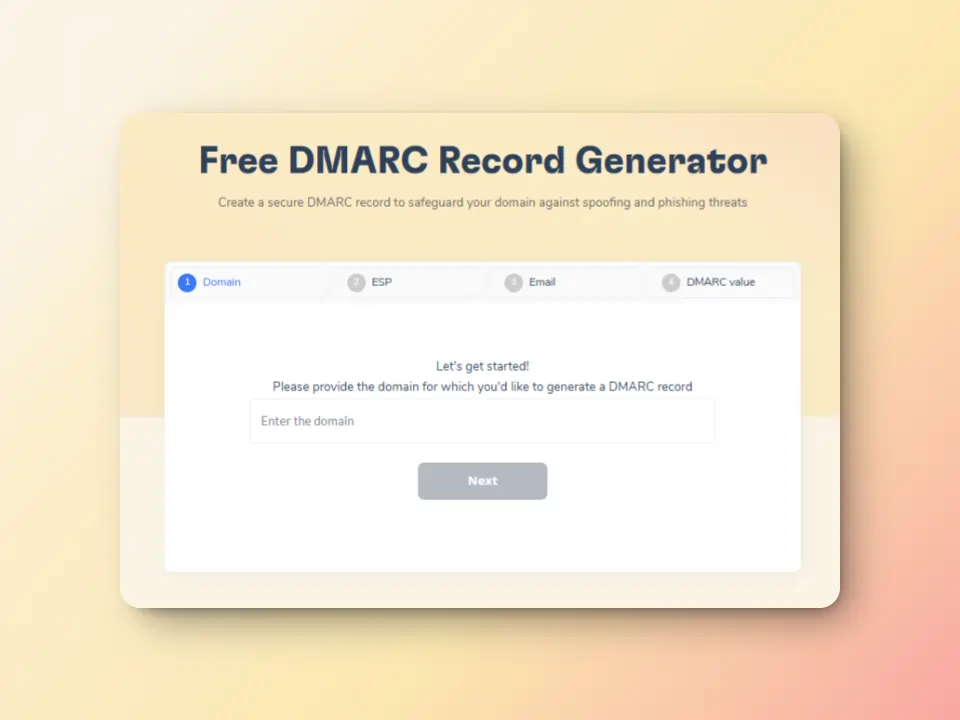
Improve email authentication with free SPF and DMARC Record Generators
Correctly configured SPF, DKIM and DMARC records are crucial for email authentication.
Warmy offers free SPF and DMARC record generators. With these tools, senders can be sure their domain is properly authenticated. This, in turn. will help reduce the numbers of SMTP errors you encounter.
Monitor email health with Domain Health Hub
Warmy’s domain health hub offers a complete monitoring of their deliverability at the domain level instead of their individual inboxes. It offers a multitude of advantages that ensures that your emails are set up for success.
Instant domain health score: Check your deliverability status with metrics such as Inbox Placement, DNS Authentication, and Google Postmaster Data.
Clear warmup insights: Gives you the ability to track spam rates, inbox placement, and deliverability trends weekly and monthly.
Comprehensive DNS status checks: Validate and troubleshoot SPF, DKIM, DMARC, rDNS, MX, and A records for seamless email authentication and security.
Optimized multi-domain monitoring: Manage all your domains from one sleek dashboard, making it easier to identify which ones need immediate action.
Employ reliable email warmup
Warmy.io helps establish credibility with email providers by gradually increasing the email volumes your email is sending; “warming it up” to avoid your emails being flagged as spam or rejected. This helps you establish a positive sender reputation and credibility with email providers.
Warmy’s automated warmup includes:
- Email opens – Your email is not just marked as read but actually opened and scrolled through to simulate real engagement.
- Link clicks – If your email contains links, our system will click them naturally, improving sender trust.
- Spam recovery – If an email lands in spam, it is manually removed and marked as important to teach ISPs that your emails are legitimate.
- Dynamic email interaction – Instead of a static process, the system engages with your email content, ensuring interactions appear genuine and human-like.
Email deliverability test
Warmy.io offers free email deliverability tests to help you evaluate the chances of your emails landing in inboxes, instead of the spam folders.
The inbox placement analysis lets you see the percentages of emails landing across different providers (Gmail, Outlook, Yahoo, etc.). Regular scans also ensure that your sending IP and domain remain free from spam blacklists that could cause SMTP 421-related errors. And if somehow, your domain gets blacklisted, you will have the opportunity to know and can proceed with the delisting process.
Take actions and ensure email deliverability success in the face of SMTP errors
Some SMTP errors are inevitable, but it doesn’t mean that it should stop you from implementing proper email hygiene and configuration.
Being proactive doesn’t hurt. In fact, it can help.
Instituting email deliverability measures like email warmups, email authentication, and DNS status check helps you be one step ahead of these errors.
Don’t let SMTP errors disrupt your email communication. Explore what Warmy.io can do for you and your business.
Sign up for a free trial (no credit card required) or schedule a free consultation with a deliverability expert.
FAQ
What is SMTP Error 421 4.3.2 and why does it occur?
SMTP Error 421 4.3.2 indicates a temporary service failure where the mail server is shutting down or cannot process the request at that moment. Common causes include server overload, scheduled maintenance, misconfigured server settings, or network restrictions. It’s typically a non-permanent issue that resolves itself after some time.
How can I fix SMTP Error 421 4.3.2?
To resolve this error, you can wait a few minutes and try sending the email again. Additionally, ensure your IP isn’t blacklisted, check the receiving mail server status, and review your server’s performance, including CPU and memory usage. For system admins, checking email logs, adjusting SMTP configurations, and clearing mail queues can help.
How can Warmy help prevent SMTP errors like 421 4.3.2?
Warmy offers email deliverability tools like SPF and DMARC record generators to ensure proper email authentication. Additionally, Warmy’s domain health hub helps you monitor and optimize your email health to prevent errors like 421 4.3.2 by tracking deliverability trends and identifying potential issues early.
What are the best practices to prevent SMTP errors in the future?
To avoid future SMTP errors, maintain good email hygiene by regularly checking your IP reputation, using proper email authentication protocols (SPF, DKIM, DMARC), and ensuring your email server settings are correctly configured. Additionally, using tools like Warmy’s email warmup and seed listing can help build and maintain a positive sender reputation.