Your SPF, DKIM, and DMARC all pass. Your delivery rate reads 98 percent. Yet roughly one in six legitimate emails never reaches the inbox. Through 2025, the global average inbox placement rate sat near 84 percent, then climbed to around 87 percent, with Gmail closer to 90 percent. That average hides a harder reality for cold senders: a delivered email and a read email have never been the same thing.
The reason is a quiet shift in how Gmail decides where mail lands. Gmail’s AI no longer just confirms you are who you say you are. It predicts whether the recipient will engage, and it sorts your message accordingly. What follows is how Gmail’s engagement model works in 2026, why authentication is now the ticket to the test rather than the finish line, and the specific steps that keep your domain on the right side of the line.
What Gmail’s AI Changed About Inbox Placement
For years, deliverability was about passing SPF, DKIM, and DMARC to have a better chance of arriving in the inbox. Since November 2025, Gmail has moved to active rejection of non-compliant senders, so authentication failures now bounce at the door instead of slipping quietly into spam. Authentication is no longer the test. It is the ticket that lets you sit for it. Getting your authentication stack right – SPF, DKIM, and DMARC, is the non-negotiable first step. Tools like Threatcop TDMARC help organisations deploy and enforce DMARC policies at scale, giving full visibility into who’s sending email on your behalf and blocking domain spoofing before it hurts your sender reputation.
The test itself is engagement. With 75 to 85 percent of Gmail users now on relevance-based sorting, the algorithm constantly predicts which mail a person wants and reorders the inbox to match. A sender with weak signals does not get a bounce or a spam flag. They get quietly deprioritized, buried under mail Gmail expects the reader to prefer.
Delivery rate, inbox placement, and visible placement are three different numbers
Conflating them is how senders fool themselves.
- Delivery rate confirms the receiving server accepted your message.
- Inbox placement confirms it reached the inbox rather than the Gmail spam folder.
- Visible placement means it landed somewhere the reader actually sees. By that stricter measure, only around 60 percent of email reaches a spot a human ever looks at.
You can win the first and lose the other two.
How relevance-based sorting buries low-engagement senders
Gmail does not need to flag you as spam to make you disappear. If the model predicts low engagement, your mail sinks below the fold, lands in Promotions, or arrives with no notification. The reader never has to opt out for you to vanish.
The Gemini Layer: Your Email Now Has to Read Well to an AI, Not Just a Human
On January 8, 2026, Google brought Gmail into what it called the Gemini era, embedding Gemini 3 across its three billion-plus users. The update added AI Overviews that summarize threads, suggested replies, and a new AI Inbox view that ranks messages by predicted importance rather than arrival time.
This matters for senders in two ways. First, Gemini often reads and condenses your email before the recipient does. If your core point is buried three paragraphs down, the summary may skip it, and a weak summary makes the reader less likely to engage, which feeds straight back into how Gmail ranks your next message.
Second, the inbox is no longer binary. Emails that technically reach Gmail inboxes are being deprioritized by AI filtering. In simpler words, an email can land in the inbox and still be effectively invisible. The AI Inbox priority view started rolling out to a limited group of testers in early 2026 and favors high-relevance senders. The practical takeaway does not depend on the rollout schedule: write mail that an AI can parse cleanly, and earn the engagement that tells Gemini your sender is worth surfacing.
“Most Relevant” Replaced Chronological Order in Promotions
On September 11, 2025, Gmail made “Most Relevant” the default sort in the Promotions tab, retiring strict chronological order. Recipients can switch back to “Most Recent,” but most do not.
Two things follow. Your 9 a.m. send can sit below a three-day-old email from a sender the recipient engages with more often. And ranking is driven by each recipient’s individual history with your brand, not a single global score. High-frequency senders who have not earned engagement get pushed to the bottom of the tab even if they never cross a spam threshold. Promotions are still in the inbox, not spam, but visibility inside it now has to be earned on every send.
The Engagement Signals Gmail Uses to Rank Your Mail
If you have ever asked why your emails go to spam despite a clean technical setup, this is the answer. Gmail weighs a basket of engagement signals: opens, dwell time, clicks, replies, forwards, and folder moves. Each is a vote on whether your mail deserves the inbox, and the votes carry very different weight.
Why replies and folder rescues outweigh opens
An open is cheap, and since Apple Mail Privacy Protection it is often fake. A reply is expensive and hard to fake, so Gmail trusts it far more. The strongest positive signal is a folder rescue: a recipient dragging your message out of spam and into the primary inbox. That single action tells Gmail its own prediction was wrong, and the model adjusts in your favor.
The unsubscribe spike trap
Negative signals move faster than positive ones. When recipients repeatedly delete your messages without opening them, Gmail reads the sender as low value and demotes future mail. A sudden unsubscribe spike does similar damage, briefly tanking sender reputation even for senders who did everything else right. Reputation is earned slowly and lost quickly, which is exactly why it has to be defended continuously.
Writing Email That Gmail’s AI Can Actually Read
Gemini reads subject lines, preheader text, body copy, and HTML structure as intent signals, and it does so semantically rather than by matching banned words. Misleading subject lines, walls of capital letters, and manufactured urgency now read as spam patterns to a model, not just to a filter.
A few content habits now double as deliverability levers:
- Put the core value in the first sentence. Gemini front-loads what it summarizes, and so should you. If the AI cannot find your point in the first 100 to 200 characters, it will not surface it.
- Mind the HTML-to-text ratio. Image-heavy emails with little real text get flagged more aggressively. Give the parser actual words to work with.
- Keep the structure clean. Clear subject lines, short paragraphs, and a single obvious call to action help both a skimming human and a summarizing model.
Clear, informative writing used to be a copywriting nicety. It is now part of whether you reach the inbox at all.
What This Means for Cold Email Senders
Cold email is where this model bites hardest, and the reason is structural, not technical. No DNS record fixes it.
Cold senders start at zero engagement history
A brand-new sending domain has no track record. Gmail has never seen anyone reply to it, rescue it, or read it slowly, so with no data to predict from, the algorithm defaults to caution and assumes the worst. This is why even fully authenticated mail still lands in spam more than 30 percent of the time, and cold senders fare worse: poorly configured outbound infrastructure often sees just 60 to 70 percent inbox placement.
Why warm-up networks generate the signals Gmail trusts
This is the gap email warm up was built to close. A warm-up network sends and receives mail from your domain across a web of trusted, engaged inboxes that open, reply to, and rescue your messages from spam. Those are the exact signals Gmail weighs most heavily.
Instead of waiting months for organic history to build, you create a credible engagement baseline on purpose, before your real cold email deliverability is on the line. Trust is built through engagement Gmail can see, and warm-up manufactures that engagement honestly.
One-click unsubscribe is now placement protection
A spike in unsubscribes hurts, but a spike in spam complaints hurts far more, and the cheapest way to prevent the second is to make the first effortless. Google now requires one-click unsubscribe (RFC 8058) for anyone sending more than 5,000 messages a day to personal Gmail accounts, and as of November 2025 it enforces the bulk-sender rules with outright rejection rather than soft filtering.
A true one-click unsubscribe lives in the email headers and lets the recipient opt out with a single tap next to your sender name, with no landing page. Gmail’s Manage subscriptions panel now shows users how often each sender emails them and offers that single-click exit.
Be careful with the spam threshold
Watch the spam-rate line in particular. Keep it under 0.1 percent. Between 0.1 and 0.3 percent, your inbox placement starts slipping. At 0.3 percent or higher, it gets serious: Google cuts off delivery support, and your deliverability takes a heavy hit. To recover eligibility for mitigation, hold below 0.3 percent for seven straight days. The Compliance Status dashboard in Google Postmaster Tools shows bulk senders exactly where they stand.
The Checklist to Protect Your Sender Reputation
A repeatable routine beats a one-time fix. Here is the baseline.
- Authenticate completely, then stop treating it as an edge. SPF, DKIM, and DMARC are entry requirements, not advantages. Confirm all three pass, then move your attention to engagement.
- Run continuous warm-up, not a one-time burst. Keep a steady stream of trusted opens, replies, and folder rescues flowing so your engagement baseline never goes cold.
- Protect your list quality. Validate before big sends and cut contacts inactive for 90 days or more before they delete without opening.
- Make unsubscribing one click. A clean exit is always cheaper than a spam complaint.
- Monitor real reputation in Postmaster Tools. Keep the spam rate under 0.3 percent and watch the 30-day trend, not single-day noise.
How Warmy.io Builds the Signals Gmail Trusts
Adeline AI: Email warm up that adapts in real time
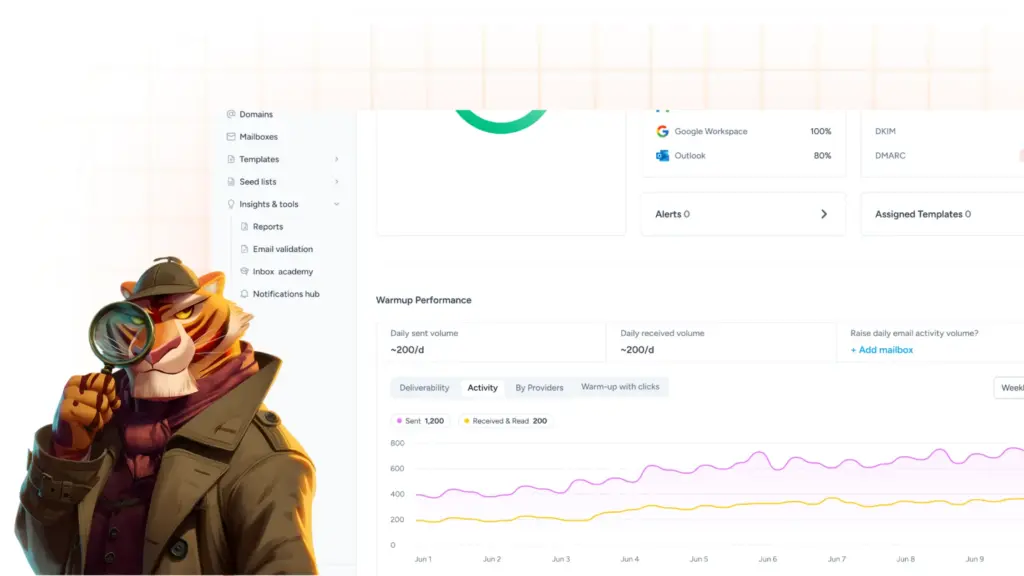
Adeline is Warmy’s proprietary AI engine, and it makes decisions each day to tune each domain’s warm up on its own. It reads your current reputation, your sending patterns, and your business type, then sets warm up volume, frequency, timing, and engagement models to match. When an ISP changes its behavior or your reputation signals shift, Adeline adjusts in response rather than waiting for someone to notice.
Provider-specific warm up that mirrors your real list
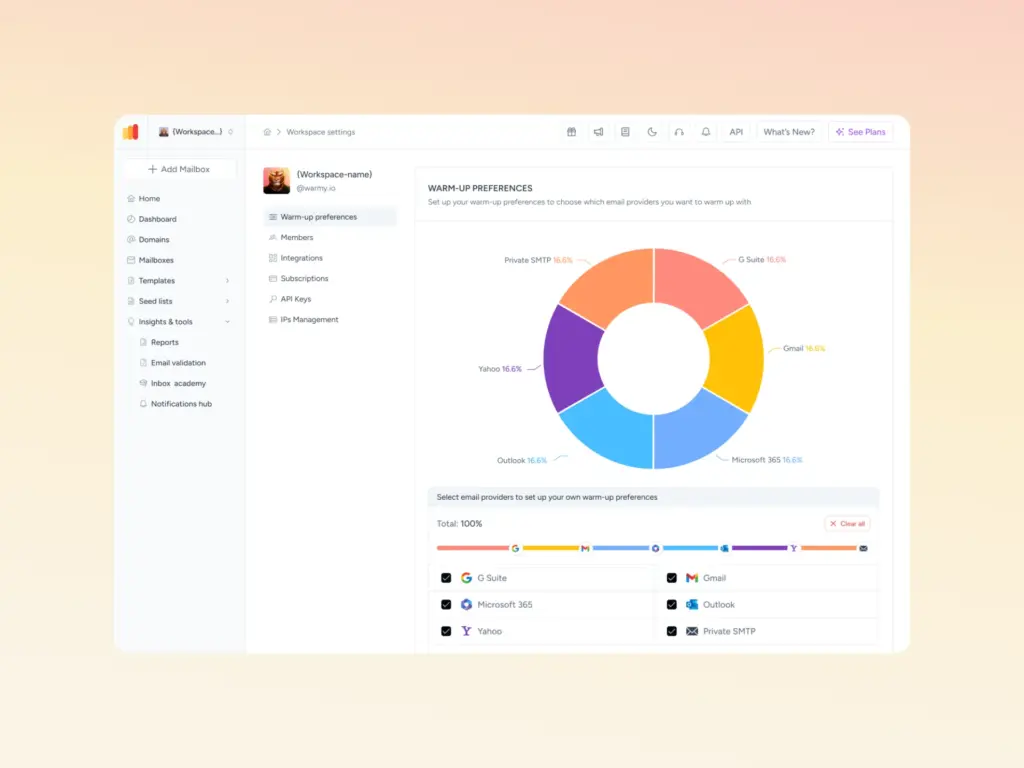
Generic warm up builds reputation against a generic spread of inboxes. Warmy’s Warmup Preferences lets you shape the warm up network to look like your actual campaign list instead. If half your real recipients are on Gmail, you can point half your warm up traffic at Gmail inboxes, so you build standing exactly where your campaigns live. You can also configure warm up across more than 30 languages and industry-specific topics, which makes the signals more contextually relevant to the audience you actually send to.
Seed Lists for better inbox placement
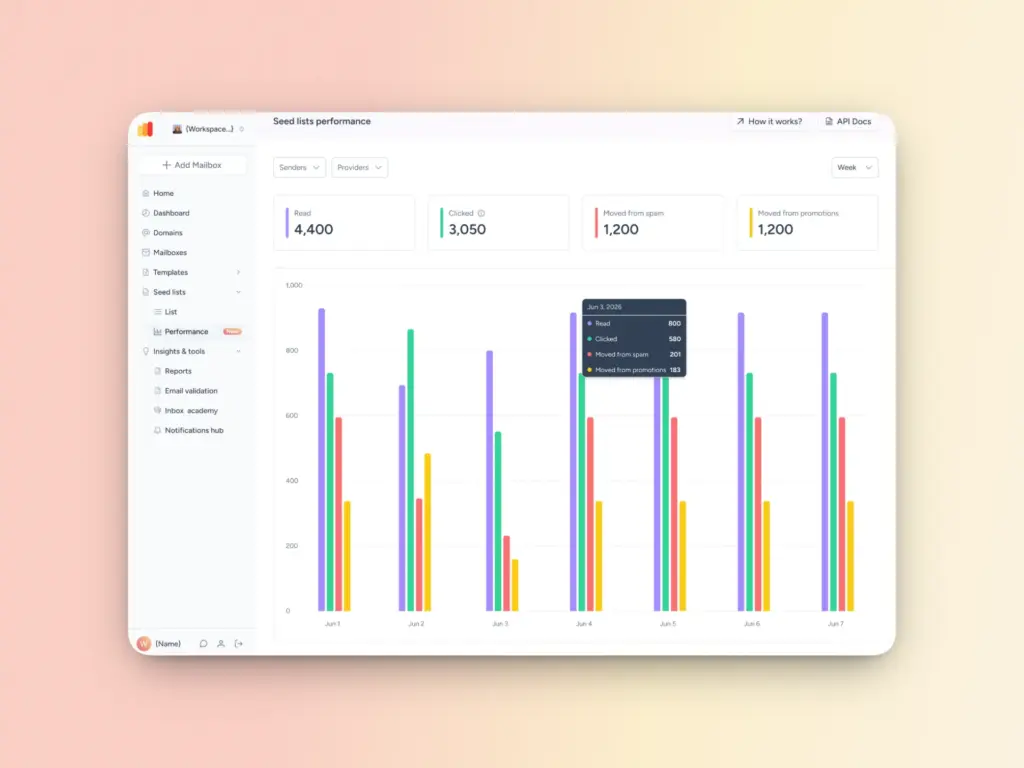
Warmy’s Seed Lists are made up of genuine, active addresses on Gmail, Outlook, and Yahoo that generate real, multi-action engagement: opens, scrolls, clicks, replies, and spam rescues. They also extend to platforms that do not support traditional mailbox-based methods. For senders on those platforms, a seed list is often the only practical way to build reputation before high-volume sends begin.
Domain Health Hub for continuous monitoring
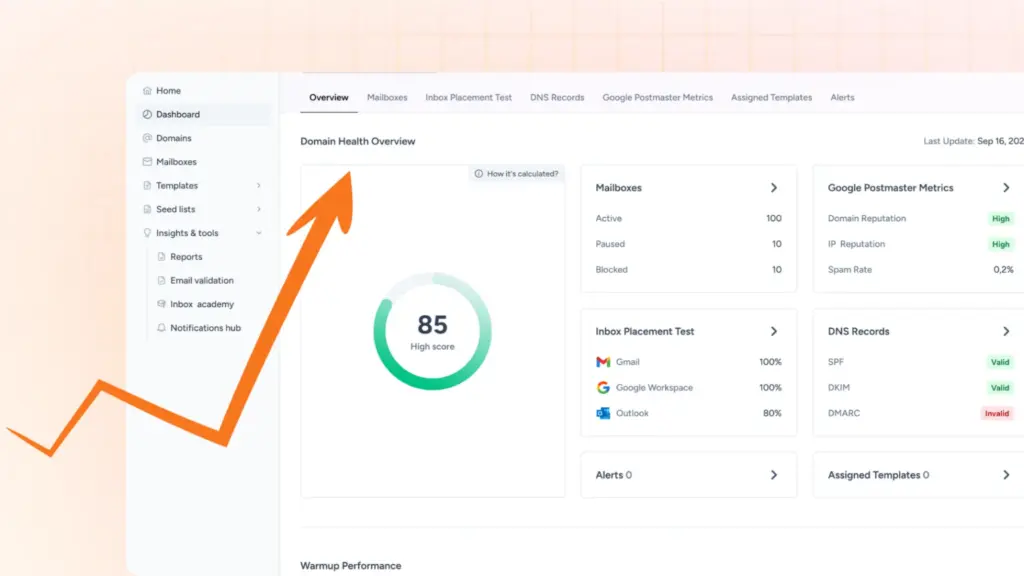
Reputation moves on several variables at once, so seeing them in one place is what makes management proactive instead of reactive. Warmy’s Domain Health Hub surfaces SPF, DKIM, DMARC, and MX status, blacklist checks, DNS health, inbox placement data, and Google Postmaster signals in a single dashboard that updates around the clock. You catch problems before a campaign pays for them, rather than diagnosing the damage afterward.
Warm Up First, Then Land Every Time
By the time an email lands in spam, the decision has already been made, based on signals your domain either produced or failed to produce. Warm up is the work that happens before the campaign:
- Get authentication right first, then build sending history deliberately, with real engagement depth.
- Monitor the variables inbox providers actually weigh, not just whether mail went out, but where it landed.
- Do both, and your domain shows up to its first campaign with something most senders lack: a track record that earns the inbox instead of begging for it.
Gmail’s engagement model is already deciding where your mail lands on every send, whether or not you’re watching. Begin warming with Warmy and protect your sender reputation before Gmail’s next algorithm update. Start your free 7-day trial today.