Email spoofing is still one of the biggest threats in email marketing, and it now carries a second cost: your deliverability. The Anti-Phishing Working Group recorded 4.8 million phishing attacks in 2024, the highest total since the group formed in 2003, and volume climbed again in early 2026 (APWG). Attackers impersonate trusted brands to steal data and money, and every spoofed message that looks like it came from you chips away at customer trust.
There is a newer reason to act. As of 2026, DMARC is no longer a best practice you can postpone. Google, Yahoo, and Microsoft now require it from anyone sending real volume, and non-compliant mail gets rejected outright instead of filtered to spam. Setting up DMARC protects your brand and keeps your email reaching the inbox.
What email spoofing is and why it damages your brand
Email spoofing is when an attacker forges the “from” address in an email header so the message appears to come from a legitimate source. They do not need access to your account to do it, and they can impersonate any company or employee.
The tactics vary. Phishing emails pose as real companies to trick people into handing over passwords or card numbers. Business email compromise (BEC) has scammers posing as an executive or vendor to redirect a payment, and it stays costly: BEC drove 2.8 billion dollars in reported U.S. losses in 2024 (FBI IC3). Malware campaigns hide a payload behind an attachment or link, and the Verizon DBIR attributes 94% of malware delivery to email (Hoxhunt, Verizon DBIR).
The threat also got harder to spot. Generative AI now writes clean, personalized phishing at scale, and one University of Oxford study found AI-generated phishing emails earn a 60 percent higher click rate than traditional ones (phishing trends 2025-2026). QR-code phishing, or quishing, slips past filters because the malicious link sits inside an image.
For your brand, the damage runs two ways. Customers who receive a spoofed message in your name start doubting every email you send, which drags down opens and conversions. Mailbox providers notice the fraudulent traffic too, and they begin flagging or rejecting your legitimate mail, driving up bounces and pushing you out of the inbox.
What DMARC is and how it works
DMARC (Domain-based Message Authentication, Reporting and Conformance) is an email authentication protocol that sits on top of SPF and DKIM to protect your domain from spoofing.
- SPF (Sender Policy Framework) lists the mail servers allowed to send on behalf of your domain.
- DKIM (DomainKeys Identified Mail) adds a cryptographic signature that proves the message was not altered in transit.
- DMARC ties the two together: it checks that SPF and DKIM pass and align with your visible “from” domain, then tells the receiving server what to do when they fail.
You publish DMARC as a DNS TXT record that sets three things: the policy for handling mail that fails authentication, where to send authentication reports, and your alignment preferences.
TABLE 1 — DMARC POLICY OPTIONS
| Policy | What happens to failing mail | Best for |
|---|---|---|
| p=none | Nothing is blocked; you only receive reports | Monitoring before enforcement |
| p=quarantine | Failing mail is sent to spam or junk | Transition once your legit mail passes |
| p=reject | Failing mail is dropped and never delivered | Full protection once you trust the setup |
The change: DMARC is now required to reach the inbox
For years, DMARC was optional. That window closed. Google and Yahoo made SPF, DKIM, and DMARC mandatory for bulk senders in February 2024, and Microsoft applied the same rules to Outlook, Hotmail, and Live.com in May 2025. A bulk sender is any domain sending 5,000 or more messages per day to consumer inboxes.
Enforcement has teeth now. Since November 2025, Gmail permanently rejects non-compliant mail with 550 errors, and Microsoft bounces it immediately with code 550 5.7.515, so the message never reaches spam or the inbox. The rules also cover complaint rates and unsubscribes: keep your spam complaint rate below 0.1 percent and never let it reach 0.3 percent, and provide one-click unsubscribe on marketing mail, processed within two days.
The direction of travel is clear. All three providers accept p=none for now, but they are pushing toward p=quarantine or p=reject as the baseline, and Google has already signaled it. The payoff for getting this right is measurable: compliant senders average 89% inbox placement in 2026, while non-compliant senders see 22 to 34% of their mail routed to spam.
TABLE 2 — 2026 SENDER REQUIREMENTS AT A GLANCE
| Requirement | Google & Yahoo | Microsoft |
|---|---|---|
| SPF + DKIM + DMARC | Required for bulk senders | Required for bulk senders |
| Bulk threshold | 5,000/day to consumer inboxes | 5,000/day to Outlook, Hotmail, Live |
| One-click unsubscribe | Required on marketing mail | Recommended, not mandated |
| Spam complaint rate | Below 0.1%, never 0.3% | Not published, still weighed |
| Non-compliance | Permanent 550 rejection | 550 5.7.515 rejection |
Common DMARC setup mistakes, and how a generator prevents them
Writing a DMARC record by hand is easy to get wrong, and a small error can send your legitimate mail to spam or leave your domain exposed. The usual culprits are incorrect syntax, missing SPF or DKIM alignment, choosing p=reject before your mail flow is validated, and forgetting to authorize a third-party sending service in your SPF record.
A DMARC generator removes that risk by walking you through each setting and producing a correctly formatted record. You do not need to know DNS internals to secure your domain, which matters for founders and marketers without a technical team.
Set up DMARC with Warmy’s generator
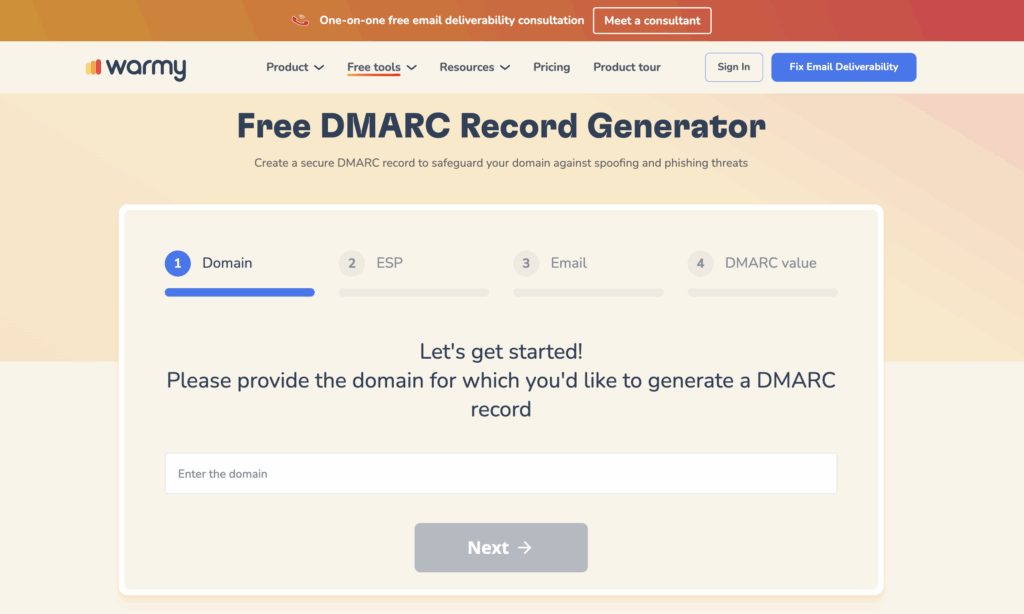
Warmy.io’s DMARC generator makes setup quick even for non-technical users. Here is the flow:
- Enter your domain name. Warmy guides you so you include only what you need.
- Choose your policy. None to monitor, quarantine to flag, or reject to block.
- Set your reporting preferences so DMARC reports reach the address you choose.
- Generate the record. Warmy formats the correct DNS TXT record automatically.
- Add it to your DNS using Warmy’s step-by-step instructions.
- Monitor and adjust the policy over time based on the reports you receive.
Track your DMARC reports inside Warmy
Setting up DMARC starts the flow of authentication reports, and Warmy now lets you share those reports and read them inside the app. You add Warmy’s RUA receiver to your domain’s DMARC record, following the in-app instructions that show the exact RUA value to paste, the same sharing pattern used for Google Postmaster.
Warmy auto-detects your first reports and updates the connection status through three states:
- Not Connected when the domain is not yet linked to DMARC tracking.
- Pending once you finish the setup steps and the system waits for the record change to apply.
- Connected once Warmy receives its first report. The Domains list shows a DMARC Sharing column with that status, and you can filter the list by it.
Once a domain is connected, open its DMARC Tracking tab from the Dashboard or the Domains tab to see:
- General traffic overview: Your sending volume by week or month, split into total from Warmy warmup and total from DMARC.
- Traffic categorization: Incoming flow broken into Compliant, Non-compliant, Forwarded, and Threat/Unknown (spoofing), with a per-category breakdown when you hover over a given day. You can filter by sending IPs (grouped by provider, with shared IPs rolled up as Shared), sender providers such as Amazon SES, Google, or Microsoft, receiver providers such as Outlook.com, google.com, GoDaddy, or Zoho.com, and by sending subdomain.
- DMARC policy, current state: Your current disposition (none, quarantine, or reject) as of the latest report, with the date of that report.
- Sender IPs: A table listing each IP, its sender provider, email count, rejected count, and SPF, DKIM, and DMARC policy results, with a filter to show only possible spoofers.
- Spoofing: The flagged IPs and how many emails came from each.
Full setup steps are in Warmy’s DMARC tracking help article.
Deliverability beyond DMARC
DMARC secures your domain, but reaching the inbox takes more than authentication. Warmy covers the rest.
The SPF record generator builds a clean, correctly formatted SPF record in a few clicks and avoids common errors like syntax mistakes or exceeding the DNS lookup limit.
AI-powered email warmup builds sender reputation gradually by ramping your volume while mimicking real engagement with live inboxes. Warmy adjusts the sending pattern based on your mailbox health, which lowers the odds of landing in spam.
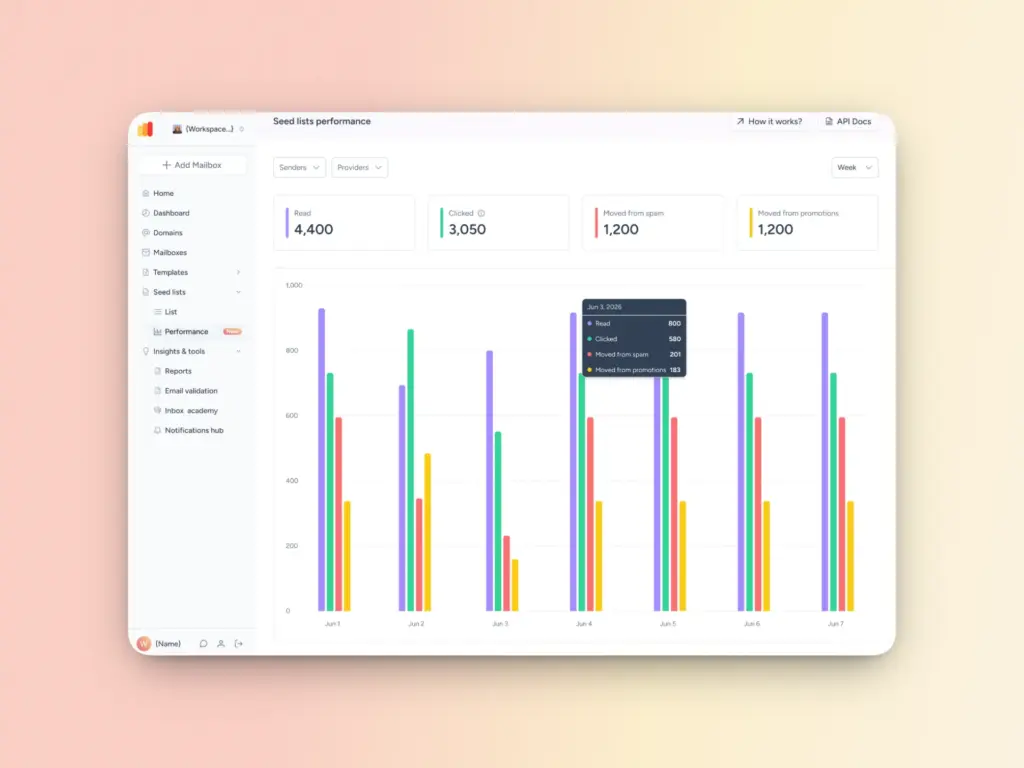
Also, seed lists matter more than they used to. Google retired the old High, Medium, and Low reputation dashboard in Postmaster Tools in October 2025 and replaced it with a binary Compliance Status, so senders no longer see a granular reputation score. Warmy’s seed lists fill that gap by sending your campaigns to real inboxes across providers, showing you where you actually land before your recipients do.
Lock down your domain before the rules tighten further
Spoofing puts your brand and your deliverability at risk, and DMARC is the control that closes the gap. With enforcement already rejecting non-compliant mail and providers moving toward stricter policies, the cost of waiting keeps rising.
Set up your DMARC record with Warmy.io’s generator today, and pair it with SPF setup, warmup, and seed-list testing to keep your mail authenticated and in the inbox.