An email spam checker is a diagnostic tool that evaluates both your email’s technical authentication records (SPF, DKIM, DMARC) and its content quality to determine inbox placement likelihood. To properly test your email for spam:
- Verify your SPF, DKIM, and DMARC records are correctly configured.
- Check your domain and IP against major blacklists (RBL lists).
- Scan your email template for spam trigger words.
- Run a real-world inbox placement test across Gmail, Outlook, Yahoo, and others.
If you’ve ever sent a cold outreach campaign only to see reply rates fall, or if you’ve spotted your own test email sitting in the Spam folder, here’s a new flash for you: You’re not dealing with a content problem. You’re dealing with a domain health problem.
Modern spam filters at Gmail, Yahoo, and Microsoft have evolved far beyond scanning for “Buy Now” or “Free!!!” in your subject line. Today, they weigh your sender reputation, your authentication setup, and your historical engagement before your email ever reaches a human eye.
This guide breaks down exactly what a proper email spam test looks like in 2026, walks you through using Warmy’s tools to diagnose your domain health, and shows you how to move from reactive fixes to proactive inbox protection.
What is an email spam checker?
A basic email spam checker scans your message for trigger words and formatting issues. But that’s only one layer of the problem. A real email spam test or a test that actually tells you why you’re hitting spam needs to be able to evaluate four distinct areas simultaneously:
- Technical authentication (are your DNS records telling ISPs to trust you?)
- Sender reputation (is your domain or IP on a blacklist?)
- Content quality (does your template trigger spam filters?)
- Real inbox placement (where does your email actually land?)
Most free tools only check one or two of these. What ends up happening is so many senders only fix one or two factors and still hit spam. For example, a sender fixes their SPF record, but their overall sender reputation score is the problem.
|
Pro tip: Think of your deliverability like a credit score: one clean bill doesn’t fix a bad history. You need all four pillars green at the same time. |
Basic spam checkers vs. full-stack deliverability testing
|
Spam Checker Type |
What It Tests |
Limitation |
|
Basic content scanner |
Keywords & formatting |
Ignores domain reputation and technical infrastructure |
|
Authentication Checker |
SPF / DKIM / DMARC |
No inbox placement data and doesn’t consider email content |
|
Blacklist Checker |
IP & domain blacklists |
Point-in-time only |
|
Warmy email deliverability test |
All 4 pillars combined |
None — full-stack view |
Warmy is an AI-driven email deliverability solution that resolves deliverability issues by combining spam detection with active domain reputation building. Its spam checker goes beyond what most standalone tools offer.
Not sure where your email is landing? → Test email deliverability for free
Why do ‘good’ emails still go to spam?
Here’s the uncomfortable truth that catches most senders off guard: Gmail’s spam rate threshold is 0.3%. Exceed that, and Gmail begins routing your emails to spam. Automatically, algorithmically, and without warning.
If you send 10,000 emails and just 30 recipients mark you as spam, you can trigger this threshold. At scale, that happens fast, especially with cold outreach to unwarmed lists.
This is why the three most common pain points SDRs and marketers face have little to do with content:
- “I fixed my SPF/DKIM but I’m still hitting spam” may point towards a reputation damage from a prior campaign that is still influencing your score.
- “My content is clean, why am I flagged?” means your domain reputation is the issue, not your words.
- “I’m using a new domain for cold outreach” and since new domains have no reputation history, filters treat them as suspicious by default.
4 pillars of a real email spam test
Pillar 1: Technical authentication: SPF, DKIM, and DMARC
Email authentication protocols are the foundation of sender trust. Without them, even a pristine domain and clean content won’t reliably reach the inbox.
- SPF (Sender Policy Framework): Tells receiving servers which IPs are authorized to send email on behalf of your domain.
- DKIM (DomainKeys Identified Mail): Adds a cryptographic signature to your emails so servers can verify they weren’t tampered with in transit.
- DMARC (Domain-based Message Authentication): Ties SPF and DKIM together and tells servers what to do when checks fail such as quarantine, reject, or pass.
Since Google and Yahoo’s new bulk sender requirements, DMARC enforcement is no longer optional. Sending without a valid DMARC policy to Gmail now risks automatic spam classification regardless of content quality.
A missing or misconfigured DMARC record is one of the most common reasons cold emails go straight to spam, even when the content is perfectly clean. Warmy’s deliverability test checks all three records and flags any gaps instantly.
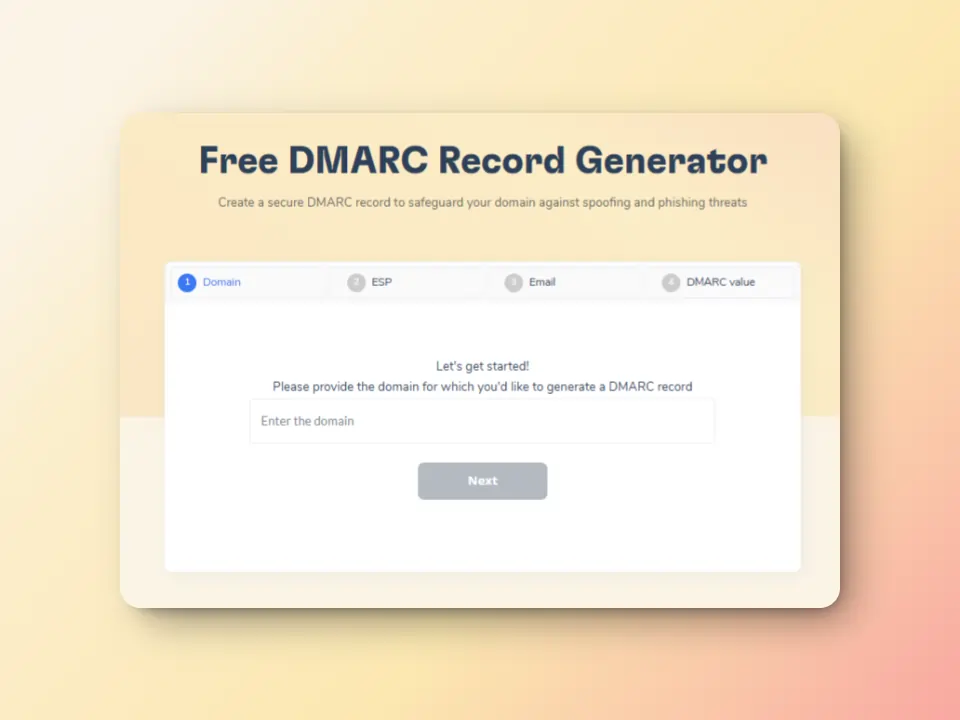
Not sure how to ensure your DMARC record is correct? Use Warmy’s free DMARC Record Generator.
Pillar 2: Sender reputation & blacklists
Your sending IP and domain each carry a reputation score that ISPs use to make decisions on whether your emails will be allowed in the inbox or spam. If either appears on a blacklist, your messages are filtered before any content analysis even happens.
New domains used for cold outreach are especially vulnerable. Without an established sending history, spam filters treat them with suspicion by default. This is a problem that email warmup solutions and tools are specifically designed to solve.
Warmy’s email spam checker also scans major blacklists and surfaces the results in one dashboard so you can take corrective action without hunting across multiple tools.
Pillar 3: Content & template quality
Content analysis still matters, just not in the way it did years ago. Today’s spam filters also look at the overall composition of your email: text-to-image ratio, link density, HTML structure, and even spam trigger words.
Warmy’s Template Checker scans your email template for common spam triggers and formatting issues before you hit send, letting you fix problems proactively rather than diagnosing them after a failed campaign.
Pillar 4: Real-world inbox placement
This is the pillar most tools skip entirely, and it’s also the most important one. Inbox placement testing sends your actual email to a set of real mailboxes across major providers (Gmail, G Suite, Outlook, MS 365, Yahoo, iCloud, Zoho) and reports exactly where it lands.
A placement test answers the question: “I think my setup is correct, but where is my email actually going?” It’s the difference between testing your car’s engine specs and actually taking it for a test drive.
How to use Warmy to Check Your Email Domain for Spam
Warmy offers two complementary free tools that cover all four pillars above. Here’s how to use both:
Step 1: Run the email deliverability (placement) test

- Go to Warmy’s free Email Deliverability Test page.
- Copy the email addresses provided (separated by commas).
- Paste them into the ‘To:’ field of your email client, write a sample message, and hit Send.
- Return to Warmy and click ‘Check Email Deliverability’ to initiate the analysis.
- Review your results: Inbox %, Spam %, Promotions %, and Unreceived broken down by provider.
The test covers Gmail, Outlook, Yahoo, iCloud, Zoho, and SMTP simultaneously. You’ll see exactly which providers are flagging you and which are passing your mail through cleanly — giving you targeted data to act on.
Step 2: Scan your email template with the template checker
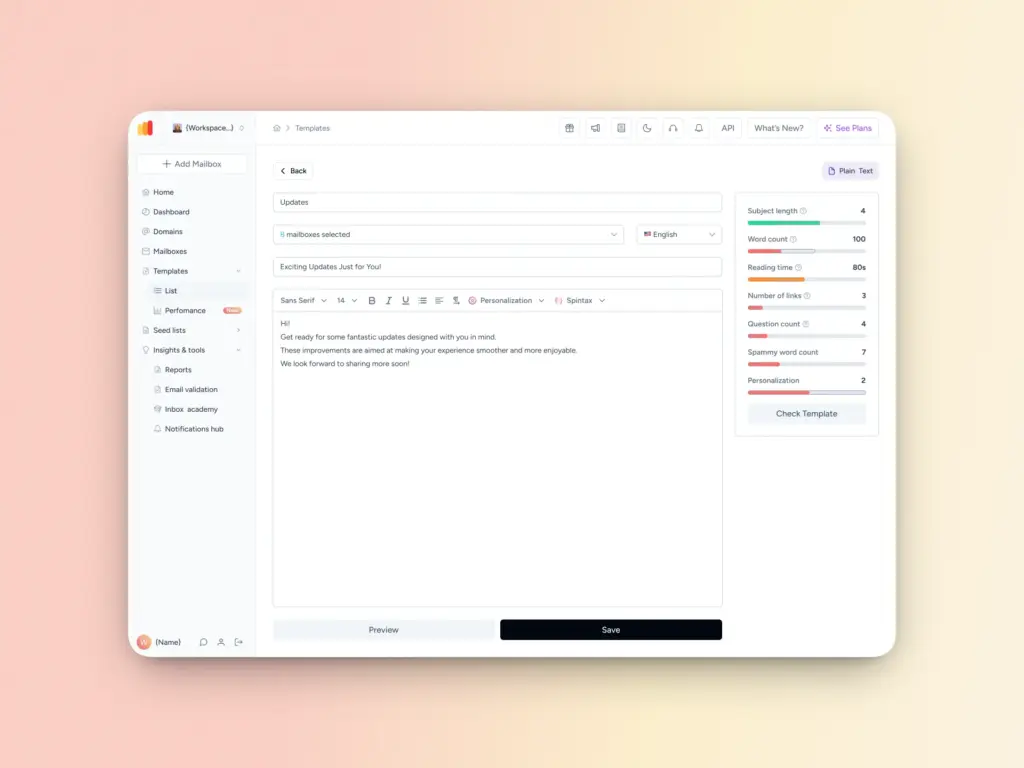
- Open Warmy’s Template Checker (also available as a Chrome extension).
- Paste your email template: subject line, body, and any HTML.
- Review flagged spam trigger words, formatting warnings, and overall content score.
- Revise your template and re-test until the score improves.
Ready to check your email for spam words? Check email for spam words with the Template Checker
Beyond the tester: How to proactively prevent spam filtering
Running a spam test is a diagnostic. Acting on it is the cure. However, email deliverability isn’t just a one-off thing or a response to a dip in engagement metrics. When you treat email deliverability as an ongoing part of your strategy, you move from reactive troubleshooting to proactive deliverability health:
1. Implement AI-driven email warmup
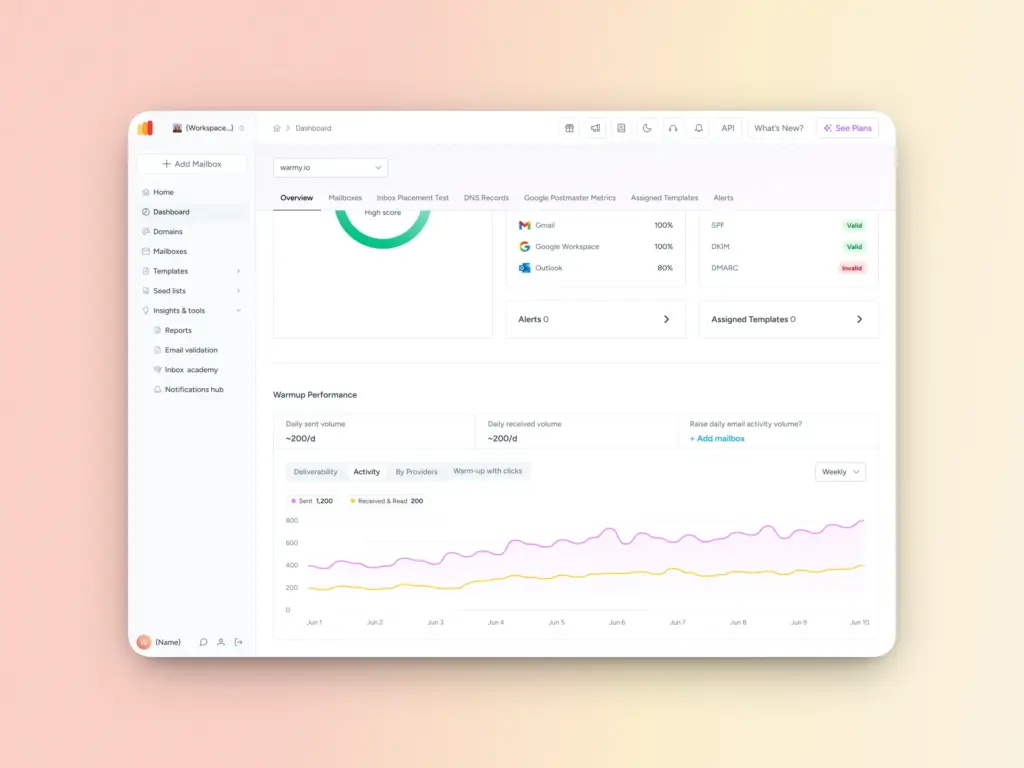
Email warmup is the process of gradually increasing your sending volume while simulating real engagement such as opens, replies, and scroll activity to build a positive sending reputation with ISPs over time.
Warmy automates this entirely. Its AI-powered warmup engine sends up to 5,000 warmup emails per day (the most robust in the market), with real engagement signals (not just bot opens) that tell Gmail, Outlook, and Yahoo that your domain is a trusted, active sender. Emails that land in spam and Promotions folders during warmup are automatically rescued and marked as important.
2. Keep authentication records current
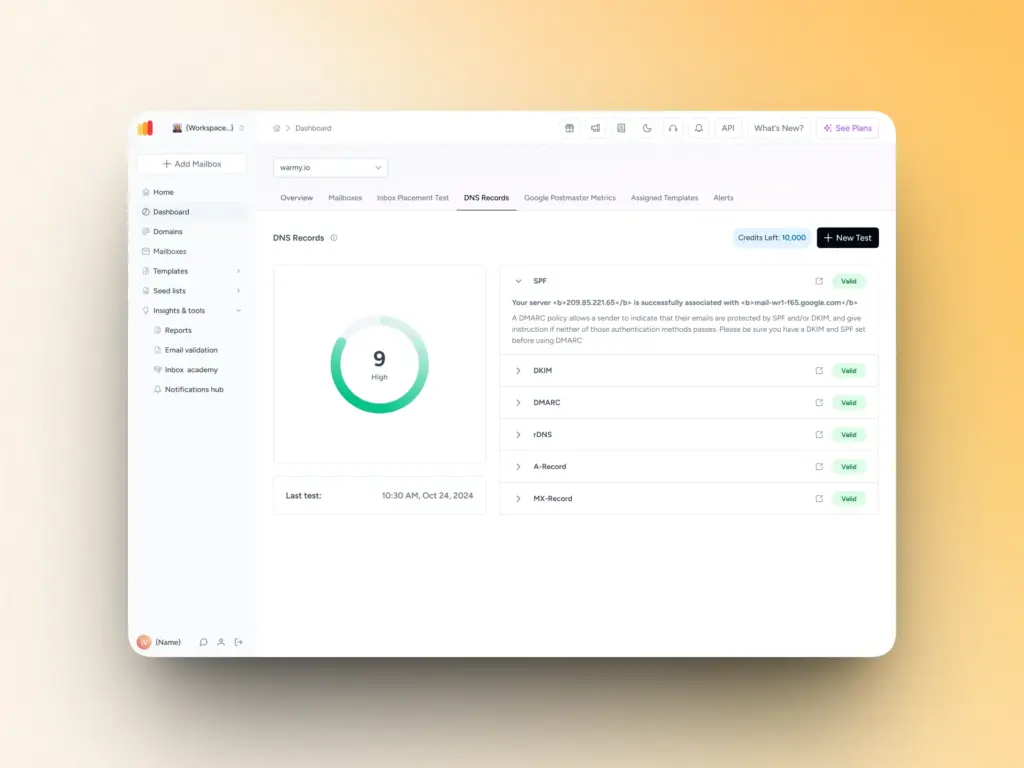
SPF, DKIM, and DMARC records need to be kept up to date as you add or change email sending services. Use Warmy’s free SPF Record Generator and DMARC Record Generator to create accurate records without needing to understand the raw DNS syntax.
3. Monitor blacklist status regularly
Blacklist appearances can happen without any obvious trigger especially on shared IP infrastructure. Build blacklist checks into your regular campaign review process, not just as a one-time fix.
4. Customize your warmup by provider
Not all providers filter the same way. Warmy’s Warmup Preferences feature lets you customize your warmup distribution across Gmail, G Suite, Outlook, M365, Yahoo, and private SMTP separately so you can focus on the warmup weight where your audience actually lives.
Make the move from diagnostic to automated health
A one-time spam test is a starting point, not a solution. The senders who consistently hit the inbox at scale, across providers, month after month aren’t just running periodic checks. They’ve built a system.
The days of “set it and forget it” email deliverability are over. But with the right diagnostic and automation stack, consistent inbox placement isn’t just possible. It’s repeatable and scalable.
Ready to move from diagnosis to prevention?Start your 7-day AI-driven warmup trial.
FAQ
How do I check if my email is flagged as spam?
Use an inbox placement tester like Warmy’s free deliverability test to send your email to real seed mailboxes across Gmail, Outlook, Yahoo, and other major providers. You’ll receive a breakdown showing exactly what percentage of your emails land in Inbox vs. Spam for each provider, giving you concrete data rather than guesswork.
What is a spam checker tool?
An email spam checker is a tool that evaluates your email against the criteria used by spam filters. Basic checkers scan for trigger words and formatting issues. Advanced tools like Warmy’s deliverability test also audit your technical authentication records (SPF/DKIM/DMARC), domain blacklist status, sender reputation, and real-world inbox placement across multiple email providers simultaneously.
Why did my domain get a low spam score?
Low domain spam scores are usually caused by one or more of these factors: missing or misconfigured SPF/DKIM/DMARC records, appearance on an IP or domain blacklist, low engagement rates from previous campaigns (causing ISPs to lower your reputation score), sending from a new or unwarmed domain, or exceeding Gmail’s 0.3% spam rate threshold. A full deliverability audit will identify the specific cause.
Can AI warmup reduce my spam score?
Yes. AI-driven email warmup works by simulating real, positive engagement with your domain — emails are opened, scrolled, clicked, and replied to — which signals to ISPs like Gmail and Outlook that your domain is a legitimate, trusted sender. Over time, this builds the sender reputation score that determines inbox placement. Warmy’s warmup engine can send up to 5,000 warmup emails per day and automatically rescues warmup emails that land in spam.
What’s the difference between an email spam checker and a deliverability test?
An email spam checker typically focuses on content analysis — scanning for trigger words, HTML issues, and formatting problems. An email deliverability test goes further by measuring real inbox placement across actual mailboxes on multiple providers, checking authentication records, and auditing domain reputation. For accurate results, you need both.