SMTP Error 500 5.3.3 pertains to a general syntax error wherein the receiving server is unable to process the command it received. To fix this issue, senders can:
- Review email content to identify attachments or features that may not be universally supported yet
- Review server logs to identify connectivity problems between servers
- Review your SMTP settings, authentication settings, and TLS/SSL settings to confirm if they are set up correctly and are valid.
Receiving “SMTP Error 500 5.3.3: Unrecognized Command” in your inbox may make you feel surprised, frustrated, and confused.
Understanding what it does and how it occurs is important to help you determine the next appropriate action to take. This blog will serve as your guide on how to work around this problem.
SMTP Error 500 5.3.3: What is it and what does it mean?
SMTP Error 500 codes signify issues with how mail servers communicate with one another. For example, a modern email client tries to send to an older mail server. The older mail server may find it difficult to comprehend certain commands or elements.
When the SMTP Error 500 is followed by the enhanced status code 5.3.3 and error message “Selected features specified for the message are not supported by the destination system,” it means that something about your email has a feature or a format that the receiving server does not understand or accept.
What causes SMTP Error 500 5.3.3?
Email delivery failed and you received the SMTP Error 500 5.3.3 in your inbox. If you’re wondering how to fix this unrecognized command email error, you’re in the right place.
Taking a deep dive into what the common causes of this error are can help you navigate to the best resolution possible. Here are some of them.
Your message may have unsupported features
This error pertains to a format that may be foreign to the recipient’s server. In short, your email may contain some encoding methods, file sizes, or specific functions that the receiving server cannot translate or handle. This usually happens when sending between different email platforms or to organizations still using legacy mail systems.
Here’s how to fix this:
- Review your email content. Confirm if your email contains unusual formatting, extremely large attachments, special characters, or embedded features that might not be universally supported. Try simplifying the message and removing attachments to see if that resolves the issue.
- You can also use tools to identify connectivity problems between mail servers.
- Review server logs for detailed error messages that can pinpoint the exact issue.
There may be some server misconfiguration, SMTP command syntax errors, or other server side problems
There can be a chance of a configuration issue at play when receiving the SMTP Error 500 5.3.3. The problem may lie within authentication mechanisms, incorrect port settings, or synchronization issues in complex environments like Microsoft Exchange servers.
Another possibility is your email client might be sending commands with incorrect syntax or in an improper sequence. This often happens due to software bugs or misconfiguration in the email application itself.
Additional triggers include greylisting filters that temporarily reject messages, insufficient disk space on the mail server, malformed SMTP syntax, or firewall rules blocking specific commands.
Here’s how to fix this:
- Verify your SMTP settings. Ensure your email client is configured with the correct server address, port number, and authentication method specified by your email provider. Common ports include 25, 465, and 587, each with different security requirements.
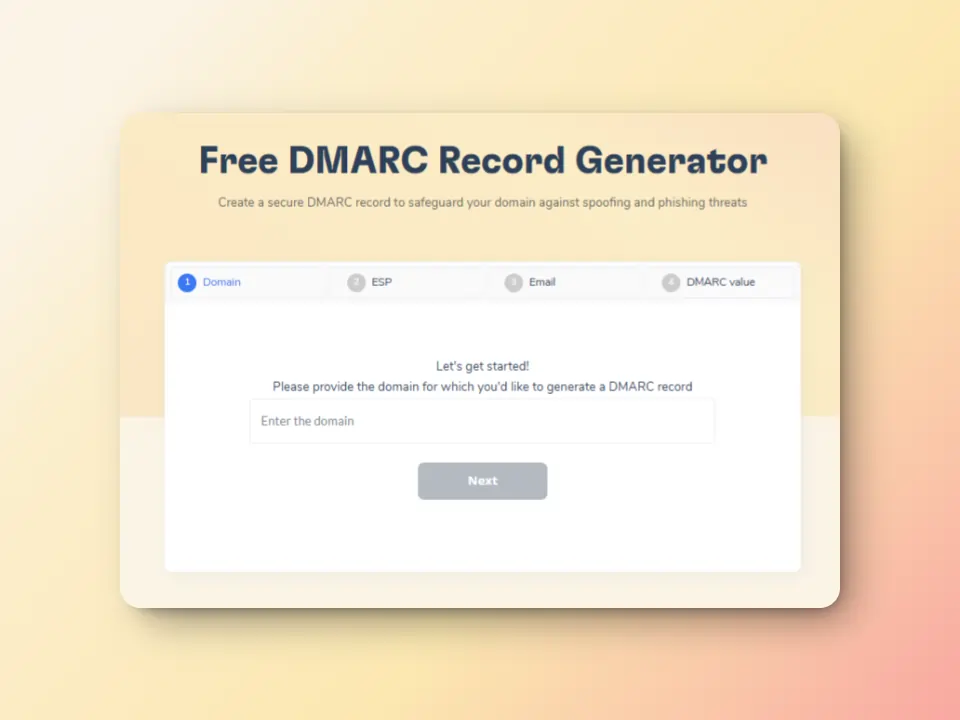
- Verify your SPF and DMARC settings. Misconfigured records can cause server misconfiguration and security issues. Use Warmy’s free SPF Record Generator and DMARC Record Generator to create proper records for your domain’s security.
There may be software security interference
Firewalls or antivirus programs can sometimes interfere with SMTP communication, causing the server to receive corrupted or unrecognizable commands.
Here’s how to fix this:
- Update your email software. Outdated email clients may have bugs that cause improper SMTP commands. Updating to the latest version can resolve these underlying issues.
- If you manage Exchange servers, verify authentication settings and Edge Synchronization configurations to ensure compatibility between different system components.
TLS/STARTTLS settings may be experiencing issues
One of the most common scenarios involves the STARTTLS command used to upgrade connections to secure TLS encryption. If your client attempts to use STARTTLS on port 587 but the server doesn’t support TLS or isn’t configured properly, you’ll encounter this error.
Here’s how to fix this: Review TLS/SSL settings. If you are the administrator of your domain, then confirm if your mail server properly supports STARTTLS on the configured ports and that SSL certificates are valid and up to date. Find your deliverability issues in 30 seconds with Warmy’s free email deliverability test.
Related Reading: SSL and TLS Certificate Errors in Email Servers: How They Impact Deliverability
Can SMTP Error 500 5.3.3 affect your email deliverability?
If it’s your first time to receive this error, you don’t need to worry right away. Experiencing this error once may not make a significant dent in your deliverability, but there are still many consequences that you have to consider.
Since SMTP Error 500 5.3.3 is a permanent failure, it means that your email is permanently rejected. The email was definitely not delivered nor read by the intended recipient.
So what does this mean for you?
- For individual senders. If you encounter this error often, especially with the same recipient or domain, there is a large chance that your email provider might flag the pattern of sending.
- For bulk senders and businesses. Organizations that regularly send high volumes of email should monitor this error, especially those that are managing multiple domains or mailboxes. Since you are sending a lot of emails, you have more chances of experiencing multiple permanent failures which can heavily impact your sender score.
Related Reading: Does Email Batch Size Matter? A Year of Deliverability Data Has The Answer
How to keep your email reputation out of harm’s way
Mastering email reputation management is a unique challenge. SMTP errors, such as SMTP Error 500 5.3.3 and others, may still happen no matter how much preparation and monitoring you do. For a full list of SMTP errors and their corresponding solutions, you can refer to The Ultimate Guide to SMTP Error Codes, What They Mean, and How to Fix Them.
Having a system that can help you ensure and maintain an ideal email health can save your reputation and improve it.
Warmy.io is an email warmup and deliverability tool designed to help businesses and email marketers establish healthy sender reputations and maximize inbox placement rates. The platform automates the process of gradually increasing your email sending volume and engagement, which signals to email service providers that you’re a legitimate sender. This then increases the likelihood of your future campaigns landing right where you want them to—the inbox.
Instead of guessing what went wrong every time an error appears, having the right support system prevents problems before they ever reach your inbox.
Here are just some of Warmy’s features that help:
AI-powered email warmup that builds trust

Servers sometimes behave like suspicious librarians: they don’t trust you until they know you.
Warmy’s AI-powered email warmup system gradually establishes your sending domain as a legitimate and trustworthy source through carefully orchestrated engagement patterns that send positive interaction signals to email service providers. Warmy also provides insights and analytics to help senders identify and resolve deliverability issues as soon as possible.
With the ability to send up to 5,000 warmup emails per day and customize multiple aspects (topic warmup, language, engagement patterns, distribution per provider), Warmy.io is no doubt the most advanced email deliverability solution today.
Related Reading: The Science and Process of Warming Up Newly Created Email Domains
Authentication protocol implementation

Warmy creates optimal conditions for successful inbox placement and reduces the chances of encountering delivery failure. Our deliverability experts often observe that senders’ DNS settings are not always properly configured. To ensure smooth deliverability, it’s crucial to get these right.
Warmy’s dashboard provides insights into whether these settings are properly set up. The free SPF Record Generator and free DMARC Record Generator can then provide proper records to help you secure configuration over DNS records.
This ensures ideal email hygiene, helping you avoid any SMTP errors that have anything to do with your authentication protocol issues.
Domain Health Hub enables senders to be one step ahead

SMTP errors like 500 5.3.3 are sometimes just the tip of a deeper technical iceberg: misaligned DNS records, authentication gaps, or a domain quietly drifting into poor standing.
Warmy keeps an eye on your domain reputation through the Domain Health Hub, a domain-level dashboard with the following capabilities or features:
- A domain health score based on factors like authentication, blacklist status, and inbox placement.
- Data for monitoring spam rate trends and overall deliverability performance (weekly and monthly)
- DNS checks for validating SPF, DKIM, DMARC records for extra security
- Multi-domain monitoring for convenient tracking of all domains
- Reports on performance and other health metrics
If something slips, you see it immediately, even before a recipient sees “Error 500 5.3.3.”
Inbox placement tests helps you measure reality
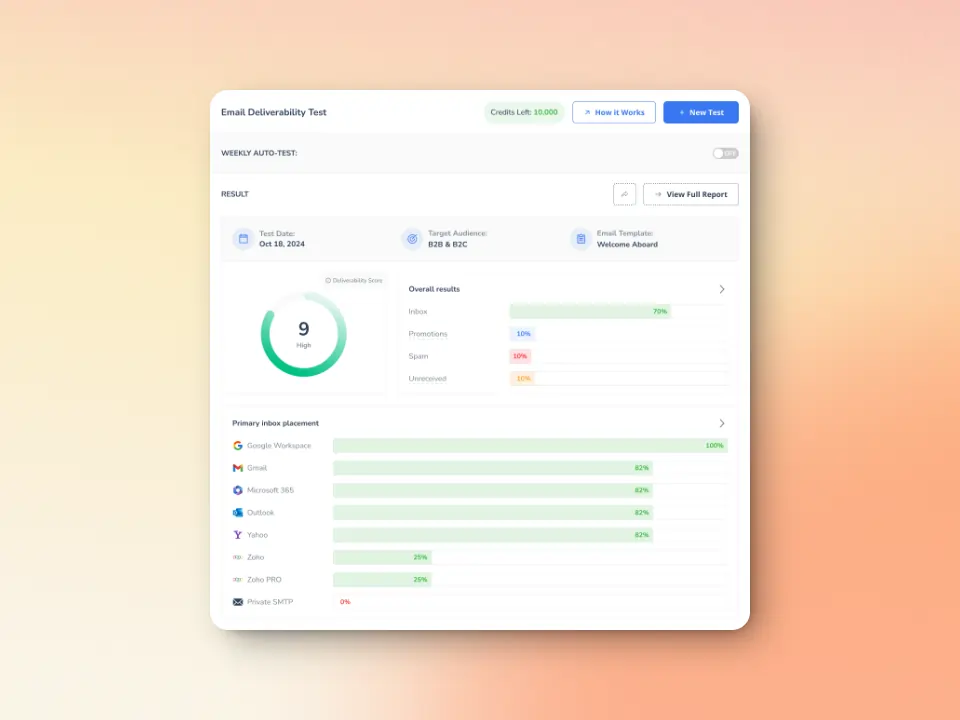
The platform’s dedicated inbox placement test offers real-time visibility into where your emails land. Senders can easily see if emails land in inbox, spam, or promotional folders across different providers.
Many senders fly blind, assuming a message they sent is a message delivered. Inbox placement tests remove that illusion by sending controlled test emails to real email addresses across various providers. This then reveals where you currently stand in terms of email deliverability, giving you an advantage as you proceed to warm up before large-scale campaigns.
Blacklist and reputation surveillance
Warmy also scans your domain and IP against major public blacklists and reputation databases. If your domain appears anywhere it shouldn’t, you’re alerted instantly and guided through the process of delisting.
This proactive approach prevents reputation damage from spiraling silently in the background and reduces the chance that a routine mail hiccup escalates into an SMTP rejection.
Maximize inbox placement and reduce errors with Warmy.io
Warmy doesn’t just prevent SMTP errors. It gives your entire email deliverability strategy a full workup by providing advanced tools and insights to keep your domain healthy and your sender reputation strong. Sign up for your free trial today (no credit card required!) and try the difference first hand.
FAQ
What is SMTP Error 500 5.3.3?
SMTP Error 500 5.3.3 is a permanent delivery failure caused by an element in the sender’s email that the receiving server cannot understand, accept, or handle.
Can I resend the email after getting a 500 5.3.3 error?
You can try resending. However, without making changes, you will likely encounter the same error. Since this is a permanent failure (5xx error), simply retrying won’t resolve the issue. Before resending, simplify your email by removing complex formatting, large attachments, or special features.
Is SMTP Error 500 5.3.3 my fault or the recipient’s fault?
This error typically results from incompatibility between sending and receiving systems, so it’s not necessarily anyone’s “fault.” The issue could stem from your email client using features the recipient’s server doesn’t support, misconfigured settings on either end, or outdated server software. Sometimes it’s caused by your email containing non-standard elements, while other times the recipient’s server lacks certain capabilities or has restrictive configurations.