A growing company is often equivalent to a growing mailbox.
Acquiring additional mailboxes represents business development and progress. Sales teams will require dedicated sending addresses, marketing campaigns will institute separate infrastructure, and support channels need to have their own identifiable address.
However, managing multiple mailboxes introduces problems that many teams underestimate. When left unstructured, this complexity can quickly lead to security gaps, operational friction, inconsistent authentication, and most critically: deliverability and reputation damage.
So what can businesses do to ensure email deliverability with multiple mailboxes? And how can they manage this complexity without sacrificing inbox placement, sender reputation, or operational control?
This guide breaks down the real challenges of managing multiple mailboxes and introduces a practical approach to solving them at scale.
Why do businesses end up managing multiple mailboxes?
There are over 376.5 billion emails sent and received per day, which averages out to roughly 47 emails per person per day.
That sheer volume explains why email remains one of the most relied-upon communication channels in business despite the rise of chat apps and collaboration tools.
Email is universal, asynchronous, searchable, and formally recognized across organizations and industries.
Because of that reach and reliability, businesses continue to depend on email not only for internal communication, but also for sales outreach, customer support, transactional messaging, and marketing campaigns.
Adding more mailboxes does not automatically make a process better, but there are multiple advantages of multiple mailboxes.
Multiple mailboxes as a scaling requirement
- A single mailbox that sends thousands of emails per day will trigger rate limits and can make your mailbox seem suspicious for email service providers. It can even result in damaging your sender reputation.
- Distributing this volume across multiple mailboxes helps your main domain stay under the radar of automated throttling systems and maintain the throughput your business requires, which can help improve your email sender reputation score.
- Besides the raw volume that you can send, different email types allow you to have different sending patterns. For example, a sales prospecting email that is sent during business hours during business days has a different sending pattern than a monthly newsletter sent to your entire customer base.
Sales, marketing, and support need separate sending streams
Email is useful for sales, marketing, and customer support, but each of them has its own tone, volume, and time-sensitivity. These differences mean that they need to perform better when sent from dedicated addresses matching their purpose and cadence.
When a sales representative sends a cold email from the same domain used for marketing campaigns, inbox providers may not be able to distinguish the two. The same can be said for your customers who are expecting support.
Those carefully crafted personal prospecting emails will get treated as a bulk marketing piece since their sender reputation has the same standing as your newsletter infrastructure.
Thus, the use of separate mailboxes helps you separate each channel, allowing them to perform at their peak.
The problem with managing multiple mailboxes
How many mailboxes do you really need? That is the question.
The number of mailboxes you have does not immediately translate to a systemized and uniform email infrastructure. Although multiple mailboxes can help you scale and segment your email communications, it can introduce a new layer of operational complexity that many teams may underestimate.
Managing one or two mailboxes is completely different when you’re coordinating five, ten, or twenty separate sending identities. Here are some issues to watch out for:
Operational overhead
Each mailbox requires its own configuration, monitoring, and maintenance. You should also ensure DNS records are set up correctly, while making sure that your authentication protocols are verified. The more mailboxes you manage, the more opportunities exist for something to go wrong. The harder it becomes to catch problems before they cause damage.
Authentication drift across mailboxes
SPF, DKIM, and DMARC are the foundation of email authentication, and you have to ensure that each mailbox has a properly configured authentication system. As teams rotate and infrastructure undergoes necessary development, these configurations tend to drift out of alignment.
Warm up complexity at scale
Each new mailbox needs to work on its sender reputation gradually via a warm up process. This means starting with low volumes then gradually increasing the number of emails sent over weeks while maintaining high engagement and low complaint rates.
It’s a pretty straightforward process until you find yourself managing warm up for ten mailboxes.
Different mailboxes warm up at different rates depending on their purpose and engagement patterns. Tracking where each mailbox is in its warm-up cycle, adjusting volumes accordingly, and ensuring none of them spike prematurely requires constant attention and detailed record-keeping that manual processes can’t sustain.
Related Reading: How Email Warm Ups Transform Cold Outreaching
Deliverability fragmentation
Two out of every three businesses say that email deliverability problems damage their revenue. Managing multiple mailboxes means your deliverability data becomes fragmented across different interfaces, tools, and dashboards. This fragmentation means problems go undetected longer.
A deliverability issue affecting three of your ten mailboxes might not be obvious when you’re looking at each one individually. By the time you notice the pattern, the damage has spread, and you’re dealing with a domain-wide reputation problem rather than a contained mailbox issue.
Monitoring blind spots and delayed risk detection
Each mailbox typically requires its own monitoring approach, and the more mailboxes you have, the more likely it is that something falls through the cracks. Delayed detection means delayed response, and in email deliverability, delays often mean the difference between a quick fix and a long recovery process.
Why “just consolidate everything” fails as a solution
Consolidating is often a common reaction for every business feeling overwhelmed by multiple mailbox management. While it may sound logical, it typically creates a pandora’s box of problems here is why:
- Volume risk and single-point failure: Consolidating high-volume sending into fewer mailboxes concentrates risk in a way that’s dangerous for business continuity. If your single consolidated mailbox develops a reputation problem or gets temporarily blocked by a major inbox provider, your entire email operation goes dark. The cost of this single point of failure far exceeds the inconvenience of managing multiple mailboxes.
- Compliance, brand, and operational constraints: Different types of email often have different legal and compliance requirements. Marketing emails need CAN-SPAM compliant unsubscribe mechanisms and physical addresses. Transactional support emails don’t. Mixing these in a single mailbox makes compliance tracking more complex and increases the risk of violations. Separate mailboxes allow you to implement appropriate controls for each email type without compromise.
How Warmy centralizes control without killing scale
The primary challenge with having multiple mailboxes is that traditional tools force you to manage them individually. Warmy.io solves this by providing centralized control and visibility of your mailboxes at a domain-level, along with its other features that will help you maintain the most ideal email health.
Proactive deliverability monitoring
Rather than waiting for problems to become obvious in your campaign metrics, Warmy actively tests your deliverability by sending emails to real inboxes across major providers and monitoring where they land. You get real-time visibility into whether your emails are reaching inboxes, spam folders, or getting blocked entirely across all your mailboxes simultaneously.
Automated warm up and volume control

Warmy provides automated warm up for every mailbox you connect. You don’t need to manually track where each mailbox is in its warm-up cycle or remember to increase volumes on the right schedule. The platform manages this complexity automatically while ensuring every mailbox builds reputation safely.
Related Reading: The Science and Process of Warming Up Newly Created Email Domains
Domain Health Hub
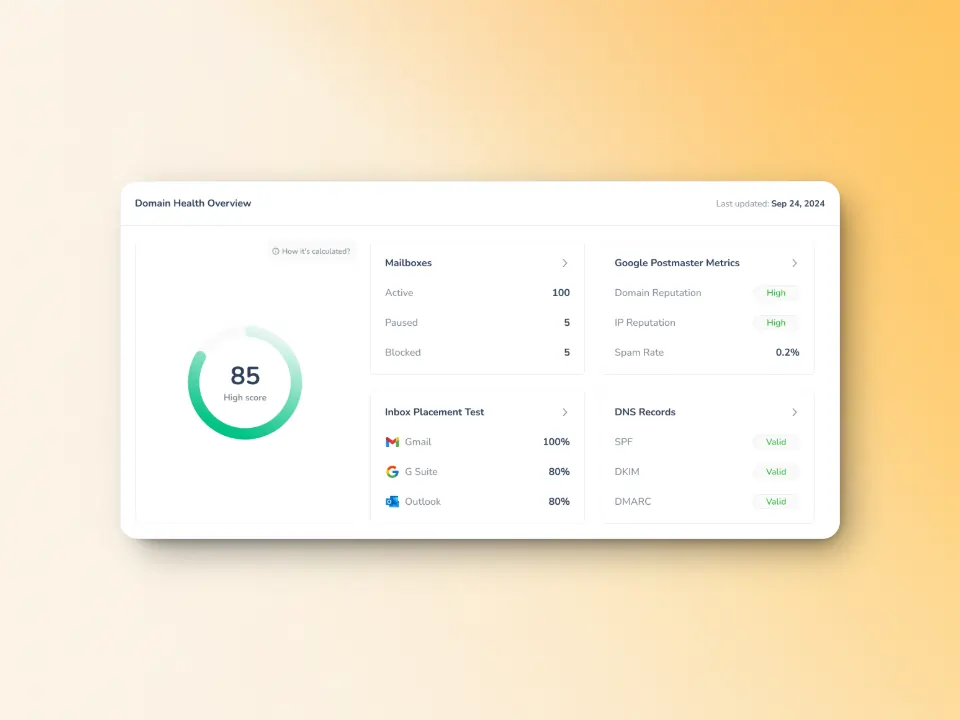
The Domain Health Hub inside the Warmy platform enables senders to perform the following which can help you manage multiple mailboxes:
- Check the percentage of emails reaching the primary inbox, spam folder, or promotions tab.
- Get a clear view of warmup performance insights like spam rates, inbox placement, and deliverability trends on a weekly & monthly basis
- Scan your domain/IP against major email blacklists
- Monitor deliverability at the domain level from one dashboard to easily identify which needs attention
- Get comprehensive DNS status checks to easily validate SPF, DKIM, DMARC, rDNS, MX, and A records for stronger authentication & security
Authentication and reputation alignment
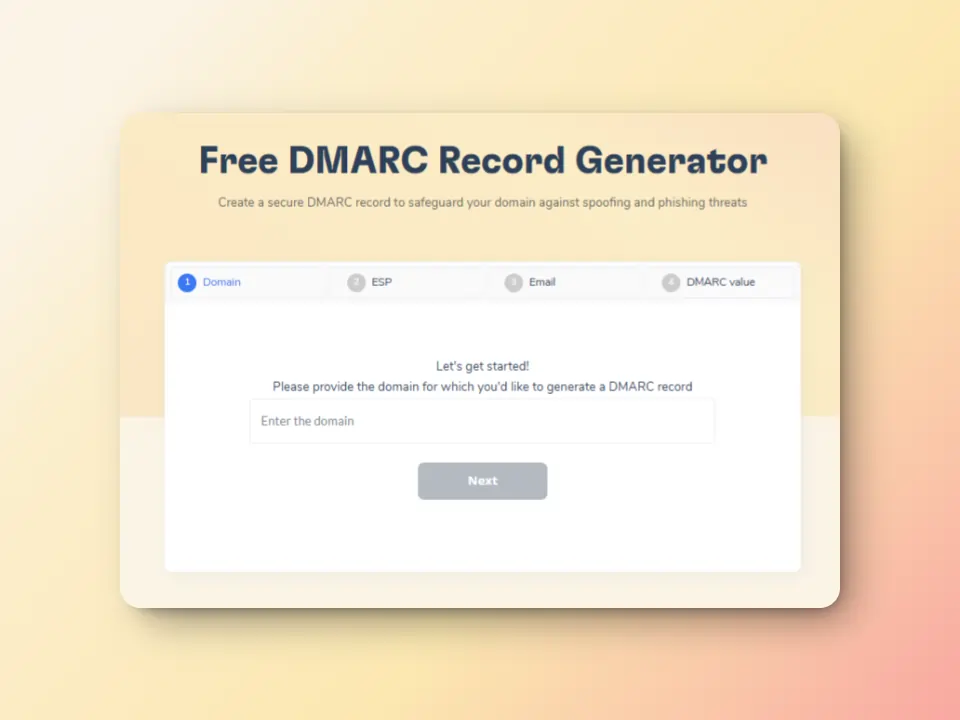
Warmy has a free SPF Record Generator and a free DMARC Record Generator to help you quickly set up and verify these essential records for your domain. They ensure your emails pass the necessary checks, preventing deliverability issues right from the start.
Related Reading: Don’t Let Your Emails Get Spoofed: How a DMARC Helps
Mailbox calculator
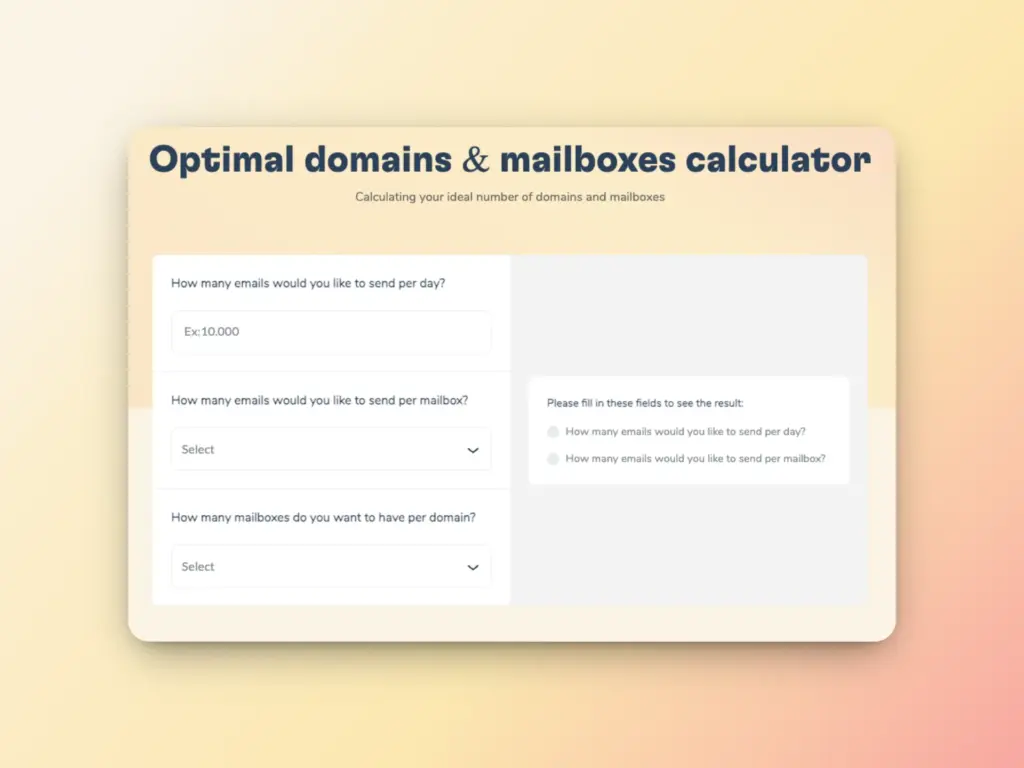
If you want to uncover the amount of mailboxes and domains you need you can utilize Warmy’s Mailbox Calculator.
It calculates the amount of domains and mailboxes you will need depending on your target daily sending volume, the number of emails you want to send per mailbox, and the number of mailboxes per domain, helping you save time and reduce errors that you can experience during manual calculations.
Let Warmy.io help you manage your mailbox
Understanding the potential issues you can contract when managing multiple mailboxes can set you in your email journey, whether it be for marketing campaigns, sales outreach, or customer support having Warmy.io and its mailbox calculator, and other features will help you ensure an ideal email health.
Don’t let your domain get lost in the spam folder. Start warming up today with Warmy.io and take your email outreach to the next level.
FAQ
Why do businesses need to manage multiple mailboxes?
The need for multiple mailboxes comes from the need to segment email communications by purpose, such as sales, marketing, and customer support. This helps distribute email volume, maintain sender reputation, and ensure that each type of communication performs optimally. Using separate mailboxes also helps avoid deliverability issues and provides better control over sending patterns.
What challenges come with managing multiple mailboxes?
Managing multiple mailboxes introduces several complexities, including operational overhead, authentication drift, warm up complexity, and deliverability fragmentation. As the number of mailboxes increases, it becomes more difficult to track performance, ensure consistent configurations, and maintain a healthy sender reputation across all mailboxes.
Why is it important to warm up multiple mailboxes gradually?
Each new mailbox requires a gradual warm up process to build its sender reputation. This helps prevent sudden spikes in email volume, which can trigger spam filters and hurt your reputation. Warming up ensures that each mailbox establishes trust with inbox providers, allowing you to increase sending volume steadily without damaging deliverability.
How can Warmy.io help with managing multiple mailboxes?
Warmy.io provides centralized control over your mailboxes, offering features such as automated warm up, proactive deliverability monitoring, and real-time performance insights. It also provides a Domain Health Hub to monitor inbox placement, spam rates, and other key metrics across all your mailboxes.
What is Warmy’s Mailbox Calculator, and how does it help?
Warmy’s Mailbox Calculator helps you determine the optimal number of mailboxes and domains needed for your desired sending volume. It takes into account factors like the number of emails per mailbox, helping you plan and scale your email infrastructure efficiently, reducing errors and operational overhead.


![Text on a white and orange gradient background reads: smtp error 450 4.1.1—How to Fix It [SOLVED] in bold black and red font.](https://warmy-blog-wordpress-bucket.s3.amazonaws.com/wp-content/uploads/2026/01/06135820/SMTP-450-4.1.1.webp)