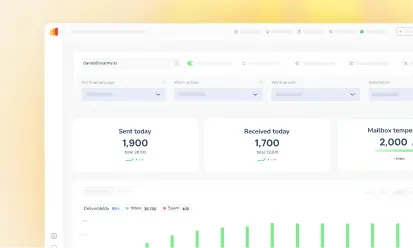





Mailivery and Warmy are two of the top choices for email warmup. However, these tools are very different when it comes to features and capabilities.
Warmy is the best option for serious senders, thanks to its advanced AI-driven warmup, comprehensive reporting, and deep customization that Mailivery doesn’t offer. While Mailivery offers basic warmup for outreach campaigns, it falls short when it comes to fine-tuning and ability to cover various aspects of the email deliverability process.
With various email marketing and outreach tools integrating with Mailivery and Warmy, understanding the difference between the two is crucial. In this article, we’ll explore the key differences between Warmy and Mailivery, break down their feature sets, and show why Warmy delivers superior results.
What is Mailivery?
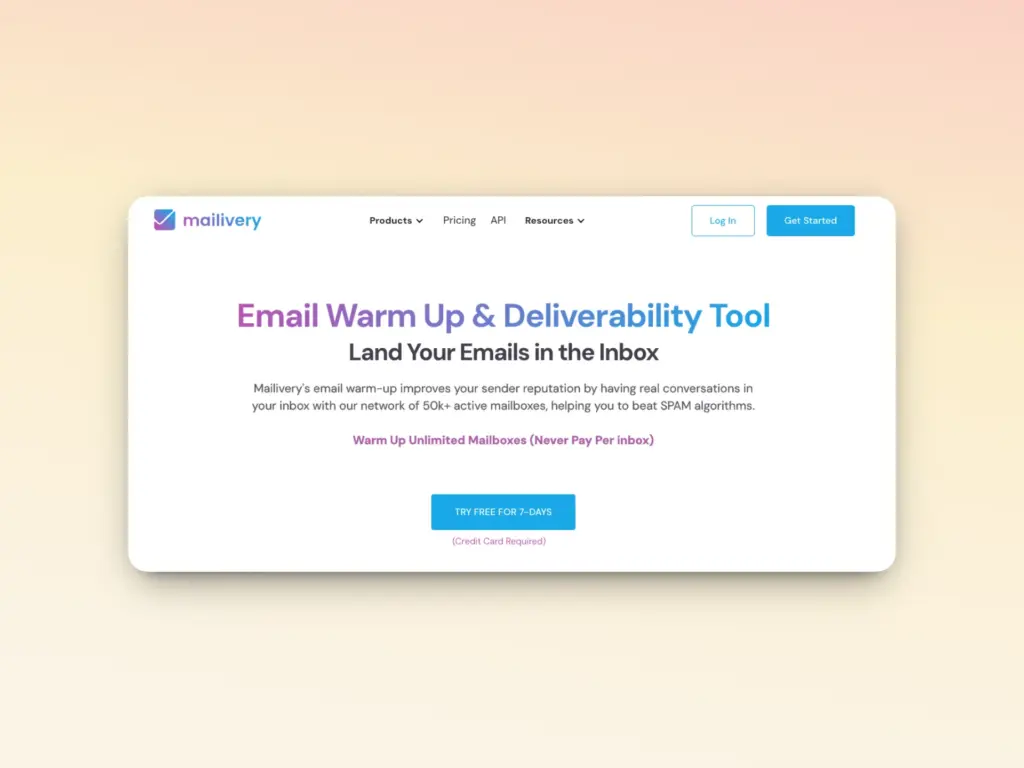
Mailivery is an email warmup tool that uses AI to facilitate warmup across a peer-to-peer network of real, verified inboxes. Mailivery simulates email behavior to help senders avoid spam filters, land in inboxes, and improve deliverability.
Key features:
- Unlimited inboxes: Mailivery allows users to connect an unlimited number of mailboxes without any added costs. This is helpful for businesses managing multiple mailboxes and domains.
- Usage of AI and real mailbox network: Mailivery’s peer-to-peer network includes over 30,000 verified mailboxes. The network features both user-owned mailboxes and Mailivery-operated accounts. Mailivery then uses AI to interact with these real emails and generate positive engagement signals for better sender reputation.
- Customizable warmup: Senders can customize the volume, reply rate, and timing of warmup. Users can also use the Ramp-up Feature and choose among three warmup speed settings: Slow, Normal, or Fast.
- Blacklist monitoring: Mailivery’s Blacklist Monitoring tool regularly checks 70+ blacklists and notifies users if domain or IP is listed anywhere.
- Double email validation: Email contact lists are first validated against Mailivery’s internal database of bad emails, spam traps, and known invalid addresses. Then a third-party system re-verifies the list.
- Scalable for teams: According to Mailivery, the platform caters to teams well. Roles can be assigned and individual inbox warmup activity can be monitored from one dashboard,
Pricing structure
Mailivery operates on a tiered pricing structure based on the daily warm-up volume. The plans are designed to accommodate users with varying needs, from smaller businesses to large agencies:
Plan
Monthly billing
Annual billing
Maximum daily warmup emails
Blacklist monitoring
Email verification credits
Where Mailivery lacks and why some would look for an alternative
There are a few areas that might prompt users to turn to Warmy instead.
- Mailivery offers a good set of default warmup settings, but users who prefer even more granular control may find Mailivery’s options limited.
- While all plans allow unlimited inbox connections, the maximum limit for warmup emails a day stays at 2,000 emails which are distributed across all connected mailboxes.
- For larger scale campaigns, the starter plan with 100 warmup emails shared within multiple mailboxes may not be robust enough. Warmy, for example, has the capability to send up to 5,000 warmup emails per day.
- Many users report inconsistencies when it comes to the tech. There are constant bugs and errors, and features that stop working suddenly. Sometimes, the entire platform goes down for days.
- Mailivery focuses on warmup, which is a positive thing. However, email deliverability has other factors that contribute to it. Other warmup platforms like Warmy include email template checkers and content optimization tools among others.
What is Warmy.io?

Warmy.io is the premier AI-powered email deliverability solution. Warmy is the only email warmup tool with a proprietary AI (Adeline AI) that provides real-time deliverability analysis, coaching, troubleshooting, and implementation.
Email warmup is just one of the many features of Warmy. Warmy uses advanced machine learning algorithms to automate the email warmup process so businesses can experience better inbox placement rates and improve their overall email marketing performance.
Key features:
AI-powered email warmup
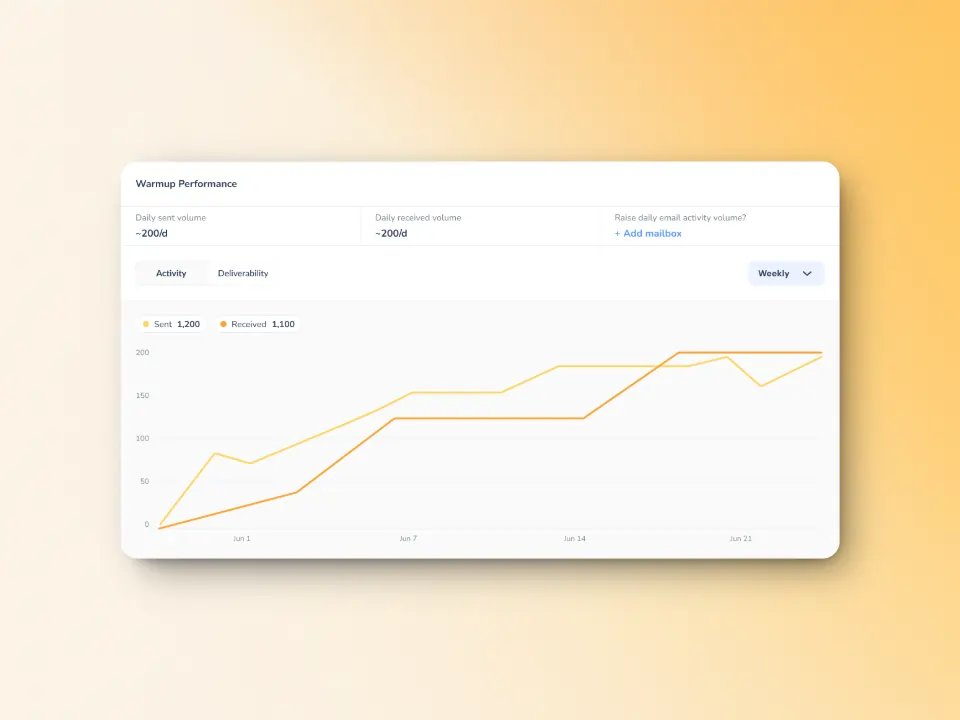
Warmy uses artificial intelligence to analyze current sending patterns of senders to determine the best approach for email warmup. Then, Warmy gradually increases email sending volume while monitoring engagement signals to ensure that sender reputation is improving. The AI facilitates interactions that include interactions like opening emails, replying, removing emails from spam, and marking them as important.
While Mailivery also offers AI warmup, Warmy’s solution is more robust for the following reasons:
- Warmy can send up to 5,000 warmup emails per day compared to Mailivery’s maximum of 2,000.
- Integration with Google Postmaster data means warmup patterns are based on real-time provider feedback. This essentially gives senders a view of how Gmail views their reputation.
- Mailivery groups their warmup emails in a separate folder, but Warmy has an auto-archive feature that keeps your inbox clean by archiving warmup emails and threads every 20 minutes. Warmup goes on without disrupting any of your activities.
- Mailivery’s peer to peer network of 30,000 email addresses pales in comparison as Warmy’s maintains a minimum of 1M+ active mailboxes that contribute to the warmup process.
Granular warmup customization options
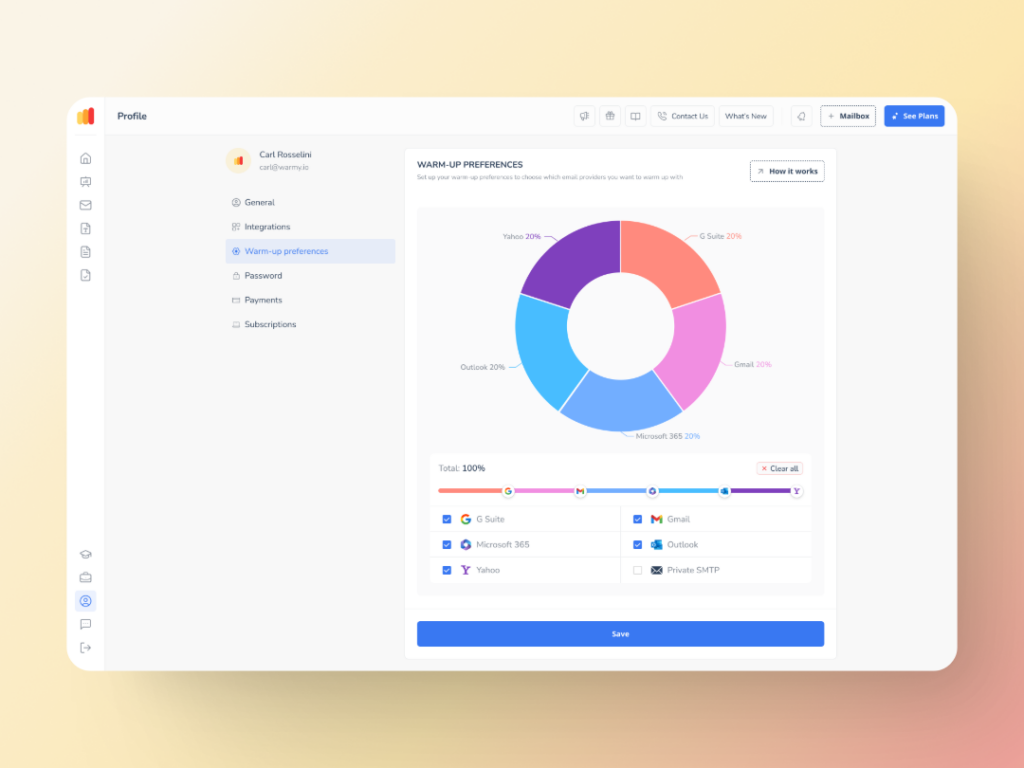
Mailivery users can customize the volume, response rate, and timing of email warmup, and that’s about it. Meanwhile, Warmy users can customize topic, language, sending patterns, and even distribution per provider. In short, Warmy ensures that personalization does not take a backseat in the face of AI.
- The Warmup Preferences feature gives senders complete control over the warmup process with options for fine-tuning and optimization. Warmy senders can set custom distribution percentages for email warmup across various email providers. This creates a natural sending pattern. For example, if almost half of your target recipients are on Gmail, you can set 50% of warmup emails to go to Gmail addresses so you can prioritize solidifying your reputation with Gmail.
- Senders can also choose whether warmup emails should follow B2B or B2C engagement patterns.
- Warmy also allows users to integrate their custom email templates for even better personalization impact. With the new Spintax feature, Warmy’s users can create one email template with multiple unique variations too.
- Warmy also offers warmup in over 30 languages, which is really a top-tier feature for email senders as it offers a very personalized approach to the process.
- Even the warmup topic can be customized so senders can implement warmup related to their industry or offering. Warmy offers options like real estate, finance, marketing, and so on.
Comprehensive reporting and monitoring of domain health and inbox placement
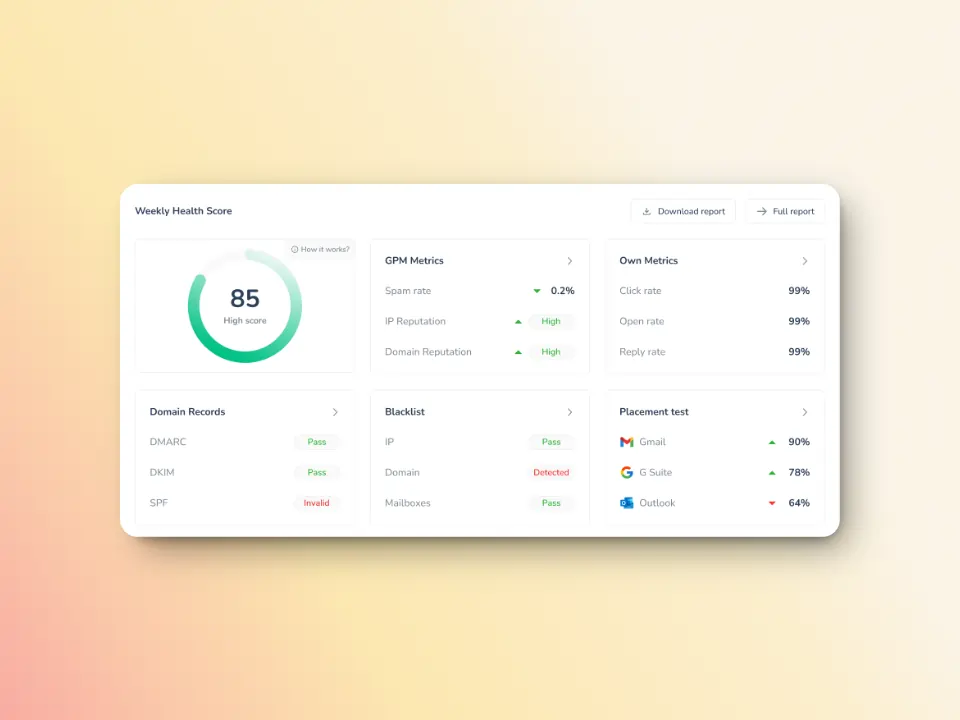
With Warmy, users can generate and receive detailed domain-level and mailbox-level reports on their inbox placement, spam rates, and email health. These reports allow users to track how well their emails are performing across domains, identify areas for improvement, and adjust strategies accordingly.
Here’s an overview of what the reports contain:
- Health score or a quick snapshot of domain’s overall health
- Status and verification of SPF, DKIM, and DMARC records
- Deliverability and breakdown of where your emails are landing
- Spam rate
- Emails sent and received during the day
- GPM status which includes domain reputation and spam rate as reported by Gmail
Users can also add more customizable statistics such as:
- Deliverability Checker Statistics (Inbox, Spam, Promotions, Unreceived): A breakdown by period (Today, Yesterday, Last 7 Days), showing how emails are classified across major providers (Gmail, Outlook, Yahoo, etc.).
- Warmup Statistics (Sent, Landed in Inbox, Saved from Spam): How well your emails performed in the warmup process, helping you track progress and optimize sending behavior.
Then we also have the Domain Health Hub, a domain-level dashboard that contains an overview of domain health, warmup performance summary, DNS records verification, Google Postmaster metrics, and results of the most recent inbox placement test.
Advanced features like seed lists and Warmup with Clicks to maximize warmup results
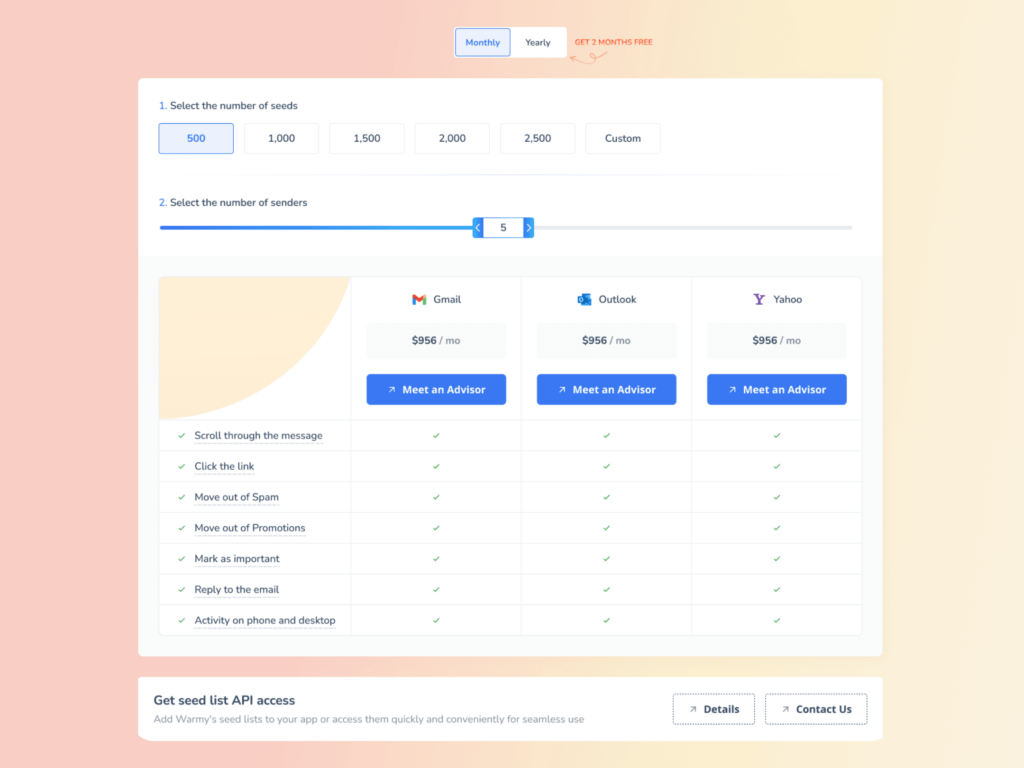
Warmy understands the importance of human interactions and engagement when it comes to establishing a positive sender reputation. Thus, Warmy’s seed lists are composed of genuine and active accounts from Gmail, Yahoo, and Outlook. Here’s how Warmy’s seed lists work:
- Senders can manually download these lists and upload them to their Email Service Provider to launch campaigns.
- Warmy’s seed lists offer actual engagement as emails are opened, scrolled through, clicked on, and replied to. If there are emails that land in spam, these are removed and marked as important to let the ESPs know you are credible.
- Additionally, there is a monthly seed list rotation which is a full replacement of the existing splits. This ensures that contacts are always updated and that there are no fixed patterns so engagement always appears human.
Meanwhile, Warmup with Clicks is a fully-automated process where senders just need to connect their mailbox and everything else follows. This means:
- The warmup includes both IMAP and seedlist recipients, allowing for better deliverability. There’s no longer any need to manually download seed lists to ensure contact lists are updated.
- Human-like engagement ensures your emails don’t just land in the inbox during the warmup process. Instead, they’re actively interacted with, improving both domain reputation and inbox placement.
- Emails are opened, links are clicked, and even if an email is initially sent to the spam folder, it is moved to the inbox and marked as important. These natural interactions send positive signals to email service providers (ESPs), showing that your emails are legitimate, relevant, and wanted by the recipient.
- There is very little risk of emails bouncing as the system handles the seed list and updates automatically, which means email addresses are valid and updated at all times.
Noteworthy suite of free and paid tools that tackle various aspects of deliverability
- Free email deliverability test: It can quickly check if your emails are landing on its intended recipient and shows the percentage of emails that ends in spam, promotions, inbox, and unreceived across major email providers. Plus, it is capable of revealing if your domain or IP is listed anywhere on any blacklists.
- Smart weekly auto-run: For Warmy users, an automatic schedule can be set for weekly deliverability tests to consistently monitor inbox placement performance without manual intervention.
- Agency dashboard: This lets users manage multiple email accounts and collaborate with the team. Since it centralizes warm-up efforts, allowing team members to access and control warming-up mailboxes without sharing your main login.
- Email validation tool: Warmy validates each email address to help senders avoid sending emails to invalid addresses that could harm your sender reputation. All paid plans come with 10,000 credits for free and users can purchase more at 0.007 USD each.
- Free Email Template Checker with Chrome extension: The email template checker scans for common issues that could trigger spam filters, ensuring your emails have the best chance of landing in the inbox.
- Free SPF Record Generator and DMARC Record Generator: Failing email authentication checks (SPF, DKIM, DMARC) is one of the top reasons why email deliverability can suffer. Warmy offers free tools to help businesses generate and validate SPF and DMARC records with ease.
- Inbox Academy: Users can get their very own “Deliverability Expert” certificate when they finish the self-service academy that guides business owners, marketers, and teams in improving deliverability.
Adeline AI
Adeline is Warmy.io’s proprietary large language model trained from the ground up. It is the first AI dedicated to master email deliverability.
Created by AI and machine learning experts, Adeline can not only answer questions. It also analyzes the data and sending activity of each and every user, diagnoses and troubleshoots deliverability issues, and executes a unique warmup plan for each individual mailbox.
Additionally, Adeline continues to analyze real-time sending performance to predict optimal sending times, frequencies, and other strategies to maximize engagement and improve sender score.
Key features comparison: Warmy vs. Mailivery
Warmy.io
Mailivery.io
Stop second-guessing your email deliverability. Get started with Warmy for free.
Quick summary of feature comparison:
In a nutshell, here’s a quick comparison and differentiation of the two solutions:
Network size (Winner: Warmy)
- Warmy has a larger network of real and verified email addresses for warmup.
- Warmy maintains a minimum of +1M, while Mailivery publicly claims their network is composed of only 30,000.
Warmup process and customization (Winner: Warmy)
- When it comes to the level of personalization and customization of the warmup strategy, Warmy is clearly more advanced.
- Mailivery allows customization of volume, reply rate, and schedule. However, Warmy has options to tailor warmup distribution per provider, choose among 30 languages, and select a language topic.
- Mailivery can send a maximum 2,000 emails a day while Warmy can handle up to 10,000. Though Mailivery emphasizes that users can connect unlimited mailboxes at no additional cost, the maximum number of warmup emails per day stays at 2,000.
- Warmy’s Warmup With Clicks goes beyond basic warmup which Mailivery offers (opening emails, replying, removing from spam and marking as important). Warmup with Clicks amplifies engagement signals, which significantly improves deliverability.
Data-driven insights and access to key metrics (Winner: Warmy)
- Mailivery provides ample data on spam placements and progress of sender reputation improvement. It also monitors blacklists.
- Warmy offers these and more. Users can even generate domain-level and mailbox-level reports depending on the granularity they need. Data include inbox placement, spam rates, domain health, authentication verification, and warmup progress among others.
- As of January 2026, Mailivery has an Inbox Placement Checker listed as ‘Coming Soon’ while Warmy offers this for free already.
- Only Warmy has an integration with Google Postmaster which provides real-time and accurate data from Google .
Flexibility and scalability (Winner: Warmy)
- Both Warmy and Mailivery have the capability to work well for teams. Users can invite teammates, assign roles, and monitor various inboxes’ warmup activity.
- Where Warmy stands out is it has an agency dashboard, which is specifically created for agencies handling multiple clients and multiple accounts.
The verdict: Which email warmup service should you choose?
After a thorough comparison between Warmy and Mailivery, Warmy proves to be the more advanced email deliverability solution. It is also the more flexible and scalable option which makes it a good fit for businesses or individuals of different sizes or at different stages.
Choose Warmy if you need superior deliverability insights, AI‑driven warmup optimization, and deep data-driven diagnostics.
FAQs
What is Mailivery used for?
Mailivery is an email warmup tool designed to improve deliverability and ensure that emails land in the recipient’s inbox rather than the spam folder.
How does Warmy improve email deliverability?
Warmy uses AI-driven email warmup, real-time analytics, and deliverability tools to gradually build your sender reputation, ensuring better inbox placement for your emails. Compared to Mailivery, Warmy’s features are more robust and optimizes multiple factors that affect deliverability. Aside from warmup, Warmy also offers SPF and DMARC record generators, template checkers, email signature builder, and cold sequence builder among others.
Is Mailivery suitable for large teams?
Yes, Mailivery can be used by agencies and businesses that need to connect multiple mailboxes without per-mailbox pricing. However, Warmy is more suitable for large teams with its dedicated agency dashboard which streamlines management of various accounts and mailboxes. At the same time, Warmy is also ideal for small teams and even individuals, making it a more flexible and scalable option.
Does Warmy support multiple languages?
Yes, Warmy supports email warmup in over 30 languages, making it a great option for businesses with global outreach.
What are the benefits of using Warmy for email warmup?
Warmy provides advanced warmup automation, email deliverability insights, custom templates, blacklist monitoring, and AI-powered engagement for optimal inbox placement. The email warmup process, while automated, can be customized according to provider, topic, language, temperature, and engagement patterns. Additionally, Warmy has Adeline AI, its dedicated AI for email deliverability. Adeline analyzes each user’s deliverability issues, tailors a unique warmup strategy based on these unique data points, and executes the strategy.