




Warmy’s inbox placement test is a quick and easy way to know if your emails are landing in the inbox, spam folder, or promotions tab across inbox providers like Gmail, Yahoo, and Outlook.
- Access the tool. Navigate to Warmy’s free email deliverability test page. No account is needed to get started.
- Configure your test. Select how you will be sending whether via a direct email account, a marketing platform, or an API request.
- Copy the provided list of email addresses. The tool will display a curated list of email addresses. Choose your preferred address format (line-separated or comma-separated) and click Copy to capture the full list.
- Send your test email. Open your email platform or campaign tool and create a new message. Paste the copied seed addresses into the To field. Add your subject line and email body. For the most accurate results, use your actual campaign email rather than a placeholder. Send the message.
- Review your deliverability report. Return to the Warmy tool and click Check Email Deliverability. Results are available within three to five minutes. Your report will show inbox placement rates by provider (Gmail, Outlook, Yahoo), delivery failures, and blacklist status for your sending domain and IP.
What is an inbox placement test?
An inbox placement test is a diagnostic tool that reveals precisely where your emails land across major email providers, whether that’s in the inbox, spam folder, or promotions tab.
Email delivery vs. email deliverability vs. inbox placement: what’s the difference?
These three terms are frequently used to refer to the same thing, but they actually measure different outcomes. Treating them as synonymous can lead teams to misdiagnose performance problems entirely.
- Email delivery refers to whether your message successfully reached the recipient’s mail server.
- Email deliverability can also be referred to as inbox placement. It is a more granular measure as it identifies precisely where that message was sent to after arrival: inbox, spam folder, or a secondary tab like Gmail’s Promotions.
Thus, a strong delivery rate does not guarantee strong inbox placement. It is entirely possible to sustain a 99% delivery rate while a significant share of your audience never encounters your email as it was sent to Spam. The table below clarifies both dimensions:
| Email Delivery | Email Deliverability or Inbox Placement |
The question it answers | Did the message reach the recipient’s mail server? | Where did it land? |
What it measures | Successful server-to-server transfer | Inbox vs. spam vs. promotions tab placement |
Primary signals | Bounce rate, MTA logs | Results across Gmail, Outlook, Yahoo |
Business impact | High bounce rates damage sender reputation | Low inbox placement directly reduces open rates and revenue |
How to test | Delivery and bounce tracking | Inbox placement test (e.g., Warmy’s free tool) |
This distinction has direct implications for campaign analysis. For example, a consistent decline in open rates, for instance, may have nothing to do with subject line quality or sending schedule. It may actually reflect an inbox placement issue that copy alone cannot address.
Not sure whether your emails are reaching the inbox? Run Warmy’s free inbox placement test and get a full deliverability report in under 5 minutes.
How does an inbox placement test work?
A typical inbox placement test works by sending your email to a set of active email addresses across Gmail, Outlook, Yahoo, and other providers, then reporting back on placement rates, authentication status (SPF, DKIM, DMARC), and blacklist exposure. The result is a real-world picture of your deliverability that no other tool can replicate.
For high-volume senders, inbox placement is not just a technical issue. It’s a revenue issue too, because a well-executed outreach campaign that gets sent to the spam folder is a campaign that didn’t get its chance to succeed. In fact, it never existed as far as your recipients are concerned.
However, most teams only discover a deliverability problem after the damage has already registered: open rates decline, domain reputation deteriorates, and revenue forecasts miss.
Why inbox placement testing belongs in every sender’s workflow
Sending without inbox placement data creates a structural blind spot. Teams relying solely on open rates, click rates, or revenue per email to assess performance have no reliable means of distinguishing genuine audience disengagement from an underlying deliverability failure.
When you make inbox placement testing a part of your workflow, you gain these benefits:
- Ability to identify deliverability problems before they create long-term damage
- An understanding of how different providers treat your email or domain
- Verification if SPF, DKIM, DMARC records are set up and functioning correctly
- Determine whether your sending domain or IP has been blacklisted
- Establish data-driven baselines for decisions
Expert perspective:
Deliverability professionals recommend testing before every major campaign, not just when you notice your performance dipping Sender reputation fluctuates continuously based on a number of factors like engagement rates, complaint volumes, and sending cadence. A proactive testing cadence catches issues when they are still correctable.
How to run Warmy’s free inbox placement test
Warmy’s free inbox placement test requires no technical configuration and returns results within minutes. The process replicates real-world sending conditions as closely as possible.
Step 1: Access the tool
Navigate to Warmy’s Free Email Deliverability Test page. No account is required to run the test.

Step 2: Configure your test
Select how you will be sending: via a direct email account, a marketing platform, or an API request. The tool will present a curated list of seed email addresses spanning the major providers.
- Choose your preferred address format (line-separated, comma-separated, etc.)
- Click Copy to capture the full seed list
Step 3: Send your test email
- Open your email platform or campaign tool and create a new message
- Paste the copied addresses into the To field
- Add your subject line and email body
- Send the message
Expert Perspective: Always use your actual email campaign email and not a generic test message when running the inbox placement check. Spam filters evaluate both the technical characteristics of your sending infrastructure and the content of the message itself. A placeholder email will not surface content-based triggers that your actual campaign might. The most accurate diagnostic comes from testing under the exact conditions your real sends will face.
Step 4: Review your deliverability report
Return to the Warmy tool. Results are typically available within three to five minutes. Your report will detail:
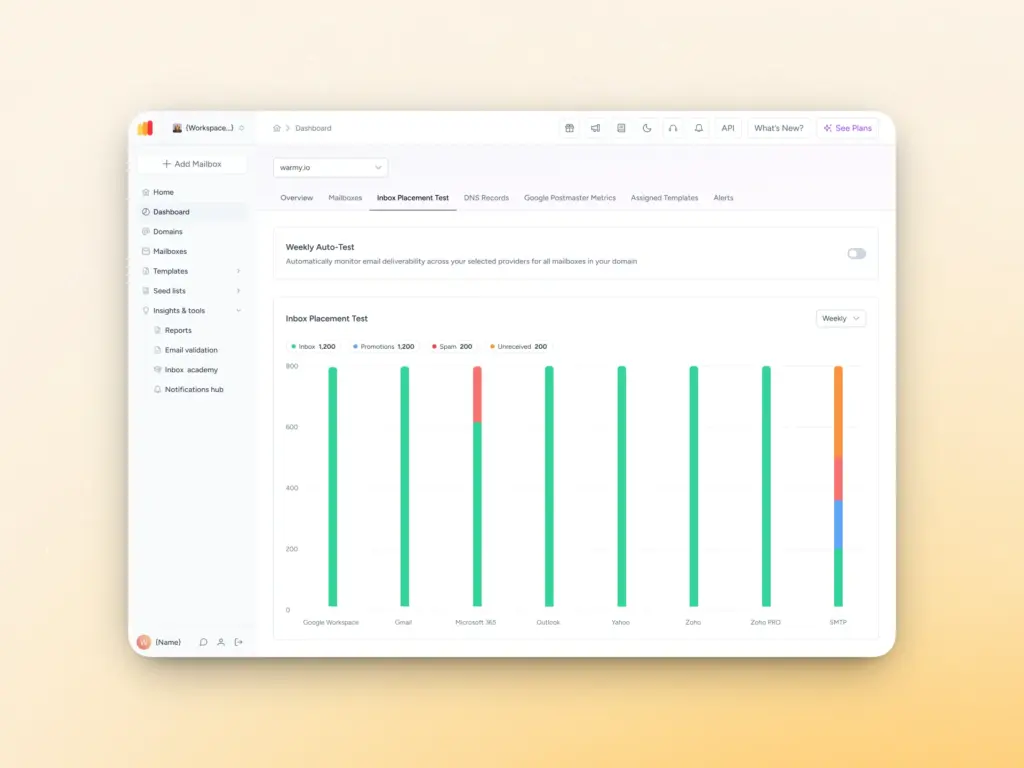
- Inbox placement rates by provider: the percentage of messages that landed in the inbox, spam folder, or promotions tab across Gmail, Outlook, and Yahoo
- Delivery failures: messages that were blocked or did not complete delivery
- Blacklist status: whether your sending domain or IP is flagged on any major blocklists
Warmy goes beyond a single snapshot. Start your free trial to access AI-powered email warmup, real-time domain health monitoring, and a full deliverability toolkit.
Why emails still land in spam after passing a placement test
A positive inbox placement result is a useful benchmark, but it only reflects your deliverability at a specific moment in time. Sender reputation is dynamic and there several moving factors that can impact placement performance between tests:
- If your sending IP or domain accumulates poor signals such as elevated complaint rates, low engagement, or sudden volume spikes, mailbox providers will begin routing your messages more aggressively to spam
- Low open and click rates signal that recipients do not find your content relevant. Over time, this shifts how your mail is classified
- An increase in recipients marking your messages as spam has a corresponding effect on future routing decisions by inbox providers
- Authentication misconfiguration remove the trust signals ISPs rely on to verify message legitimacy
- Specific language patterns, excessive image-to-text ratios, misleading subject lines, and poorly structured HTML can also activate spam filters independently of your infrastructure setup
Treating inbox placement as an ongoing discipline is just one of the things that separates senders who consistently reach their audience from senders who often find themselves rebuilding domain reputation.
While Warmy has the free inbox placement test, it also has a smart weekly auto-run feature that allows users to schedule automatic weekly deliverability tests (for domains and individual mailboxes) to ensure streamlined, continuous, and long-term monitoring of deliverability.
Maximize Warmy’s full deliverability toolkit: Beyond the free test
The inbox placement test provides the diagnostic foundation. Warmy’s broader platform is designed for organizations that require sustained, professional-grade deliverability management:
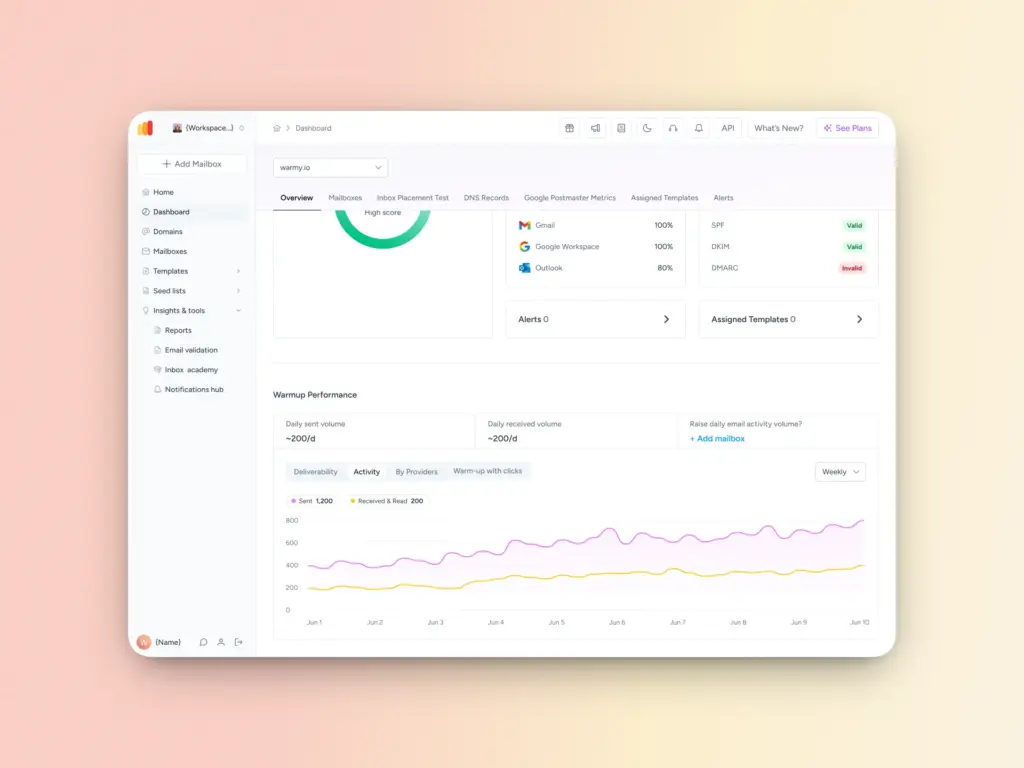
- AI-powered email warmup: Automates the process of building and maintaining sender reputation through gradually increasing sending volume along with simulated genuine engagement which sends trust signals to ESPs. This automated warmup even allows senders to customize variables like language, topic, engagement pattern, and even distribution of emails across providers.
- Domain Health Hub: A real-time dashboard monitoring inbox placement rates, blacklist status, DNS record integrity, and overall domain health consolidated in a single operational view
- Free SPF Record Generator and DMARC Generators: Structured tools to configure domain authentication records correctly, eliminating common setup errors that undermine deliverability
- Template Checker: Pre-send analysis that scans email content for spam triggers, structural formatting issues, and subject line risk factors. A Chrome Extension extends this capability into your drafting environment in real time
- Seed Lists: Real, active email addresses that send high-quality interactions including opening emails, clicking on links, replying, and recovering emails from Spam and Promotions. These reflect authentic engagement patterns and ensure a solid warmup process.
Inbox placement is not a one-time fix
Reaching the inbox consistently is not the result of a single placement test. A free inbox placement test gives you the visibility to understand where you stand right now.
But the senders who maintain strong placement month over month are the ones who act on that data systematically: warming new domains before scaling volume, monitoring domain health in real time, authenticating their mail correctly, and testing every campaign before it goes out.
Warmy is built for exactly that workflow. Take the free test and build from there. When you’re ready to take full control of your sender reputation, start your free Warmy trial.
FAQ
How often should I run an inbox placement test?
Frequency depends on your sending volume, infrastructure complexity, and how often your templates or sending configuration change. For organizations running high-volume campaigns, testing before each major send is the appropriate standard. At a minimum, inbox placement testing is a good practice whenever you modify your email template, transition to a new sending domain or IP address, observe an unexplained decline in open rates, or are commissioning a new sending infrastructure.
Can email deliverability be improved quickly?
Some corrective actions such as resolving authentication misconfigurations, and removing invalid addresses from your list can produce measurable improvements within a short timeframe. However, rebuilding sender reputation after it has been damaged is a substantive process that requires consistent, disciplined effort over weeks or months.
What is the difference between a spam test and an inbox placement test?
A spam test analyzes your email’s content, headers, and authentication setup to identify characteristics that are likely to trigger spam filters before you send. An inbox placement test operates differently: it sends your actual email to a set of email addresses and reports where it landed across real inbox providers.
Are there legal implications if emails are consistently routed to spam?
Yes. Commercial email is subject to legal frameworks including the CAN-SPAM Act in the United States, the GDPR in the European Union, and CASL in Canada. Beyond regulatory exposure, sustained high complaint rates create a compounding operational problem: they accelerate blacklisting and domain reputation damage, both of which are substantially more difficult and time-consuming to remediate than to prevent.
Does email content directly influence inbox placement?
Yes. Inbox providers evaluate both the technical attributes of your sending infrastructure and the content of the message itself. Language patterns associated with spam, high image-to-text ratios, deceptive subject lines, broken or suspicious links, and poorly structured HTML can all activate spam filters even when your authentication records are fully compliant. Warmy’s Template Checker is designed to identify these content-level risk factors before they affect your campaigns.