Renowned for its practical business advantage, an email alias has both benefits and drawbacks.
Benefits include:
- Simplifies email management
- Enhances privacy and security
- Economical and cost-effective
- Enables personalize email communication
Drawbacks include:
- SPF/DKIM misalignment
- DMARC failures
- Forwarding and spam filter re-evaluation
- Catch-all aliases are high-risk
- List hygiene complications
This article will provide you with a complete guide on how to navigate the potential deliverability issues of email aliases, how you can keep it, and how an all-in-one email deliverability tool such as Warmy.io can help you.
What is an email alias and how does it work?
An email alias is an alternative email address that forwards messages to a primary email account.
It allows users to receive emails under multiple addresses without creating separate inboxes. Unlike a standalone email account, an alias does not have its own login credentials or independent storage.
For example: If your primary email is johndoe@company.com, you can create an alias like support@company.com that directs all incoming messages to johndoe@company.com. This enables businesses and individuals to manage multiple communication channels under a single account.
How does an email alias work?
- When an email is sent to an alias, it is automatically forwarded to the primary email account.
- The recipient sees the alias in the “To” field, but the message is delivered to the main inbox.
- Some email services allow sending emails from an alias while masking the original email address.
- Email aliases are commonly used in business settings to manage customer inquiries, team inboxes, and marketing outreach.
Alias vs. dedicated account: key differences
Email aliases and dedicated accounts serve different needs in email management, with aliases routing to a primary inbox and dedicated accounts offering full independence.
Aspect | Email Alias | Dedicated Account |
Inbox | Shared with primary Single login | |
Cost | Free (up to limits, e.g., 30 in Workspace) | |
Sender Reputation | Independent; isolates risk | |
Security | Single failure point if primary compromised | |
Organization | ||
Scalability | ||
Best For |
How do email aliases work across different platforms?
After you set up your primary email domain, you can choose different platforms to create an email alias. Some of the most prominent email providers that offer email aliases are Google Workspace, Outlook, and iCloud. Here are some useful step-by-step instructions on how you can create one.
Gmail & Google Workspace email alias
Perhaps one of the most well-known email alias providers is Google Workspace. Google Workspace (formerly G Suite) allows users to create Gmail email aliases that redirect messages to their main account, as long as you are the admin.
Steps to create a Gmail alias in Google Workspace:
- Go to the Google Admin Console (admin.google.com).
- Navigate to Users and select the user account.
- Click Add Alternate Email and enter the alias address.
- Save changes, and all emails sent to the alias will now be forwarded to the primary inbox.
Gmail alias emails are commonly used for business purposes, such as setting up addresses like sales@company.com or info@company.com without needing additional inboxes.
As per the official support page of Google, for school or work accounts, enter the SMTP server (for example, smtp.gmail.com or smtp.yourschool.edu) and the username and password on that account.
Outlook Email alias
Microsoft Outlook allows users to create alias emails through Outlook.com and Microsoft 365.
Steps to create an email alias in Outlook:
- Log into Microsoft Account Settings.
- Navigate to Your Info > Manage How You Sign In to Microsoft.
- Click Add Email and choose Create a New Alias.
- You can either create a new Outlook.com email address and add it as an alias, or add an existing email address as an alias.
- Save and verify the alias email.
Outlook is very specific about the fact that an alias or email address can only contain letters, numbers, dot (.), underscore (_) or dash/hyphen (-). Spaces and other special characters aren’t allowed.
iCloud email alias
You can also create alias emails through iCloud.com.
Steps to create an email alias in iCloud:
- Log into iCloud Mail.
- Click the “Gear” icon above the “Mailboxes Lists”.
- Choose Settings.
- Click Account, then click “Add Alias”.
- Provide the required information.
- Click Create.
The required information for creating email aliases in iCloud are: Alias Address (must contain at least 3–20 characters), Label, and Full Name.
What are the benefits of email aliases?
There are many benefits to incorporating email aliases into your email workflow.
- Simplifies email management. The administration of email aliases reduces the need to acquire multiple inboxes and helps categorize incoming emails. Businesses and organizations use email aliases to streamline their workflow by routing emails to the appropriate individuals assigned to specific tasks or designated departments.
- Enhances privacy and security. Having an email alias ensures that your primary email address remains private. Email aliases act as burner or disposable aliases, which can reduce spam risks and safeguard your primary email account against phishing and unauthorized logins.
- Economical and cost-effective. Since email aliases remove the need for purchasing additional or multiple email hosts, they are one of the most cost-effective solutions to implement. They are also ideal for small businesses that want to obtain professional-looking emails without extra cost or resources.
- Personalizes email communication. When a business creates an email alias, it is usually to organize incoming emails more effectively. For example, if a customer wants to contact the company for support, the business should have an email alias like support@domain.com. Similarly, if a customer or another business wants to establish a B2B connection, the company should use an alias for business inquiries such as sales@domain.com.
How do email aliases affect your email deliverability?
Email servers are critical when an outreach campaign comes from an email alias, sometimes triggering a red flag around why you are trying to conceal your identity. The legitimacy and reliability of your emails can become compromised as a result.
Here are the most common deliverability issues to watch out for and how to solve each one.
Poor email reputation management
Email aliases are widely used for bulk email campaigns. However, without undergoing the proper warmup process, high-volume sending can trigger spam filters, causing your emails to be marked as spam rather than reaching your recipient’s inbox.
Most businesses underestimate this because they fail to consider that email aliases share the same sender reputation as the primary domain. If an alias is flagged, it may create a domino effect that can damage the entire domain.
How to solve it:
- Using Google Postmaster Tools can help you monitor your email performance and avoid reputation issues.
- Check blacklist databases to confirm if you’ve been blacklisted and perform the necessary actions to stay off the list.
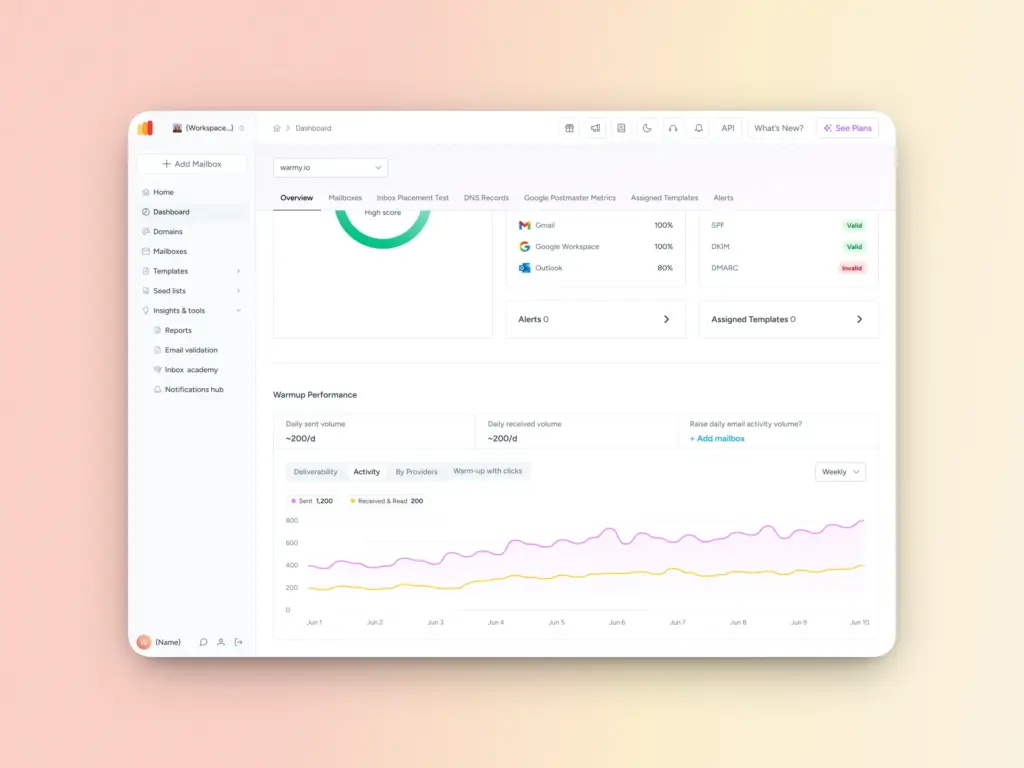
- With Warmy’s Google Postmaster Integration and email warmup process, you can monitor emails sent to Gmail accounts and prevent your messages from being marked as spam by gradually increasing your sending volume — up to 5,000 emails per day. Warmy automates this process, making it easier to establish credibility with email service providers.
Limited control over email sending and volume
Having an email alias does not increase your sending limits. Email aliases depend on the primary mailbox’s settings, so if your primary mailbox has a daily sending cap, that cap applies to all associated aliases as well.
How to solve it
- You can track exactly where your emails are landing with Warmy’s free email deliverability test.
- It provides a clear dashboard showing where email providers (Google, Yahoo, or Outlook) place your emails: inbox, spam, unreceived, or promotions. This also helps you determine whether your primary email has been blacklisted.
- Additionally, regularly clean your email lists, remove inactive subscribers, use double opt-in methods to confirm recipient interest, and segment lists based on engagement levels.
Triggers spam filters which may affect sender reputation
Sender reputation damage from spam complaints on aliases can bleed into your primary domain since aliases share the same underlying account, IP, and domain metrics.
How to solve it
- Feedback loops help by tracking recipient complaints, allowing you to pause problematic aliases before broader blacklisting occurs. H
- However, in some cases, recipients mark emails as spam due to a misconfiguration in your Domain Name System (something feedback loops alone cannot detect).
- Warmy’s DNS Records Testing can automatically verify up to 100 DNS records and ensure a healthy mail server and settings.
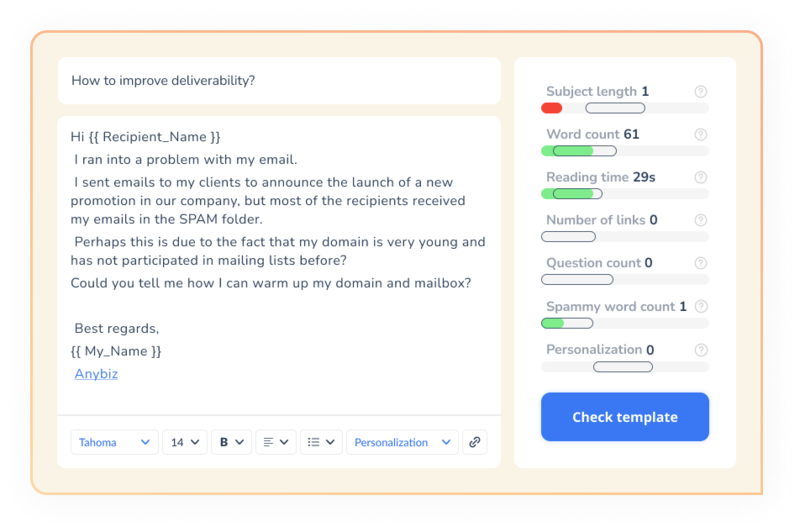
You can also use Warmy’s free Template Checker to evaluate whether your email messages are triggering spam signals before sending them to your list.
Authentication issues with SPF, DKIM, and DMARC
The lack of authentication or the misalignment of email aliases with tools such as SPF, DMARC, and DKIM can lead to email bounces:
- SPF may not recognize alias addresses as legitimate senders.
- DKIM signatures may not align with alias emails.
- DMARC can cause alias emails to fail authentication checks entirely.
How to solve it
- Use Warmy’s free SPF Generator and DMARC Record Generator for your main mailbox to ensure they pass the necessary authentication checks.
Get more out of your email aliases
Email aliases are a powerful tool for businesses and individuals looking to streamline communication, enhance privacy, and maintain a professional email presence without the overhead of managing multiple inboxes.
While they do introduce potential deliverability challenges, these issues are entirely manageable with the right strategies in place.
The key is to treat your email alias setup with the same care and attention you would give your primary email account: Proper authentication configuration, regular list hygiene, gradual warm-up processes, and consistent monitoring are what separate a high-performing alias setup from one that lands in spam.
Tools like Warmy.io make this significantly easier by automating and centralizing the most critical aspects of email deliverability management. Sign up for the 7-day free trial, or book a demo and maintain a professional and reputable email domain!
FAQ
Does using an email alias affect my sender reputation?
Yes, it can. Since email aliases share the same domain, IP, and account metrics as your primary mailbox, any spam complaints or deliverability issues tied to an alias can impact your overall sender reputation. Monitoring tools and feedback loops can help you catch and address these issues early.
Can I send emails from an alias address?
It depends on your email provider. Google Workspace, Outlook, and iCloud all support sending from alias addresses to varying degrees. Some platforms allow full send-from-alias functionality, while others may still expose your primary address in certain email headers.
How can Warmy.io help with email alias deliverability?
Warmy.io offers a suite of tools specifically designed to support email deliverability, including email warm-up automation, inbox placement tracking, DNS record testing, Google Postmaster integration, and free SPF and DMARC record generators — all of which are directly relevant to managing alias-related deliverability challenges.