As email tracking becomes more complex with privacy-focused features from Gmail and Apple, it’s getting harder to know if your emails are being opened.
Open rates used to be the gold standard for measuring email engagement, but with new developments like Apple Mail’s Privacy Protection and Gmail’s image-blocking protocols, these metrics have become less reliable.
So, how can you tell if someone read your email in 2025? In this blog, we’ll explore five methods that can help you track email reads effectively, despite the hurdles.
The decline of open rates and why it’s no longer the best metric
Recently, security and privacy concerns from popular email clients like Apple Mail and Gmail have changed how email opens are tracked:
Apple Mail’s Privacy Protection preloads email content, including tracking pixels used to register opens. This basically “inflates” the open rate metric. The pixel is still loaded whether or not the recipient actually opens the email. Thus, open rates are no longer reliable.
Similarly, Gmail has ramped up its privacy settings by blocking images (including tracking pixels) from unknown or untrusted senders. If you aren’t on a trusted sender list or if the intended recipient hasn’t interacted with you before, your tracking pixels won’t load. So while these privacy measures are beneficial for Gmail users, they create a massive challenge for email marketers who rely on open rates to measure success.
The implication: Other metrics matter more than ever
As open rates lose their reliability, email marketing professionals need to adapt and focus on other more accurate and actionable metrics. Click-through rates (CTR), reply rates, and conversions offer a clearer picture of how recipients are actually interacting with the content of your emails once they receive them.
Click-through rates indicate whether recipients find your content compelling enough to engage further by clicking on links. This is more reliable than open rates, as a click demonstrates a deeper level of interest and a move deeper down the funnel.
Monitoring reply rates allows you to gauge whether your emails are prompting recipients to take action, whether that’s a question, a comment, or an expression of interest.
Conversions (such as purchases, sign-ups, or other desired actions) are the most important metric in any email campaign. A conversion demonstrates that your email didn’t just get opened or clicked, but that it resulted in tangible, measurable outcomes for your business.
Deliverability rate: This metric shows the percentage of emails that were delivered and landed successfully in the inbox, instead of the spam folder. If deliverability rate is high, there is a big chance of emails getting opened.
Related Reading: The Email Deliverability Roadmap: Getting More Opens, Clicks, and Sales
5 methods to know if someone read your email
When you’re sending important emails, it’s crucial to at least have an idea if your recipients are actually reading your messages.
Fortunately, there are still several effective methods to track whether someone opens your email, as well as the email engagement results. Here are five reliable ways to check whether someone has read your email:
1. Get a “Read receipt”
Requesting a read receipt is one of the simplest ways to know if someone has opened your email. Here’s how this works: This method directly notifies you when the recipient has opened the email, but it’s worth noting that not all recipients will send the read receipt. Some email clients may even block it entirely. Here’s how to go about it:
Read receipts for Gmail: Read receipts are enabled within the Gmail platform. Compose your email and click on the three dots in the bottom right to open “More options.” Check the “Request read receipt” box before sending. Read receipts are only available for work or school accounts so it won’t work if you’re sending from a personal Gmail account.
For Outlook: Compose a new email, click the “Options” tab in the ribbon, and select “Request read receipt” before sending the email.
2. Use email tracking Chrome extensions
Chrome extensions can automatically add an invisible tracking pixel to your emails then notify you when a message was opened. Most of these tools are user-friendly and work directly within your email client.
What to do:
Install the Chrome extension of your choice and link it to your email client (like Gmail).
After installation, send your emails as usual. The extension will track the opens automatically.
This method is simple, straightforward, and easy to implement. The real-time notifications are great and helpful, allowing you to stay updated on your email open rates. However, the accuracy can still be impacted by privacy features in modern email clients, such as image blocking or preloading. Additionally, it is not a scalable tool for high-volume senders.
3. Add an HTML tracking pixel to your emails
For those with some coding experience, you can embed a hidden HTML tracking pixel in your emails. When the recipient opens the email, the image (which is actually an invisible image) is loaded, sending a request to the server to register the open.
This method is customizable and can be used for more advanced tracking. Plus, it gives you direct insight into when the email is opened. However, senders may face some challenges as some email clients have image-blocking features for cold email senders.
4. Use email automation tools to track opens
Email automation tools offer more robust tracking solutions, automatically embedding tracking pixels in your emails. These platforms also provide detailed insights, such as how many times an email was opened and which links the recipient clicked. Plus, these tools also allow you to track open rates at scale across different campaigns.
What to do:
Set up your email campaign in an email automation platform.
These platforms will automatically include tracking pixels and record all opens and clicks.
Review detailed reports on engagement in the platform’s analytics dashboard.
This method is scalable and efficient for high-volume senders with large email lists. The thing is, to maximize the features of email automation tools, you may have to pay a premium amount. If your only purpose is to track open rates, it may be too steep of an investment.
5. Link tracking for real engagement
Link tracking measures how many recipients click on a link within your email. It actually provides a more reliable indicator of engagement than open rates. A click shows that the recipient was interested enough in your content to take an action. This method is often used in conjunction with open tracking to confirm engagement.
What to do:
Use link shortening services like Bitly or tools within your email platform to create unique URLs.
Monitor the click-through rates (CTR) for each link within your emails.
Use UTMs for more precise tracking
A major benefit of this strategy is it provides a stronger signal of engagement, as it tracks actions made by recipients within the email itself. After all, if a link inside your email is clicked, your recipient definitely opened your message. Link tracking can be easily tracked through most email automation platforms.
Additional factors to consider when tracking email engagement
Aside from open rates, there are several other factors that need to be considered to get a comprehensive understanding of how recipients are engaging with your emails. Let’s explore some critical elements that can influence the accuracy and depth of your tracking.
The importance of behavioral data
While tracking open rates can give you an idea of whether your email was viewed, it’s important to consider behavioral data such as clicks, replies, and website visits. Tracking open rates only gives a surface-level impression. The other metrics show deeper levels of engagement, revealing the intent behind the recipient’s interaction with your message.
For example:
Click-through rates (CTR): High CTR indicates that recipients are not only opening your email but are compelled to take further action, such as visiting your website or interacting with your content.
Replies: A reply is one of the clearest signs that a recipient has engaged with your email. It shows interest and provides an opportunity to continue the conversation.
Website visits: Tracking how many recipients click through to your website shows you that your message is relevant to them, as it encouraged them to want to know more.
The role of email deliverability in tracking accuracy
If your emails aren’t getting into the inbox in the first place, tracking any metric becomes irrelevant. Proper email deliverability practices, including domain authentication and inbox warming, are essential for ensuring that your emails reach the recipient in the first place.
Deliverability matters, and it sets you up for success. When you’re tracking engagement metrics and conversions, email deliverability should be stable by then. If not, most experts would recommend fixing deliverability issues first before going all out on email outreach campaigns.
This means:
Domain authentication: Proper SPF, DKIM, and DMARC setup is crucial to ensuring your emails are recognized as legitimate by email service providers (ESPs). Without this authentication, your emails may end up in the spam folder, and tracking will definitely return inaccurate or useless data.
Proper email warmup: A new domain or an inactive one needs to be warmed up gradually to build a positive sender reputation. If your domain isn’t properly warmed up, your emails are more likely to be flagged as spam or ignored.
Positive sender reputation: If your sender reputation is poor due to poor deliverability practices, your emails may not reach your recipients at all.
Remember, metrics only matter if they’re being tracked. They can’t be properly tracked if your emails are landing in spam consistently.
Cement your deliverability with Warmy to ensure your emails are seen
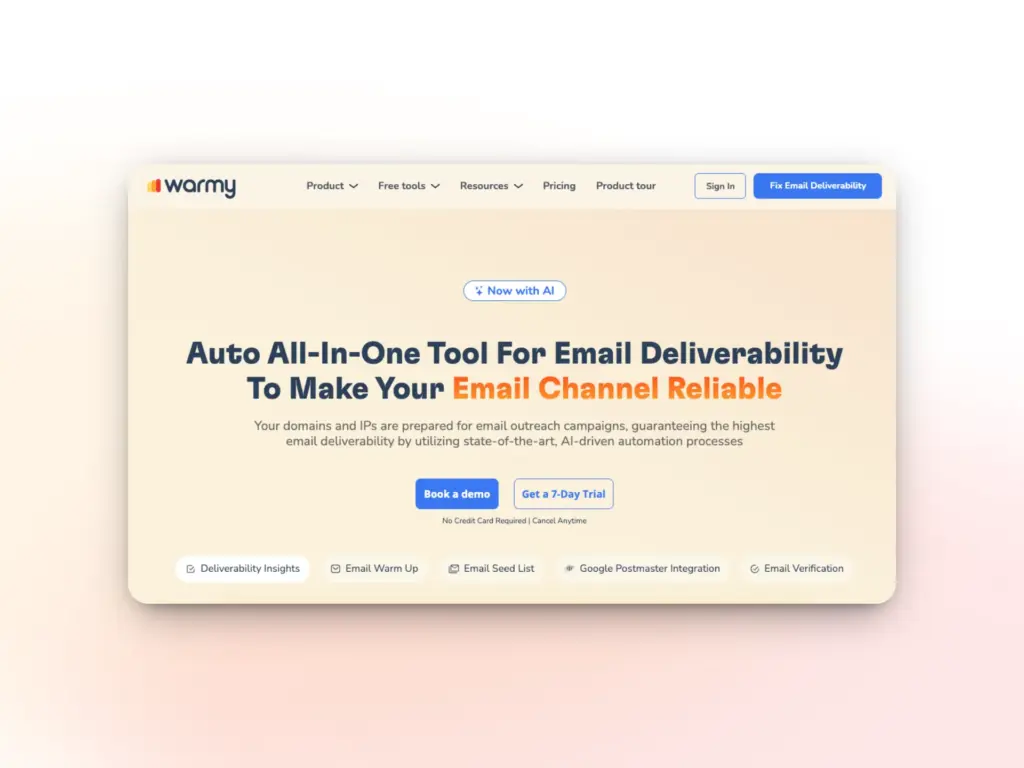
With open rates becoming less reliable, there is now more focus on ensuring your emails reach the inbox. Warmy is designed to optimize and secure various aspects of your email deliverability. That way, your emails aren’t just delivered, but actually seen.
Here are some of Warmy’s solutions that help email senders achieve a solid deliverability rate:
AI-powered email warmup: Warmy gradually conducts email warmup for your mailbox by simulating real, human-like engagement. This increases your sender reputation, leading to improved inbox placement.
Domain Health Hub: Warmy keeps an eye on your domain health by checking DNS records, tracking blacklists, and monitoring deliverability trends. It ensures your domain stays in good standing, preventing emails from getting lost in spam folders.
Warmup with Clicks: By incorporating clicks into the warm up process, Warmy ensures your emails receive genuine interaction signals, boosting your chances of inbox placement and reducing the likelihood of being flagged as spam.
Real-time deliverability insights: Warmy’s dashboard provides data on your email performance across major providers, helping you monitor where your emails land and take corrective actions when needed.
With Warmy, you get the tools to make sure your emails are seen.
Try Warmy for Free and see how easy it is to boost your email performance!
FAQ
How can I track if someone opened my email?
You can track email opens using read receipts, email tracking Chrome extensions, HTML tracking pixels, email automation tools, and link tracking. These methods help you understand if your email was opened and engaged with.
Can I use Gmail to request a read receipt?
Yes, you can request a read receipt in Gmail if you have a Google Workspace (business or school) account. The option appears in the “More options” menu when composing an email, but recipients can choose whether or not to send the read receipt.
How do email tracking Chrome extensions work?
Email tracking Chrome extensions like Mailtrack and Yesware add invisible tracking pixels to your emails. When the recipient opens the email, the pixel loads and sends you a notification, showing that the email was read.
What are the limitations of read receipts in Gmail and Outlook?
Read receipts in Gmail and Outlook may not always work because recipients can decline to send the receipt. Also, some email clients, especially mobile ones, don’t prompt users for read receipts, and certain privacy settings may block them altogether.
How does Warmy help with email deliverability?
Warmy optimizes email deliverability by gradually warming up email accounts, simulating real engagement, monitoring domain health, and providing real-time performance insights. It ensures that your emails land in the inbox, increasing the chances of being read.