




Email delivery failures and major breakdowns in communication can result from various SMTP errors.
These mistakes not only cause inconvenience, but also lower the general deliverability of your emails, which can affect professional interactions, client relationships, and business operations.
Troubleshooting and maintaining efficient email communication channels need an understanding of these problems, especially SMTP Errors 431 and 432.
Understanding SMTP Error 431 and SMTP Error 432
Users may run across particular problems when trying to send emails, such as SMTP Errors 431 and 432.
- SMTP Error 431 – “The recipient’s mail server is temporarily full.” This error usually means that there is a momentary problem with the recipient’s mail server, such not enough system storage to handle your mail. It’s a server-based issue in which resource constraints prevent the server from handling the request at that time.
- SMTP Error 432 – “Recipient’s mailbox is full; try again later.” Although storage problems are also a factor in this error, the recipient’s mailbox size limit is frequently the specific cause. The sender will be notified when this problem happens that the recipient’s mailbox is full and the email could not be delivered.
Common causes of SMTP Error 431 and SMTP Error 432
Usually, server bandwidth and email storage limits are the causes of SMTP Email Errors 431 and 432.
Not enough server storage
Oftentimes, SMTP Error 431 shows up when the recipient’s email server is temporarily low on storage. This can cause a brief inability to accept new messages during periods of excessive demand.
Full mailbox capacity
When the recipient’s mailbox reaches its maximum capacity, SMTP Error 432 is issued. It’s a typical problem with both personal and business email accounts when old emails—especially those with big attachments—are not routinely deleted.
Overload of the server
Server overload can also cause either of the errors. These problems may arise if a server is temporarily overloaded or receives too many requests at once.
Inefficient email management
These problems can also result from poor email management techniques, such not archiving old emails or not increasing server capacity in reaction to growing requests. This is more typical in companies without rigorously implemented or monitored email usage regulations.
Technical failures
Sometimes transient disruptions presenting as SMTP Errors 431 and 432 are caused by technical faults like software bugs, hardware problems, or problems during server repair.
Step-by-step solutions to resolve SMTP Error 431 and SMTP Error 432
Fixing SMTP Errors 431 and 432 means taking care of the server’s and mailbox storage’s fundamental problems.
The following comprehensive instructions can assist users in efficiently troubleshooting and fixing these issues for well-known email providers including Gmail, Outlook, and Yahoo.
Gmail
Check Account Storage
- To see how much storage you use overall across Google services (Drive, Gmail, Photos), go to Google Drive or Google One. Should you be getting close to or over your storage capacity, think about getting more space or eliminating pointless emails and files.
Clean Up Emails
- Regularly empty your inbox by removing bulky or outdated emails, particularly those that include attachments. Find emails over a specific size (e.g., bigger than 10MB) by using Gmail’s search function.
Manage Labels and Filters
- Make sure your Gmail settings are being followed and that emails are being purged or archived appropriately to avoid future storage problems.
Outlook
Check Mailbox Usage
- To remove any deleted emails—which still count toward your mailbox size—right-click on the “Deleted Items” folder and choose “Empty Folder.”
Bulk Delete Emails
- To remove older emails from your primary mailbox, use Outlook’s archiving capabilities. Organise AutoArchive to transport old emails to an archive folder on its own.
Manage Attachments
- If you manage an Exchange server, think about using the Exchange Admin Center to increase the mailbox sizes of your users.
Yahoo
Check Mailbox Usage
- To view your present mailbox usage in Yahoo Mail, go to your account settings. You will need to make room if you are getting near to the limit.
Bulk Delete Emails
- Use the search function to find old emails or emails with large attachments and delete them to free up space.
Manage Attachments
- Download and remove large attachments from emails to decrease the size of your mailbox.
Principles of General Troubleshooting
- Wait and Retry. If the recipient’s server is overloaded or momentarily unavailable, sometimes just waiting a little while before retrying the transmission will fix the problem.
- Contact receiver. If at all possible, get in touch with the receiver by phone or any alternative method to inform them of the problem and to inquire as to whether they can clear their mailbox.
- Technical Support. Should problems continue, you might want to get more help from the technical support of your email service provider.
Utilizing email warmup services
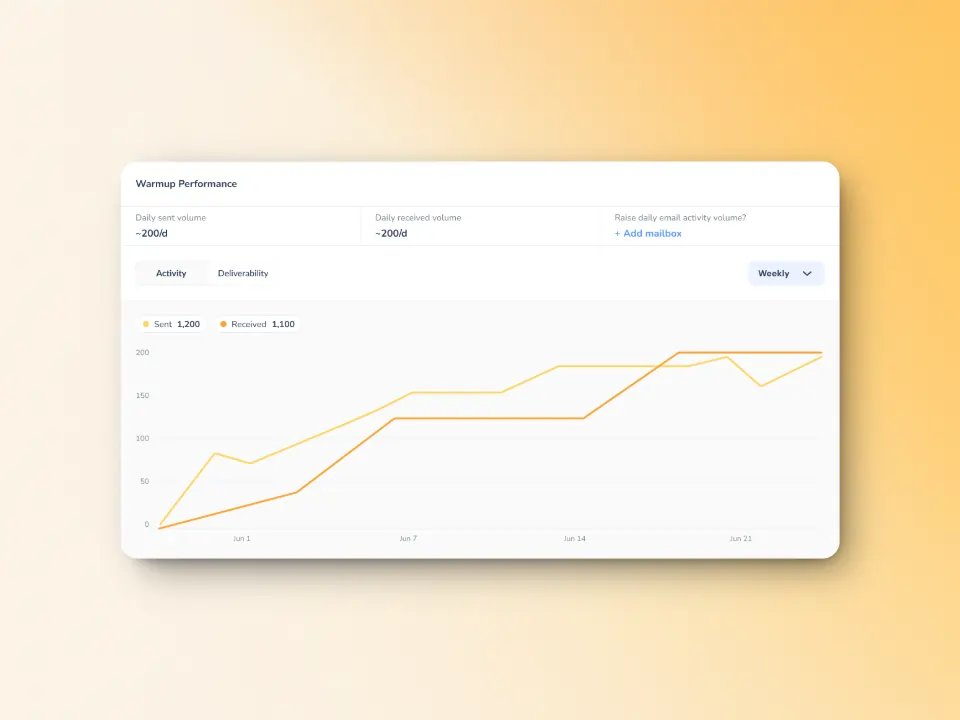
Using an email warmup services like Warmy.io can be quite helpful when dealing with regular SMTP issues. These services improve the general health and delivery of your email communications in addition to managing and preventing SMTP problems.
Warmy.io provides specialist tools that progressively boost the number of emails sent from a fresh email account, therefore establishing a good reputation as a reliable sender with ISPs (Internet Service Providers). SMTP problems brought on by server rejections because of unknown or untrusted sender status can be reduced by this procedure, which can be a typical problem when rapidly expanding email campaigns.
Additional benefits of using Warmy.io
- Warmy.io offers services to verify your email deliverability and where your emails are landing exactly—whether in the Inbox, Spam, or Promotions.
- Warmy can also check if IP address or email domain is included in any blacklists. Being blacklisted severely impacts deliverability. It’s crucial to be aware of any listings so you can take action right away.
- Free tools from Warmy.io allow you to create records for DMARC (Domain-based Message Authentication, Reporting & Conformance) and SPF (Sender Policy Framework). Correct setup of these authentication procedures is made easier with the use of these tools, which also increases email deliverability and prevents email spoofing on your domain.
Prevent SMTP errors and maximize email deliverability
The foundation of many corporate activities, email communication, depends on prompt and efficient resolution of SMTP issues like Error 431 and 432. Inadequate management of these mistakes can cause major communication breakdowns that harm client relationships and company operations.
Use of expert tools and services like Warmy.io is strongly advised to guarantee the best possible health of your email system.
Additionally improving email deliverability generally, services like Warmy.io assist in controlling and avoiding SMTP issues.
Try Warmy for free starting today.
📜 Related article:
FAQ
What are SMTP Errors 431 and 432?
A momentary problem with the recipient's server caused by insufficient system storage is indicated by SMTP Email Error 431. When a recipient's mailbox is full and they are unable to receive any further emails until space is made available, error 432 results.
Why do I get SMTP Email Errors 431 and 432?
Usually, server overload, inadequate storage on the recipient's server, or the recipient's inbox filling to capacity create these problems.
Are SMTP email errors 431 and 432 ever-lasting?
No, neither error is permanent. Email delivery is possible after the fundamental problems (such storage capacity) are fixed.
Should I run across SMTP Email Error 431 or 432, how can I remedy them?
Try waiting a time before sending the email again, or ask the receiver to make room in their server or mailbox.
Can using an email warm-up service like Warmy.io prevent SMTP errors?
Yes, using an email warm-up service like Warmy.io can help establish a reliable sender reputation, reducing the likelihood of server rejections that can cause these errors.
What tools does Warmy.io offer to improve email deliverability?
Warmy.io provides tools for email warm-up, deliverability testing, blacklist monitoring, and generating SPF and DMARC records to enhance email security and deliverability.
Should I consult an email deliverability consultant for SMTP errors?
Yes, consulting with an email deliverability expert, especially through services like Warmy.io, can provide personalized insights and solutions to improve your overall email strategy and prevent SMTP errors.