Is your email reaching the inbox or disappearing into spam folders? One metric could be the culprit: your spam complaint rate. Even a fraction of a percent can tank your sender reputation and cut off your most important communication channel overnight.
In this guide, you’ll learn exactly what spam complaint rate means, how it’s calculated, what thresholds actually matter in 2026, and the five most effective strategies to bring it down.
What is the spam complaint rate?
Spam complaint rate (also called user-reported spam rate) is defined as the percentage of email recipients who actively mark one of your messages as spam or junk.
Every time a recipient hits “Report Spam” in Gmail, Outlook, or any other email client, that action is logged as a complaint against your sending domain or IP.
It’s one of the most direct signals ISPs use to judge whether you’re a trusted sender or a spammer, and it’s tracked even when you can’t see it.
Spam complaint rate vs. bounce rate: What’s the difference?
These two metrics are often confused but measure very different problems:
| Metric | What It Measures | Threshold to Watch |
|---|---|---|
| Spam Complaint Rate | Recipients actively reporting your email as unwanted | > 0.08% (Gmail) |
| Hard bounce Rate | Emails sent to invalid/non-existent addresses | > 2% |
| Soft bounce Rate | Temporary delivery failures (full inbox, server issue) | > 5% |
Both high bounce rates and high complaint rates damage your reputation, but they require different fixes. High bounce rates may be due to a number of reasons, and you can usually pinpoint the cause by checking the SMTP Error Code sent. High spam complaints, on the other hand, indicate a relevance or consent problem.
How is spam complaint rate calculated?
The formula is straightforward: Spam Complaint Rate = (Total Complaints ÷ Total Emails Sent) × 100
Example: If you sent 10,000 emails and received 15 complaints, your spam complaint rate is 0.15%.
That might sound small, but it’s already above the threshold Google recommends for maintaining inbox placement.
What is an acceptable spam complaint rate?
| Complaint Rate | Status | What It Means |
|---|---|---|
| Below 0.08% | ✅ Safe | Healthy sender reputation |
| 0.08% – 0.1% | ⚠️ Caution | Monitor closely; action recommended |
| 0.1% – 0.3% | 🔴 Danger | ISPs start filtering; deliverability drops |
| Above 0.3% | 🚨 Critical | Likely blocklisting; immediate intervention needed |
Pro Tip: Google’s own Gmail Sender Guidelines set a clear ceiling of 0.10% for bulk senders and recommend staying under 0.08% to maintain consistent inbox delivery. Yahoo Mail follows similar thresholds. So if you’re not monitoring your complaint rate daily, you’re flying blind.
Why does your spam complaint rate matter more than you think?
Nothing says untrustworthy as a sender with a high spam complaint rate.
Here’s what makes spam complaint rate different from other deliverability metrics: every single complaint comes from a human decision. While spam filters evaluate technical signals like sender reputation and content patterns, a complaint requires a recipient to manually hit “Report Spam.”
A real person opened your email, felt misled, or annoyed or thought the content was irrelevant—and took action. It’s not about what your email looks like to a machine; it’s about how your audience perceives you. Which is exactly why this metric carries so much weight.
High complaint rates don’t just affect the emails that triggered them. They affect every email you send going forward.
Here’s the chain reaction:
- Recipients mark your emails as spam
- ISPs record complaints against your IP/domain
- Your sender reputation score drops
- Future emails get routed to spam or blocked entirely
- Revenue, open rates, and pipeline all suffer
For high-volume senders like ecommerce brands, SaaS companies, and agencies, even a temporary spike in complaints can take weeks or months to recover from. That’s why treating complaint rate as a vanity metric is a costly mistake.
Not sure where your sender reputation stands? Run a Free Email Deliverability Test with Warmy.io.
6 proven ways to reduce spam complaints
1. Use double opt-in for every new subscriber
Single opt-in is convenient, but it’s also a fast path to complaints. With double opt-in, new subscribers must confirm their email address before joining your list. This filters out typos, bots, and anyone who wasn’t genuinely interested in the first place.
The result is a smaller but higher-quality list that virtually never complains.
2. Set clear expectations at signup
Many spam complaints happen because recipients don’t remember signing up. Or they didn’t expect the type of content you’re sending. Fix this at the source:
- Tell new subscribers exactly what they’ll receive and how often
- Send a welcome email immediately after confirmation
- Deliver on whatever you promised during the signup process
3. Make unsubscribing frictionless
This may sound counterintuitive but it is absolutely critical. Making it easy to unsubscribe actually lowers your complaint rate. When recipients can’t find the unsubscribe link quickly, they tend to click on “Report Spam” instead. Here’s what you can do:
- Place the unsubscribe link prominently in the email footer (or header)
- Use one-click unsubscribe (required for bulk senders under Gmail/Yahoo’s 2024 rules)
- Process unsubscribes within 48 hours
4. Segment your list and send relevant content
Sending the same email to your entire list is one of the fastest ways to accumulate complaints. Recipients who receive irrelevant content are far more likely to hit spam. On the other hand, implementing segmented campaigns results in an 86% improvement in engagement rates.
Effective segmentation strategies include:
- Behavioral: segment by purchase history, clicks, or pages visited (Example: bought within the last 30 days)
- Engagement: separate active openers from inactive subscribers
- Preference: let subscribers choose topics or frequency at signup
5. Warm up new sending domains before high-volume sends
If you’re launching a new domain, a new IP, or recovering from a deliverability incident, this can affect both your spam complaints and your spam placement:
- Mailbox providers have no existing history to judge you by and will most likely route your mail aggressively to spam.
- Recipients who suddenly receive multiple emails from a sender who has previously been inactive may be surprised. Even if they have signed up to receive emails from you in the past, the sudden influx may cause them to report you as Spam.
Email warmup gradually builds your sender reputation by increasing volume slowly and generating positive engagement signals. Tools like Warmy.io automate this process by starting with small daily send volumes and scaling up over 2–8 weeks until your domain has a healthy sending history.
Ready to protect your sender reputation? Start your free warmup with Warmy.io today.
How to monitor your spam complaint rate
You can’t fix what you can’t see. Here’s where to track complaints:
| Tool | What It Shows | Best For |
|---|---|---|
| Google Postmaster Tools | Domain reputation, spam rate, delivery errors | Gmail senders |
| Yahoo Sender Hub | Complaint feedback loop data | Yahoo/AOL senders |
| Your ESP dashboard | Complaint rate by campaign | All senders |
| Warmy.io Analytics | Real-time inbox placement + reputation monitoring (Google Postmaster integration) | Full deliverability visibility |
How Warmy.io helps you reduce spam complaint rate and improve deliverability
Spam complaint rates run under the assumption that your email landed in the inbox. Then it’s up to the recipient’s perception. However, there are some emails that don’t even make it into the inbox in the first place.
Warmy.io is an AI-driven email warmup and deliverability platform that protects sender reputation, resulting in improved inbox placement and reduced spam placement.
Here’s a quick overview of how Warmy works:
Customizable email warmup automation
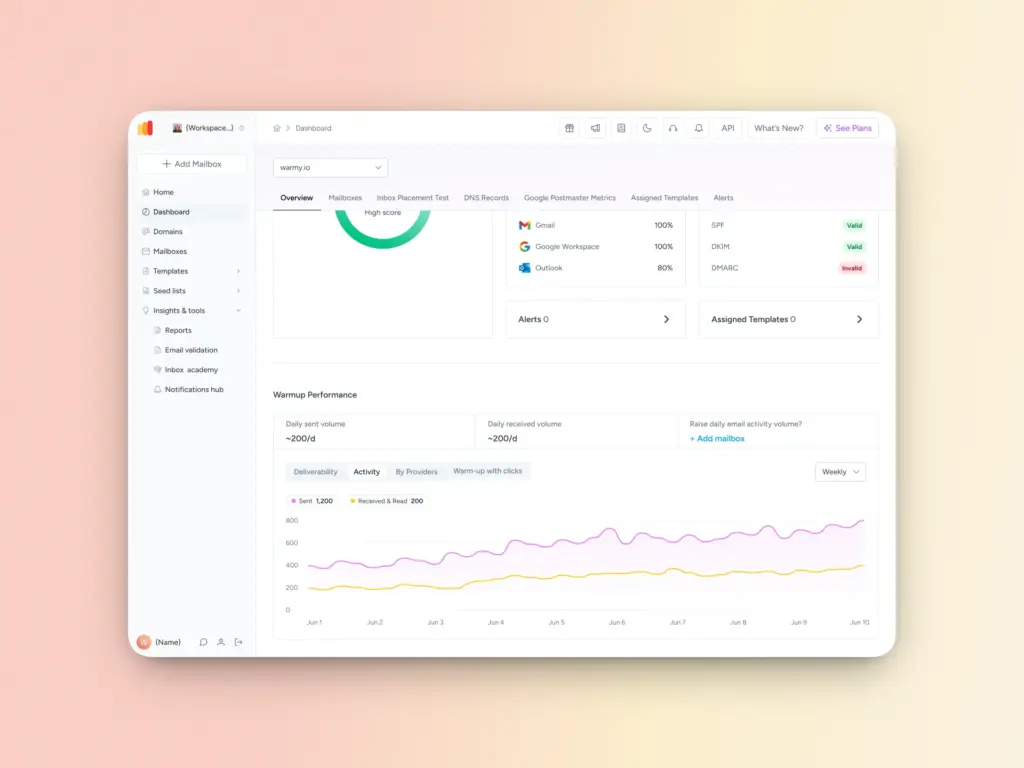
- Warmy automatically sends and engages with emails on your behalf, building positive signals (opening emails, reading, replying, recovering from spam) with ISPs before you start your main campaigns. The sending volume is gradually increased over time while metrics are monitored by Warmy’s proprietary AI, Adeline.
- Additionally, Warmy generates warmup content that aligns with the sender’s industry and topic to ensure relevance even during the warmup stage. Warmy also supports over 30 languages to increase engagement authenticity.
- Senders can also customize the warmup distribution per provider so it can closely mirror your actual contact list and ensure your domain is warmed up across the providers you need to reach.
Real-time domain health monitoring
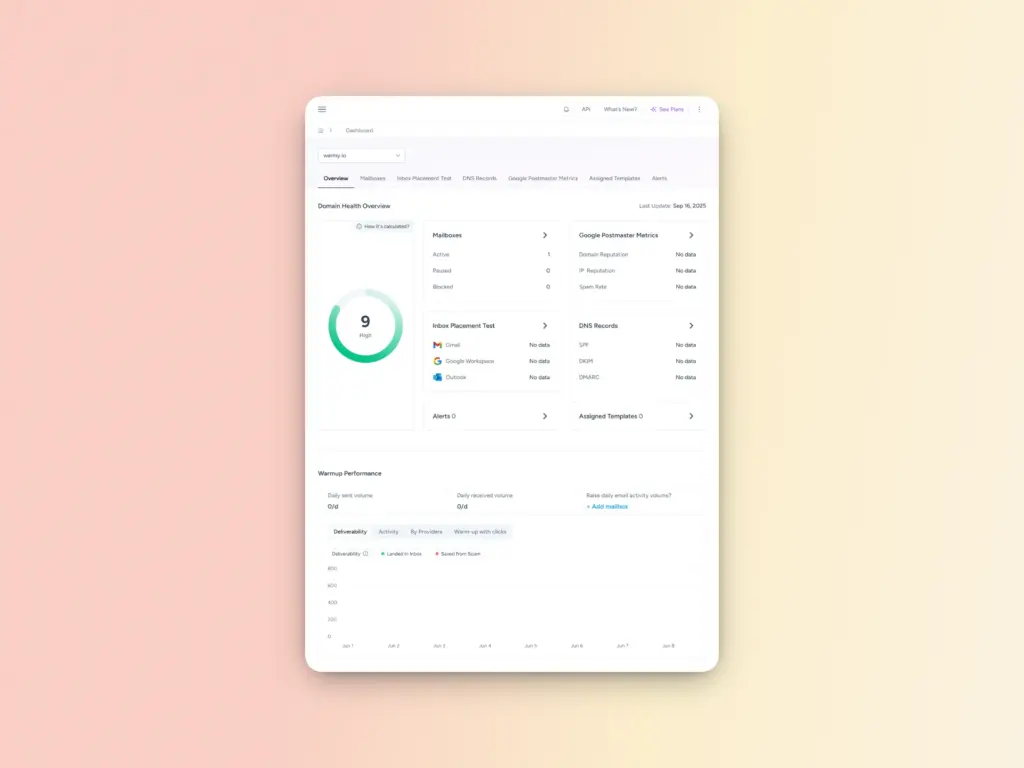
Warmy monitors your IP and domain reputation in real time, alerting you to issues before they escalate into deliverability failures. The Domain Health Hub shows:
- A domain health score drawn from factors like authentication, blacklist status, and inbox placement
- Spam rate trends and overall performance (weekly and monthly tracking options)
- DNS status checks to validate SPF, DKIM, DMARC, and other records for stronger security
- Multi-domain monitoring from one dashboard for easier management
Inbox placement testing
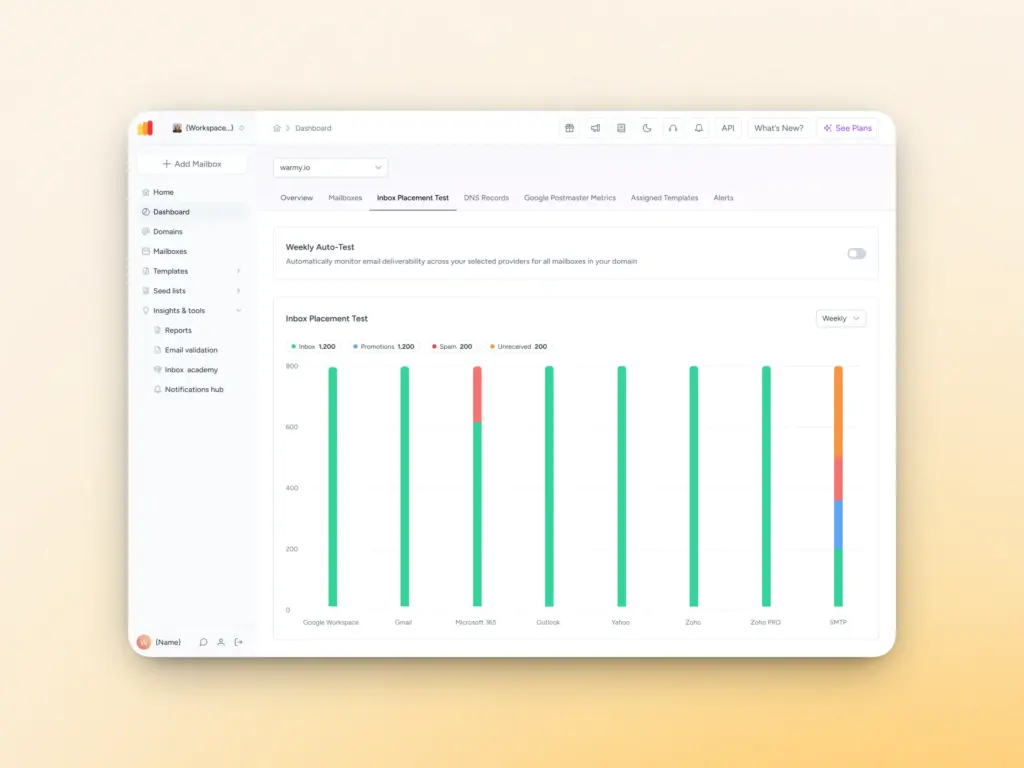
Warmy’s email deliverability test shows you the percentage of emails landing in inbox, promotions, or spam across various mailbox providers. This gives you an idea of where you stand in terms of deliverability before you launch large-scale campaigns. For paid users, you can also set up an automatic weekly schedule for the email deliverability test.
Template Checker
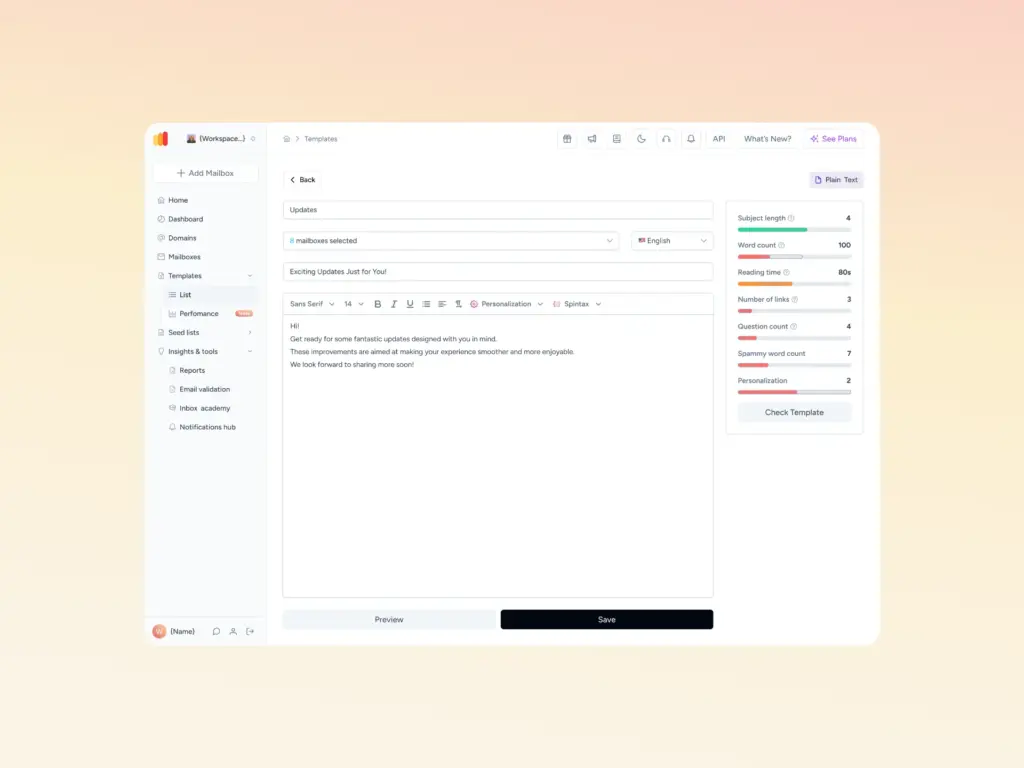
One of the major reasons for spam complaints is sending content that’s unwanted or irrelevant. Warmy’s Template Checker analyzes your email content for potential spam triggers and formatting issues. You can run your email content through the Checker (now with a Google Chrome extension) before you launch your campaigns.
Your spam complaint rate is a report card from your audience: Act on it
Spam complaint rate is not just another number to track in your dashboard. It’s direct feedback from your recipients telling you that something in your email isn’t working—whether that’s who you’re targeting, what you’re sending, or how often you’re showing up in their inbox.
With the right list hygiene habits, a clear opt-in process, and a solid warmup strategy for new domains, most senders can get their complaint rate well below the 0.08% threshold and keep it there.
Start by knowing where you stand today. Run a free deliverability test with Warmy.io to see how your sender reputation is, where your emails are landing, and what’s putting your inbox placement at risk.
FAQ
What is a good spam complaint rate for email marketing?
A spam complaint rate below 0.08% is considered excellent. Google’s Gmail guidelines recommend staying under 0.10% to maintain reliable inbox delivery. Anything above 0.3% puts your domain at serious risk of being blocked by major ISPs.
How do I check my spam complaint rate?
You can check your spam complaint rate through Google Postmaster Tools (for Gmail delivery), your email service provider’s (ESP) reporting dashboard, or Yahoo’s Complaint Feedback Loop. Tools like Warmy.io aggregate this data and alert you when thresholds are exceeded.
Does unsubscribing reduce spam complaints?
Yes — making unsubscribing easy is one of the most effective ways to reduce spam complaints. When recipients can’t easily opt out, they mark your email as spam instead. One-click unsubscribe is now required by Gmail and Yahoo for bulk senders.
Can a spam complaint rate hurt my sender reputation permanently?
A prolonged high spam complaint rate can cause lasting damage to your domain reputation, but it is recoverable. Steps include pausing sends, cleaning your list, improving content relevance, and using an email warmup tool to gradually rebuild positive engagement signals with ISPs.