What is the SpamCop blacklist?
The SpamCop Blacklist (SCBL) is a publicly available DNS-based blacklist (DNSBL) that identifies IP addresses reported as sources of spam email. It is operated by Cisco Talos, Cisco’s threat intelligence organization, which acquired SpamCop as part of its broader email security infrastructure.
What makes SpamCop different from other major blacklists is its crowd-sourced model:
- When a SpamCop user receives a spam email, they can forward it to SpamCop for analysis.
- SpamCop parses the email headers and identifies the originating IP address. If the report is valid, that IP is added to the SCBL. The more reports an IP accumulates, the more aggressively it is flagged.
- Email providers, hosting companies, and network administrators that query the SCBL will block or filter email from listed IP addresses in real time. This means a SpamCop listing can immediately disrupt delivery to any recipient whose mail server uses the SCBL as a filter, regardless of whether your email content is legitimate.
Warmy.io is an AI-driven email warm-up and deliverability platform that monitors your IP and domain reputation against major blacklists including the SpamCop Blacklist, giving you early warning before a listing causes lasting damage to your sender reputation.
SpamCop vs Spamhaus: How are they different?
SpamCop and Spamhaus are two of the most widely referenced email blacklists, but they work in fundamentally different ways. Understanding the distinction matters because the cause of your listing and the path to recovery are different for each.
| Feature | SpamCop (SCBL) | Spamhaus ZEN |
|---|---|---|
| Operated by | Cisco Talos | Spamhaus (non-profit) |
| Listing method | Crowd-sourced user spam reports | Expert review + automated detection |
| Removal process | Automatic expiry; no manual option | Manual delisting request required |
| Expiry | Auto-expires when reports stop coming in | Remains listed until manually reviewed |
| Structure | Single list (SCBL) | Composite of four sub-lists (SBL, SBLCSS, XBL, PBL) |
| Listing speed | Fast: a handful of reports can trigger listing | Varies; SBL requires manual confirmation |
| Recovery speed | Faster: stops when spam activity stops | Slower: requires formal removal request |
| Scope | IP addresses only | IP addresses and domains |
| Common use case | Real-time spam filtering at ISP level | Enterprise and hosting-level blocking |
Why did my IP end up on the SpamCop blacklist?
SpamCop listings are driven entirely by user reports. Every report submitted against your IP address is a signal to Cisco Talos that your server is producing unwanted email. Here are the most common reasons an IP ends up on the SCBL and how to prevent each one:
| Cause | What Happens | How to Prevent |
|---|---|---|
| Sending unsolicited email | Recipients report your messages as spam via SpamCop | Send only to opted-in contacts; honor all unsubscribes promptly |
| Compromised server or botnet | Malware uses your server to send spam without your knowledge | Run regular security audits; scan for malware; restrict SMTP access |
| Open mail relay | Your server allows unauthorized users to route spam through it | Close open relay configurations; restrict outbound SMTP to authenticated users only |
| High spam complaint rates | A significant share of recipients flag your emails as junk | Maintain clean, engaged lists; include clear unsubscribe options in every email |
| Poor email practices | Purchased lists, disregarding opt-out requests, deceptive subject lines | Build organic lists; follow CAN-SPAM and GDPR requirements |
Pro Tip: A SpamCop listing does not always mean you really did send spam. Compromised servers are one of the most common listing triggers. Because the spam is sent silently by malware, many senders don’t realize it’s happening until their deliverability drops. So if your listing seems unexpected, do run a full malware scan and check your server’s outbound email logs before doing anything else.
How a SpamCop listing affects your email deliverability
The impact of a SpamCop listing is immediate and practical. Any mail server or ISP that queries the SCBL before accepting inbound connections will either reject your email outright or route it to the spam folder.
Unlike being in the spam folder due to content issues or words that trigger spam filters, a blacklist-driven rejection typically produces a 5xx SMTP bounce code, meaning the message was permanently refused. Depending on the receiving server’s configuration, your emails may be:
- Rejected before the message is even transmitted
- Silently dropped without a bounce notification
- Accepted but immediately filtered to spam
The bounce codes or SMTP errors you see in your sending platform may not always make it obvious that a blacklist was the cause. This is why proactive blacklist monitoring matters far more than reactive bounce analysis.
A SpamCop listing also compounds your deliverability problems beyond the listing itself. Inbox providers like Gmail and Outlook factor rejection history and blacklist events into their own sender scoring systems independently. Even after your SCBL listing expires, reputational damage may persist with certain providers for weeks.
Not sure if your IP is currently listed? Run a Free Email Deliverability & Blacklist Check. Warmy’s test checks your IP against major blacklists including SpamCop and gives you a full inbox placement report in minutes.
How to check if your IP is on the SpamCop blacklist
There are two ways to check your SpamCop listing status:
- SpamCop’s official lookup tool: Visit www.spamcop.net and enter your IP address into the blacklist lookup field. Click “Query” to check your status. If your IP is listed, the tool will confirm this and display information about the reports filed against it. If it is not listed, the tool will confirm your IP is clear.
- Warmy’s free email deliverability test: Warmy’s free deliverability test checks your IP and sending domain against SpamCop and other major blacklists as part of a comprehensive deliverability report. The report also includes inbox placement rates across Gmail, Outlook, and Yahoo, and your authentication record status (SPF, DKIM, DMARC). This is particularly useful for ongoing monitoring, since blacklist status can change quickly and a one-time manual check won’t alert you when something changes between sends.
How to remove your IP from the SpamCop blacklist
This is where SpamCop works differently from every other major blacklist: there is no manual removal process for the SCBL.
According to SpamCop’s own documentation, listings expire automatically once spam reports against your IP address stop coming in. The listing clock resets with every new report received. This means that as long as your IP continues to generate spam complaints—whether from your own activity, malware on your server, or an open relay being exploited—the listing will persist and keep renewing itself.
Hence, the only effective path to delisting is to eliminate the source of the reports.
Step 1: Identify the source of the spam reports
Check your server’s outbound email logs and look for unusual sending patterns such as high volumes, unfamiliar recipient addresses, or emails you didn’t send. If your server has been compromised, the spam may be originating from processes running entirely outside your awareness.
Step 2: Eliminate the root cause
- If your server is compromised: Remove malware, patch all vulnerabilities, and change credentials. Consider engaging your hosting provider or a security specialist if the compromise is significant.
- If you have an open relay: Close it immediately. Restrict outbound SMTP to authenticated users only and audit your mail server configuration.
- If you sent an unsolicited email: Stop sending to unverified or purchased lists. Move to confirmed opt-in only. Process all pending unsubscribe requests without delay.
- If complaint rates are high: Audit your list for disengaged contacts. Segment by engagement and suppress anyone who hasn’t interacted with your emails in 90+ days.
Step 3: Validate your email authentication
Before resuming any sending, ensure your SPF, DKIM, and DMARC records are correctly configured. These records signal to receiving servers that your domain is a legitimate, authenticated sender and they are a prerequisite for rebuilding reputation after a blacklist event.
Warmy offers free tools to help you ensure your records are valid and set up properly:
Step 4: Wait for the listing to expire
Once the source of reports is eliminated and no new complaints are filed, your SpamCop listing will expire automatically. Monitor your status using SpamCop’s lookup tool or Warmy’s free deliverability test to confirm when the listing clears.
Step 5: Rebuild your sender reputation gradually
Do not resume full sending volume immediately after delisting. Use email warmup to rebuild a positive sender reputation through generating engagement signals such as opens, replies, spam recoveries. These tell ISPs your domain is trustworthy again. Jumping back to high volume too quickly risks triggering new complaints before your reputation has recovered.
How to prevent future SpamCop listings
Once your IP is clear, the priority is making sure it stays that way. These are the practices that directly reduce your risk of future SpamCop listings:
Build and maintain a clean, opt-in email list Never purchase, rent, or scrape email lists. Every unverified address is a potential spam reporter — and SpamCop’s crowd-sourced model means even a small number of motivated reporters can trigger a listing. Use confirmed opt-in to verify every new contact before adding them to your active list.
Honor every unsubscribe request — immediately Continued sending after a recipient has unsubscribed is one of the most reliable paths to a spam report. Process opt-outs within the timeframe required by CAN-SPAM (10 business days) and GDPR (without undue delay), and ideally within 24 hours.
Secure your server against unauthorized use Run regular malware scans, keep software patched and up to date, and audit your mail server configuration for open relay vulnerabilities. A compromised server can generate hundreds of spam reports in hours — entirely without your knowledge.
Authenticate your email sending SPF, DKIM, and DMARC protect your domain from spoofing and signal to ISPs that your emails are legitimate. Missing authentication also makes it harder to dispute erroneous complaints, since there’s no verified trail connecting your domain to your sends.
Monitor your blacklist status proactively Warmy’s automated deliverability testing checks your IP against SpamCop and other major blacklists on a recurring schedule — alerting you the moment something changes, before it causes campaign damage.
Stay ahead of blacklist events before they affect your next campaign. Run a Free Blacklist & Deliverability Check.
How Warmy helps you monitor, recover, and stay off the SpamCop blacklist
Warmy.io is an AI-driven email warmup and deliverability platform built to protect sender reputation and maximize inbox placement for businesses, agencies, and anyone sending email at scale.
Here is how Warmy supports you at every stage of a SpamCop event:
Blacklist & Deliverability Monitoring (Free)
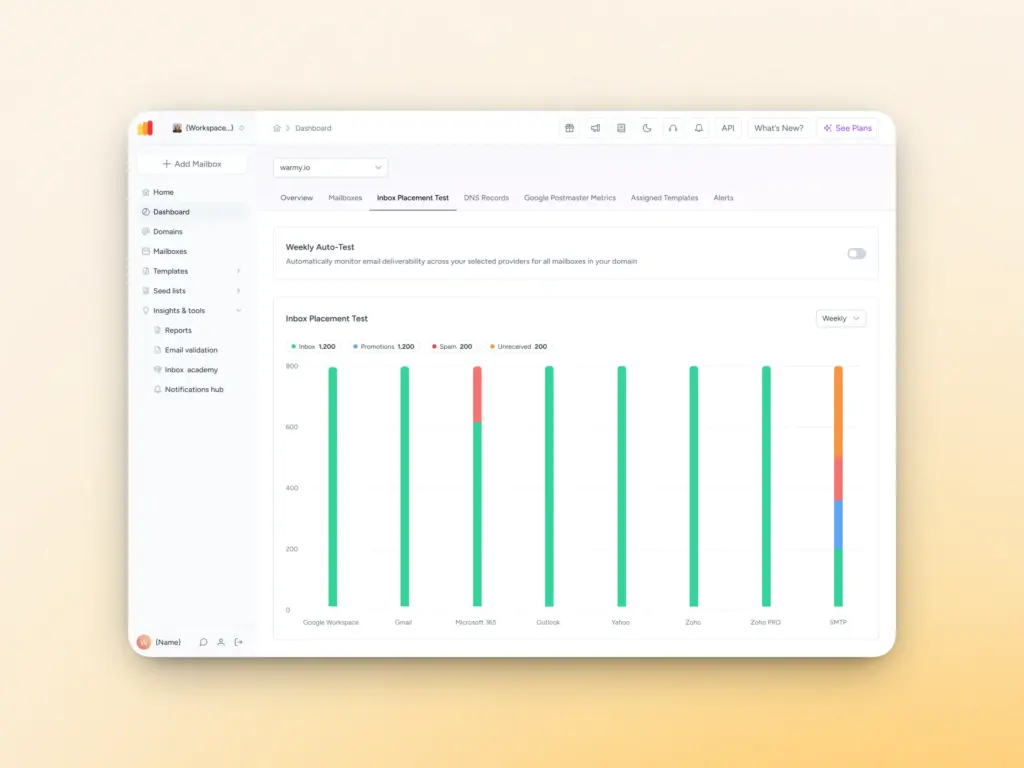
Warmy’s free email deliverability test checks your sending IP against SpamCop and other major blacklists in real time, alongside a full report on inbox placement, authentication status, and any active deliverability flags. Use it before every major campaign and after any incident.
Authentication Setup (Free)
Warmy’s free SPF Record Generator and free DMARC Record Generator help you configure the authentication records that are both a blacklist prevention measure and a requirement for Gmail, Yahoo, and Microsoft bulk senders.
Email Template Checker (Free)
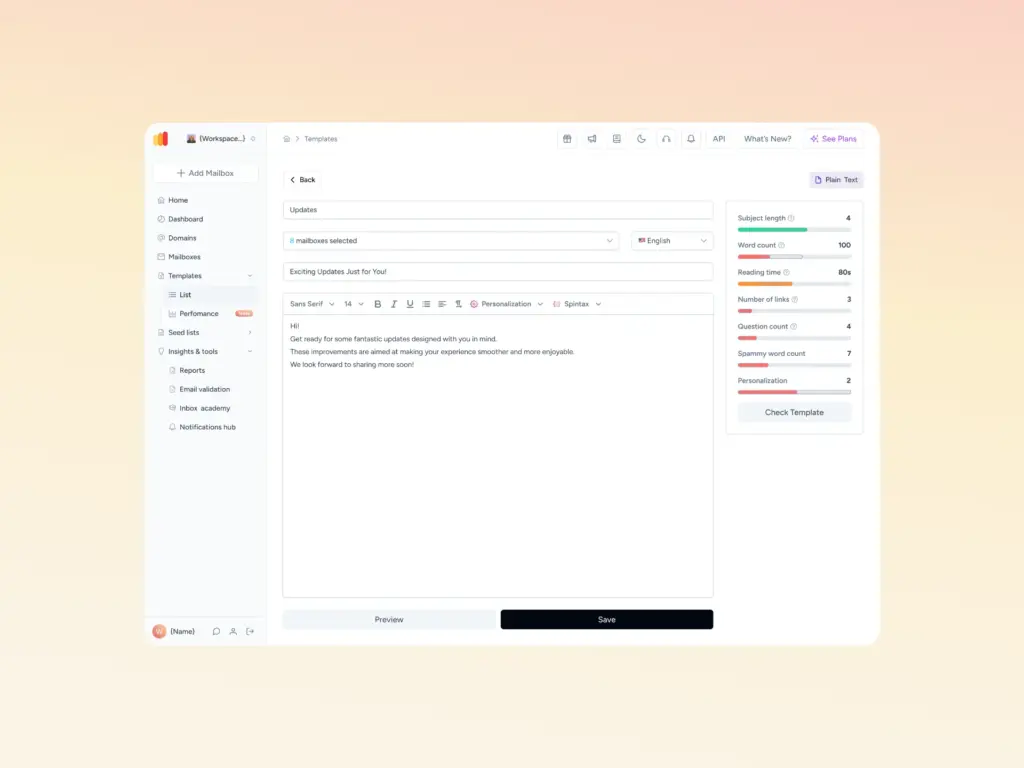
Before any send, run your email through Warmy’s free Template Checker to identify content that may generate spam complaints such as trigger words, poor HTML structure, or an imbalanced image-to-text ratio.
AI-powered email warmup with Warmup Preferences
After a SpamCop listing clears, your domain still needs to rebuild its sending history with inbox providers. Warmy’s warmup engine gradually restores the positive engagement signals that signal to ISPs that your domain is a trustworthy sender. This is the phase most senders skip, and it’s the reason many experience repeat listings.
Additionally, Warmy’s Warmup Preferences give you granular control over how your warmup traffic is distributed. You can set custom sending percentages across various providers, adjust daily warmup volume, and tailor the type of engagement (B2B vs B2C) to mirror your real sending patterns.
Seed Lists and Warmup With Clicks
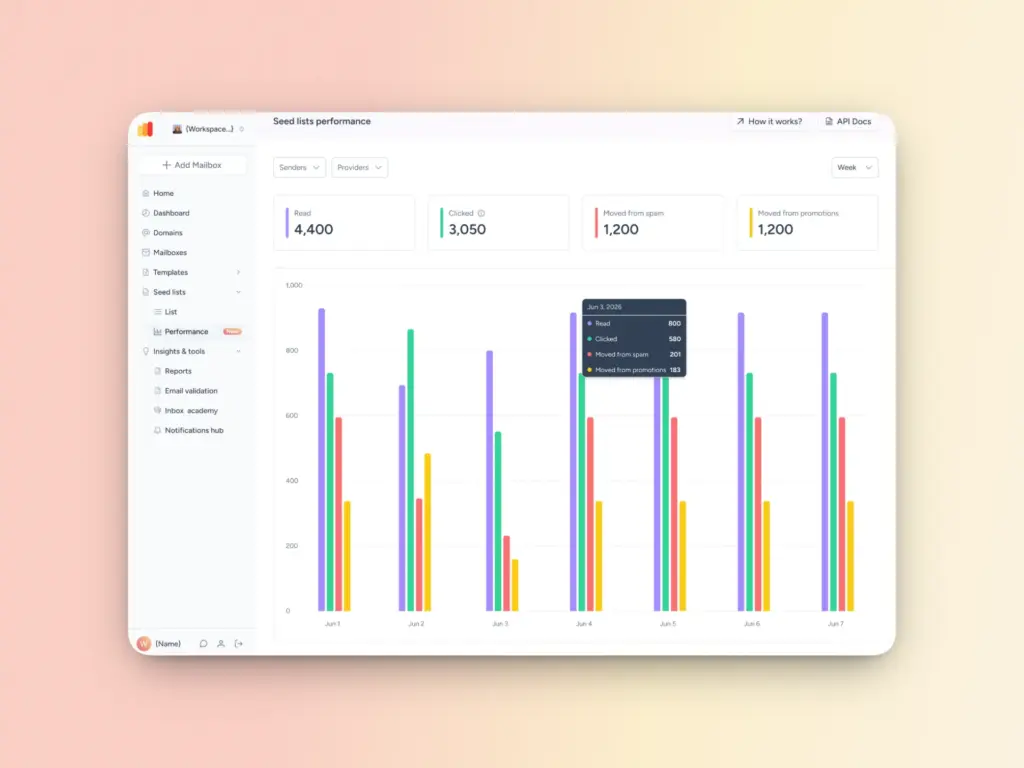
Warmy’s Seed List feature allows you to target warmup emails to specific email providers — Gmail, Outlook, Yahoo, and others so you can build a reputation exactly where your audience lives. Rather than generic warmup across all providers, you can prioritize the inboxes that matter most for your campaigns. This provider-level targeting ensures that your domain and IP develop a trusted sending history with the right mail servers before you scale.
One of the strongest signals that an email is legitimate is recipient engagement. We’re talking opens, replies, and link clicks. Warmy’s Warmup With Clicks feature simulates real link-click behavior within warmup emails, sending positive engagement signals to inbox providers. This is particularly powerful for recovering from spam or promotions folder placement, because it directly counters the negative engagement signals that often precede a SpamCop listing. Plus, with Warmup With Clicks doesn’t require manual management of external seed lists or continuously tracking split updates.
Maximize what Warmy can do for your email campaigns, beyond monitoring blacklists. Start your free 7-day trial today.