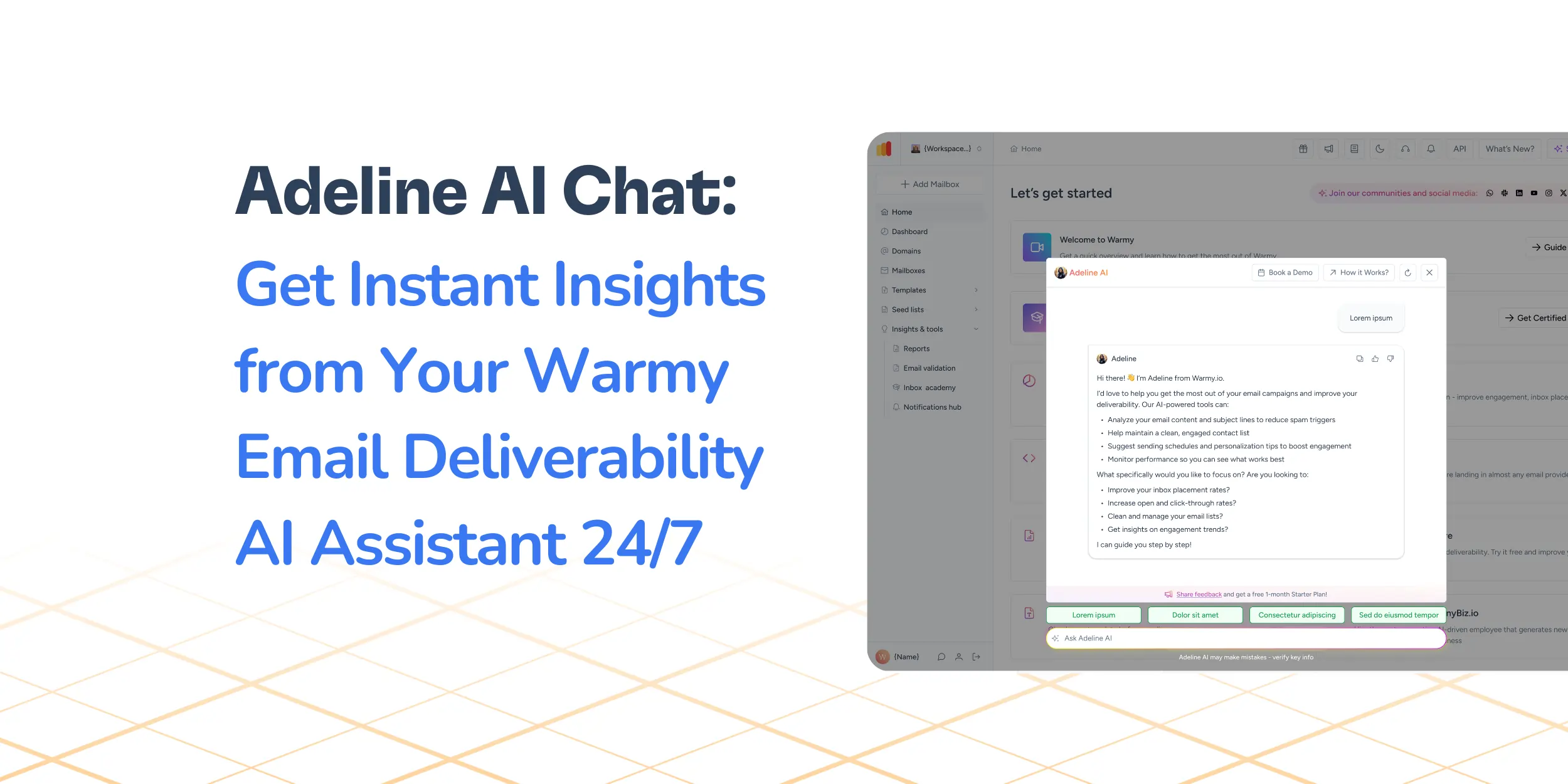
Poor email deliverability can silently kill your campaigns even when your content and targeting are on point.
The five key warning signs to watch for are:
Declining open rates
Rising bounce rates
Low click-through rates
Emails landing in spam
Weakening sender reputation.
You spend so much time brainstorming and executing the most creative email campaign you’ve done to date.
You’ve set up your workflows and sequences to be as detailed as possible, taking into account all possible behaviors of your target audience. But you’re not getting the results you want. To make matters worse, you find out from a free deliverability test that most of your emails actually land in the spam folder instead.
But what exactly went wrong?
- The success of your email marketing campaign could come down to email deliverability.
- You may be creating brilliant content and honing in on an ideal target market. But if your emails aren’t being delivered to the inbox, your campaign results will be put to waste.
- Instead, your emails might be disappearing into spam folders or being blocked entirely without your even realizing it.
This guide will walk you through the top five signs that your email deliverability is in danger. By catching these indicators early, you can act before your email marketing really suffers.
Read on to see how you can identify these red flags and what you can do about them plus a key resource that can help you diagnose and resolve your deliverability woes right away.
Warning sign #1: Declining open rates (When your emails go missing in action)
Let’s start by addressing the most common telltale signs that your email deliverability is struggling: a sudden decrease in open rates. Open rates are a a strong indicator of how interested your audience is, but most importantly, they are a reflection of how email service providers view your sending reputation. Because if your emails never get opened, then nothing else will follow.
When fewer people open your emails, it can be due to a number of reasons:
- Your emails are being filtered out before the inbox, either being sent to Promotions tab or the Spam folder.
- Spam filters are flagging your messages as suspicious.
- Recipients are not interested in your emails due to irrelevant or excessive emails.
Actionable tips: What to do when your open rates take a nose dive
If your open rates are dropping, take these steps:
- Review and improve your subject lines to make them more compelling and relevant. Check out these tips for writing subject lines.
- Clean your email list by removing inactive or unengaged contacts.
- Consider doing email warm-up to rebuild sender reputation gradually.
- Ensure your email authentication (SPF, DKIM, DMARC) is correctly configured.
Warning sign #2: The bounce back alarm (When your emails keep getting rejected)
Bounces occur when emails fail to be delivered to recipients’ inboxes. A rising bounce rate is a critical red flag that your email deliverability may be in trouble. It means your messages are being rejected by email servers (either temporarily or permanently) which hurts your sender reputation and limits the reach of future campaigns.
- Hard bounces: Permanent delivery failures caused by invalid email addresses, closed accounts, or blocked domains.
- Soft bounces: Temporary failures due to full inboxes, server issues, or message size limits. While less severe, repeated soft bounces still damage deliverability over time.
Actionable tips: Steps to reduce bounces
- List hygiene is important. Regularly clean your email list by removing hard bounces and inactive subscribers.
- Use double opt-in processes to confirm valid email addresses.
- Segment your list to target engaged users and avoid sending to risky addresses.
Curious if your email list has any invalid addresses? Warmy.io has an Email Validation tool that comes with 10,000 free credits for any plan. Sign up today.
Warning sign #3: The silent clicks (When engagement just isn’t clicking)
Clicks are a key measure of how well your audience interacts with your emails beyond just opening them. This often reflects problems with content relevance, call-to-action clarity, or overall email design—all of which impact your deliverability indirectly.
Other reasons why CTR matters:
- CTR indicates genuine interest and engagement from your recipients. A CTR between 2-5% is already pretty good.
- A low or decreasing click-through rate (CTR) could mean that your emails are being looked at, but they aren’t inspiring action.
- Email providers consider certain email engagement metrics—such as clicks—when deciding if and where your emails will land in inboxes.
- Low click-through rates can lead to emails being routed to promotions or spam folders over time, resulting in poor email deliverability.
Actionable tips: How to boost clicks and keep your audience engaged
- Craft clear, concise calls to action that stand out.
- Personalize content to match recipient interests and needs.
- Use responsive email designs optimized for all devices. A responsive email design can increase CTR by more than 30%.
- Test different content formats, subject lines, and even sending times.
Warning sign #4: The spam trap (When your emails land in the junkyard)
Landing in spam folders is a marketer’s worst nightmare. It also makes it more difficult to get into inboxes moving forward, with 45.6% of global emails marked as spam.
If a large number of your emails are being thrown into the spam folder, it reduces the number of people who will receive them, as well as your sender reputation—making it more difficult to reach inboxes when you send out emails again.
How does spam folder placement damage your brand and ROI?
- Very few emails in spam get opened and clicked; wasting leads and revenue.
- Long chain of spam placements could result in being blacklisted creating bounds for email communication.
- Your sender reputation suffers, affecting not only current but future campaigns as well.
Actionable tips: Best practices to avoid the spam folder
- Maintain a clean, permission-based email list. Monitor spam complaint rates and unsubscribe rates for spikes.
- Avoid spam trigger words and suspicious formatting in your emails. Authenticate your emails properly using SPF, DKIM, and DMARC.
- Regularly test your emails with spam checkers before sending campaigns.
Warning sign #5: The reputation radar (When your sender score takes a hit)
Your sender reputation is the cornerstone of your email deliverability. It’s a score assigned by email providers that reflects how trustworthy your emails are based on your sending practices and recipient engagement. What you need to know about sender reputation:
- Sender reputation is calculated based on factors like bounce rates, spam complaints, email volume consistency, and engagement metrics.
- A poor sender reputation informs email providers that your emails may not be welcome or may be spammy, thus making it more likely that those emails will be filtered out.
- Maintaining a strong sender reputation ensures better inbox placement, higher engagement, and more successful campaigns.
Sender reputation is essentially a combination of the four warning signs above. Increased delivery failures, bounced emails, spam complaints, and decreased open rates and CTRs all translate to a declining reputation. And a declining reputation means lower deliverability and even lower chances of landing in inboxes.
Actionable tips: How to rebuild and protect your sender reputation
- Take a step back and gradually warm up new domains or email addresses to build trust.
- Monitor deliverability metrics and adjust campaigns based on data insights.
- Look into using tools like Warmy.io to automate warm-up and monitor reputation in real time.
The all-in-one solution that provides a solution for all 5 warning signs
Experiencing all five of the warning signs? It can be disheartening and frustrating, but there are ways of dealing with each problem. Of course, finding the time and resources to tackle these issues can be daunting.
Warmy.io was built specifically to help senders improve their deliverability by optimizing sender reputation, implementing proper warmup processes, and providing additional tools that all contribute to overall deliverability.
AI-powered email warmup to strengthen sender reputation
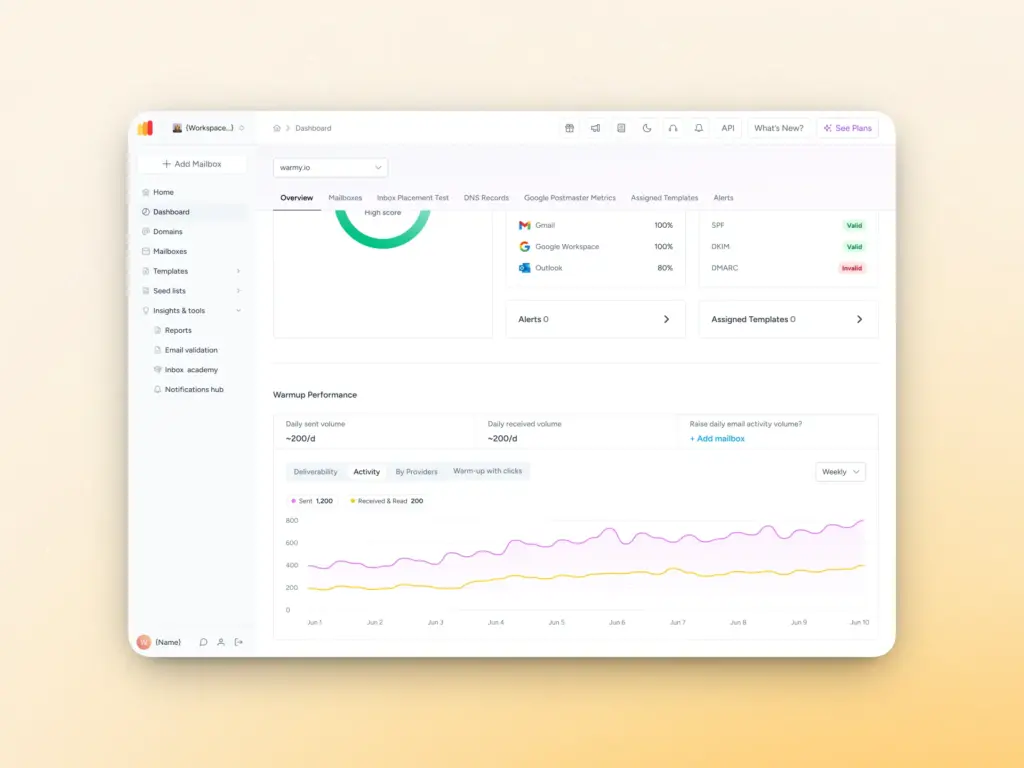
Warmy gradually increases the volume of emails sent to establish your credibility. It can even send up to 5,000 warmup emails per day, which makes it a robust warmup tool. Here’s how Warmy.io’s email warmup works:
- Automatically and gradually increases sending volume to build trust with various mailbox providers.
- Mimics real human-like interactions as emails are opened, replied to, and marked as important, training email service providers that you are to be trusted
- Works across 30+ languages so your emails look natural and relevant for global audiences.
The Warmup Preferences feature also enables the following capabilities:
- Customization of warmup distribution or percentage of emails that will be sent across GSuite, Gmail, M365, Outlook, Yahoo, and even Private SMTP.
- Choose between B2B or B2C customers for engagement patterns that will be simulated
- Easy adjustment of warmup settings for all mailboxes at once
Template Checker to help your content evade spam filters
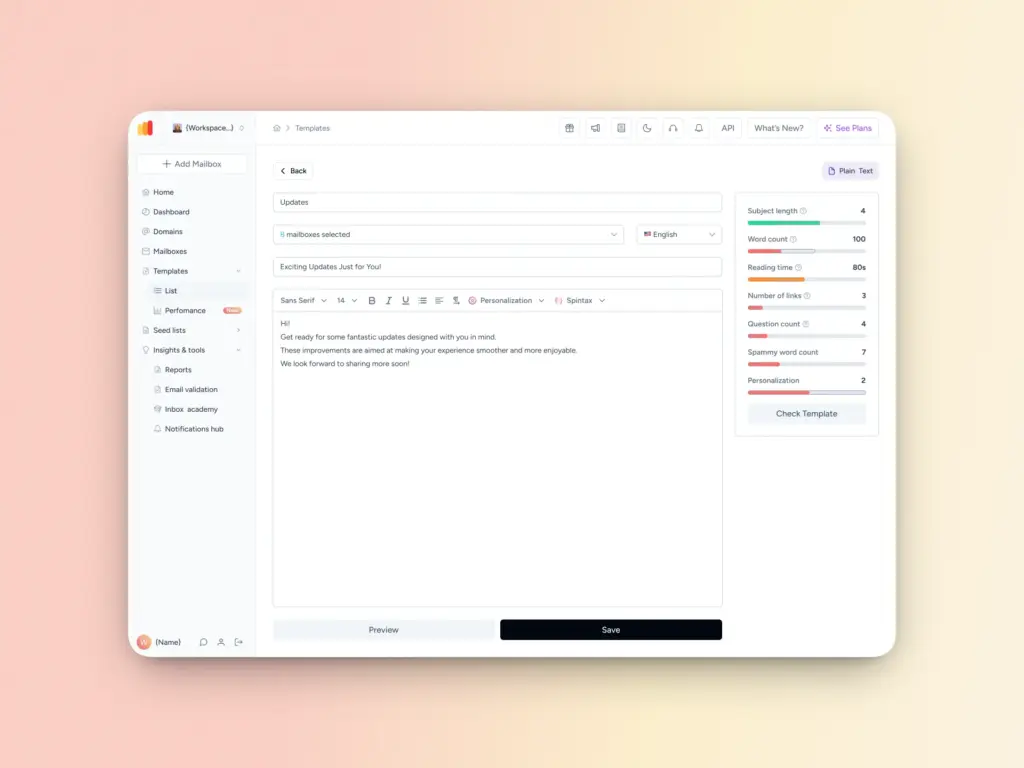
Warmy’s template checker analyzes your email content to ensure that it complies with best practices for avoiding the spam folder. Its new Chrome Extension makes this process easier as you can get real-time insights while drafting your content. With this tool, you will be able to better determine whether your email has a high chance of being flagged as spam. Then you can make tweaks before sending it.
Seed lists for high-quality warmup
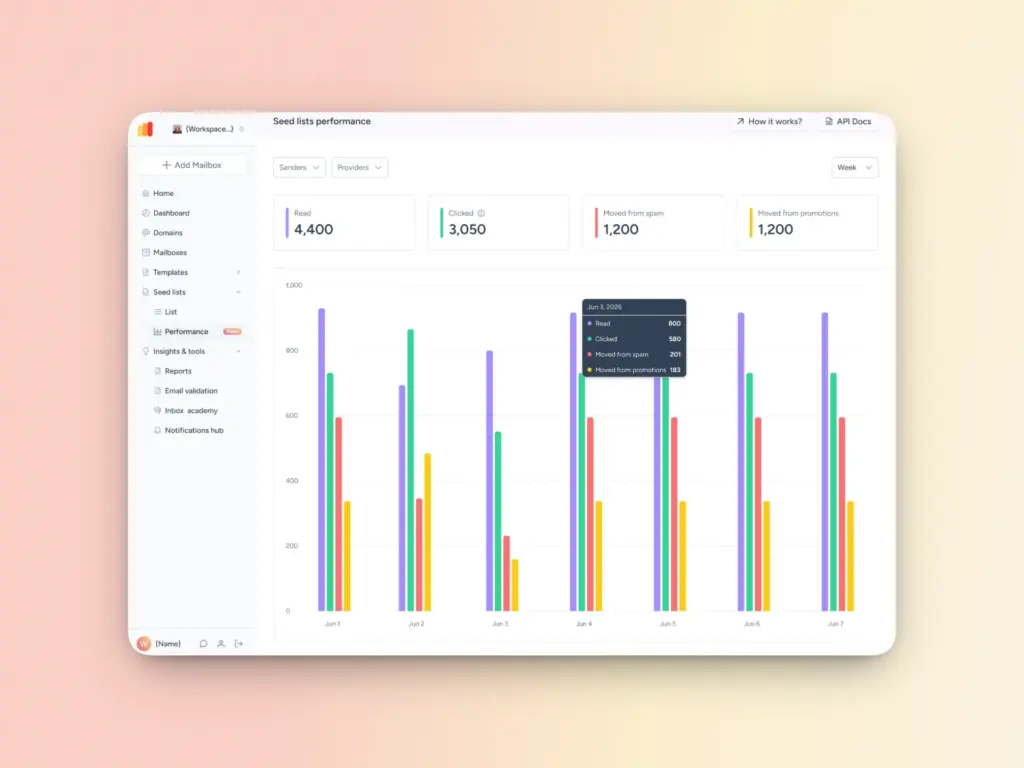
Warmy.io’s seed lists lets senders amplify inbox placement across different providers and optimize their email strategy while building sender reputation at the same time. Using these advanced seed lists will also help users identify deliverability issues per provider before scaling their campaigns—setting them up for even more success.
These seed lists are genuine email addresses that simulate real human behavior. Emails are opened, read, scrolled through, and clicked, further reducing the chances of landing in spam. Plus, if emails go to spam, they are manually removed and marked as important to improve future deliverability.
SPF and DMARC Record Generators for proper authentication
Failing email authentication checks is one reason why emails get rejected. Warmy.io includes a built-in authentication checker to ensure your email authentication settings are correct.
- Free SPF Record Generator: helps create a valid SPF record to prevent unauthorized email sending.
- Free DMARC Record Generator: strengthens email security by preventing phishing and spoofing attacks.
Take control of your email deliverability with Warmy.io
Recognizing these warning signs and email deliverability issues early can save your email campaigns from significant damage. Whether it’s declining open rates, high bounce rates, spam folder placements, or a slipping sender reputation, each signal points to deliverability issues that need immediate attention.
Don’t wait until your ROI is impacted or your domain is blacklisted. Warmy.io’s free email deliverability test is your starting point for real-time insights into where your emails are landing so you can start taking action today.
Sign up for a free trial today and see what Warmy can do for your deliverability.
FAQ
What is email deliverability and why does it matter?
Email deliverability refers to your ability to successfully land emails in a recipient’s inbox rather than their spam folder or getting blocked entirely. It matters because even the most well-crafted campaign is worthless if it never reaches your audience.
How do I know if my emails are going to spam?
Common signs include a sudden drop in open rates, lower engagement, and rising bounce rates. You can also run a free deliverability test from Warmy.io’s which gives you a real-time view of where your emails are actually landing.
What’s the difference between a hard bounce and a soft bounce?
A hard bounce is a permanent delivery failure usually caused by an invalid or non-existent email address. A soft bounce is temporary, often due to a full inbox or a server issue. Hard bounces need to be removed from your list immediately, while repeated soft bounces should also be monitored closely since they can still hurt your sender reputation over time.
What’s a good click-through rate (CTR) for email?
A CTR between 2–5% is generally considered solid. If you’re falling below that range consistently, it may signal that your content isn’t resonating, your calls to action aren’t clear, or your emails are being routed away from the primary inbox.
How long does it take to rebuild a damaged sender reputation?
It depends on how much damage has been done, but expect it to take several weeks to a few months. The most effective approach is a gradual email warm-up process which means slowly increasing your sending volume while maintaining strong engagement signals.