TL;DR:
- Email warmup is no longer optional. ESPs like Gmail and Outlook use sophisticated engagement analysis to filter senders.
- Choosing a cheap or free tool can burn your domain and cost you far more in lost revenue than the savings are worth.
- Warmy.io leads the field as the best email warm up service with its AI-driven warmup, real peer-to-peer interactions, infrastructure auditing, multi-language support across 30+ languages, and deep insights care of its proprietary AI, Adeline.
- This guide contains a head-to-head email warmup tools comparison of Warmy vs the 7 leading tools so you can make the right call for your business.
If you rely on email to drive revenue (whether it’s through cold outreach, automated sequences, or transactional sends), your inbox placement rate also known as email deliverability is your most important metric.
And right now, it is harder than ever to cement.
The consequence of poor deliverability isn’t just lower open rates. It’s revenue:
- For sales teams and agencies, a single email marked as spam can translate to lost opportunities.
- For eCommerce brands, missed transactional emails snowball into support tickets, chargebacks, and even churn.
Email warmup plays a big role when it comes to solving inbox placement issues. However, the market is full of tools that promise inbox placement but deliver varying levels of quality and attention to detail.
This guide compares the best email warmup and deliverability tools of 2026 side by side so you can choose the one that fits your needs with confidence.
Why is email deliverability even more critical in 2026?
The 2026 shift: ESPs are no longer just counting emails. They’re judging senders. Simply conducting run-of-the-mill email warmup will not get you where you want to be in terms of deliverability. Here’s why:
- For years, email warmup was treated like a one-time switch. The idea was to ramp up slowly for a few weeks, hit your volume target, declare victory, and move on.
- Today, the email landscape has become a highly regulated space where authentication, relevance, and engagement signals are all carefully evaluated before a message can reach the inbox.
- Three of the world’s dominant inbox providers (Google, Outlook, and Yahoo) have enforced new requirements for bulk email senders, and it goes beyond sending limits and authentication checks.
- Mailbox providers are now placing greater focus on engagement signals. This means they are favoring senders with high opens and clicks, and actively penalizing high complaint rates.
- Inbox placement in 2026 depends heavily on sender reputation or how these mailbox providers perceive you. Engagement metrics, authentication status, sending history, and email warmup are just a few of the many layers that contribute to securing a good email deliverability rate.
In a nutshell: ESPs are no longer asking how many emails you send. They’re reviewing your sender reputation to decide whether or not they should let you in the inbox.
What is email warmup and why can’t it be skipped?
Email warmup is the process of gradually building a sender reputation for a new or inactive email account. The usual process goes like this:
- Senders send a small number of emails per day,
- The sending volume steadily increases while generating positive engagement signals such as opens, replies, and emails moved out of spam.
- ESPs use these signals to determine whether your domain is trustworthy. The gradual increase in sending volume coupled with consistent positive interactions signals to ESPs that you can be trusted.
A brand-new domain that suddenly blasts 500 emails on day one looks like spam. But a domain that has been steadily building a history of engaged interactions looks like a legitimate sender.
If you skip warmup, here’s what will happen:
- More emails will landing in spam, which sends even more negative signals to ESPs
- Eventually this will lead to being blacklisted and permanently damaging your domain reputation.
- Recovery from major reputation damage can take one to three months of perfect sending behavior.
- Some domains with extensive spam history never fully recover
Today, there are many email warmup tools that automate the process—gradually increasing sending volume to a network of email addresses that return positive engagement signals such as opens, clicks, replies, and spam retrieval. While beneficial, investing in an email warmup tool alone doesn’t guarantee deliverability.
Aside from email warmup, what else is included in a deliverability ecosystem?
Now here’s what most senders get wrong:
- They treat warmup as a one-time process
- They invest only in warmup to improve their deliverability
- They stop monitoring deliverability as soon as they are able to send large-scale campaigns
Here are the facts:
- After completing your initial warmup, you need to maintain consistent sending volumes, continue monitoring deliverability metrics, regularly clean your email lists, update authentication records as needed, and adapt to ESP algorithm changes.
- Email deliverability is the foundation of ongoing sender reputation management, and warmup is one component.
Email senders who treat deliverability as a living system are those who will ensure continuous inbox placement and good sender reputation. This means that aside from email warmup, the following components must also be top of mind:
- Authentication (SPF, DKIM, DMARC) as a permanent baseline, not just a setup task you tick off once
- Continuous warmup running in the background, maintaining positive engagement signals even while campaigns are active
- Real-time monitoring of blacklists, spam complaint rates, and inbox placement, not just a once-in-a-while check when you notice revenue dropping
- Proactive alerts when something changes, so you catch a reputation dip in hours rather than after a campaign has already misfired
Not sure where your domain stands now? Take a free Email Deliverability Test today.
Warmy.io vs. the competition: A comprehensive tool-by-tool breakdown
Below we cover each major alternative: what they do well, where they fall short, and how Warmy.io fills the gap for professional senders.
Warmy.io vs. Instantly.ai: Advanced warmup that complements large-scale outreach

Instantly.ai is a powerful cold email sending platform. It’s built for scale and easy to use. For outbound teams that need to send at high volume, Instantly is a legitimate choice. However, when it comes to its email warmup feature, it’s anything but superior.
Here are Instantly’s core warmup and deliverability capabilities:
- Instantly claims to have over 1,000,000 email addresses in their deliverability pool, which is at par with Warmy’s warmup pool
- Deliverability dashboard is able to show basic metrics like the number of warmup emails sent, warmup emails received, landed in inboxes, and rescued from spam.
- Slow Ramp Up feature ensures gradual increase of sending volume to protect domain
- Advanced settings include enabling “read” emulation, selecting the number of warmup emails a day, open rate, response rate, and spam protection.
- Offers inbox placement tests
Professional senders who rely on Instantly for outreach often pair it with a dedicated warmup solution to protect their domain reputation separately. That is not a criticism of Instantly. It is an acknowledgment that sending and warming up are different disciplines that benefit from purpose-built tools.
How these features compare with Warmy.io:
- Warmy’s deliverability dashboard shows the same data plus even deeper insights like DNS checks, Domain Health, distribution per provider, and blacklist monitoring, among others.
- The Slow Ramp Up feature is a basic version of Warmy’s AI-powered email warmup which uses the sender’s data to gradually adjust sending volume in real-time, ensuring optimal results and maximum inbox placement while protecting domain reputation
- Advanced settings of Warmy include further customization options such as the warmup topic, warmup engagement patterns, language, and even distribution of warmup per provider.
The verdict:
- Instantly focuses on cold email outreach automation, while Warmy specializes in email deliverability.
- While both offer warmup features, Instantly integrates it as part of its sales platform whereas Warmy offers warmup as part of an all-in-one email deliverability solution.
The smart play:
- Use Instantly for your outreach campaigns and Warmy.io as your premium insurance for domain reputation. This powerful combination keeps your sender score intact, your inbox placement high, acting as support for your actual outbound campaigns.
We have a more in-depth comparison of Warmy and Instantly AI here.
Warmy vs. Lemwarm (by Lemlist): Interaction quality over smart clusters
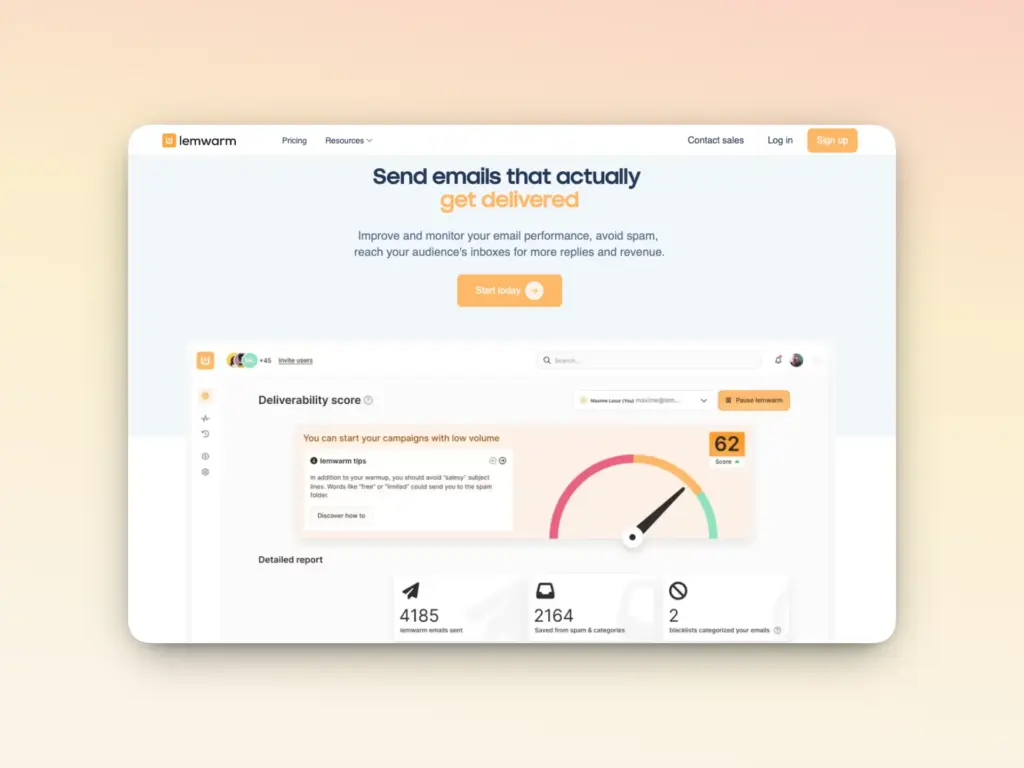
Lemwarm is tightly integrated into the Lemlist ecosystem, making it a natural choice for teams already using Lemlist for outreach.
Its core warmup and deliverability features compared to Warmy include:
- Its premium network of 20,000 users is below Warmy’s maximum of over 1,000,000 mailboxes
- Initial setup includes adjusting important settings like SPF, DKIM, DMARC, MX Records, and Custom Tracking Domain. Warmy also tracks these records consistently and in real-time which users can access through the Domain Health Hub.
- Lemwarm’s warmup emails are mentioned to be “personalized” which means users get assigned to a specific email cluster according to your industry, audience, and email goals. Meanwhile, Warmy offers customizable warmup options such as the topic of the warmup emails, language (over 30 to choose from), engagement pattern to simulate (B2B vs B2C), and even distribution per provider.
- Deliverability monitoring ensures users receive daily insights about performance, technical setup and sender reputation.
The verdict:
- Lemwarm’s “clusters” are a clever concept, but in 2026, the metric that actually impacts inbox placement is depth of interaction and not simply the category or industry of the email address you are interacting with.
- Warmy addresses this by offering more warmup customization options that impact deeper interaction. For example, the Warmup Preferences allows users to customize even the engagement pattern.
- Clicks also provide even more positive interaction signals, and Warmy’s Warmup With Clicks provides exactly this. Not just confined to opens, reads, and spam recovery.
Warmy.io vs. Folderly: Enterprise insights at your fingertips

The Folderly ecosystem is positioned as an enterprise deliverability solution with the following components:
- Inbox Insights (Analyze): Provides data on where emails are landing across major email providers, domain health and IP issues. This must be availed separately from the warmup and deliverability component. The subscription depends on the number of automated tests per month or year.
- Folderly (Fix): Implements daily warmup and provides insights on why emails land in spam by detecting technical and content-based triggers.
- Pulse (Monitor): A dashboard for monitoring data, receiving alerts, managing integrations, and connecting to multiple channels for receiving spam alerts.
Together, these components present a competent email warmup and email deliverability solution. The trade-off is friction: Folderly typically requires a sales call, onboarding time, and a premium budget that many growing teams cannot justify.
Here’s how Warmy offers enterprise-grade solutions without the friction:
- Warmy offers a free email deliverability test for non-users. For paid users, the Smart Weekly Auto-Run feature is already included in the plan. It enables users to customize when the automated inbox placement tests will run.
- For businesses that need enterprise-depth insights without the enterprise-level process, Warmy.io offers a self-service audit cluster that surfaces the same technical depth DNS health, blacklist status, SPF/DKIM/DMARC verification automatically, even without a salesperson in the loop. Dedicated customer success managers are still available for those who need hands-on guidance.
Warmy plans include all features of the three separate Folderly components.
The verdict:
- Warmy.io delivers Folderly capabilities out of the box, combined with more advanced AI features and deeper customization abilities for warmup.
Warmy.io vs. MailReach: Deeper health insights vs. surface-level data

MailReach is another deliverability tool that follows the basic recipe of email warmup. There’s no denying its effectiveness as proven by the number of reviews they receive. Core features include:
- Basic automated email warmup interactions facilitated across their network of 30,000+ mailboxes
- Fine-tuned warmup algorithm which focuses on size and reputation of the network and quality of warmup content
- Its free spam test is widely used as a surface-level health check.
However, compared to Warmy, MailReach falls on the side of simplicity.
How Warmy fills in the gaps:
- MailReach claims to have the most accurate spam test that uncovers where emails are landing. The limitation is that a spam test is a mere snapshot.
- Warmy.io’s deliverability monitoring runs continuously in the background, surfacing blacklist incidents, authentication failures, and reputation dips as they happen
- While MailReach includes SPF and DKIM checks, Warmy consistently scans all DNS records and authentication protocols to ensure they are all valid. To assist senders, Warmy even offers a free SPF Record Generator and a DMARC Record Generator.
The verdict:
- For teams where inbox placement is mission-critical, that ongoing protection is the difference between catching a problem in hours versus discovering it in your next campaign report or the next time you take a spam test.
Warmy.io vs. Mailwarm: Scalability beyond basic warming
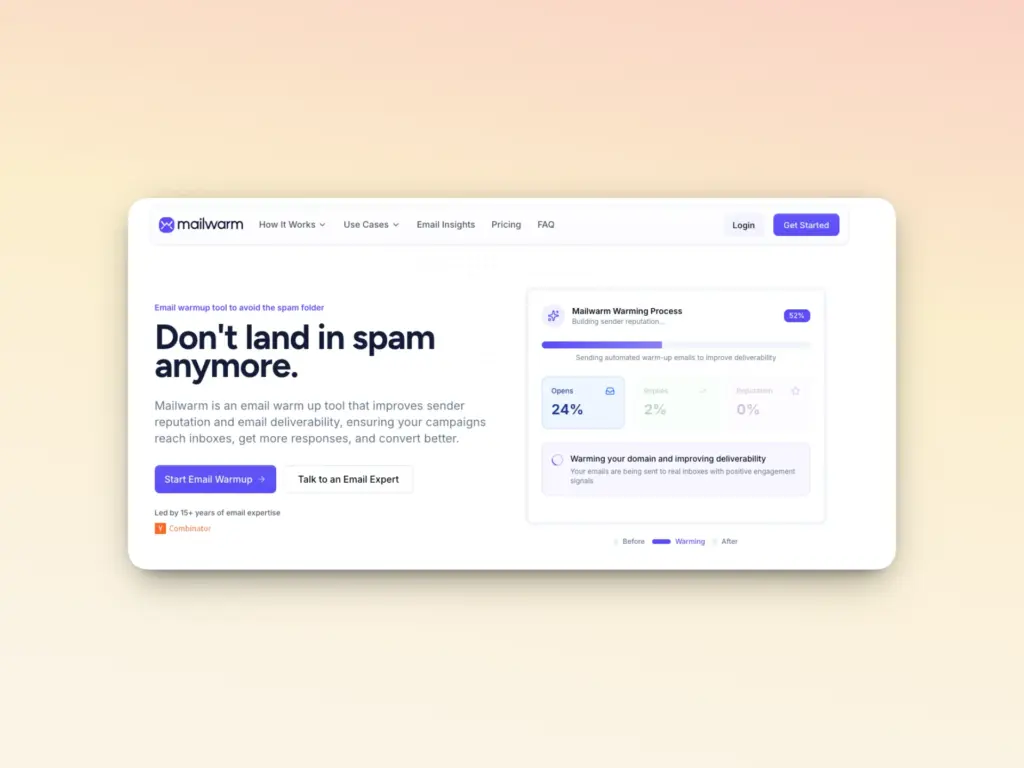
Mailwarm is a clean, simple warmup tool that works well for individual senders with one or two inboxes. Setup is straightforward, the interface is easy to follow, and for basic use cases it does what it says:
- Live inbox placement data per mailbox and SMTP
- Daily inbox warmup emails sent across Mailwarm’s 5000+ accounts to generate basic engagement signals
Where Mailwarm is lacking and where Warmy has the upper hand:
- Mailwarm lacks the active protection infrastructure that agencies and growing teams need
- There is no DMARC monitoring, no continuous blacklist tracking, no multi-account management at scale.
- Its warmup increases send volume but does not actively defend your domain against emerging threats
The verdict:
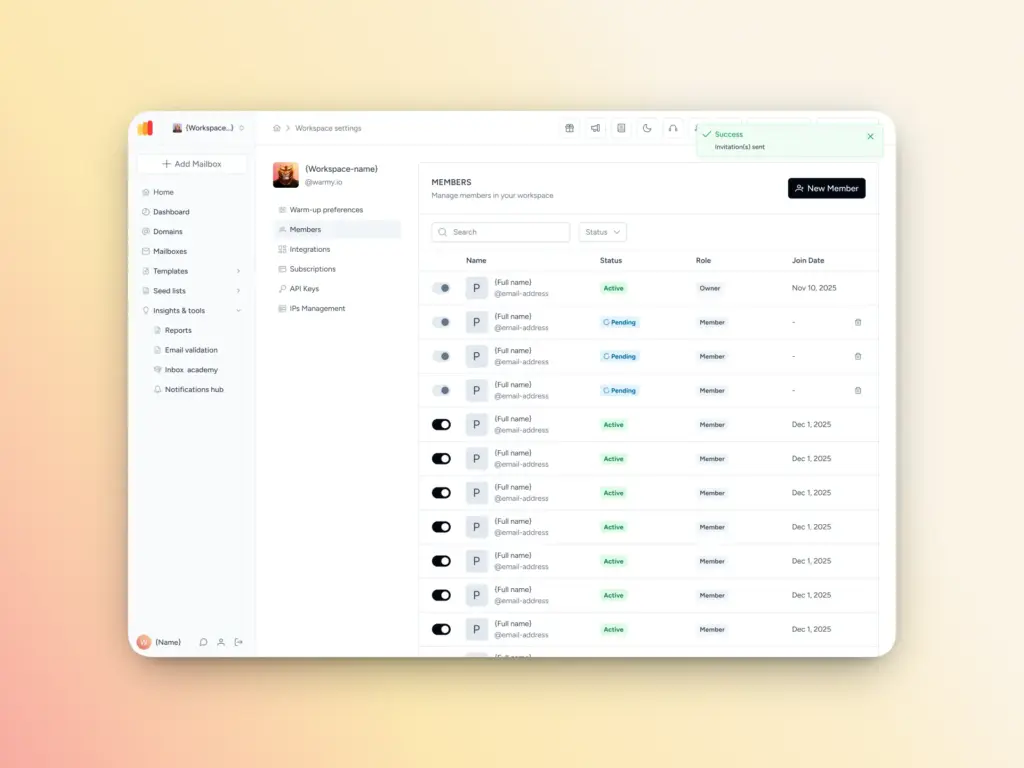
- If you are managing 5, 10, or 50+ inboxes for clients or across your sales organization, Mailwarm’s limitations become costly quickly.
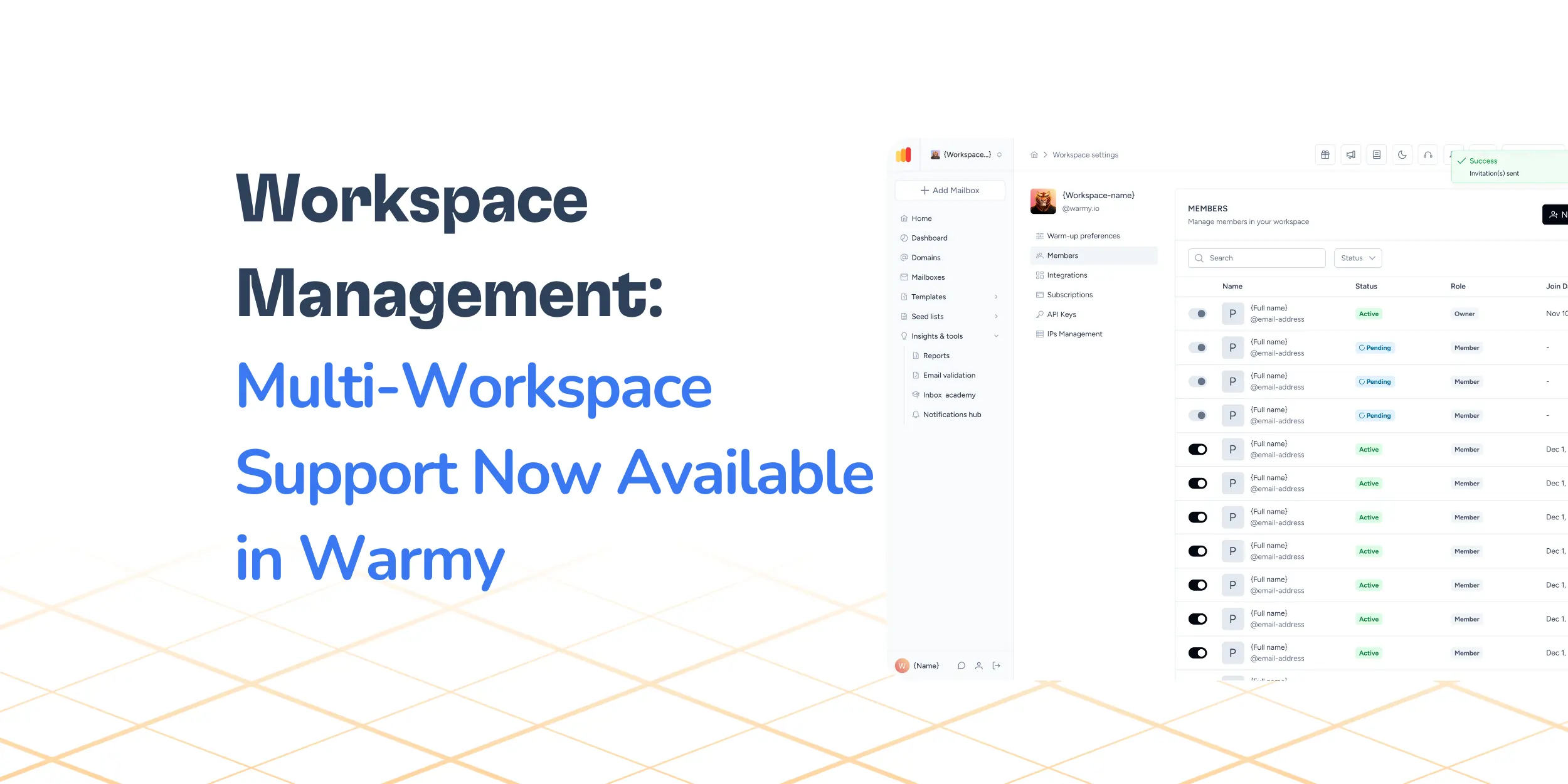
- Warmy.io’s Workspace Management feature allows you to manage multiple accounts with separate dashboards, settings, automated reporting, and real-time alerts.
Warmy.io vs. InboxAlly: The battle of the seed lists

InboxAlly’s claim-to-fame is their use of seed emails which are unique email addresses provided to every client. The seed lists are downloaded by the user and loaded into their sending platform where the seeds will then do the work—opening emails, reading, clicking, replying, marking as important, retrieving from spam and promotions. The entire warmup strategy of InboxAlly is dependent on their promotion of their seeds.
Why is Warmy more efficient and scalable?
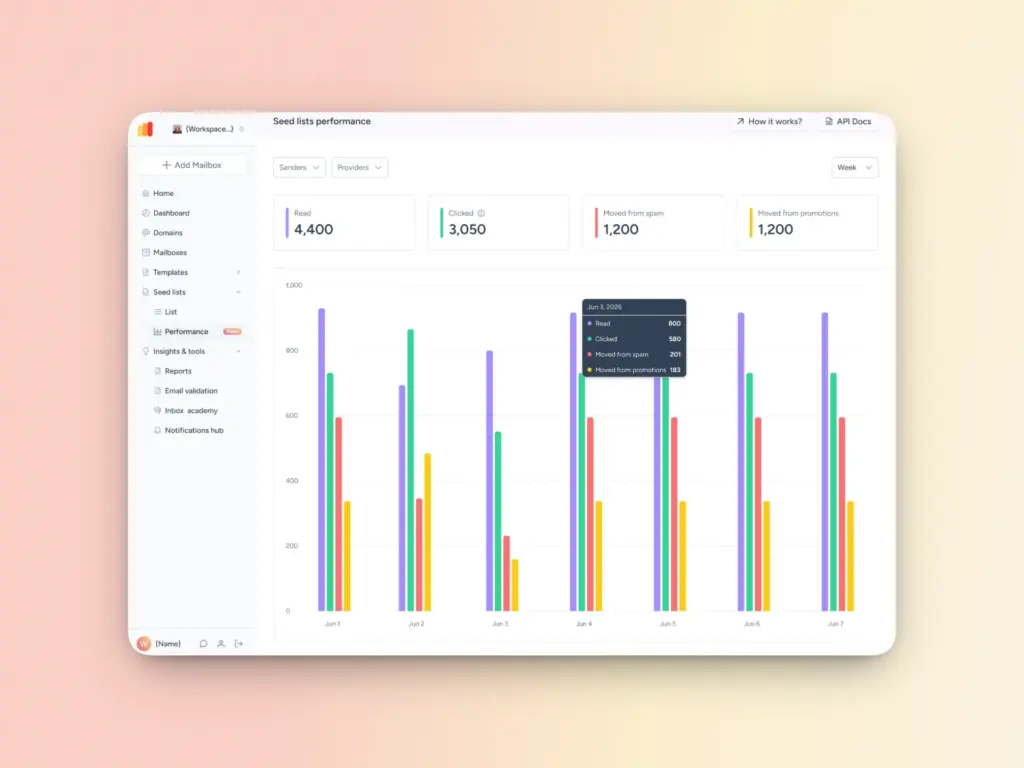
- Warmy’s Seed List feature is actually an add-on to the basic AI-powered email warmup feature which uses genuine email addresses within the Warmy network. Warmy users can choose to conduct their warmup within the network or use the Seed List feature.
- Something that InboxAlly doesn’t account for is the occurrence of natural receiver blocks. The Warmy team continuously updates the seed lists to ensure users only send to valid and updated seeds. Automation via Webhooks is also available so users don’t need to download updated lists all the time.
- The new Seed List updates include the Seed List Receiver Update (ability to download only the updates of the list and not the entire list) and the ability to access Seed List Performance statistics.
The verdict:
- The use of seed lists in email warmup has its advantages, so it’s understandable that InboxAlly’s core offering relies heavily on this.
- However, the quality of email addresses used in warmup is not the only factor that affects deliverability. While Warmy also offers Seed Lists across various providers for even more targeted warmup, this is on top of the other solutions that are designed to optimize deliverability as a whole.
Know more about how InboxAlly’s features and Warmy’s features stack up against each other.
Warmy.io vs. Warmbox: Real custom warmup over limited options
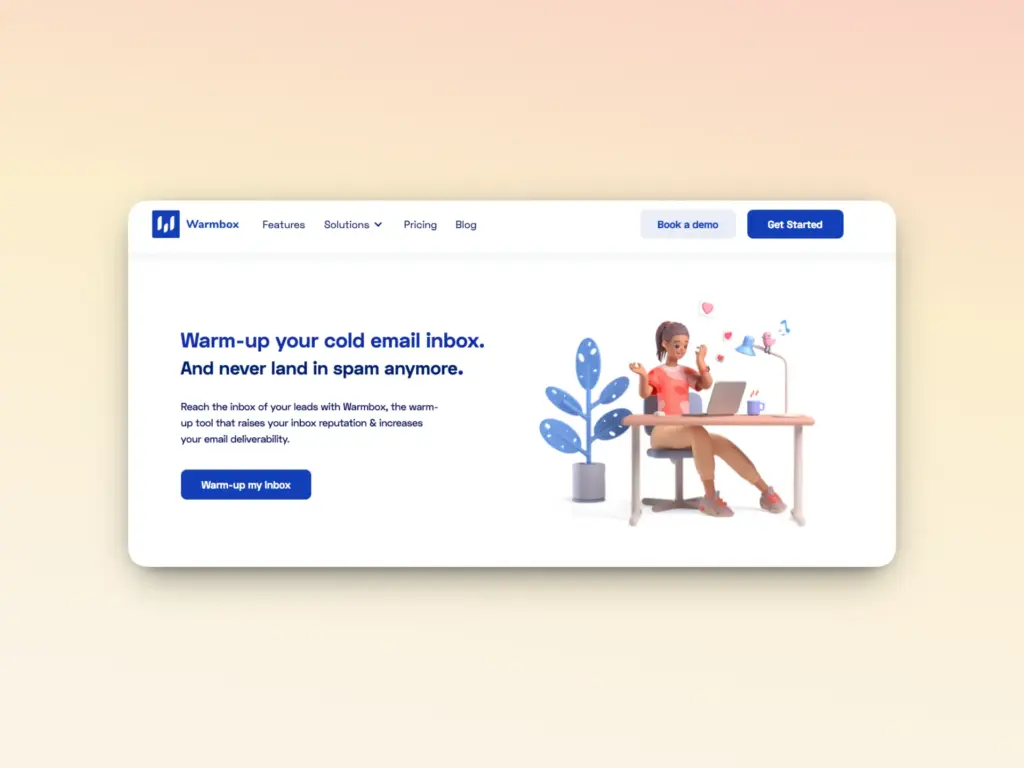
Warmbox is a straightforward, affordable warmup tool targeting individual users and small teams:
- It implements basic warmup well and its dashboard has a modern and clean UI.
- Has multiple integrations with various inbox providers
- Custom warmup options which allow users to select a warmup recipe (Grow, Flat, Randomize, and Fully Custom)
What’s the caveat?
- There are no detailed specifics from Warmbox on what their “Fully Custom” warmup entails. Some reviews from external sources mention ability to adjust email frequency, content, and sending times. Other reviews report
- There is no smart optimization that draws from the user’s real-time data
The verdict:
- Despite the “custom” warmup feature, Warmbox still falls behind the robust warmup customization options of Warmy.
- Additionally, Warmy isn’t stuck in implementing basic warmup processes. AI-powered email warmup means the user’s data is constantly monitored and warmup is adjusted accordingly.
A closer look at Warmbox and Warmy’s differences can be found here.
Why is Warmy.io the premium email warmup and deliverability tool in 2026?
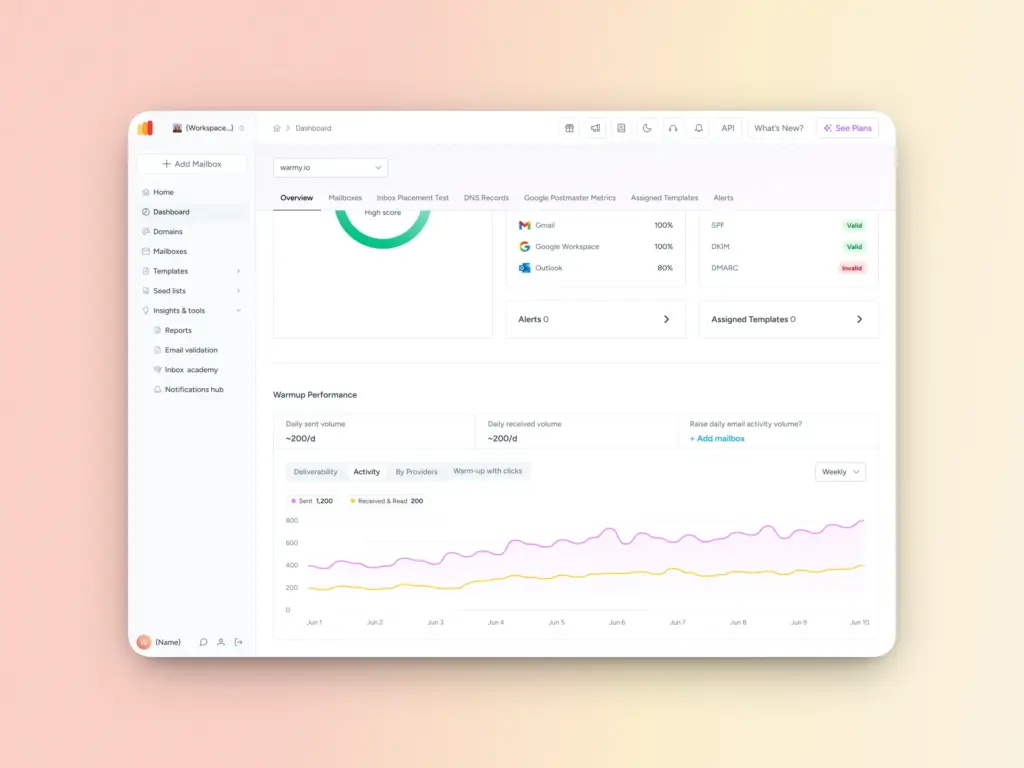
Warmy.io was built from the ground up as a deliverability-first platform. It is not a feature in a cold email tool. It is not a spam test bolted onto a marketing suite. It is infrastructure designed to protect and grow your sender reputation continuously, at any scale.
Here is what sets it apart:
- Adeline AI: Adeline is Warmy’s proprietary AI dedicated to email deliverability. Not only can Adeline answer questions, it also analyzes data and various touchpoints to diagnose, troubleshoot, and execute a unique deliverability strategy guaranteed to improve inbox placement.
- AI-driven warmup algorithm: Warmy’s AI generates real conversational email content across 30+ languages, simulating the kind of genuine human engagement that modern ESPs are trained to recognize and reward. Customization options include the topic, engagement pattern, and even distribution across providers. That way, your warmup works for your actual outreach.
- Up to 5,000 warmup emails per day: For high-volume senders and agencies, Warmy scales to match your sending infrastructure. Among email warmup alternatives, Warmy is the only one with this capacity.
- Google Postmaster Tools integration: Direct integration with Google’s own deliverability data gives you unfiltered insight into how Gmail views your domain.
- Warmup with Clicks: Emails are not just opened. Links are clicked, reinforcing human-like engagement patterns that send stronger positive signals to ESPs than basic warmup.
- Workspace management: Manage dozens of client or brand inboxes from a single account with organized and streamlined dashboards and settings.
- Free diagnostic tools: Warmy’s free Email Deliverability Test, SPF Record Generator, DMARC Record Generator, and Template Checker give you a full infrastructure health check at no cost. While other enterprise email warmup solutions offer these features as add ons (and some don’t even at all), Warmy provides it right away.
- Comprehensive reporting and monitoring of domain health and inbox placement: Warmy users can generate and receive detailed domain-level and mailbox-level reports of their inbox placement, spam rates, and overall domain health. This includes the deliverability and breakdown across providers, status of DNS records, spam rates, and warmup statistics.
Which email warmup tool is right for you?
The honest answer is that different tools suit different situations. Here is a straightforward guide:
- You’re a solo sender with 1-2 inboxes: Mailwarm or Warmbox with their basic warmup may be fine as you’re starting, but you may have to recalibrate once you decide to scale.
- You run large-scale cold outreach campaigns constantly: A combination of Instantly and Warmy will provide you with a solid deliverability structure even as campaigns run.
- You’re an agency or a business owner managing multiple brands and domains: Warmy with its Workspace Management feature and robust data insights is the best option.
- You’re an enterprise that needs full-scale deliverability audit: While Folderly is an option, Warmy provides enterprise-level features and components in one plan.
The pattern here is clear: the more your revenue depends on email, the more a basic warmup feature falls short.
Ready to protect your domain?
In 2026, email warmup is not optional. In fact, it may very well be the difference between a successful outreach campaign and one that tanks.
The difference between a sender with a protected domain and one flying blind is not just inbox placement. It is the difference between a reliable pipeline and a deliverability crisis that can take months to recover from.
Warmy.io is built specifically for senders who take their revenue seriously. It is not the cheapest option in the market, and it is not trying to be. It is the most comprehensive, advanced, AI-driven, continuously monitored solution available trusted by over 7,000 businesses who cannot afford to have their emails disappear into spam.
If you are ready to move from reactive deliverability management to proactive protection, start your Warmy.io trial today. Or book a demo to see how it fits your specific infrastructure and business goals.
FAQ
How long does it take to warm up an email domain?
Most new domains reach a reliable sending reputation within 2 to 4 weeks of consistent warmup. Starting with just a few emails per day and gradually increasing volume is critical as rushing the process by jumping to high volume too quickly can trigger spam filters and set you back further. For domains recovering from reputation damage, the timeline extends to 4 to 12 weeks depending on the severity. With a premium tool like Warmy.io, the process is fully automated and calibrated to your domain’s history.
Do free email warmup tools actually work?
Some do, for very basic use cases. But free and ultra-cheap warmup tools carry real risks that are easy to overlook. The biggest problem is network quality: free tools typically use low-quality, generic, or overcrowded warmup pools. Engagement from these pools sends weak signals to ESPs and in some cases, sharing a warmup pool with spammy domains can actively harm your reputation rather than help it. If your email program has any revenue dependency, the cost savings from a free tool are rarely worth the risk.
What is the difference between email warmup and email deliverability?
Email warmup is one component of email deliverability. Warmup builds the sender reputation that allows your emails to reach the inbox. Deliverability is the broader outcome or the percentage of emails that successfully land in the primary inbox rather than spam or promotions. Other deliverability factors include authentication (SPF, DKIM, DMARC), list quality, content, and send frequency. A good email warmup tool like Warmy.io addresses all of these layers, not just warmup volume.
Can I warm up multiple inboxes at once?
Yes — and for agencies and sales teams, managing multiple inboxes simultaneously is essential. Most professional warmup tools support multi-inbox management, though the quality of multi-account support varies significantly. Warmy.io’s Workspace Management feature allows you to manage a number of mailboxes. Each inbox benefits from the same AI-driven warmup, regardless of how many you are running in parallel.
Should I keep warming up after my domain is healthy?
Yes. This is one of the most common mistakes senders make. Email warmup is not a one-time setup. It is ongoing reputation maintenance. The moment you stop sending positive engagement signals through a warmup tool, your sender reputation can start to erode, especially if your actual campaign generates any spam complaints or bounces.


![Text graphic featuring the message: smtp error 553 5.7.2 How to Fix It [SOLVED] in bold black and red on a white and orange gradient background.](https://warmy-blog-wordpress-bucket.s3.amazonaws.com/wp-content/uploads/2026/02/11153221/SMTP-553-5.7.2.webp)