Finding out your IP or domain is on the Suomispam Reputation Blacklist can be detrimental to your overall email marketing strategy. Here is the step-by-step guide to removing your IP or domain from the Suomispam blacklist and restoring email deliverability:
- Check your listing status. Go to Suomispam’s official site or use Warmy’s free email deliverability test to confirm if your IP or domain is listed and identify any other active blacklistings.
- Fix root causes. These may include configuring SPF, DKIM, and DMARC records, cleaning your email list, and closing any open mail relays. Review sending practices to eliminate unsolicited bulk sends.
- Submit a delisting request. Visit Suomispam’s website and complete their removal form. Include your IP/domain, a thorough explanation of what caused the listing, and proof of remediation.
- Warm up your domain before resuming your campaigns. Use Warmy.io’s email warmup tool to gradually rebuild your sender reputation before resuming large-scale email campaigns
What is the Suomispam Reputation Blacklist?
The Suomispam Reputation Blacklist is a DNS-based blocklist (DNSBL) that tracks IP addresses and domains reported for sending spam or unsolicited bulk emails, with a particular focus on Finnish-language content and senders originating from Finland.
It is used by email providers and ISPs as a reference for blocking emails coming from listed sources. If your domain or IP appears on this list, your emails may be silently dropped, sent to spam, or rejected outright. Especially when targeting Finnish recipients or routing through Finnish mail infrastructure.
Why does being on Suomispam hurt your business?
It’s important to note that Suomispam itself does not implement the blocking of emails per se. It only provides lists of senders they consider as probable sources of Finnish spam. It is entirely up to ESPs if they decide to use this information as part of their algorithm.
But in general, landing on Suomispam and any reputation blacklist has direct, measurable consequences:
- Lower inbox placement rates: Being included in a blocklist may mean your emails will go to spam or get blocked entirely
- Reduced open rates: Messages that don’t reach the inbox can’t be opened, resulting in lower open rates.
- Damaged sender reputation: A blacklisted IP only adds to other existing or underlying factors that affect deliverability.
- Lost revenue: Missed outreach means missed conversions and pipeline.
For businesses that rely on email as a primary channel such as sales outreach, transactional emails, newsletters, even a short stint on a blacklist can set back months of sender reputation building.
Pro Tip: Blacklist listings rarely happen in isolation. If you’re on Suomispam, there may be a chance that you’re also included in other blocklists. Do run a full check across all major blacklists. Warmy’s free deliverability test scans your domain and IP against nearly every major blacklist simultaneously, and flags authentication misconfigurations in the same report.
What are the reasons you got listed on Suomispam Reputation Blacklist?
Suomispam’s Policy states that they define spam as “unsolicited and bulk email.” If you are wondering “Why is my IP listed on Suomispam?” it can be any of these reasons:
- You’re sending unsolicited bulk emails. Mass email campaigns sent to recipients who haven’t explicitly opted in is a giant red flag. Especially if it’s a new domain that suddenly sends thousands of emails out of nowhere. Modern spam filters are highly effective at detecting unsolicited bulk sends, and Suomispam is no exception.
- High spam complaint rates. Even if your list was legitimately acquired, a high rate of recipients marking your emails as spam signals poor relevance or consent. Most ESPs and blacklist operators treat a complaint rate above 0.1% as a red flag. Warmy’s Template Checker can help you assess your emails before sending.
- Poor email list hygiene. Sending to invalid, outdated, or purchased addresses increases hard bounce rates and spam trap hits, which are two of the fastest ways to get flagged by reputation services.
- Missing or broken email authentication (SPF, DKIM, DMARC). Failing to properly configure SPF, DKIM, and DMARC makes your emails look unauthenticated, spoofed, and suspicious to receiving servers. This dramatically increases the likelihood of being blacklisted as you are perceived as spam. If you haven’t set these up yet, Warmy has a free SPF Record Generator and free DMARC Record Generator.
- Open relays or insecure mail servers. An improperly configured mail server can be exploited by third-party spammers to send emails through your domain which can get you blacklisted for activity you didn’t even initiate. Always ensure your server doesn’t function as an open relay.
- Cold emailing from a new or cold domain. Sending large volumes of cold outreach from a domain with no prior sending history is one of the fastest ways to trigger spam filters and end up on blacklists. This is exactly what email warmup is designed to prevent.
How to check if you’re listed on Suomispam
Option 1: Suomispam’s official website
Visit Suomispam’s official lookup tool and enter your IP address or domain. The tool will return your current listing status.
Option 2: Warmy’s free email deliverability test
For a more complete picture, use Warmy’s free email deliverability test. While its primary role is to provide data on your inbox placement or where your emails are landing across various providers, it also covers other factors that affect overall sender score.
The test checks your domain and IP against virtually every major blacklist (including Suomispam) and simultaneously audits your SPF, DKIM, and DMARC records. You’ll also receive an actionable report showing exactly what’s broken and how to fix it.
How to get off Suomispam: Step-by-step guide
Trigger | Fix |
Sending to unverified/opt-out contacts | Clean your list; implement double opt-in |
No SPF/DKIM/DMARC records | Configure all three authentication protocols |
Open mail relay | Close relay; audit server config |
High spam complaint rate | Improve content relevance; add easy unsubscribe |
Sending from cold domain | Use email warmup before campaigns |
Outdated email list | Regular list hygiene and verification |
Step 1: Fix the root cause (Don’t skip this!)
Before requesting removal, you must resolve whatever triggered the listing. Submitting a delisting request with unresolved issues will result in a denial. Or a re-listing shortly after removal.
Checklist before submitting your request:
- SPF record is published and valid
- DKIM is configured and signing outbound mail
- DMARC policy is in place (minimum p=none with reporting)
- Email list has been cleaned, meaning invalid addresses, spam traps, and unsubscribers have been removed
- Open relay has been closed (if applicable)
- Mail server logs reviewed for unauthorized sending activity
- Opt-in/consent process reviewed and tightened
Not sure if your authentication is set up correctly? Run a free deliverability test now.
Step 2: Submit your delisting request
Once the root causes are resolved, visit Suomispam’s official website and submit their delisting form. Include:
- Your IP address or domain
- A clear explanation of what caused the listing
- Specific steps you’ve taken to fix the issue (e.g., “Configured SPF/DKIM/DMARC, cleaned list, closed open relay”)
- Evidence of remediation where possible (e.g., screenshots of DNS records)
Be concise and factual because blacklist operators handle many requests and respond better to clear, documented remediation than lengthy explanations.
Step 3: Warm up your domain before resuming campaigns
Even after delisting, your sender reputation will need time to rebuild. You can’t just jump straight back into high-volume sending.
This is where Warmy.io’s email warmup tool becomes essential. Warmy gradually increases your sending volume in a way that mimics natural, organic email behavior. These signal to ESPs and spam filters that your domain is legitimate and trustworthy. It also supports warmup in multiple languages, including Finnish, which is especially valuable for businesses targeting the Finnish market.
Start your free trial and start warming up your domain.
How Warmy helps you prevent being blacklisted by Suomispam and other lists
Getting delisted is only half the job. Staying off blacklists requires ongoing attention to email hygiene and infrastructure. Plus, reacting to being blacklisted is not sustainable for scaling email operations.
The truth is that email deliverability is an ongoing process. It’s not just a one-time thing or a checklist item. Beyond automated email warmup and deliverability testing, Warmy provides a comprehensive set of tools designed to help senders build, monitor, and protect a strong sender reputation over time. This reduces the risk of being listed on Suomispam or any other reputation-based blacklist.
Proactive domain health monitoring
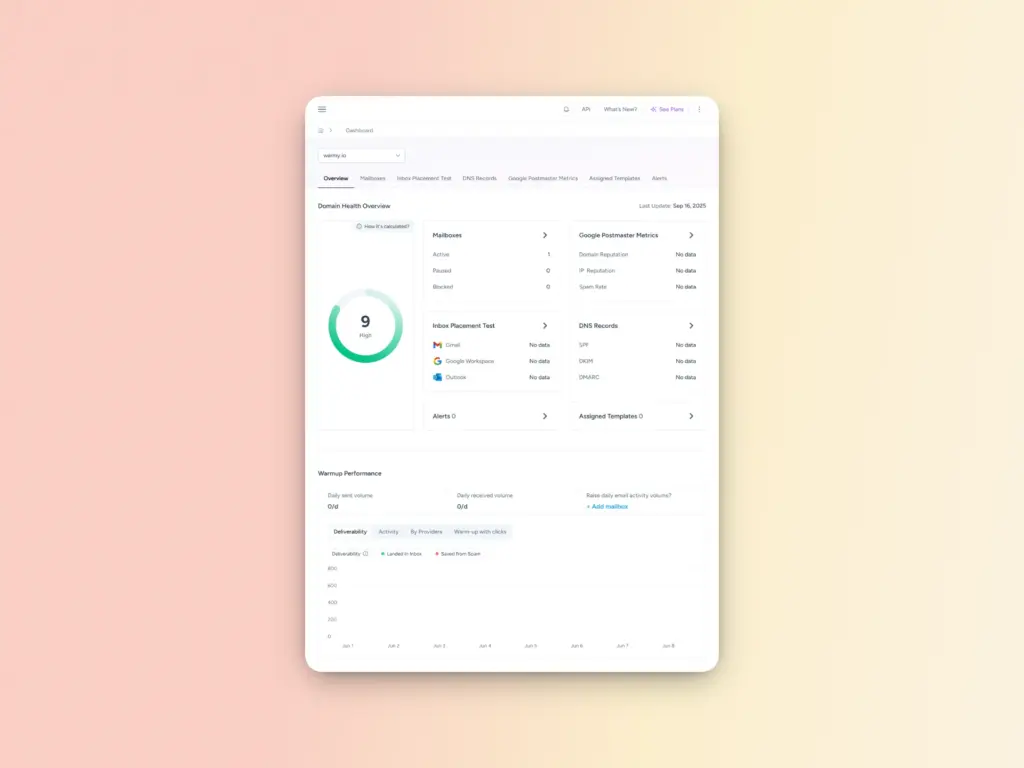
Warmy’s Domain Health Hub gives you real-time visibility into the signals mailbox providers and blacklist operators care about most. Instead of waiting for delivery failures, you can continuously monitor:
- Domain health score based on inbox placement, authentication status, and provider reputation
- SPF, DKIM, and DMARC validity and alignment
- Spam rate trends and inbox vs spam placement over time
- Provider-specific performance across Gmail, Microsoft, Yahoo, and others
This allows you to detect reputation degradation early before it escalates into blacklist listings or hard rejections.
Free SPF and DMARC Record Generators
Proper authentication dramatically reduces the likelihood of being flagged for spoofing, unauthorized sending, or policy violations. Warmy’s free SPF Record Generator and DMARC Record Generator help eliminate configuration mistakes by generating valid, optimized DNS records.
Email list validation and hygiene
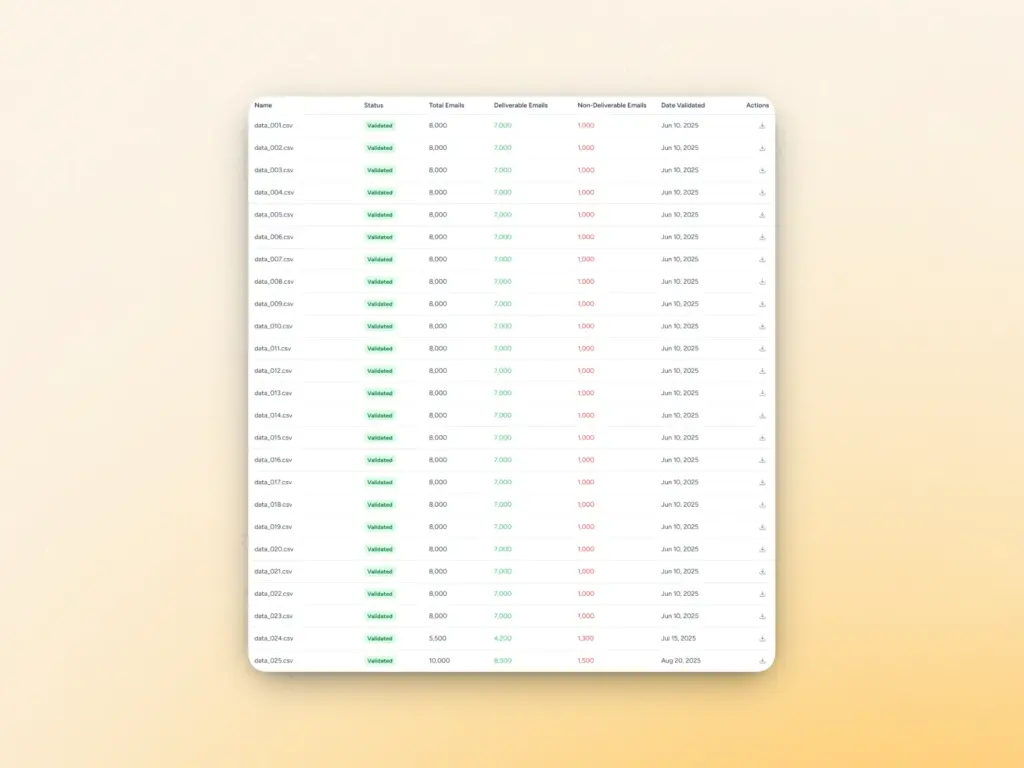
Poor list hygiene is a fast track to spam complaints, bounce spikes, and blacklist listings. Warmy’s Email Validation feature helps you:
- Identify invalid and non-existent addresses
- Remove risky or undeliverable contacts before sending
- Reduce hard bounce rates and spam trap hits
Template Checker for spam risk prevention
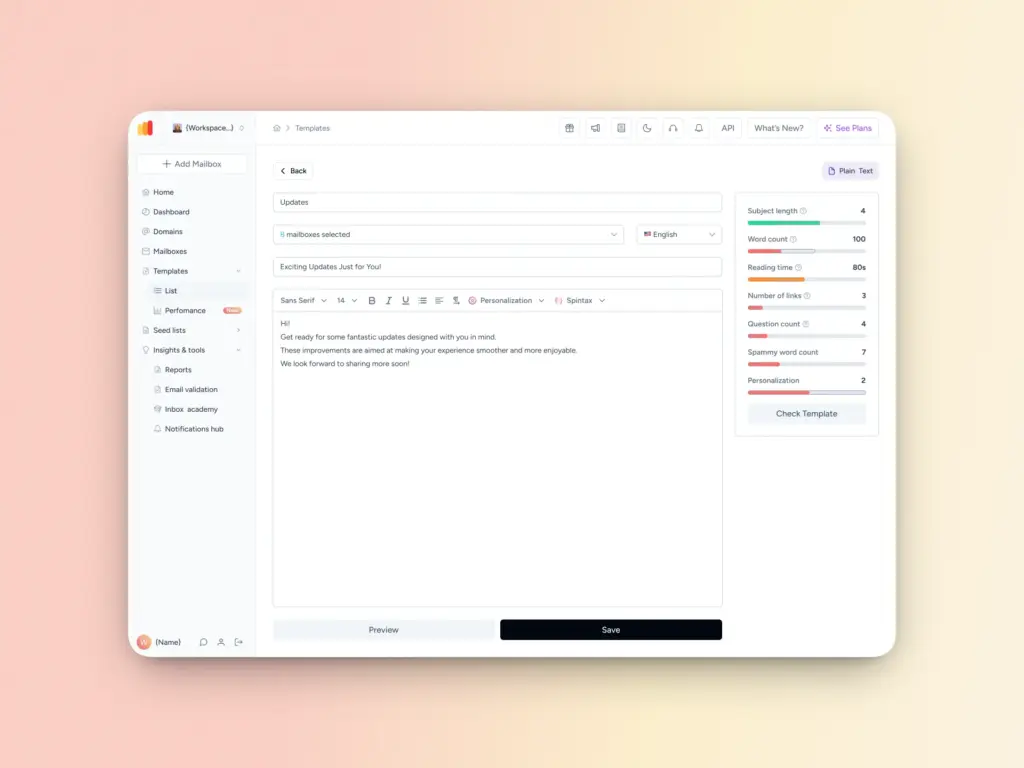
Even with perfect authentication, spam-triggering language and formatting can increase complaints and filtering. Warmy’s Template Checker analyzes your emails before you send them by:
- Flagging spam-trigger words and risky patterns
- Evaluating subject line length and structure
- Assessing personalization quality and formatting
- Providing actionable recommendations to reduce spam risk
Bonus: The free Chrome extension makes it even easier to assess your emails right before sending them.
Protect your reputation before it costs you revenue
Being listed on the Suomispam Reputation Blacklist is a symptom of a bigger deliverability problem, not the root issue. The real risk lies in unchecked sending behavior, misconfigured authentication, poor list hygiene, and lack of visibility into deliverability.
Successful senders who stay out of blacklists are those who treat deliverability as part of the overall strategy, not just an add-on.
Warmy gives you the tools to do exactly that. Sign up for your free 7-day trial today.
FAQ
How long does it take to get removed from the Suomispam blacklist?
Most delisting requests are reviewed within 24–72 hours, provided you’ve resolved the underlying issues and submitted a complete request. Complex cases involving persistent spam activity may take longer.
Will being on Suomispam affect my emails to non-Finnish recipients?
Primarily, Suomispam affects deliverability within Finnish ISPs and email providers. However, some global spam filtering systems aggregate signals from multiple blacklists, so a Suomispam listing can indirectly affect broader deliverability.
Can I be relisted after being delisted?
Yes. If the root causes aren’t fully resolved or if poor sending practices resume, you can be relisted. This is why fixing authentication, cleaning your list, and warming up your domain properly are essential, not optional.
What’s the difference between an IP blacklist and a domain blacklist?
An IP blacklist flags the sending server’s IP address, while a domain blacklist targets the domain in your email’s From address or links. You can be listed on one, both, or neither which is why it’s important to check both your IP and domain.
Does Warmy.io help with blacklist removal?
Warmy doesn’t submit delisting requests on your behalf, but the free deliverability test identifies all active blacklist listings and authentication issues in one report. The warmup tool then helps rebuild your sender reputation after delisting so you don’t get relisted.