Encountering rare SMTP errors can leave you frustrated, especially when there’s limited documentation available. While common errors like 421, 450, or 550 have extensive troubleshooting guides, less frequent errors such as 522, 523, 531, 532, 540, 542, and 556 often puzzle even experienced email administrators.
This comprehensive guide demystifies these uncommon SMTP errors, explains what each one means, and provides actionable solutions to resolve them quickly.
Understanding rare SMTP errors
SMTP (Simple Mail Transfer Protocol) uses standardized error codes to communicate issues during email transmission. While most senders encounter familiar errors, certain codes appear less frequently but can still disrupt your email deliverability.
The errors covered in this guide fall into two main categories:
- 5xx errors (permanent failures): These indicate that the email was permanently rejected and won’t be delivered without intervention
- 4xx errors (temporary failures): These suggest the email might succeed if retried later
Understanding the specific error you’re encountering is the first step toward resolution.
SMTP Error 522: Too many recipients
What is SMTP Error 522?
SMTP Error 522 indicates that your email contains too many recipients in a single message. Mail servers implement recipient limits to prevent spam and reduce server load.
Common error messages:
- “Error: 522 Too many recipients”
- “SMTP 522: Recipient limit exceeded”
- “522 5.5.3 Too many recipients”
What causes Error 522?
The primary causes include:
- Exceeding server limits: Most email servers limit recipients to 50-100 per message
- Bulk sending practices: Sending mass emails without proper segmentation
- Misconfigured mail clients: Email applications that don’t respect recipient limits
- Shared hosting restrictions: Budget hosting providers often impose stricter limits
How to fix SMTP Error 522
For Gmail users:
- Limit recipients according to Gmail’s limits
- Use Google Groups for larger distributions
- Consider Google Workspace for higher limits (2,000 external recipients per day)
For Outlook users:
- Keep recipients under 500 per message according to Outlook’s limits
- Use distribution lists for larger groups
- Split bulk sends into smaller batches
For Yahoo users:
- Start small, as Yahoo does not disclose the number of recipients that can be sent at a time
- Wait between sends to avoid triggering spam filters
- Use Yahoo Groups for larger distributions
General solutions:
- Segment your email list into smaller groups
- Implement a proper email service provider (ESP) for bulk sending
- Use BCC instead of CC to hide recipient lists
- Configure your SMTP server to respect recipient limits
SMTP Error 523: Message size exceeds maximum limit
What is SMTP Error 523?
Error 523 occurs when your email message exceeds the maximum size allowed by the receiving server. This includes the message body, attachments, and headers.
Common error messages:
- “Error: 523 Message length exceeds administrative limit”
- “SMTP 523: Message too large”
- “523 5.2.3 Message size exceeds fixed maximum message size”
What causes Error 523?
Typical causes include:
- Large attachments: Files that exceed server limits (typically 10-25 MB)
- Embedded images: High-resolution images increase message size
- HTML email formatting: Complex HTML with inline styles adds significant size
- Server configuration: Different servers have different size limits
Size limits by provider
- Gmail: 25 MB (including attachments)
- Outlook/Office 365: 25-35 MB depending on configuration
- Yahoo: 25 MB total
- Most corporate servers: 10-50 MB
How to fix SMTP Error 523
Immediate solutions:
- Remove or compress attachments
- Use file-sharing services (Google Drive, Dropbox, OneDrive)
- Send links instead of files
- Compress images before embedding
For email marketers:
- Optimize HTML code and remove unnecessary styling
- Host images externally rather than embedding
- Test email size before sending campaigns
Technical adjustments:
- Configure your mail server to compress outgoing messages
- Implement email size warnings before sending
- Set up file attachment policies in your email client
SMTP Error 531: Authentication required
What is SMTP Error 531?
Error 531 indicates that the SMTP server requires authentication before accepting your email, but proper credentials weren’t provided.
Common error messages:
- “Error: 531 Authentication required”
- “531 5.7.1 Authentication required”
What causes Error 531?
Authentication failures occur due to:
- Missing credentials: No username/password provided
- Incorrect authentication settings: Wrong authentication method configured
- Disabled authentication: Server requires authentication but client doesn’t support it
How to fix SMTP Error 531
For Gmail:
- Enable “Less secure app access” (not recommended) or use App Passwords
- SMTP settings:
- Server: smtp.gmail.com
- Port: 587 (TLS) or 465 (SSL)
- Authentication: Required
- Username: Full Gmail address
- Password: Gmail password or App Password
For Outlook:
- Verify SMTP authentication is enabled
- SMTP settings:
- Server: smtp-mail.outlook.com or smtp.office365.com
- Port: 587
- Encryption: STARTTLS
- Authentication: Required
- Username: Full Outlook email
- Password: Account password
For Yahoo:
- Generate an App Password if using third-party clients
- SMTP settings:
- Server: smtp.mail.yahoo.com
- Port: 465 (SSL) or 587 (TLS)
- Authentication: Required
- Username: Yahoo email
- Password: Yahoo password or App Password
General troubleshooting:
- Verify username and password are correct
- Ensure authentication method matches server requirements
- Check that firewall isn’t blocking authentication requests
- Update email client to latest version
- Test connection with telnet or openssl to verify server accessibility
SMTP Error 532: Authentication mechanism not supported
What is SMTP Error 532?
Error 532 indicates that the authentication method your email client is using isn’t supported by the receiving SMTP server.
Common error messages:
- “Error: 532 5.7.0 Authentication mechanism not supported”
- “SMTP 532: Need to use STARTTLS first”
- “532 Authentication method not available”
What causes Error 532?
This error occurs when:
- Incompatible authentication methods: Client and server don’t share common auth methods
- Outdated email clients: Old clients using deprecated authentication
- Security protocol mismatch: Server requires specific encryption methods
- Configuration errors: Incorrect SMTP settings in email client
Common authentication methods
- PLAIN: Basic authentication (username/password)
- LOGIN: Similar to PLAIN but uses different encoding
- CRAM-MD5: Challenge-response mechanism
- OAUTH2: Modern token-based authentication (used by Gmail, Outlook)
How to fix SMTP Error 532
Update authentication settings:
- Check which authentication methods your server supports
- Configure your email client to use a supported method
- Enable STARTTLS if required
- Update to the latest email client version
For modern email providers:
- Gmail: Use OAUTH2 or App Passwords
- Outlook/Office 365: Use OAUTH2 or Modern Authentication
- Yahoo: Use App Passwords for third-party clients
Technical solutions:
- Contact your email administrator to verify supported authentication methods
- Review server EHLO response to see available auth mechanisms
- Update email client to support modern authentication standards
- Configure TLS/SSL properly before attempting authentication
SMTP Error 540: Email address has no DNS MX or A record
What is SMTP Error 540?
Error 540 occurs when the receiving domain lacks proper DNS records, making email delivery impossible. The mail server cannot locate where to deliver the message.
Common error messages:
- “Error: 540 Address rejected”
- “SMTP 540: Recipient address rejected – domain not found”
- “540 5.1.1 Address rejected”
What causes Error 540?
DNS-related issues causing this error:
- Missing MX records: Domain has no mail exchange records configured
- Missing A records: Domain doesn’t resolve to any IP address
- Expired domains: Domain registration has lapsed
- Typos in email address: Incorrect domain name
- DNS propagation delays: Recent DNS changes haven’t propagated
How to fix SMTP Error 540
If you’re the sender:
- Verify the recipient’s email address is correct
- Check for typos in the domain name
- Wait 24-48 hours if DNS records were recently changed
- Contact the recipient through alternative means to verify their email
If you’re the recipient/domain owner:
- Configure MX records pointing to your mail server
- Ensure A records resolve to your server IP
- Verify DNS propagation using tools like DNS Checker
- Check that domain registration is current
Technical verification:
- Use Warmy’s SPF Generator and DMARC Record Generator to configure proper DNS records
- Run DNS lookups to verify MX and A records exist
- Test email delivery after DNS changes propagate
- Monitor DNS records for unexpected changes
Prevention:
- Set DNS records to auto-renew
- Monitor domain expiration dates
- Implement DNS monitoring and alerts
- Document all DNS configurations
SMTP Error 542: Address invalid
What is SMTP Error 542?
Error 542 indicates that the email address format is invalid or doesn’t meet the server’s requirements.
Common error messages:
- “Error: 542 Address invalid”
- “SMTP 542: Mailbox address invalid”
- “542 5.1.3 Bad destination mailbox address syntax”
What causes Error 542?
Invalid address issues include:
- Syntax errors: Missing @ symbol, invalid characters, spaces
- Format violations: Email doesn’t follow RFC 5321 standards
- Special characters: Using unauthorized characters in email addresses
- Local part too long: Username exceeds 64 characters
- Domain part issues: Domain longer than 253 characters
Valid email address format
According to RFC standards, valid emails must:
- Contain exactly one @ symbol
- Have a local part (before @) up to 64 characters
- Have a domain part (after @) up to 253 characters
- Use only allowed characters (letters, numbers, dots, hyphens, underscores)
- Not start or end with a dot
- Not have consecutive dots
How to fix SMTP Error 542
For senders:
- Verify email address syntax before sending
- Remove spaces and special characters
- Check for doubled dots or leading/trailing dots
- Ensure @ symbol is present and singular
- Validate email format using regex or validation tools
For bulk senders:
- Implement email validation in your forms
- Use email verification services to validate lists
- Remove invalid addresses before sending
- Set up proper error handling for bounced emails
Technical solutions:
- Use email validation libraries in your application
- Implement real-time email validation on signup forms
- Clean email lists regularly
- Monitor bounce rates for data quality issues
SMTP Error 556: Domain does not accept mail
What is SMTP Error 556?
Error 556 indicates that the recipient’s domain is configured not to accept emails, either temporarily or permanently.
Common error messages:
- “Error: 556 Domain does not accept mail”
- “SMTP 556: Requested action not taken – domain not accepting mail”
- “556 5.7.27 Domain does not accept mail”
What causes Error 556?
Reasons a domain rejects mail:
- Policy restrictions: Domain configured to reject external emails
- Deactivated mail service: Email service discontinued for the domain
- Temporary suspension: Security-related temporary rejection
- Catch-all disabled: Domain doesn’t accept emails to non-existent addresses
- Firewall rules: Network security blocking all incoming mail
How to fix SMTP Error 556
For senders:
- Verify you have the correct domain
- Contact recipient through alternative channels
- Check if domain has changed email providers
- Wait and retry if suspension is temporary
For domain administrators:
- Review mail server configuration
- Check firewall and security rules
- Verify MX records are properly configured
- Enable mail reception if intentionally disabled
- Review domain reputation and fix blacklist issues
Prevention strategies:
- Maintain good sender reputation to avoid being blocked
- Implement proper email authentication (SPF, DKIM, DMARC)
- Monitor domain reputation regularly
- Use Warmy’s DMARC Generator to configure proper authentication
Common patterns observed across these SMTP errors
While each error has specific causes, several patterns emerge:
Authentication and security
Errors 531 and 532 both relate to authentication issues. Modern email security requires:
- Proper SMTP authentication configuration
- Up-to-date email clients supporting current standards
- Correct TLS/SSL implementation
- Use of App Passwords for enhanced security
DNS and domain configuration
Errors 540 and 556 stem from DNS or domain configuration problems:
- Properly configured MX records
- Valid A records pointing to mail servers
- Current domain registration
- Correct DNS propagation
Message format and size
Errors 522 and 523 deal with message structure:
- Respecting recipient limits
- Keeping message sizes within bounds
- Following email format standards
- Optimizing content for deliverability
Address validation
Error 542 emphasizes the importance of:
- Proper email address syntax
- Input validation on forms
- Regular list cleaning
- Adherence to RFC standards
Preventing rare SMTP errors
Implement proper email authentication
Setting up SPF, DKIM, and DMARC records prevents many authentication-related errors and improves deliverability:
- SPF records: Specify which servers can send email for your domain
- DKIM signatures: Add cryptographic signatures to verify email authenticity
- DMARC policies: Tell receiving servers how to handle unauthenticated emails
Use Warmy’s free tools to configure these:
Monitor and maintain domain health
Regular monitoring prevents many issues before they occur:
- Check DNS records monthly for unexpected changes
- Monitor domain expiration dates
- Review blacklist status regularly
- Track bounce rates and error patterns
- Use Warmy’s Email Deliverability Test to proactively identify issues
Follow email best practices
Adhering to email best practices reduces error frequency:
- Validate email addresses before sending
- Respect recipient limits
- Keep message sizes reasonable
- Segment large email lists
- Implement double opt-in for subscriptions
- Clean inactive subscribers regularly
Build and maintain sender reputation
A strong sender reputation helps prevent many SMTP errors:
- Gradually increase sending volume
- Maintain consistent sending patterns
- Achieve high engagement rates
- Keep spam complaints low
- Use email warm-up services like Warmy.io to build reputation systematically
How Warmy.io helps prevent SMTP errors
Warmy.io provides comprehensive tools to help you avoid SMTP errors and maintain excellent email deliverability:
AI-powered email warmup service
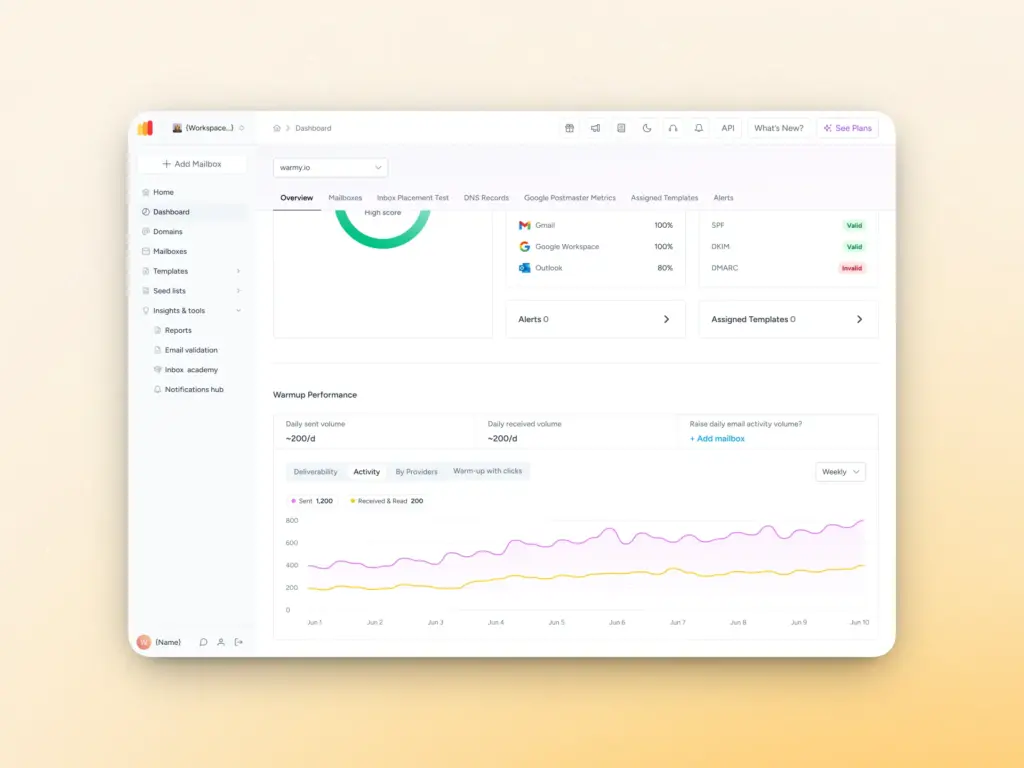
Warmy automatically warms up your email domain by:
- Gradually increasing sending volume
- Creating natural engagement patterns such as opens, replies, and spam removal
- Building positive sender reputation
- Reducing the likelihood of authentication and reputation-related errors
Deliverability monitoring
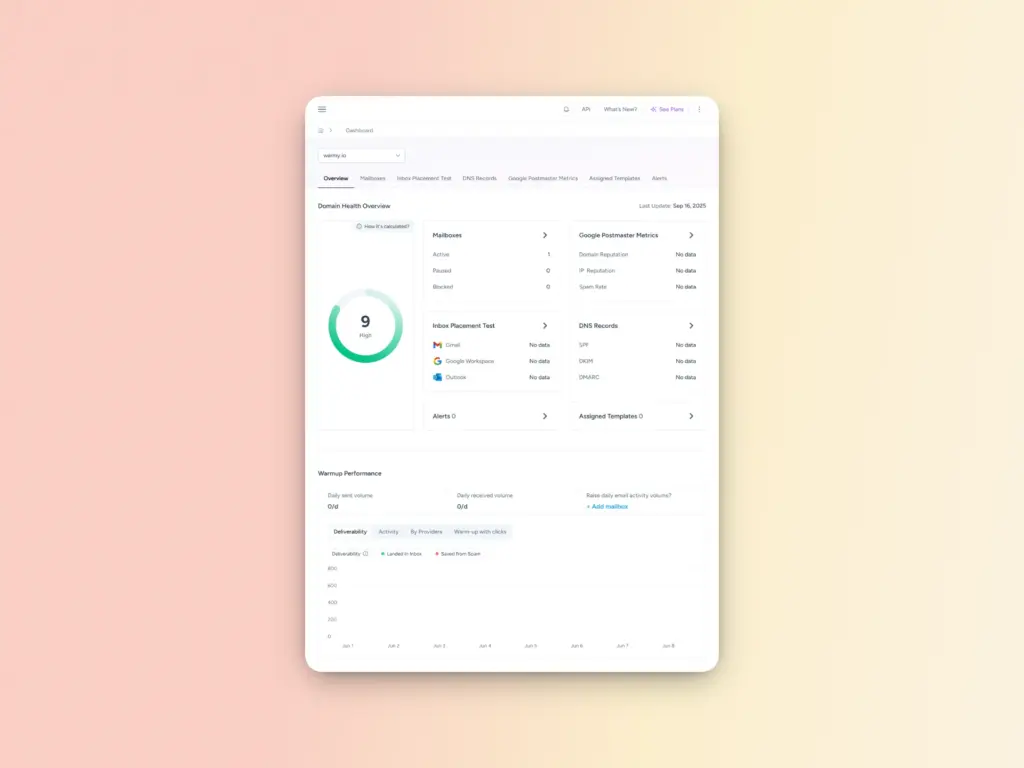
Track your email performance with:
- Real-time inbox placement testing
- Spam score monitoring
- Blacklist checking
- DNS record verification
- Authentication status monitoring
Free diagnostic tools
Warmy offers free tools to prevent configuration errors:
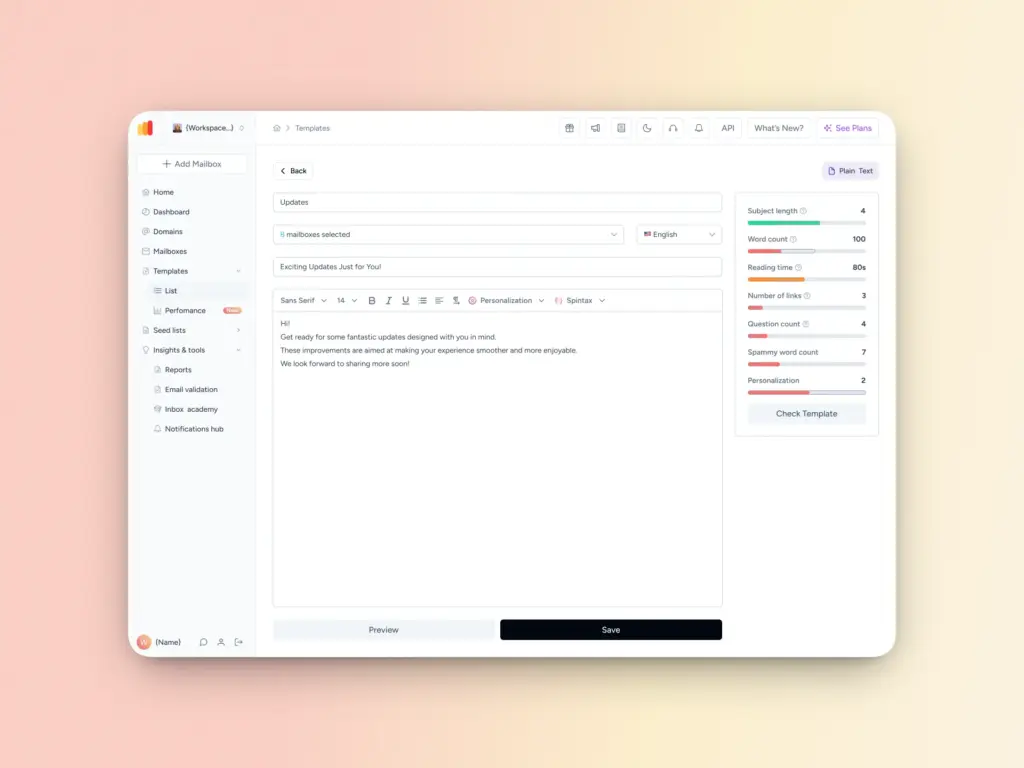
- Email Deliverability Test: Check if emails reach the inbox
- Template Checker: Verify email size and spam triggers
- SPF Generator: Create proper SPF records
- DMARC Generator: Configure DMARC authentication
Expert support
When you encounter rare SMTP errors, Warmy’s deliverability experts can:
- Diagnose complex issues
- Provide customized solutions
- Help configure authentication
- Optimize your email infrastructure
Start your free 7-day trial and protect your email deliverability from SMTP errors.
Troubleshooting workflow for rare SMTP errors
When you encounter any of these uncommon errors, follow this systematic approach:
Step 1: Identify the exact error code
- Review bounce messages carefully
- Note the complete error message
- Check server logs for additional details
- Document when the error first occurred
Step 2: Determine the error category
- 5xx errors require immediate action
- 4xx errors may resolve automatically
- Authentication errors need credential verification
- DNS errors require domain configuration checks
Step 3: Apply specific fixes
- Refer to the relevant section above for your error code
- Implement recommended solutions systematically
- Test after each change
- Document what works
Step 4: Verify resolution
- Send test emails to the problematic address
- Monitor for recurring errors
- Check deliverability metrics
- Use Warmy’s testing tools to confirm success
Step 5: Implement prevention
- Apply best practices to prevent recurrence
- Set up monitoring and alerts
- Document your configuration
- Review regularly for changes
When to seek professional help
Some SMTP errors require expert assistance. If not resolved right away, they can create long-term damage to your overall deliverability. Contact your email administrator or Warmy’s support team if:
- Errors persist after following troubleshooting steps
- Multiple error types occur simultaneously
- Your entire domain cannot send or receive email
- DNS or authentication issues are beyond your expertise
- You’re experiencing deliverability problems affecting your business
Book a free consultation with Warmy’s deliverability experts.
Wrapping up
While SMTP errors 522, 523, 531, 532, 540, 542, and 556 occur less frequently than common errors, understanding and resolving them is essential for maintaining reliable email communication. These errors typically indicate configuration issues, authentication problems, or policy restrictions that can be resolved with proper troubleshooting.
Key takeaways:
- Each error has specific causes and solutions
- Proper email authentication prevents many errors
- Regular DNS monitoring prevents domain-related issues
- Following email best practices reduces error frequency
- Proactive monitoring with tools like Warmy.io helps catch issues early
Don’t let rare SMTP errors disrupt your email communication. Implement the solutions in this guide, maintain your email infrastructure properly, and consider using Warmy.io to protect your sender reputation and deliverability.
Try Warmy free for 7 days and ensure your emails always reach the inbox.
Related articles
- SMTP Error 450 – How to Fix It [SOLVED]
- SMTP Error 421 – How to Fix It [SOLVED]
- SMTP Error 550 5.1.1 – How to Fix It [SOLVED]
- SPF, DKIM, and DMARC: What They Are and Why You Should Care
FAQ
Are these rare SMTP errors permanent failures?
Most of these errors (522, 523, 531, 532, 540, 542, 556) indicate permanent failures that require intervention. However, some instances (like temporary DNS issues for Error 540) may resolve automatically after the underlying problem is fixed.
Can I prevent these SMTP errors from occurring?
Yes, most of these errors can be prevented through proper configuration and monitoring. Implement email authentication (SPF, DKIM, DMARC), maintain clean email lists, respect sending limits, keep message sizes reasonable, and monitor your domain’s DNS records regularly.
Why are these SMTP errors less common than others?
These errors are less frequent because they typically result from specific configuration issues or policy restrictions rather than general deliverability problems. Errors like 450 or 550 occur more often because they relate to common issues like spam filtering or mailbox problems.
How long should I wait before retrying after receiving these errors?
For 5xx permanent errors, retrying immediately won’t help unless you’ve fixed the underlying issue. For DNS-related errors (540), wait 24-48 hours for propagation. For authentication errors (531, 532), fix your configuration before retrying. For size/recipient errors (522, 523), modify your message before resending.
Will using Warmy.io prevent all SMTP errors?
While Warmy.io significantly reduces common deliverability errors by building your sender reputation and monitoring your email health, configuration-specific errors like those covered in this guide require proper technical setup. Warmy’s tools help identify and prevent many issues, but proper DNS, authentication, and email client configuration remain your responsibility.
What’s the difference between SMTP errors starting with 4xx and 5xx?
4xx errors are temporary failures that suggest the email might succeed if retried later (the server is temporarily unavailable or busy). 5xx errors are permanent failures indicating the email was rejected and won’t be delivered without fixing the underlying problem.
How can I test if my SMTP configuration is correct?
Use Warmy’s Email Deliverability Test to check overall deliverability. For specific SMTP testing, send test emails and monitor the results. You can also use command-line tools like telnet or openssl to manually test SMTP connections and authentication.
Should I contact the recipient when I get these errors?
For errors 540, 542, and 556 that indicate problems with the recipient’s address or domain, yes, contact them through alternative channels to verify their email address or inform them of the issue. For errors 522, 523, 531, and 532 that indicate problems on your end, fix your configuration before contacting the recipient.