Email delivery failures can create a massive disruption in your communications, whether personal or for business purposes experiencing these can create major setbacks and is just overall inconvenient.
One of the various SMTP error codes and messages that you might encounter is the SMTP Error 450 4.3.2, an error suggesting a broader system-level issue rather than a simple address mistake.
For this blog, we will take a deep dive into what really occurs when you encounter this error, how to resolve it, and what can you do to prevent it?
What is SMTP 450 4.3.2?
SMTP Error code 450 refers to a temporary error in the email delivery process. The good news is, receiving errors that start with these codes simply means that the problem is temporary and is entirely solvable.
Meanwhile, the “4.3.2” sub-code provides more granular information about the specific type of temporary failure you’re experiencing.
The bounce notification or error message will typically read
- “450 4.3.2 System not accepting network messages”
- “450 4.3.2 Connection dropped”
- “450 4.3.2 Service currently unavailable.”
This combination tells you something important: the problem isn’t with the email address you’re using or with your message content. Instead, the receiving mail server or its network infrastructure is in a state where it cannot accept incoming messages from external sources.
Related Reading: SMTP Email Error 451 4.3.2 – How to Resolve [SOLVED].
What does it mean when you experience SMTP 450 4.3.2?
Receiving this error indicates that the receiving mail server or its network infrastructure is experiencing conditions that prevent it from accepting incoming messages. There are various factors that can potentially trigger this error here are some of them:
- server overload or resource constraints
- scheduled or emergency maintenance
- network connectivity issues
- security policies and connection limits
- temporary service disruptions
- greylisting implementation
Tips to resolve SMTP 450 4.3.2
Since we’ve established that this error is a temporary one, should you just wait for it? Although this is often the case, it would be more ideal for you to perform some extra troubleshooting steps just to ensure that your deliverability is safe, your reputation is secured, and your email health ideal.
Try again later
Most email systems will automatically retry sending your message multiple times over a period ranging from several hours or in some extreme cases up to three to five days. These automatic retry attempts happen in the background without any action required from you.
Confirm server status
Try to search if there are any known outages in your recipient’s email service provider, this can help you stay informed and allow a different mode of communication to continue interacting with the recipient.
Try another method
If the email is urgent, then try a different method. It can be to their social media page, a phone call, or a different email address.
Review your sending patterns and email infrastructure
If you’re sending multiple emails in rapid succession or sending bulk emails, your sending pattern might be triggering rate limits or security policies on the receiving server.
Although this may be less likely, it would not hurt to confirm.
Make sure that you are using the proper tools and infrastructure designed, especially if you are sending bulk emails. If your domain is new, then consider warming it up to send signals to email service providers that your domain is reputable and not spam.
Verify that your domain has correct DNS settings, including valid MX records, SPF, DKIM, and DMARC authentication. Poor sender reputation or authentication failures can sometimes contribute to receiving servers being more strict in their acceptance policies.
Check that your sending IP address isn’t listed on any major spam blacklists.
How Warmy can help prevent SMTP Error 450 4.3.2
SMTP Error 450 4.3.2 primarily stems from conditions that are beyond your control, and having an all-in-one email deliverability tool such as Warmy can definitely give your email delivery success rate a boost and minimize errors that are extremely harmful for your email reputation.
Automated warmup process and inbox placement test

By using Warmy’s automated email warm up process, you establish your email address as a legitimate, trustworthy sender through consistent, positive email engagement patterns.
Warmy’s email deliverability test can also show you where your emails are placed which gives you the opportunity to fix it before it is too late.
Domain authentication and technical configuration
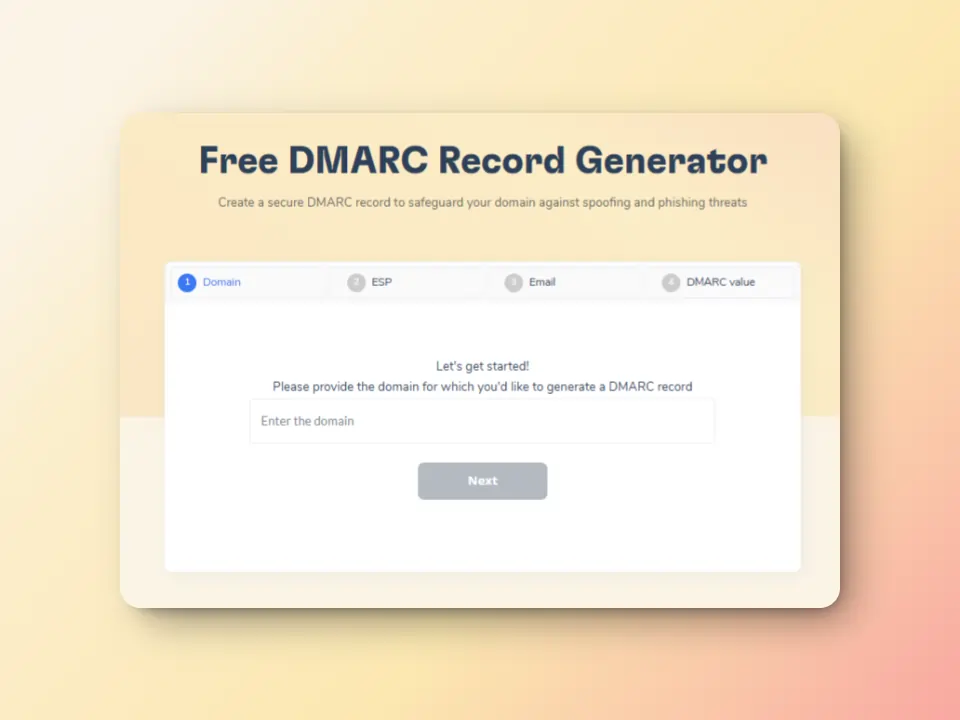
Warmy offers free SPF record generator and DMARC Record Generator to improve domain security and safeguard them against spoofing and phishing
Advanced seed lists for better email optimization

Warmy.io’s seed list feature helps businesses test and optimize email campaigns before sending emails to real recipients.
This ensures high deliverability and low bounce rates. Compared to traditional warming methods which lack engagement tracking, Warmy’s seed list uses real email addresses that actively interact with your emails. By “interacting:”
- Your email is not just marked as read but actually opened and scrolled through
- If your email has any links, our system will click them naturally to improve sender trust.
- If an email finds its way in spam, it is manually removed and marked as important to let ISPs know your emails are legitimate.
Domain Health Hub
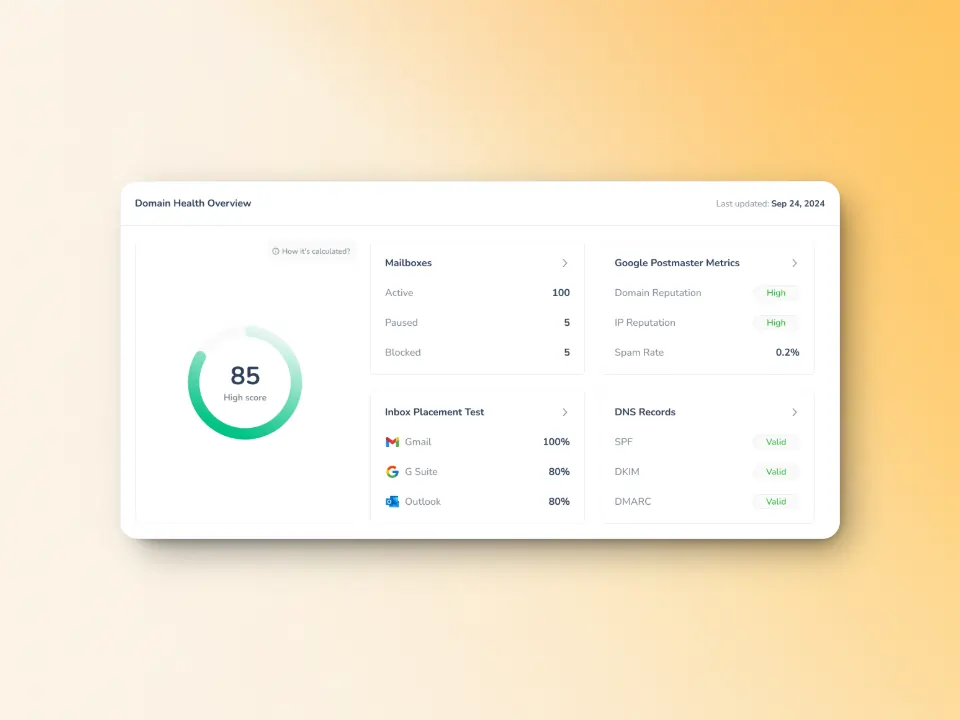
Warmy’s monitoring extends to the overall health of your sending infrastructure, including connectivity and performance metrics. Offers clear insights into your deliverability, reputation, and warm-up progress over time.
With Warmy.io you can minimize any major SMTP errors, and ensure that even if you receive temporary SMTP errors your inbox and deliverability are within the ideal health and hygiene. Sign up for your free trial today!
FAQ
How long does SMTP Error 450 4.3.2 typically last?
SMTP Error 450 4.3.2 usually resolves within a few hours as it indicates a temporary server condition. Most email systems will automatically retry delivery for 3-5 days, giving the receiving server ample time to recover from overload, complete maintenance, or resolve network issues.
Is SMTP Error 450 4.3.2 caused by something I did wrong?
No, this error indicates a problem on the receiving mail server, not with your message or sending practices. The receiving system is temporarily unable to accept network messages due to overload, maintenance, or other server-side issues that are beyond your control.
Should I keep trying to resend my email when I get this error?
Your email system will automatically retry delivery, so manual resending isn’t necessary immediately. If the message is urgent, wait at least 30 minutes to a few hours before manually retrying, as this gives the receiving server time to resolve its temporary issues.