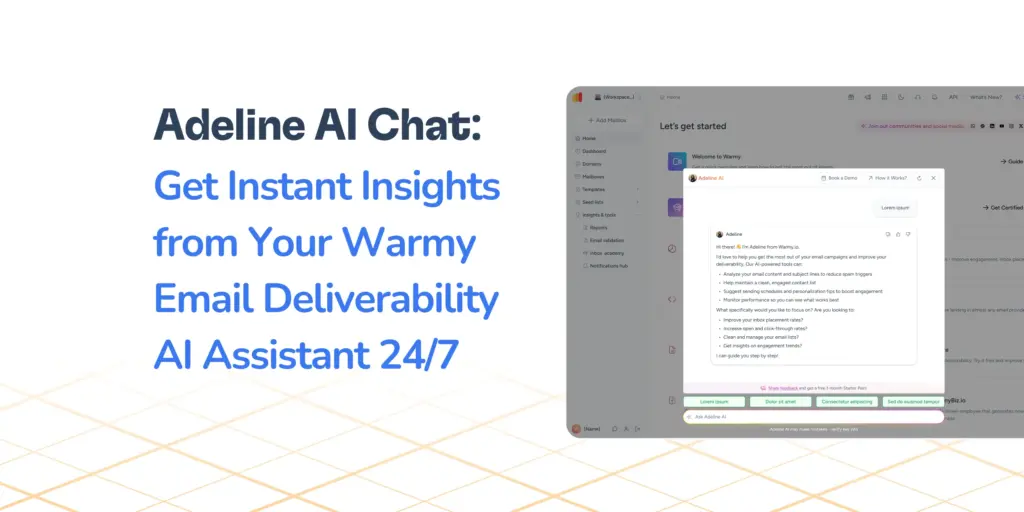
Warmy’s new Report Generation notification feature sends instant alerts via Slack, Email, SMS, and Webhooks. In addition, you can:
- Receive instant notifications across email, Slack, SMS, and webhooks whenever a report is generated
- Receive these alerts through the existing UI
- Save time used from repetitive manual checks
- Take immediate action based on the insights provided
More than providing alerts, this new feature gives immediate visibility into data that enables users to optimize email deliverability right away.
What are the challenges of manual reporting oversight?
Here’s a scenario you’ve probably experienced: You schedule a deliverability report to run. The next morning, you log into Warmy, navigate to your reports page, and discover the report didn’t generate as you expected. Now you’re scrambling to figure out what went wrong while regenerating the report. These all happen while your stakeholders are waiting for those numbers.
Or here’s another alternative scenario: You kept checking manually throughout the day in between other tasks. The report succeeded, but you didn’t know it was ready until after a few tries.
For product managers and data analysts managing email deliverability, this manual oversight creates unnecessary friction and risks missing critical insights when they matter most.
The problems with manual report monitoring:
- No immediate visibility when reports are finished, which delays analysis, troubleshooting, and stakeholder communications
- Wasted time checking dashboards repeatedly to see if reports are ready
- Risk of missing critical deliverability insights that require immediate action
- Difficulty coordinating across teams when different people need access to the same data
How does automated report generation notifications benefit email deliverability?
Automated email deliverability reporting with notifications have multiple immediate and long-term key benefits:
- Intuitive setup. It uses the same delivery framework as existing alerts, so it’s convenient and there is no learning curve.
- Instant alerts after reports finish generating means no more manual checking. Warmy users can focus on other aspects of work without going back and forth checking if the report is done.
- Multichannel notification delivery. Notifications arrive via various channels, matching the user’s workflow preferences. So whether the user is checking emails or holding a cellphone or currently on Slack, the alert is received right away.
- Immediate visibility into failed report generations. This lets users troubleshoot right away to see if there are any deeper or deliverability-related issues that caused the failure.
Check out the Notifications Hub inside the Warmy dashboard when you start your free 7-day trial today.
How to set up report generation notifications in Notification Hub?
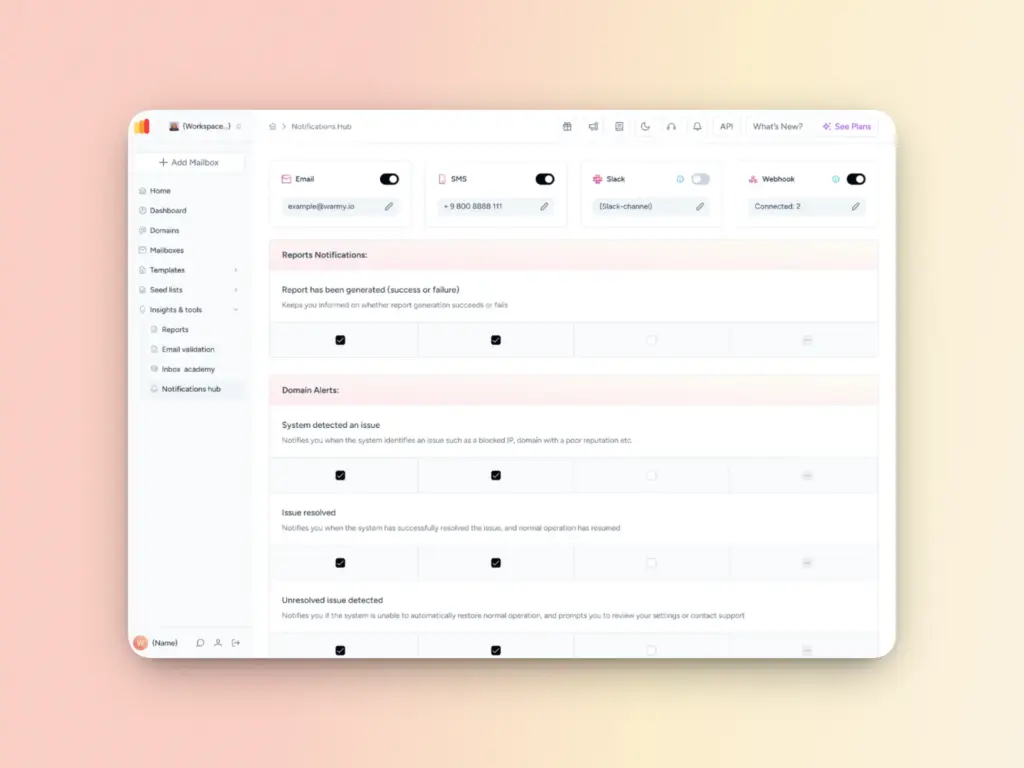
The beauty of this feature is that there’s almost nothing to set up. Report generation notifications leverage the existing Notification Hub infrastructure you’re already familiar with. No new screens to navigate, no complex configuration flows to learn.
Here’s a quick run-through of how to set up the report generation notifications:
Step 1: Navigate to the Notification Hub
Step 2: You will see “Report Generation” listed alongside the other notification types
Step 3: Enable or disable the alerts across your communication channels:
- Email notifications are selected by default. Even if you haven’t configured anything yet, you will already start receiving alerts for your next report.
- If you already use Slack, SMS, or Webhooks for other Warmy notifications, report generation alerts are automatically enabled for those channels too.
Data-driven alerts: What information does each notification include?
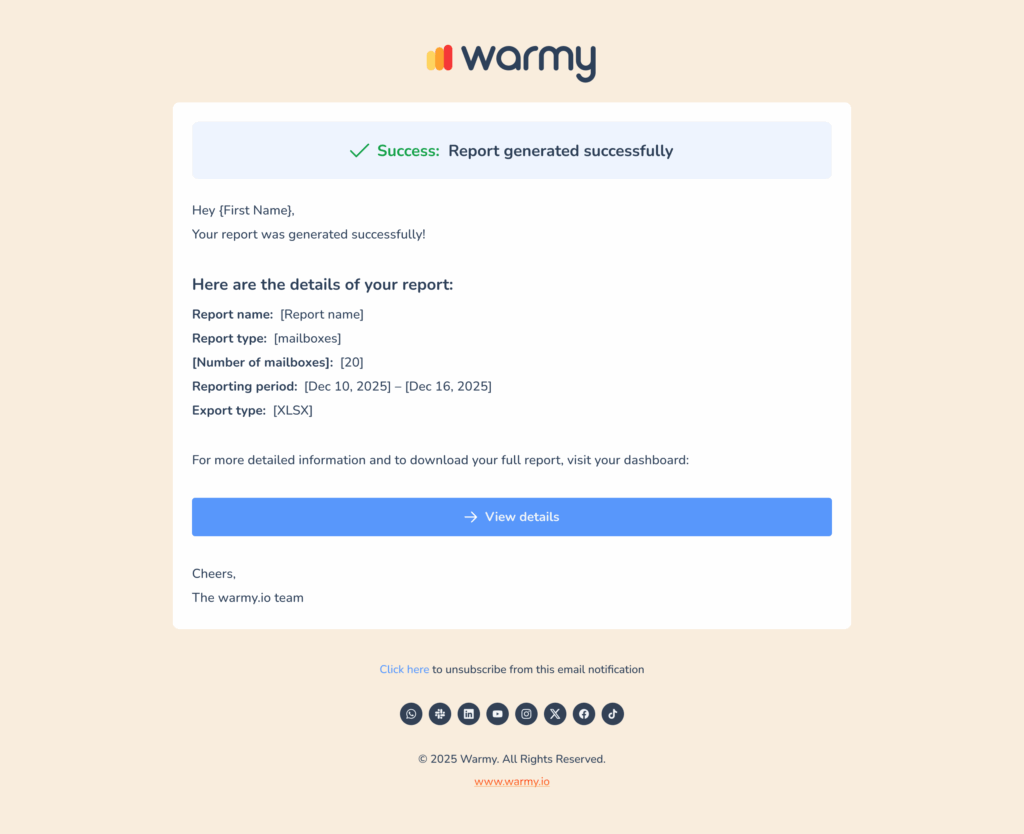
Here’s what’s included:
- Success or failure status: Every notification clearly indicates whether the report generation succeeded or failed, so you know immediately if action is required.
- Report name: The specific name of the report that was generated, eliminating any ambiguity about which data set you’re being notified about.
- Summary metrics: The number of mailboxes included in the report and the reporting period.
- Dashboard link: A direct URL that takes you straight to the report page where you can view, download, or take further action on your data.
Take control of your reporting today
Manual report checking is a productivity drain that introduces unnecessary risk into your deliverability monitoring.
For those who rely on consistent, timely deliverability data, this feature represents a crucial workflow improvement. Automation replaces manual oversight while real-time alerts replace periodic checking. Connecting monitoring to downstream tools via AI integrations lets your system trigger remediation workflows, log events centrally, and enrich context for follow-up. This reduces manual switching and keeps deliverability operations responsive. Real-time deliverability monitoring gives you the instant visibility you need to optimize as soon as possible.
The feature is live now for all Warmy users:
- Simply log in to your Warmy account
- Click the Notifications Hub icon on the upper right
- Scroll down to the end
- You will see the Report Notifications section
- Customize accordingly
If you’re currently evaluating email deliverability solutions, we invite you to learn more about Warmy’s Comprehensive Reports. Now armed with automated report generation, the deep insights from Warmy is even more accessible.
Ready to see it in action? Start your 7-day free trial at Warmy.io to explore the Notification Hub and see how automated report alerts can save you time and provide peace of mind.
FAQ
Is this feature enabled by default?
Yes, report generation notifications are enabled by default for the Email channel for all users. If you have other channels like Slack, SMS, or Webhooks already configured in Warmy, those will also be automatically enabled for report notifications. You can customize these settings at any time through the Notification Hub.
What information is included in each notification?
Every notification includes the report generation status (success or failure), the specific report name, a dashboard link for direct access to the report, and summary metrics. This gives you all the essential context to understand what happened and take appropriate action.
Do I need to set up a new user interface or configuration screen?
No. Report generation notifications use the existing Notification Hub preferences screen that you’re already familiar with. There are no new screens to navigate or complex setup flows.