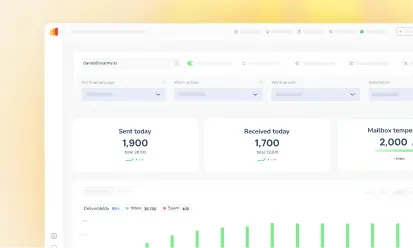





Warmy is an AI-driven email warmup and deliverability platform that automatically builds your sender reputation, improves deliverability, and keeps your emails out of spam without requiring any technical expertise. Here’s how it works and why it outperforms every alternative on the market.
What is email warmup and why does it matter?
If you’ve ever sent a well-crafted email campaign only to find out they land in spam folders, you already know the pain all too well.
- Email warmup is the strategic process of gradually building a trusted sender reputation with Internet Service Providers (ISPs) and Email Service Providers (ESPs) so your emails consistently land in the inbox, not the junk folder.
- It works by sending small, controlled batches of emails from a new or dormant account, steadily increasing volume over time while generating positive engagement signals like replies and clicks. The result? A domain and IP address that ESPs recognize and trust.
- When emails are sent from a trusted domain or IP, the chances of landing in the inbox are much higher.
While email warmup works, doing this manually is slow, error-prone, and time-consuming. That’s where email warmup tools like Warmy.io come in.
Pro Tip: Even established domains can suffer email deliverability drops after a period of inactivity or a spike in sending volume. Re-warming a dormant domain with a platform like Warmy is just as important as warming a brand-new one.
How Warmy.io works
1. AI-powered email warmup
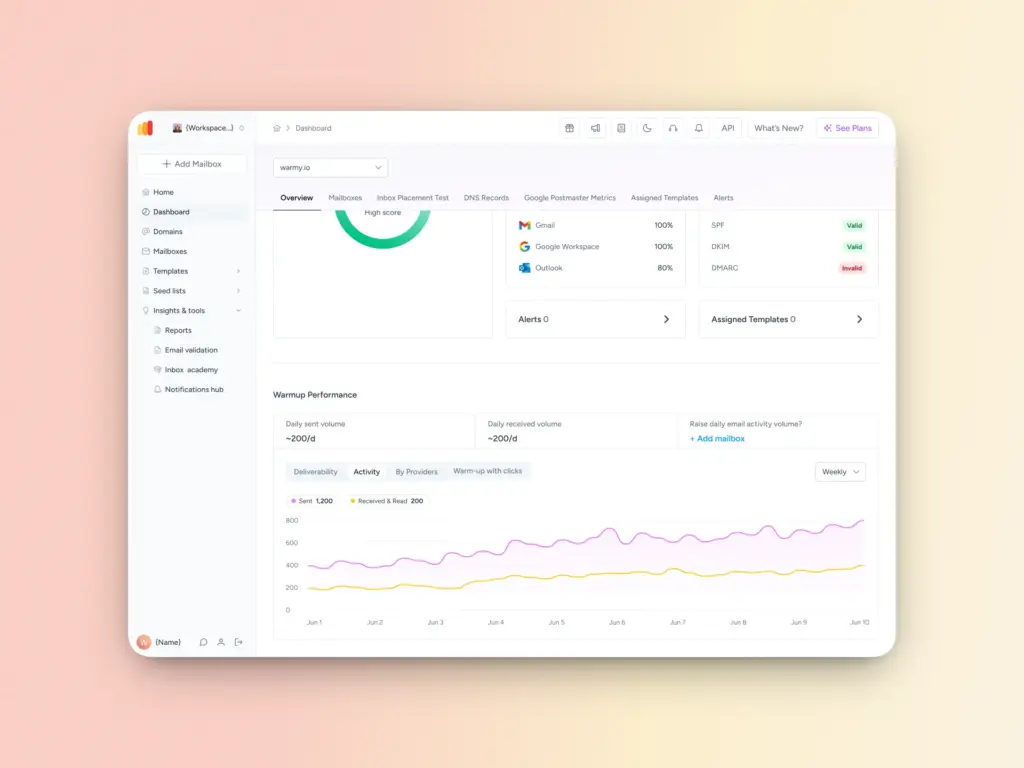
Warmy is an AI-driven email warmup platform that handles the entire warmup process automatically.
Once connected, it begins sending warmup emails on your behalf, gradually increasing volume over time and simulating real engagement. You don’t need to configure SMTP settings, understand SPF or DKIM, or manually manage sending schedules. Warmy does it completely for you.
This means you can focus on running your business while your domain reputation is being built in the background.
2. Proprietary AI engine, Adeline
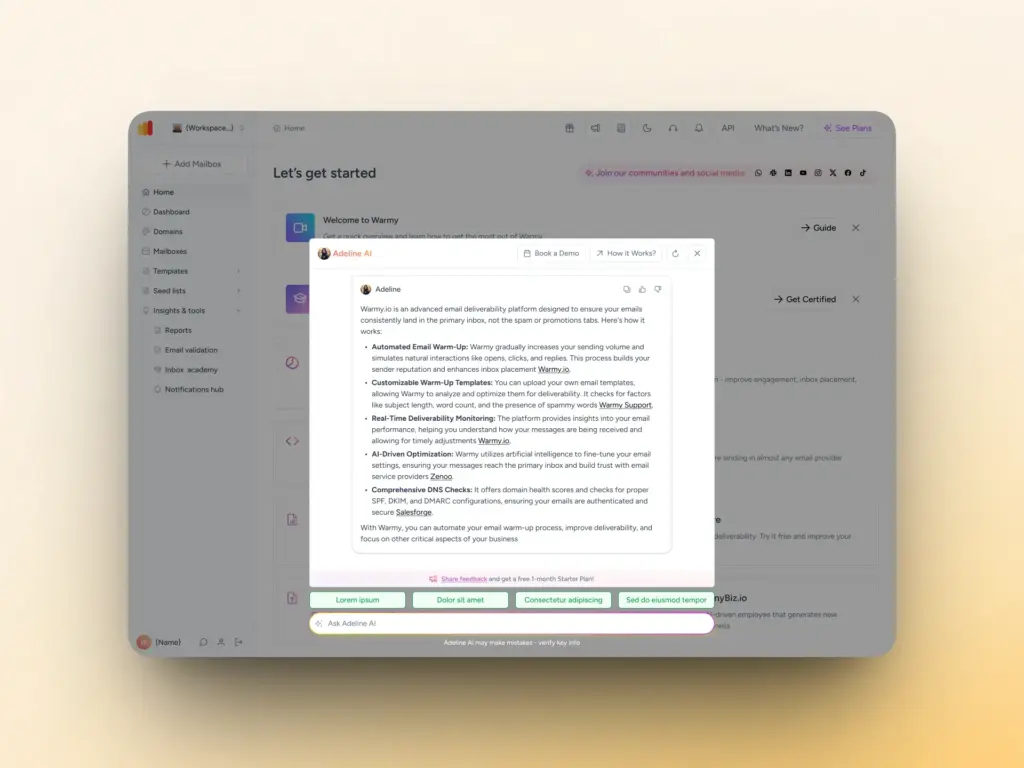
What separates Warmy from basic warmup tools is its proprietary AI decision-making engine called Adeline. Every mailbox generates a large volume of data including sending history, activity level, domain age, engagement signals, and more. For individuals and businesses managing multiple domains and mailboxes, keeping track of all these can be tedious and time-consuming.
Adeline analyzes all of this in real time and builds a custom warmup strategy tailored specifically to your mailbox. Unlike static tools that follow a one-size-fits-all sequence, Adeline constantly adapts. It makes smarter decisions as it learns more about your account’s unique profile. The outcome is a faster, safer, and more effective warmup than any manual or rule-based approach can deliver.
3. Customizable warmup preferences (topic, language, distribution, etc.)
Warmy doesn’t send generic filler emails during the warmup process. Instead, it generates warmup content that matches your business’s industry and topic. So if you’re in real estate, SaaS, or eCommerce, your warmup emails reflect that world too. This builds a more relevant and authentic sender profile.
Better still, Warmy supports warmup emails in over 30 languages, making it the only email warmup service built for global reach. As Warmy connects with recipients in their native language, this increases engagement authenticity and helps boost deliverability in those markets.
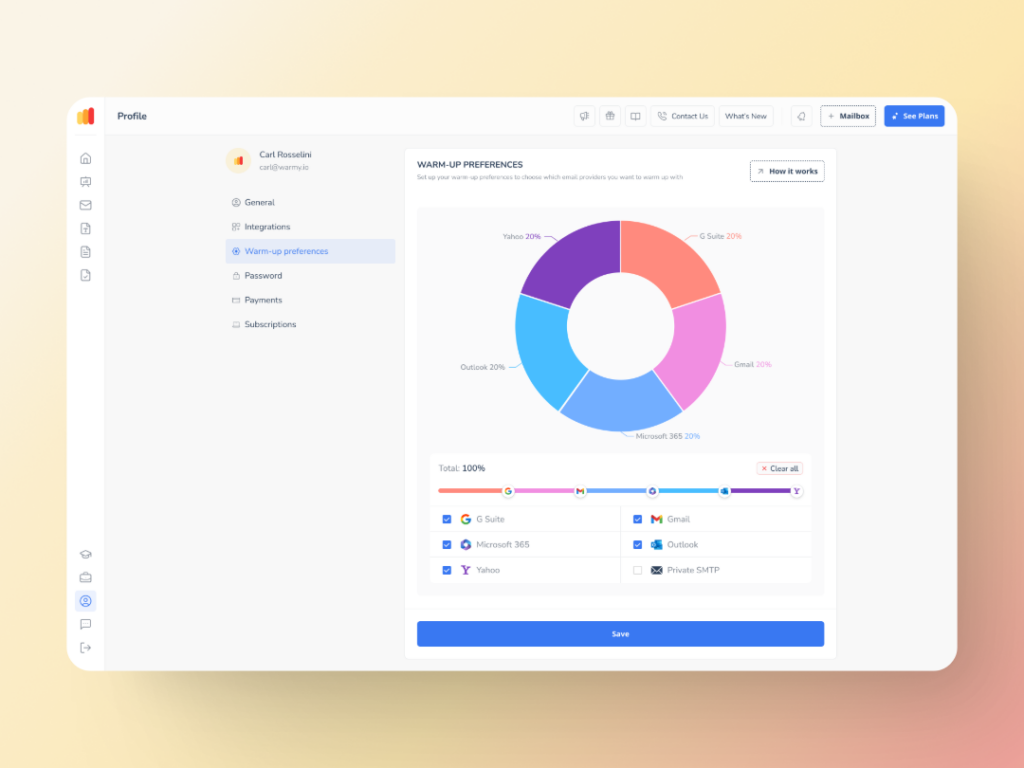
Additionally, the Warmup Preferences feature gives senders the ability to customize the warmup distribution per provider. If the majority of your real contact list is from Gmail, you can customize the warmup to be sent to 50-60% Gmail addresses. That way, your warmup closely resembles the actual live results you want to generate.
4. Custom template warmup
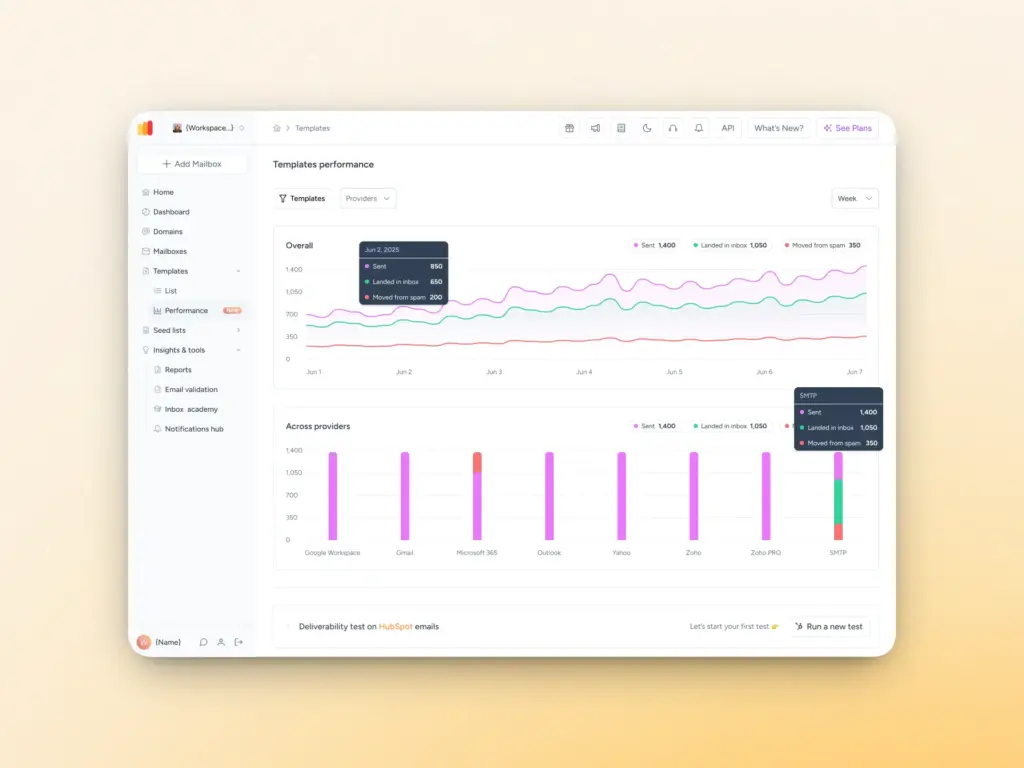
One of Warmy’s most powerful features is the ability to include your own email templates in the warmup process. So instead of just warming up your domain generically, Warmy also helps tess and warm up the actual emails you plan to send.
It analyzes your template for:
- Subject line length
- Word count and reading time
- Number of links
- Question count
- Spammy word count
This gives you a real-world signal on whether your campaign emails are likely to land in inboxes before you ever hit send to a live list.
With the Template Performance Dashboard, users can see the performance breakdown by provider, allowing them to prioritize targeted optimizations. For example, they can decide to focus on the providers their target audience actually uses.
5. Template Checker
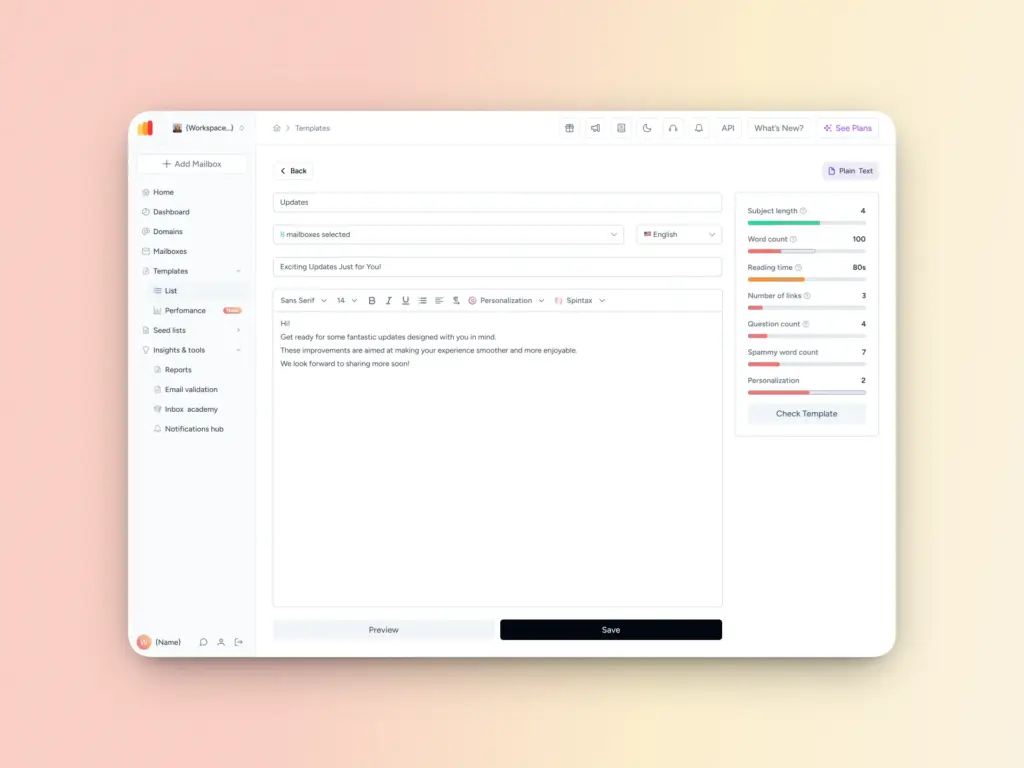
Even with perfect technical configuration, content-related issues can still impact your deliverability. Warmy’s free Template Checker analyzes your email content for spam triggers and formatting problems before you send, flagging issues like spammy words, excessive links, and subject line length that could get your message filtered.
For an even faster workflow, Warmy also offers a Chrome Extension version of the Template Checker. It sits directly in your browser, letting you assess and adjust any email template in real time. No extra tabs, no guesswork before hitting send.
Check your email template today.
6. Seed List and Warmup With Clicks
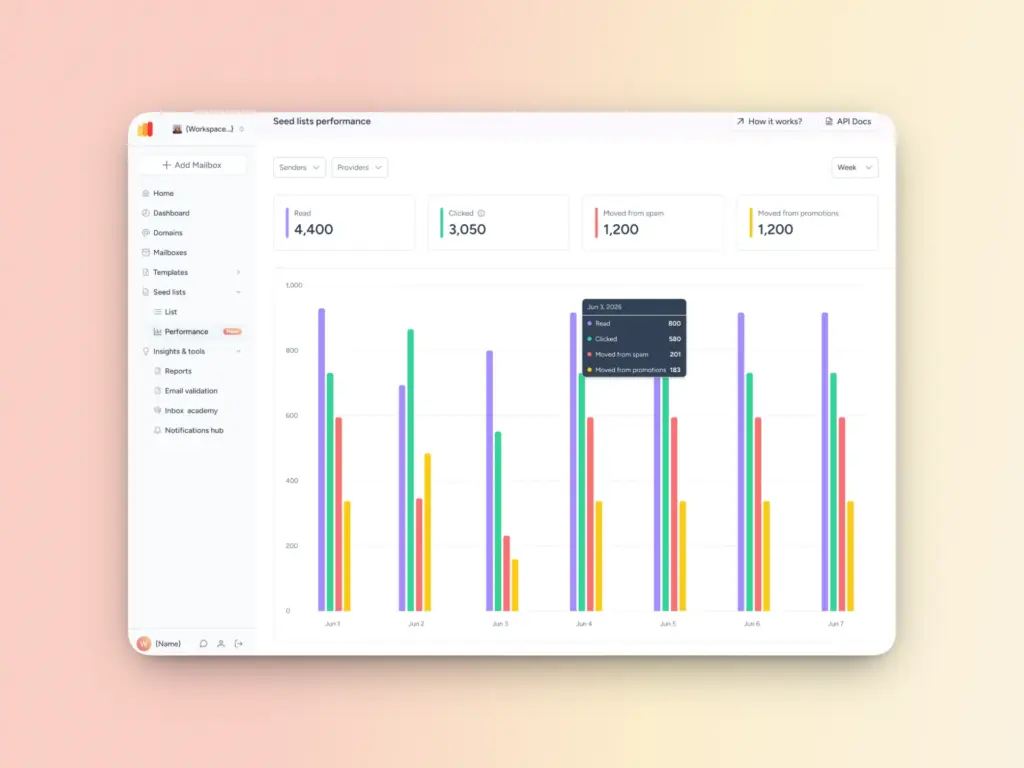
Standard warmup covers the fundamentals, but Gmail and other major providers increasingly weigh deeper engagement signals like link clicks and recovering emails from Spam or Promotions folders. Warmy addresses this with two powerful features that go beyond basic warmup:
- Warmy’s Seed List consists of genuine, active email addresses from Gmail, Outlook, and Yahoo that simulate real human behavior. Unlike traditional seed lists that simply open emails, Warmy’s seed list generates authentic engagement: your emails are opened, scrolled through, clicked, and replied to. If any email lands in spam, it’s manually retrieved and marked as important which sends a strong credibility signal to ESPs. The seed list also unlocks warmup for platforms that can’t be warmed up through traditional methods, including Mailchimp, Shopify, Klaviyo, and Omnisend.
- Warmup With Clicks is a fully automated warmup process that mirrors real human behavior and interactions on top of your existing warmup activity. It drives real link clicks from genuine email addresses and automatically removes emails that land in Gmail’s Promotions tab which progressively pushes your domain toward primary inbox placement. Since Warmup With Clicks is a 100% automated process, it removes the need for manual uploads or campaign setups, helping save time.
7. Workspace management
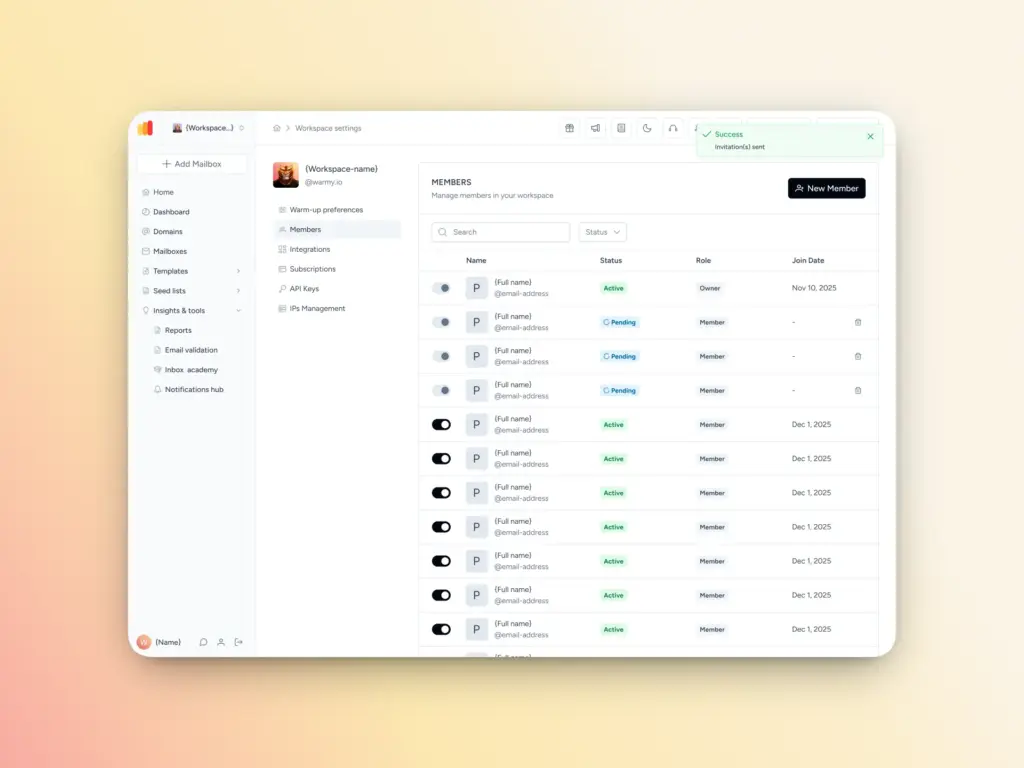
Managing email deliverability across multiple clients, brands, or departments used to mean messy shared accounts and tangled billing. Warmy’s Workspace Management feature solves this by giving you up to 50 fully independent workspaces, each with its own team access, warmup configurations, deliverability settings, and billing.
Key capabilities include:
- Create and switch between multiple independent workspaces instantly
- Invite team members via email and assign Owner or Member roles
- Suspend and restore access without deleting users
- Manage workspace-specific subscriptions and billing separately
- Use workspace-level API keys for automation
8. Free SPF & DMARC Record Generators
Authentication misconfigurations are one of the most common and most avoidable causes of deliverability failures. To help you get your setup right from the start, Warmy offers two free tools:
- Free SPF Record Generator: Automatically generates a valid, optimized SPF record based on your email service providers. It prevents the common pitfalls of manual SPF setup, including formatting errors and exceeding the 10 DNS lookup limit, which can silently break authentication.
- Free DMARC Record Generator: Helps you create a DMARC policy that protects your domain against spoofing and phishing attacks, monitors authentication failures, and lets you gradually enforce stricter policies without risking legitimate email delivery.
What can you monitor with Warmy?
Comprehensive domain health hub
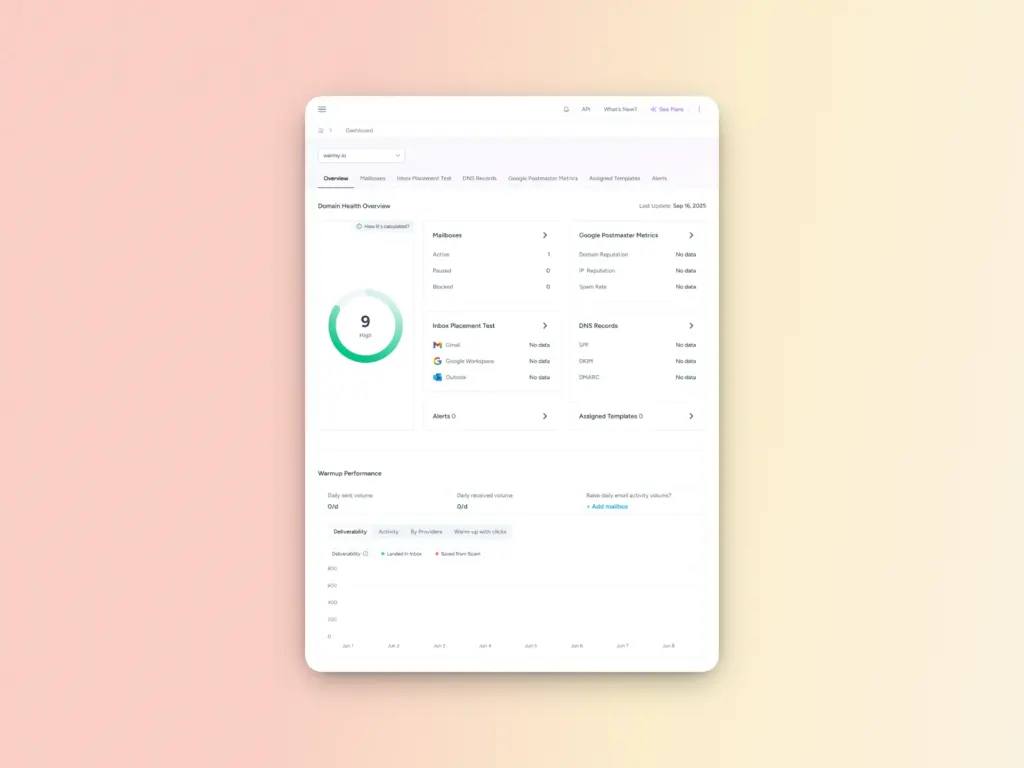
Warmy’s dashboard gives you a domain-level health dashboard for a more strategic approach to email deliverability. The Domain Health Hub includes the following features:
- A domain health score based on a combination of various factors like authentication, blacklist status, and inbox placement tests. You’ll also be able to monitor your spam rate trends and overall deliverability performance with weekly or monthly tracking options.
- Comprehensive DNS status checks to easily validate SPF, DKIM, DMARC, rDNS, MX, and A records for stronger authentication & security.
- Optimized multi-domain monitoring so users can manage all their domains from one dashboard and identify which ones need immediate attention.
- Quick access to a detailed breakdown of health metrics, performance reports, and deliverability trends per domain.
DNS Record Health Checks

A healthy domain isn’t just about sending volume. It’s also about technical configuration. Warmy’s dashboard automatically checks the validity of the DNS records that are essential for email deliverability and security, including:
DNS Record | Purpose |
SPF | Authorizes which servers can send on your behalf |
DKIM | Cryptographically signs your emails to prove authenticity |
DMARC | Tells servers what to do with emails that fail SPF/DKIM |
rDNS | Reverse DNS – confirms your IP maps back to your domain |
MX Record | Ensures your domain can receive email (trust signal) |
A Record | Maps your domain to an IP address |
If any of these are misconfigured, Warmy flags it so you can fix it before it damages your deliverability.
Inbox placement
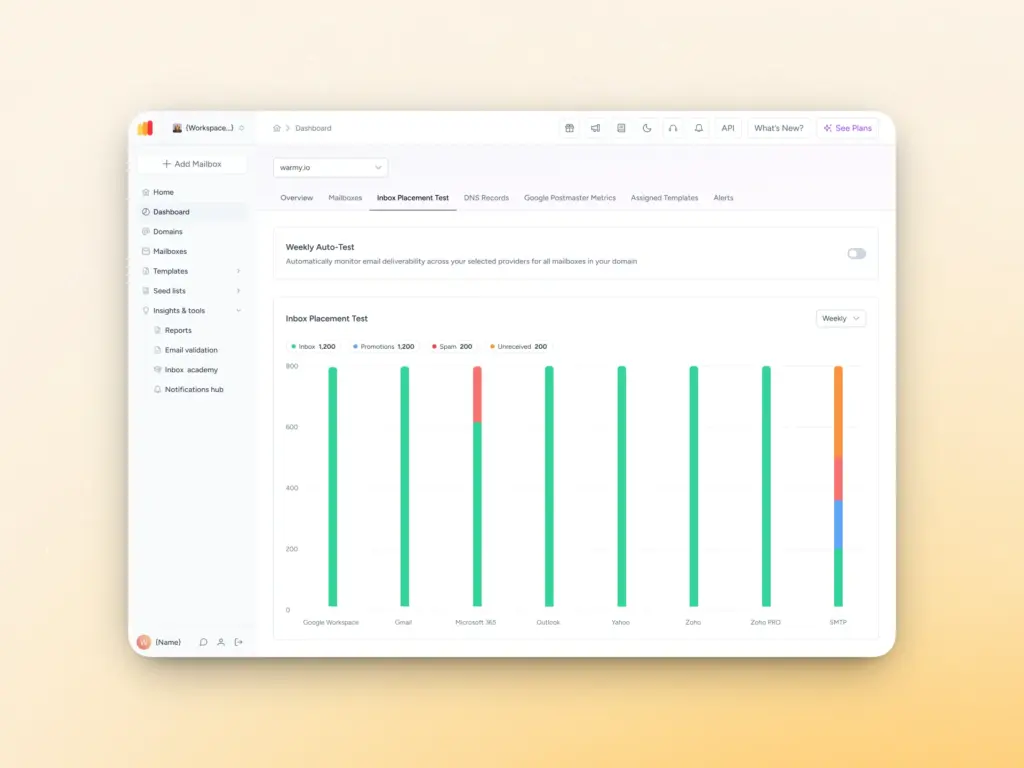
Warmy includes an email deliverability test that sends test emails to a range of major email providers and reports back on whether they land in the inbox, promotions tab, or spam. This is an invaluable diagnostic tool especially before launching a high-stakes campaign.
For paid users, you can also set up an automatic weekly schedule for the email deliverability test.
Warmy vs. manual email warmup: A quick comparison
Warmy.io | Manual Warmup | |
Setup time | Minutes | Hours to days |
Requires technical expertise | No | Yes |
AI-optimized scheduling | Yes (Adeline) | No |
Multilingual warmup | 30+ languages | No |
Template deliverability testing | Yes | No |
Daily warmup volume | Millions per day | Limited |
Automatic archiving | Yes | No |
DNS health monitoring | Automated | Manual |
Agency/team management | Yes | No |
Warmy vs. other warmup tools
FEATURE | Warmy | Others |
Dedicated AI for user’s deliverability | ✅ (Adeline AI) | ❌ |
Unlimited mailboxes can be connected | ✅ | ✅ |
Maximum warmup emails a day | Millions | < 5,000 |
Network size | >1M+ active mailboxes | Varies |
Warm up with clicks | ✅ | ❌ |
Blacklist monitoring | ✅ (included in the email deliverability test) | Usually comes as an add-on |
API Access | ✅ | Varies |
Seed Lists | ✅ | ❌ |
Reporting | Advanced | Basic |
Warmup customization | Advanced | Limited to sending schedules only |
Multiple language options for warmup emails | ✅ | ❌ |
Topic warmup | ✅ | ❌ |
Spintax on the user template | ✅ | Varies |
Email validation | ✅ | Varies |
Scalable for teams | ✅ (+ has an agency dashboard) | Robustness varies |
Email Deliverability Test | ✅ | Varies |
Email Template Checker | ✅ (with Chrome Extension) | Varies |
Email deliverability A/B testing | ✅ | ❌ |
✅ | ❌ | |
✅ | ❌ | |
Inbox Academy – free masterclass for email deliverability | ✅ | ❌ |
Get started with Warmy
Whether you’re launching a new domain, recovering from a spam reputation hit, or scaling up an existing email program, Warmy gives you the tools to do it safely and effectively.
FAQ
How long does email warmup take with Warmy?
Most domains see meaningful improvement within 2–4 weeks. The exact duration depends on your domain’s starting reputation, sending history, and the volume you’re warming up to. Warmy’s Adeline AI adjusts the schedule automatically to match your mailbox’s unique profile.
Does Warmy work with any email provider?
Yes. Warmy integrates with all major email providers and ESPs, including Gmail (Google Workspace), Outlook, Zoho, Mailgun, SendGrid, and more.
Will warm-up emails clutter my inbox?
No. Warmy’s automatic archiving feature clears all warm-up email threads from your inbox once they’ve served their purpose, keeping your mailbox clean.
Can I use Warmy for an existing domain, or only new ones?
Both. Warmy is equally effective for brand-new domains, dormant accounts that need re-activation, and established domains looking to recover from a deliverability dip or scale up sending volume safely.
What’s the difference between Warmy’s free deliverability test and a full warm-up?
The deliverability test is a one-time diagnostic. It shows you where your emails are landing right now. The full warm-up is an ongoing process that actively builds your sender reputation over time. Most users run the test first to understand their baseline, then activate warm-up to improve it.