UCEPROTECTL3 is a network-level email blacklist managed by UCEPROTECT-Network. It flags entire IP ranges when significant spam activity is detected across a shared network. Automatic removal takes 7 spam-free days. The most effective long-term fix is warming up your email domain and keeping your sender reputation clean.
What is the UCEPROTECTL3 Blacklist?
UCEPROTECTL3 (Level 3) is the most aggressive tier of the UCEPROTECT-Network blacklisting system. Unlike Level 1 (which targets a single misbehaving IP), Level 3 can blacklist your entire IP range or autonomous system (AS) if enough IPs within that network trigger spam signals.
The “L3” is the most aggressive as it targets entire ISPs or autonomous system numbers (ASNs) whose networks have a history of abusive behavior. That means even if you follow every best practice, you can still end up on L3 because of other users sharing your hosting provider or ISP.
Here is how the three levels compare:
Level | What Gets Blacklisted | Cause | Removal |
L1: Conservative | Single IPs | Spammy and suspicious behavior like sending to spam traps, breaking SPF record, | Auto after 7 clean days |
L2: Strict | Your IP range / subnet | Multiple IPs in your range spamming | ISP must act; auto after 7 days |
L3: Draconic | Your entire AS / ISP | High abuse rate across the provider | ISP must act; auto after 7 days |
Pro Tip: If you use Gmail, Google Workspace, or Microsoft 365 (Outlook/Exchange), an L3 listing will have minimal impact on your deliverability. These providers use their own proprietary spam scoring and do not defer to UCEPROTECTL3. If you are on a private or shared SMTP server, however, the risk is real.
Start warming up your domain with Warmy today.
How UCEPROTECTL3 detects and lists IPs
UCEPROTECT uses automated, real-time monitoring across global email traffic. The system looks for:
- Volume spikes: unusually high outgoing mail from a single IP or range
- Spam trap engagement: emails delivered to honeypot addresses
- Recipient complaints: abuse reports from major inbox providers
- High hard bounce rates: a sign of dirty or purchased mailing lists
- Network-level abuse thresholds: if enough IPs within a subnet cross the line, the entire range is flagged at L2 or L3
UCEPROTECTL3 updates in real time, which means you can be listed with very little warning. Proactive email health monitoring is far better than reactive delisting.
How to check if your IP is on the UCEPROTECTL3 Blacklist
Check UCEPROTECT-Network’s List
Head over to the UCEPROTECT database to check if your IP or its subnet is listed as Level 3.
- Go to uceprotect.net and navigate to the lookup tool
- Enter your IP address in the search field and run the query
- Review your result as the tool will tell you whether you appear at L1, L2, or L3.
- Note the listing date as this tells you how close you are to the automatic 7-day removal window
Use Warmy’s free email deliverability test
For a fuller picture (not just blacklist status) but actual inbox placement, use Warmy’s Free Email Deliverability Test:
- Copy the list of seed email addresses provided by Warmy
- Paste them into the “To:” field of any real email and send it
- Click “Check Email Deliverability” in the Warmy dashboard
Your results will show:
- Inbox vs. spam placement across major providers (Gmail, Outlook, Yahoo, etc.)
- Whether your domain is on any blacklist
- DNS record health (SPF, DKIM, DMARC)
How to remove your IP from the UCEPROTECTL3 blacklist
Step 1: Identify your listing level
Confirm which UCEPROTECT level you are on before taking action. Query the UCEPROTECT database at uceprotect.net to see if it is your individual IP (L1), your IP range (L2), or your entire provider (L3). The right fix depends entirely on the level.
Step 2: Fix the root cause
Delisting without fixing the underlying problem is a temporary fix. Address:
- Open relays or open proxies on your mail server
- Malware or unauthorized access that may be using your server to send spam
- List hygiene. Remove inactive subscribers, hard bounces, and unsubscribed contacts
- Authentication gaps. Ensure SPF, DKIM, and DMARC are all properly configured
If you have issues with your SPF or DMARC records, Warmy offers the following free tools:
Step 3: Choose your removal path
- Automatic removal (Free): If no further spam is detected from your IP or network for 7 consecutive days, UCEPROTECTL3 will automatically delist you. This is the cleanest path and requires no payment.
- Expedited removal (Paid): UCEPROTECTL3 offers faster removal via a “donation.” This is not recommended as a first step because it does not fix the underlying issue. Use it only if you have a time-sensitive campaign and have already resolved the root cause.
- Contact your ISP (for L2/L3 listings): If you are listed at Level 2 or Level 3, the problem likely originates from other users on your network. File a formal abuse complaint with your hosting provider or ISP. This is often the most effective path for L3 listings specifically.
How to stay off the UCEPROTECTL3 blacklist
Getting delisted is only half the job. If you don’t change your sending practices, you risk getting listed over and over again. This isn’t just an inconvenience, but it also damages your sender reputation in the long run.
Here is how to ensure you stay off the UCEPROTECTL3 blacklist and other blacklists too:
- Do not skip the email warmup. Warm up new IPs and domains before sending at volume. Sending cold outreach in bulk is the top cause of blacklisting for new senders.
- Authenticate your email with SPF, DKIM, and DMARC to signal legitimacy to inbox providers.
- Use double opt-in to keep your list clean from the start.
- Monitor your sender reputation regularly. Do not wait for a drop in open rates to find out you are blacklisted
- Set up feedback loops with major ISPs so complaint data flows back to you in real time
- Remove hard bounces immediately after every send
Start warming up your domain with Warmy today. It’s free for seven days.
Why sender reputation matters more than ever in 2026
Your sender reputation is the score ISPs and inbox providers assign to your domain and IP. It determines whether your emails land in the inbox, the spam folder, or get blocked entirely.
Key factors that damage sender reputation:
- High complaint rates: Recipients marking your emails as spam means your content is not relevant, and they are not interested in receiving any more messages from you. If you get spam complaints often, inbox providers take it as a sign that they need to protect their users from you.
- High bounce rates: An increase in bounce rates means you’re sending to stale, invalid, or purchased lists. This is considered poor sending behavior, and inbox providers will treat this as a red flag.
- Spam trap hits: Spam traps are email addresses set up specifically to catch spammers.
- Sudden sending volume spikes. Blasting cold lists without a warmup period is considered spammy behavior.
- Presence on blacklists. Being included in blacklists like UCEPROTECTL3, Spamhaus, and Barracuda shows inbox providers that you have suspicious sending behavior and practices.
A blacklisted IP is both a symptom and a cause of poor reputation. Fixing the listing without fixing the underlying behavior guarantees you will be back on the list within weeks.
How Warmy helps you rebuild and protect your sender reputation
Warmy is a full email deliverability infrastructure built specifically to keep you off blacklists in the first place. Here is how our core features protect your sender reputation:
AI-powered email warmup
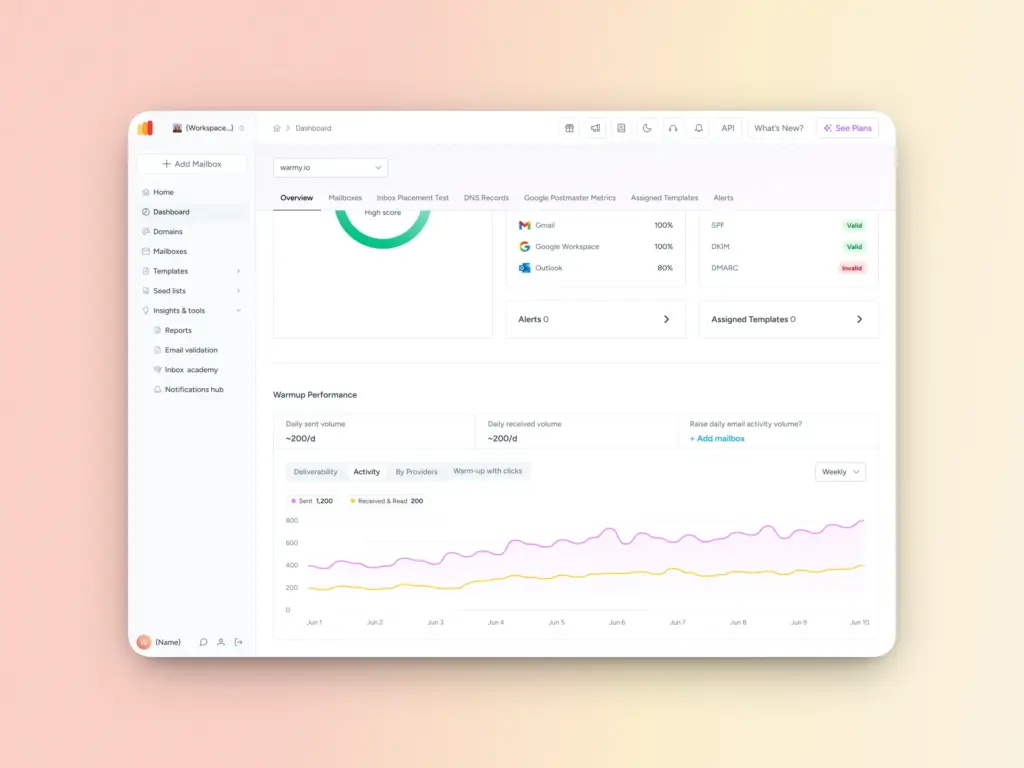
Sending from a cold domain or IP is one of the fastest ways to land on a blacklist. Warmy’s automated warmup gradually increases your sending volume while generating positive engagement signals like real opens, replies, and spam recovery from an active network of mailboxes.
This builds the trust score that inbox providers use to decide where your emails land, before you ever send a campaign. Whether you are launching a new domain, recovering from a blacklist, or scaling up send volume, warmup is the foundation.
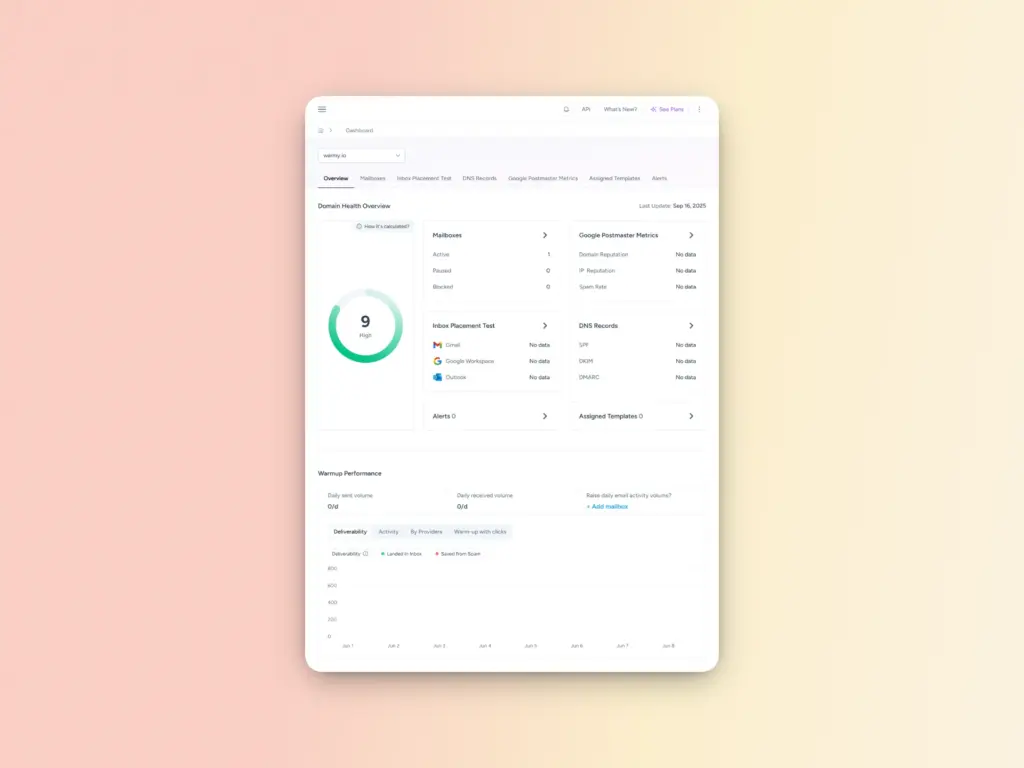
Domain Health Hub
SPF and DMARC Record Generators
Misconfigured DNS records are one of the most common and most avoidable triggers for blacklisting. Warmy’s free record generators walk you through creating and validating your SPF and DMARC records correctly, with no technical expertise required.
Inbox Placement Test
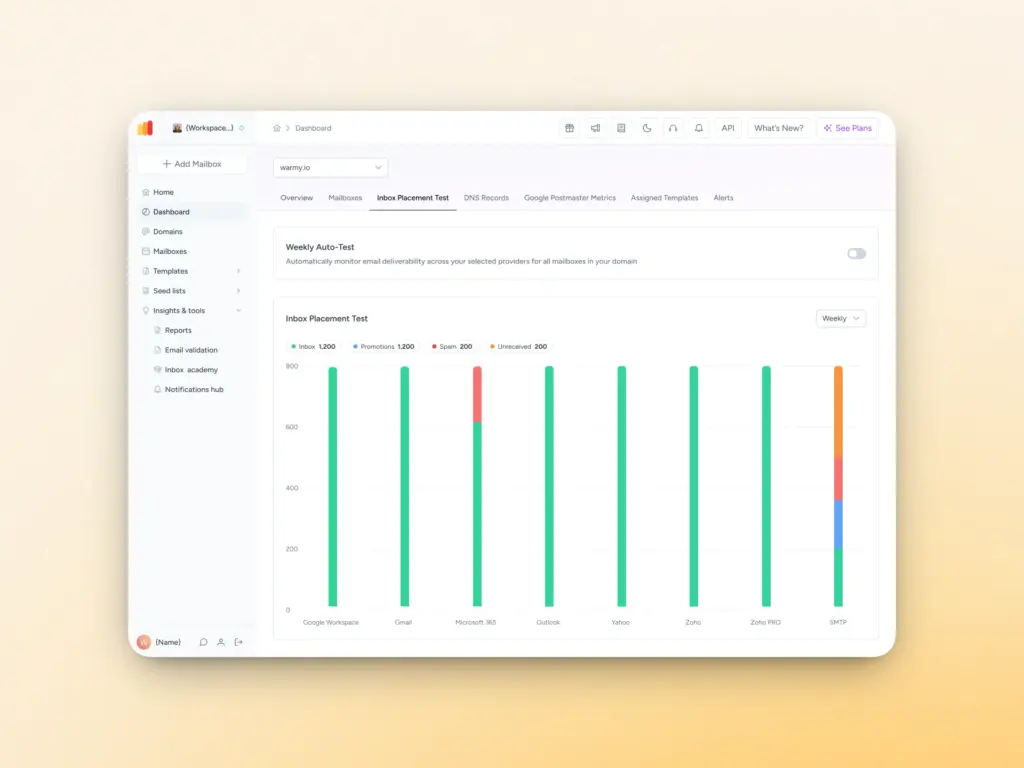
Knowing your email was “delivered” is not enough. Warmy’s Inbox Placement Test shows you exactly where your emails land across major providers (inbox, spam, or promotions tab) so you can identify and fix placement issues before they compound into reputation damage. It also surfaces blacklist status and DNS health in the same report, giving you a complete picture of your deliverability in one place.
Pro Tip: If you have just been delisted from UCEPROTECTL3, run an inbox placement test immediately after the 7-day clean period. It confirms your removal has taken effect across providers and gives you a clean baseline to monitor going forward.
From blacklisted to back in the inbox
Being listed on the UCEPROTECTL3 blacklist is disruptive.
However, it is fixable and more importantly—preventable.
The key is understanding that UCEPROTECTL3 does not just punish bad actors; its network-level logic means clean senders on shared infrastructure can get caught too. That makes proactive reputation management non-negotiable, not optional.
The path forward is straightforward:
- identify your listing level
- fix the root cause
- wait out the 7-day automatic removal window or escalate to your ISP
- put the right infrastructure in place to make sure it does not happen again.
That means proper authentication, clean list hygiene, and a warm-up strategy that builds trust with inbox providers before you need it.
If your domain has taken a hit, Warmy.io gives you the tools to recover faster and the ongoing monitoring to stay protected. Try Warmy free for 7 days.
FAQ
How long does it take to be removed from the UCEPROTECTL3 blacklist?
Automatic removal happens after 7 consecutive spam-free days. If you have resolved the issue and still are not removed after that window, pursue expedited removal via UCEPROTECT’s paid option or escalate through your ISP.
Will being on UCEPROTECTL3 affect my Gmail or Outlook deliverability?
For senders using Gmail, Google Workspace, or Microsoft 365, the direct impact is minimal. These providers use their own proprietary spam scoring and do not rely heavily on UCEPROTECTL3. The greater risk is with smaller ISPs and self-hosted email servers that actively check UCEPROTECTL3.
Can I whitelist my IP on UCEPROTECTL3 to prevent future listings?
No. UCEPROTECTL3 does not offer a whitelist service. The best protection is maintaining clean sending practices, proper authentication (SPF, DKIM, DMARC), and warming up new sending infrastructure before scaling volume.
What is the difference between UCEPROTECTL1, L2, and L3?
Level 1 blacklists your individual IP. Level 2 blacklists your IP range when multiple IPs show abuse patterns. Level 3 is the most aggressive as it blacklists your entire ISP or autonomous system if the abuse rate across that provider crosses a defined threshold.
How do I know what triggered the UCEPROTECTL3 listing?
Check the UCEPROTECT lookup tool at uceprotect.net. It shows the reason code for your listing. Common triggers include spam trap hits, high complaint rates, and volume anomalies. Warmy’s free deliverability test can also surface DNS misconfigurations that may be contributing.