


Warmy has released two powerful features designed to transform how you manage and monitor your seed lists. Here’s what’s new:
Feature 1: Seed List Receiver Update
- Download only the seeds that changed since your last update instead of importing full 500-line CSVs
- System automatically tracks what’s been replaced and what’s new
Feature 2: Seedlist Performance Statistics
- New “Performance” tab shows key metrics: emails read, clicks, spam recovery, and promotions movements
- Filter by seedlist provider and track trends over time
Seed List Receiver Update: The solution to the CSV nightmare you didn’t sign up for
There’s no doubt that seed lists are valuable for warmup and email deliverability. They help you monitor inbox placement, track spam folder rates, and maintain a strong sender reputation.
But the moment a receiver gets blocked (which happens naturally as part of deliverability monitoring) your list is officially out of date. If you miss that update, you’re sending to dead addresses, triggering hard bounces, and damaging the very reputation you’re trying to protect.
Hence, Warmy regenerates seed lists frequently to ensure you’re sending to quality seeds. This is how the process looks like:
- Seed lists are updated due to natural receiver blocks. This is done daily, and sometimes even multiple times a day.
- Every time receivers are replaced, users must manually update all their lists as part of ESP contact list management. (Klaviyo, SendGrid, Mailchimp, etc.)
- Users will need to download the updated seed list from Warmy and import them into their platform
While effective, this repetitive manual task can be overwhelming—especially for high-volume senders who manage multiple contact lists across different ESPs.
The Warmy Research team also observed that only 25% of users download and apply the rotated seed lists. The other 75% are continuing to send to outdated receivers, risking SMTP errors, hard bounces, and tanking their reputation.
While receiver blocks cannot be controlled, the process of updating seed lists can be enhanced to reduce repetitive tasks, workload, and simplify processes.
How Warmy’s new Seed List Receiver Update feature works:
Maintaining up-to-date seedlists ensures your data is accurate and your bounce rates stay low. Warmy built a solution that respects your time while keeping your deliverability on track.
How it works:
- Instead of having to download and re-process your entire seed list every time a receiver changes, Warmy now gives you the option to download only the “Updated List” file.
- This incremental update contains exactly the seeds that were removed (blocked) and exactly the seeds that were added (replacements) since your last download.
- Warmy’s system automatically tracks what’s been replaced and what’s new, combining multiple days of updates into a single file. So if multiple updates happened across several days (Example: 2 receivers replaced on Sep 28, 3 on Sep 29, and 1 on Sep 30), downloading on Oct 2 gives you all six updated receivers in one file, automatically combined for your convenience.
Key advantages and benefits of the Seed List Receiver Update feature
- “One-time download rule.” Warmy’s system is smart enough to track the last download timestamp. You can download the Seed List Receiver Update file only once per update event, which prevents confusion and ensures clarity. You always know exactly which changes you’ve already applied and which are new. No duplicates, no confusion, just clean data every time.
- Reduced manual editing from 20-30 minutes to 2-3 minutes: Update only what changed in your ESP contact lists instead of re-importing 500 lines (or more).
- Zero-bounce maintenance: Keep your lists clean and avoid hard bounces without the heavy lifting.
- Easier management for multiple splits: Manage seed lists across different campaigns or ESPs without drowning in CSV files.
How to access the Seed List Receiver Update
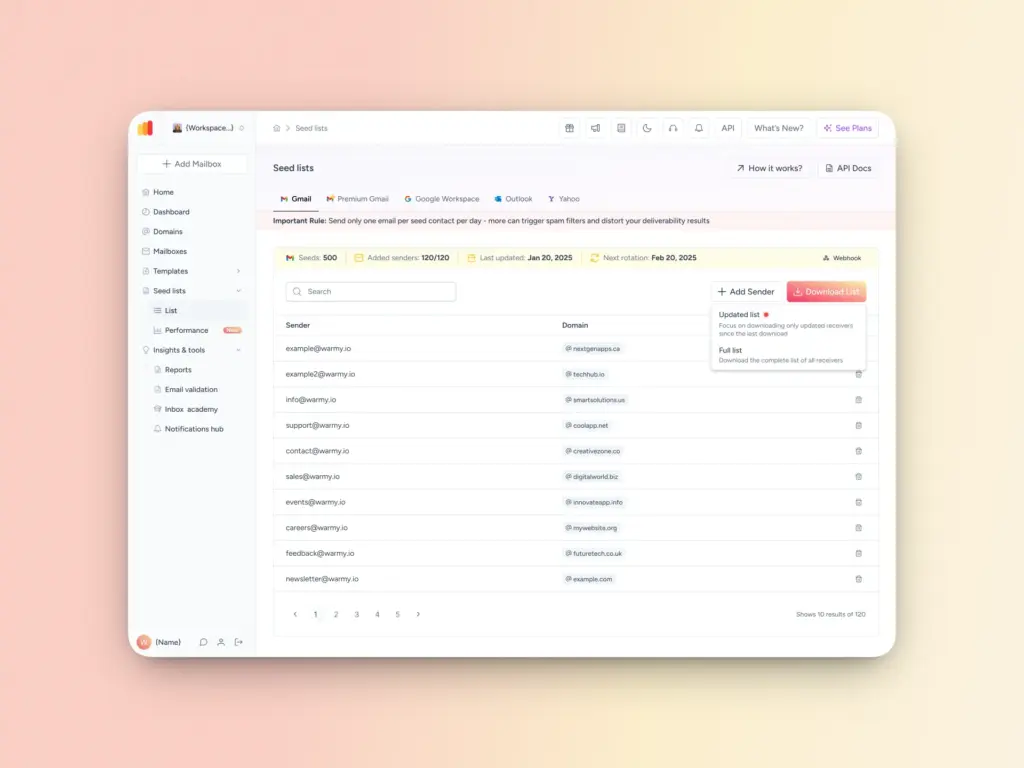
- Log into your Warmy dashboard and go to the Seed Lists page
- Hover on the Download List button where you will see two options
- Click on “Updated List” to get only the updated receivers
- Users can still download the full seedlist at any time.
For more advanced and technical users: How to use Webhooks to push seed list updates automatically
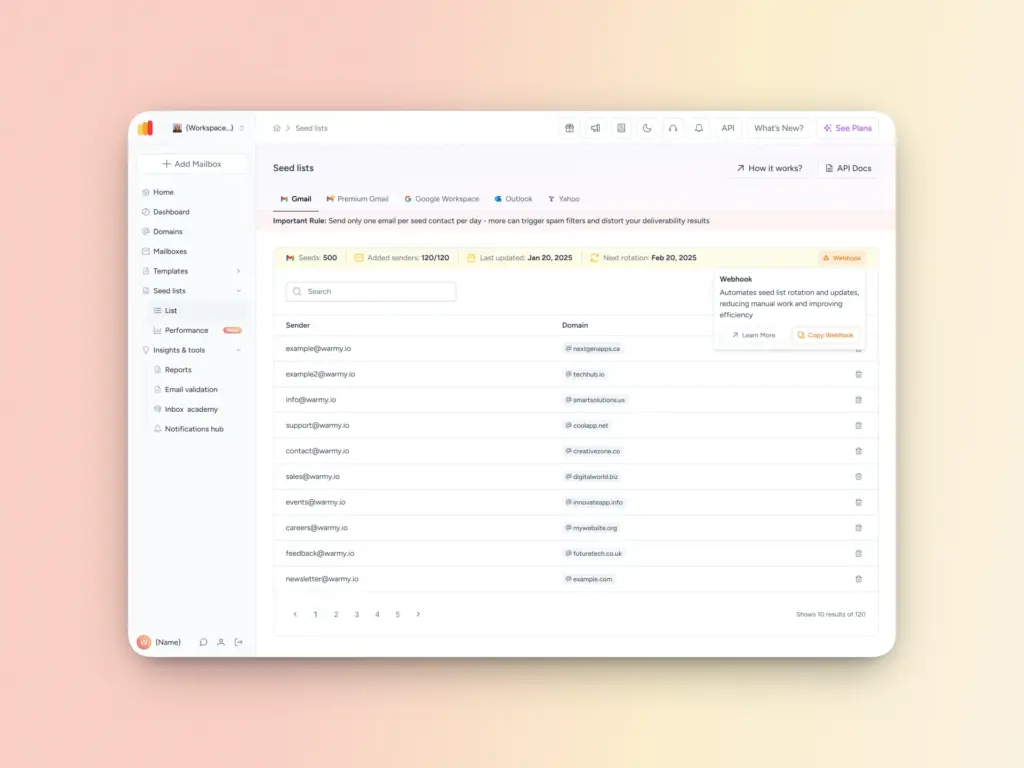
For advanced users who want an even more seamless seed list management experience, Warmy provides ready-to-use Make.com (formerly Integromat) templates that handle updates automatically apply seed list updates and rotations for Klaviyo and SendGrid.
These templates ensure your ESP lists remain fully synchronized without any manual intervention.
How it works:
- Advanced users can use Webhooks to push seed list updates directly into their ESP segments
- Make.com templates handle the logic of removing old seeds and adding new ones automatically
- Your seedlists stay fresh 24/7 without requiring you to log in, download files, or manually update contact lists
Not using Warmy’s Seed List feature yet? See how it works here..
Seed List Performance Statistics: How to turn data into deliverability insights
Updating your seed list is only half the battle. You also need to know if those updates are actually working.
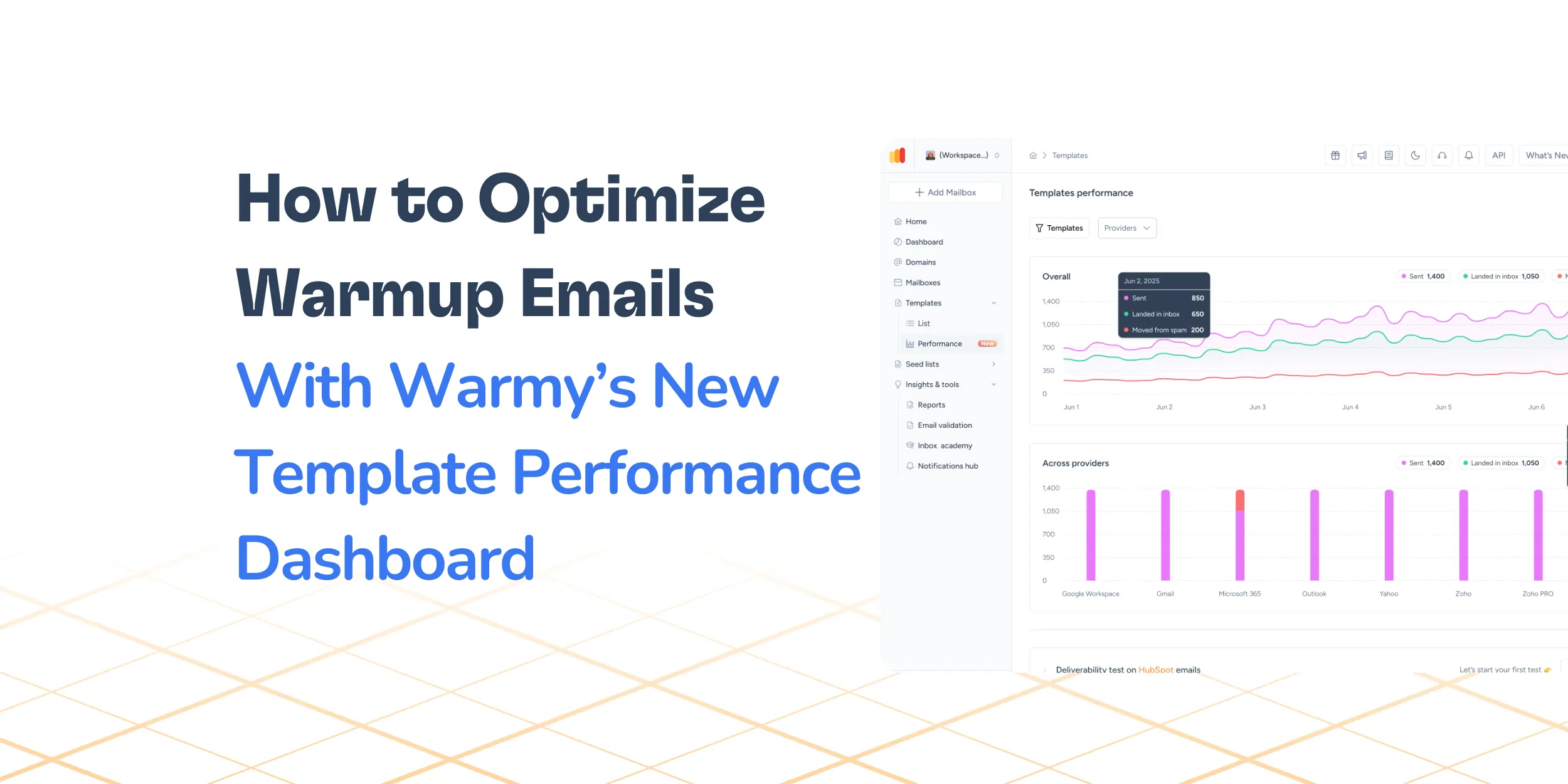
Warmy’s new Performance tab on the Seed List page shows key seed list deliverability metrics:
- Inbox placement and engagement metrics
- Statistics across seed list providers and senders
- Data for specific time periods
Additionally, these seed list statistics are also available in the Admin panel, so admins can monitor performance across users/workspaces.
A look at Warmy’s Seed List Performance Statistics dashboard and how it works
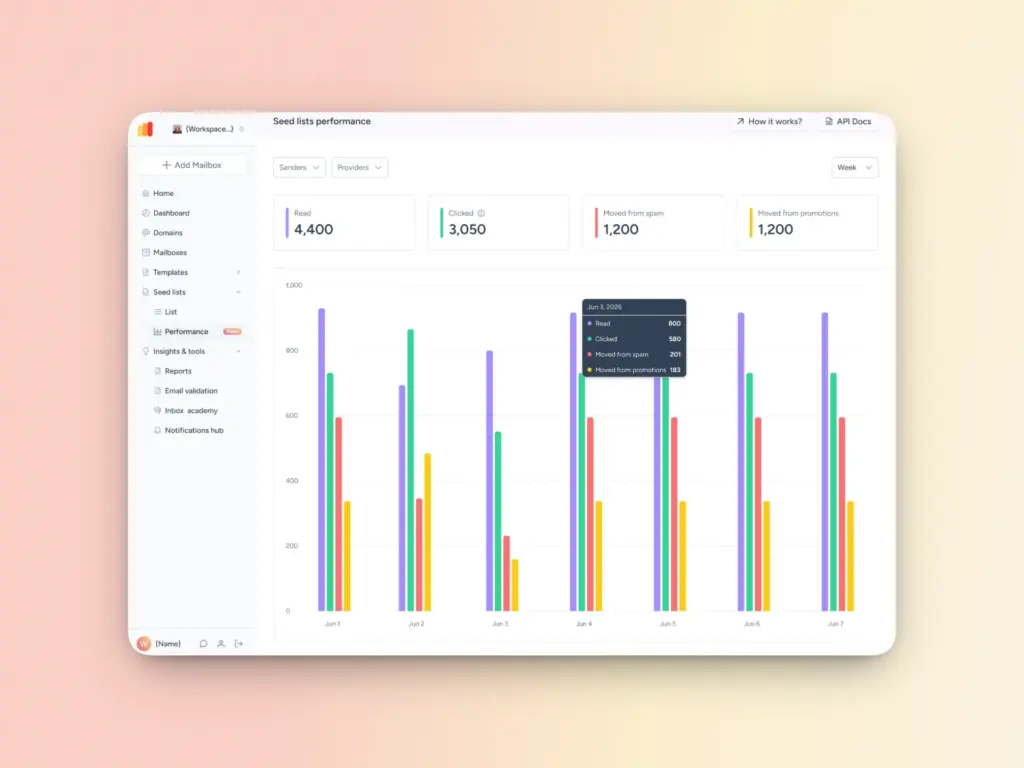
Step 1: Access the dashboard
Navigate to the Seed Lists page inside your Warmy dashboard. You’ll see the new Performance section, which shows a bar chart with the following metrics:
- Read – number of emails that were read within the inbox folder
- Clicked – number of clicks on the links inside the emails
- Moved from spam – number of emails moved from the spam folder to the inbox
- Moved from promotions – number of emails moved from Promotions tab to the primary inbox
Step 2: Select your view and filters
Use the filtering options to analyze specific segments:
- Filter by time period: Today, Yesterday, Week, Month, or Year to see how performance changes over time
- Filter by seed list provider and whitelisted sender: Select Gmail, Yahoo, Outlook, or other specific providers to identify provider-specific deliverability issues. You can also filter by specific whitelisted sender.
Step 3: Analyze trends and identify optimization opportunities
Look for any standout patterns in your data such as:
- Increasing spam recovery rates after recent warmup efforts means your current strategy is working.
- One provider showing significantly lower inbox placement than others may need targeted attention.
- Declining click rates could mean content needs to be addressed.
Key advantages and benefits of Seed List Performance Statistics
- Validate deliverability improvements: See concrete proof that your seed list updates and warmup efforts are improving inbox placement.
- Visibility into provider-specific issues: Filter by Gmail, Yahoo, Outlook, and other providers to spot which ones need attention.
- Data on performance by sender: See how different domains in your workspace are performing and optimize accordingly.
- Spot trends over time: Compare daily, weekly, and monthly data to understand deliverability patterns and seasonal variations.
- Proactive issue detection: Identify declining inbox rates or increased spam placement before they impact your real campaigns.
- Admin-level visibility: Admins can monitor performance across all users and workspaces from the Admin panel.
Take control of your seed list management
These two features work hand-in-hand to give email senders even more visibility and control over your email deliverability and sender reputation.
For existing Seed List users, you only need to:
- Log in to your Warmy account
- Head over to the Seed List page
- Download the Seed List Receiver Update file
- View your Seed List statistics on the new Performance tab
For Warmy users who are not yet using the seed list feature yet, we invite you to explore what it can do to maximize your deliverability. You can access it straight from your Dashboard:
- Go to Seed List tab from menu
- Click on “Unlock Now” to see the different plans available
- You can select your preference for number of seeds and number of senders
If you’re currently evaluating potential email deliverability solutions, Book a demo to see Warmy’s seed lists in action and discover how AI-powered email warmup can transform your email strategy.
FAQ
Can I still download the full updated seed list?
Yes, full split downloads remain available at any time. Incremental updates are an addition to your options, not a replacement. You can choose to download the full list whenever you need a complete refresh.
What if I miss several updates of the seed lists?
The system returns all combined changes since your last download. If updates occurred on multiple days and you download once at the end of the week, you’ll get all the accumulated changes in a single file. No need to worry about tracking individual update events.
Is there any additional configuration I have to do to set up the incremental seed list updates and seed list performance tab?
No. Both features are readily available in your Warmy account.



![Text graphic featuring the message: SMTP Error 553 5.1.2 How to Fix It [SOLVED] in bold black and blue text on a white background, accented by a light orange gradient on the right side. Perfect for illustrating smtp error 553 5.1.2 solutions.](https://warmy-blog-wordpress-bucket.s3.amazonaws.com/wp-content/uploads/2026/02/04111133/SMTP-553-5.1.2.webp)


