Knowing whether your recipient received and read your emails provides various opportunities for marketers and sales teams. It can give information on which emails are actually engaging your potential prospects, how your recipients behave, the perfect timing for your follow-ups, and so on.
Thus, read receipts is a valuable aspect of transforming your email from a one-way message into a two-way conversation. With over 1.8 billion monthly active users globally, Gmail read receipts are highly critical especially for business accounts.
To effectively use and maximize this, you need to understand the nitty gritty of it all, such as specific limitations and requirements to make your email tracking more open and straightforward.
For this blog, we’ll walk through everything you need to know about how to return and receive Gmail read receipts, from the technical setup to the strategic implications for your email deliverability. Let’s dive in.
Requesting and returning a Read Receipt in Gmail
Google Workspace (formerly known as G Suite) gives you access to native read receipt functionalities. To request for a read receipt, you need to do the following:
- Compose your email
- Click the Three Dots at the bottom right of your email
- The select “Request read receipt” from the dropdown menu
- Then Send your email
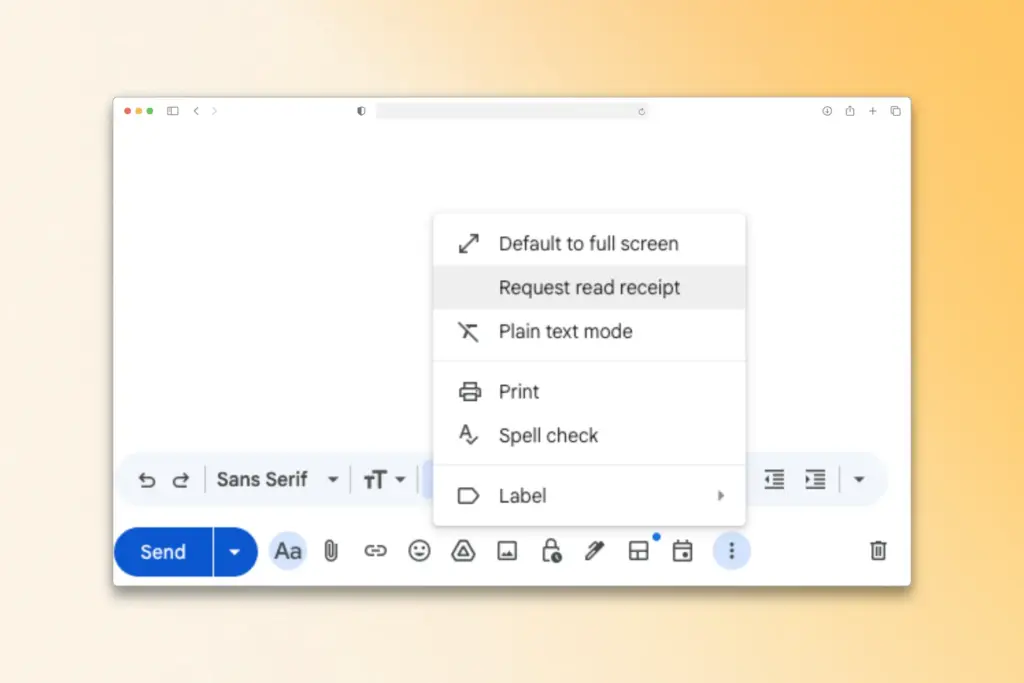
Once enabled (and assuming that they agreed to send the receipt back), you will receive a notification that the recipient opened your email.
However, here is the caveat: Read receipts are only available for Google Workspace accounts, and not for personal Gmail accounts. So if you are using the free @gmail.com domain, you would not be able to see the “Request read receipt” option in your compose window.
Returning a read receipt
When someone sends you an email with a request for a read receipt, there will be a notification at the top of the email asking if you would like to send a receipt. It will be entirely up to you whether to send a read receipt, decline it, or never send you one at all.
- If you want a Send a read receipt click “Send receipts”
- You can also decline to send by clicking “Not now”
- And you have the option to always decline by selecting Never send read receipts
In a sense, this recipient control is both a feature and a limitation. While it respects privacy, it also means that requesting a read receipt doesn’t guarantee you’ll actually receive confirmation that your email was opened.
Many recipients decline to read receipt requests either out of privacy concerns or simply because they don’t want to confirm engagement. And remember, if you decline to read receipts then that means that your recipients can do that too.
It is also important to understand that there are ways for administrators to configure domain-wide settings that can automatically send read receipts to internal emails or to specific domains. It is highly useful if you are managing multiple domains. However, these settings do not override individual user preferences for external emails.
What really happens when receipts aren’t delivered?
Requesting a Gmail read receipt will not guarantee that you will receive a confirmation, and sometimes that is outside of your control. Here are the following reasons why sometimes read receipts are undelivered sometimes.
The recipient declines the request
This is a dilemma that can be disheartening, but it is important that you do not penalize the recipient because of this. It is probable that they just don’t find your email interesting in their current goals, prompting them to ignore the read receipt. Or maybe they opened the email and only scanned it quickly enough that they failed to notice it.
The email is read on mobile devices
Americans spend an average of 4 hours and 30 minutes on their phones per day, while the UK averages up to 5 hours, so there is a large chance that you are sending an email from someone who is using a mobile phone.
Mobile email clients handle read receipts inconsistently. Most mobile apps don’t prompt users about receipt requests at all, meaning the email could be read without any notification being sent back to you.
Privacy-focused email clients block tracking
Some email clients and browser extensions specifically block read receipts and other forms of email tracking as a privacy measure.
The email is previewed, not fully opened
Some email clients show message previews without technically “opening” the email, which may or may not trigger a read receipt depending on the client’s implementation.
This creates a significant problem for sales and marketing professionals who rely on email engagement data to optimize their outreach. When only a fraction of your read receipts actually get delivered, you’re making decisions based on incomplete information. An email that was opened five times might show zero engagement, leading you to write off a potentially interested prospect.
Besides this, there is another question that Google Workspace users often ask: Do read receipts work when sending emails from Gmail to Outlook or other email clients?
Here’s the quick answer:
- Read receipts have limited cross-platform compatibility. When you send an email with a read receipt request from Gmail (Google Workspace) to someone using Outlook, the recipient may see a read receipt prompt depending on their Outlook settings, but there’s no guarantee.
- Different email clients handle read receipt requests differently—some honor them, some ignore them, and some convert them into their own proprietary tracking format.
- For the most reliable tracking across different email platforms, third-party email tracking solutions that use tracking pixels tend to work more consistently than native read receipt requests, though they come with their own deliverability considerations.
How Gmail read receipts affect your deliverability
Here’s something most people don’t consider: requesting read receipts can actually impact your email deliverability.
But not in a way that you might expect.
From a technical perspective, a read receipt request appears as an extra header to your email. Although this does not flag your email as spam, it may be too “salesy” that many spam filters recognize. Combine this with other factors, such as aggressive sales language or sending of high volumes of cold emails, read receipt request tips the scales toward the spam folder.
Related Reading: Spam Complaint Rate: What It Is and How to Reduce It
How your recipients perceive read receipts
The way your recipient perceives read receipts matters. There is a reason why your recipients reject it: sometimes, especially in cold outreach, read receipts may appear intrusive or overly aggressive.
If someone does not know you and receives your email and explicitly tracks whether they opened it, there is a chance that they may reject it, delete it or mark it spam.
Each of these negative engagement signals tells email providers like Gmail that your emails aren’t welcome, which gradually degrades your sender reputation.
This is where email warmup becomes critical. Your sender reputation—the trust that email providers have in your domain and IP address—is the single most important factor in whether your emails reach the inbox or get filtered to spam. When you’re running outreach campaigns, especially with read receipts enabled, you need to ensure your sender reputation is strong enough to handle the additional scrutiny.
But given the weight of this scenario you may find yourself asking the following: Does Gmail have a read receipt feature without the recipient knowing?
Gmail’s native read receipt feature always notifies recipients when a receipt is requested—they must actively agree to send it back. There’s no built-in way to track email opens without recipient awareness in standard Gmail. However, third-party email tracking tools can monitor opens through invisible tracking pixels, though many modern email clients now block these trackers or warn users about them. It’s worth noting that tracking emails without disclosure can violate privacy regulations and damage trust with your recipients.
Warmy’s role in helping you maintain your sender reputation
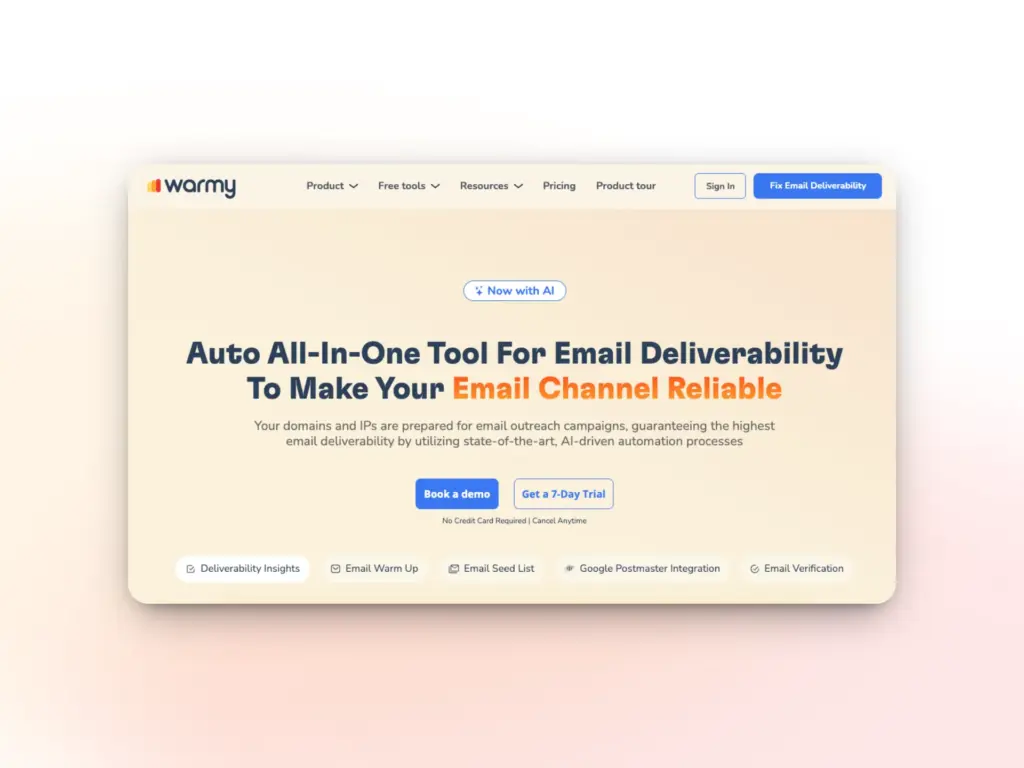
Warmy is an email warmup service that gradually builds and maintains your sender reputation by simulating natural email conversations.
Instead of suddenly blasting out hundreds of cold emails with read receipt requests (which would almost certainly land you in spam), Warmy helps you establish a positive sending history first.
Here is how we do it:
Automated email warmup

Warmy.io’s AI-powered email warmup helps strengthen your sender reputation with the following advantage:
- Gradual increase of email volume preventing sudden spikes that can trigger mail server rejections
- Simulate human-like interactions guaranteeing that your emails are opened, replied to, and marked as important
- Help you monitor your email reputation to identify potential issues before they impact your campaigns.
The beauty of combining email warmup with your tracking strategy is that you can be more aggressive with features like read receipts once your reputation is established. Instead of choosing between tracking your emails and actually having them delivered, Warmy lets you do both. Your carefully crafted sales emails with read receipts enabled will actually reach the inbox, where they have a chance of being opened and generating the engagement data you need.
Related Reading: Warm Up vs Warm Up With Clicks: What 2025 Data Reveals About Real Inbox Gains
Reputation monitoring with Domain Health Hub
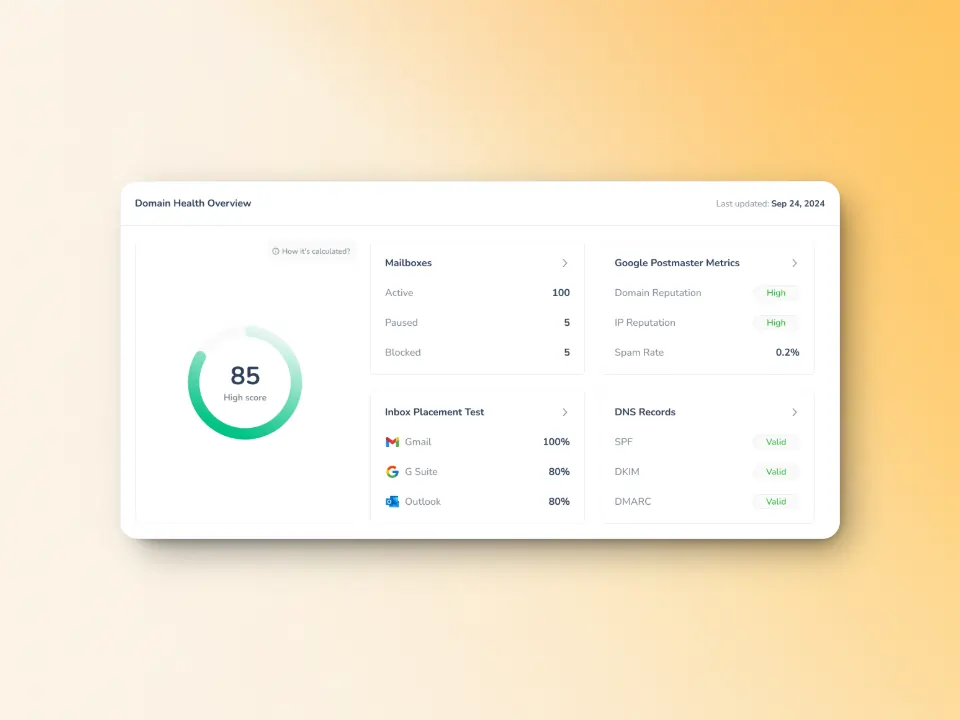
Warmy keeps an eye on your domain reputation through the Domain Health Hub, a domain-level dashboard with the following capabilities or features:
- A domain health score based on factors like authentication, blacklist status, and inbox placement.
- Data for monitoring spam rate trends and overall deliverability performance (weekly and monthly)
- DNS checks for validating SPF, DKIM, DMARC records for extra security
- Multi-domain monitoring for convenient tracking of all domains
- Reports on performance and other health metrics
Enhanced inbox placement with seed lists
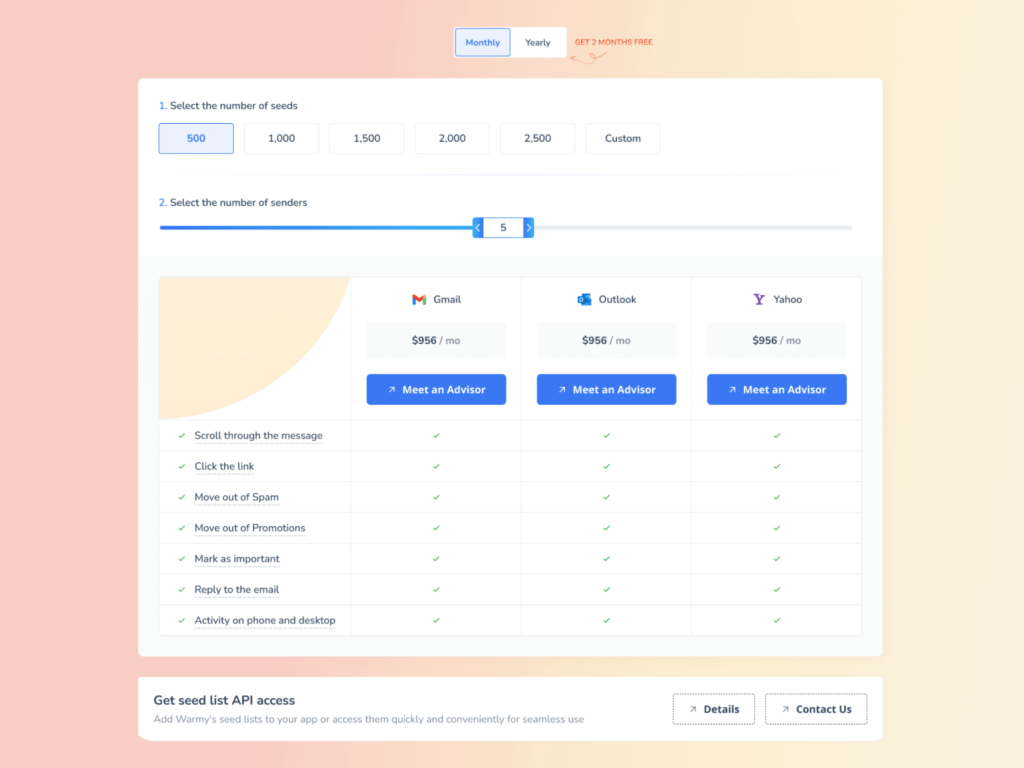
Warmy.io’s seed list feature can help businesses test and optimize email campaigns before sending emails to their recipients.
By using real email addresses (compared to other warm up processes that use fake emails) that actively interact with your emails, which provides a significant impact on your reputation. Here are its following capabilities.
- Your email is not just marked as read but actually opened and scrolled through
- If your email contains any links, our system will click them naturally improving sender trust
- If in some case that the email find its way in spam, our system will manually remove then mark it as important letting internet service providers know that your emails are legitimate and trustworthy
- Can be integrated into any email client to improve your email performance testing. Warmy will supply genuine email addresses from Google, Outlook, and Yahoo that will act as seeds for testing your email deliverability.
Related Reading: Email Warmup Alternatives: When Traditional Warmup Isn’t Enough
Ready to improve your email deliverability and make the most of your tracking efforts?
Explore how Warmy.io can help you build a sender reputation that gets your emails into the inbox, where they belong. With automated warmup, deliverability testing, and ongoing reputation monitoring, sign up for a free trial today.
FAQ
What is a Gmail read receipt and how does it work?
A Gmail read receipt notifies you when a recipient opens your email. However, this feature is only available for Google Workspace (business or school) accounts, not personal Gmail accounts. The recipient must agree to send the read receipt.
Can I track email opens with a personal Gmail account?
No, read receipts are only available for Google Workspace accounts. Personal Gmail accounts do not have the option to request read receipts.
Why don’t I always get a read receipt when requesting one?
Several reasons can prevent read receipts from being delivered, including the recipient declining the request, email being read on mobile devices (which often don’t trigger receipts), or privacy-focused email clients blocking tracking.
How do read receipts affect email deliverability?
Requesting a read receipt can potentially trigger spam filters, especially when combined with high volumes of cold emails. It’s essential to manage email deliverability properly by warming up your email and maintaining a good sender reputation.
Can Warmy help with email deliverability and read receipts?
Yes! Warmy.io helps improve your sender reputation by gradually warming up your email account, ensuring that your emails, including those with read receipt requests, reach your recipient’s inbox instead of the spam folder.